
Chip-Tools
Nissan key programming with NATS-2, NATS-4, NATS-5 and NATS-5+ immobiliser
Nissan/Infiniti
Interface Classic
Keys / Immo
Medium
⏱ 20-40 min
9 steps
The "Key Learning" special function programmes keys on Nissan vehicles with NATS-2, NATS-4, NATS-5 and NATS-5+ immobiliser systems. Use it to add keys or to redo the key set after replacing components.
Required licences
- —
Hardware / cables
 AVDI
AVDI- cavo OBDII
Procedure
- First obtain the vehicle PIN with the "PIN Tool" special function (calculation from ICU/SEC, from BCM, extraction over OBDII, 12-digit glovebox label or 20-digit PIN).
- Connect the AVDI to the vehicle's OBDII socket and start "Abrites Diagnostics for Nissan/Infinity".
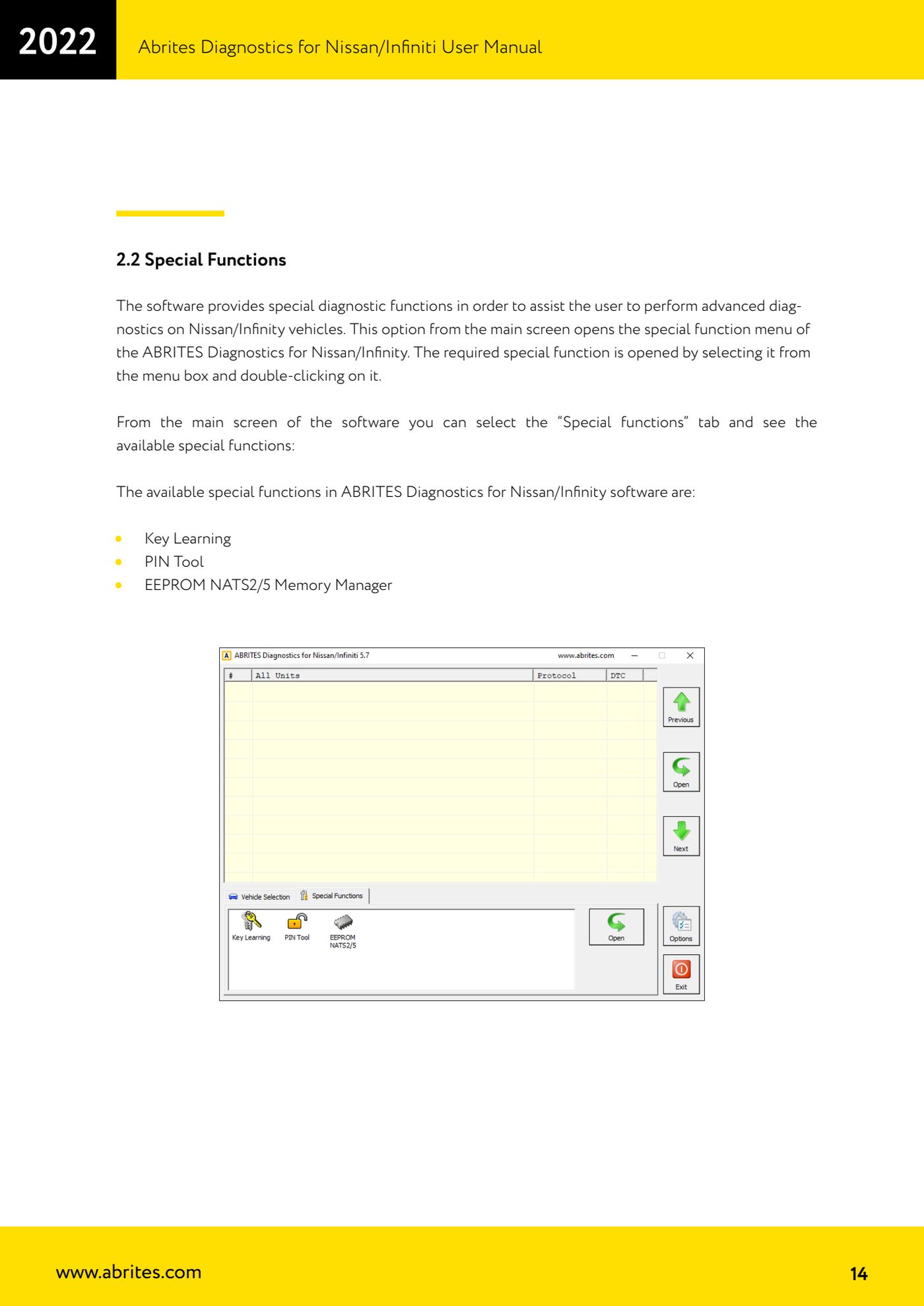
- From the main screen open the "Special functions" tab and double-click on "Key Learning".
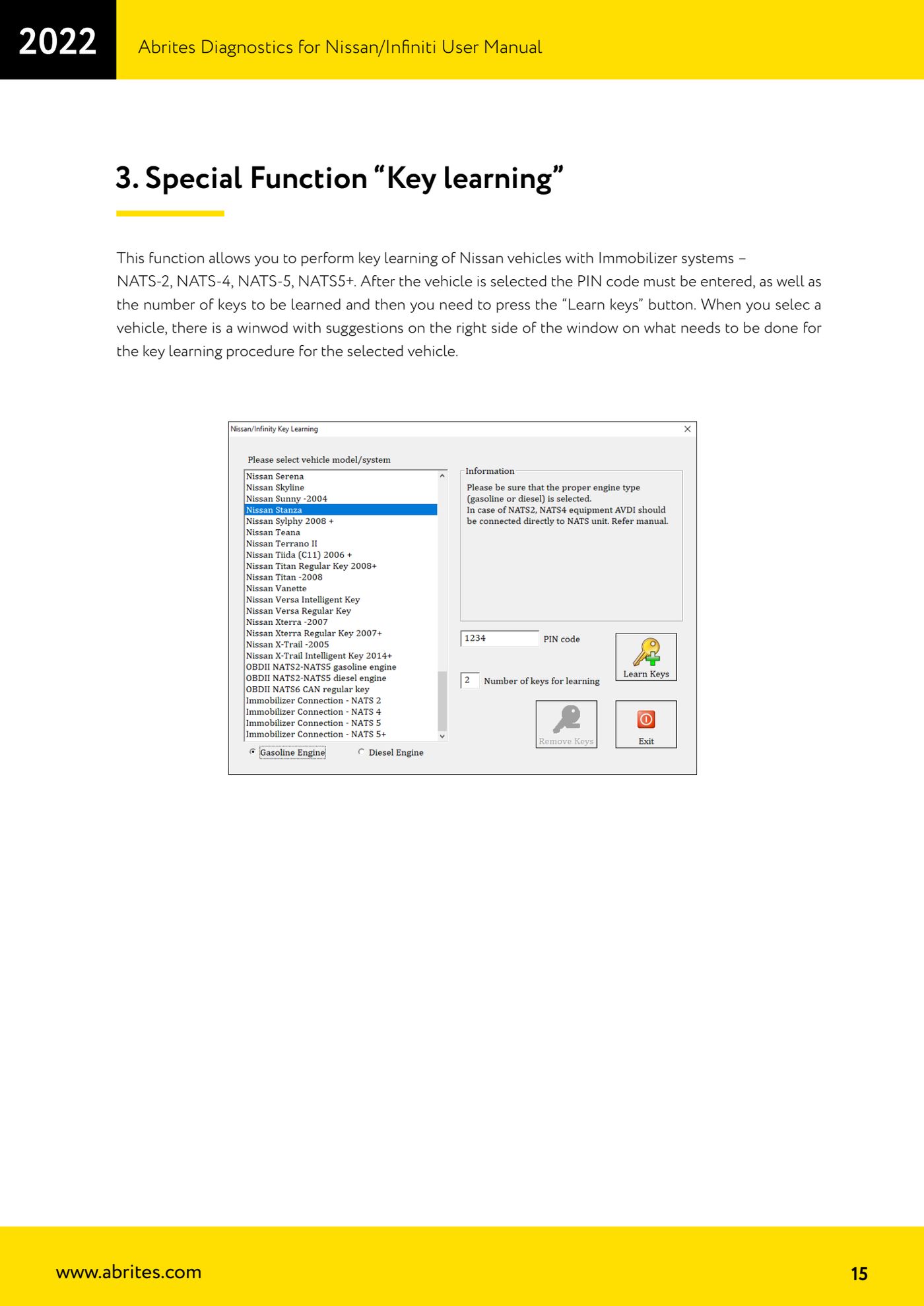
- Select the vehicle you are working on.
- Read the hints box that appears on the right-hand side of the window: it tells you what has to be done for the key learning procedure on the selected vehicle. Follow those instructions before you proceed.
- Enter the vehicle's PIN code in the field provided.
- Set the number of keys to be programmed.
- Press the "Learn keys" button and follow the progress of the procedure on screen.
- At the end of the procedure test all the programmed keys: start and stop, checking that the immobiliser light behaves correctly.
Reference screenshots
Source: Manuale Nissan/Infiniti, cap. 3 (p.15) · ⏱ estimated time 20-40 min
← All Abrites guides Hardware catalogue
More guides Nissan/Infiniti
- Module scan and DTC read/clear on Nissan/Infiniti with the AVDI
- Reading live parameters (list and graph) and actuator testing on Nissan/Infiniti
- Calculating and extracting the Nissan/Infiniti PIN Code (ICU, SEC, BCM, OBDII, glovebox label)
- EEPROM NATS2/5 Memory Manager: reading, saving and writing NATS configuration data
- Pinout of NATS 2, NATS 4 and NATS-5/5+ Siemens immobiliser units for bench work
- EM002 ESL/steering lock emulator for Renault/Nissan: 6-pin and 8-pin connection diagrams
- Starting Abrites Nissan/Infiniti Online and selecting the vehicle
- Module scan and DTC read/clear on Nissan and Infiniti
- Real-time parameter monitoring (Live Values) on Nissan and Infiniti
- Actuator Testing on Nissan and Infiniti
- Dealer-level advanced functions: the "procedures" menu of Nissan/Infiniti modules
- Nissan/Infiniti key programming via OBDII (Key Learning, including all keys lost)