
Chip-Tools
Dealer-level advanced functions: the "procedures" menu of Nissan/Infiniti modules
Nissan/Infiniti
Interface New
Coding / Adaptations
Medium
⏱ varies
7 steps
The "procedures" menu holds the advanced coding functions and dealer-level service procedures, called up module by module from the diagnostic menu. Use it when a unit has to be configured or brought back on line after a job.
Required licences
- —
Hardware / cables

⚠ WarningThe software lists all the functions that MIGHT be available for that type of module, not only the ones actually present on the vehicle in front of you: some entries in the "procedures" menu will not work because they are not supported or not fitted to that car. Do not insist and do not force a function that returns an error.
Procedure
- Run the vehicle scan and find the module you have to work on in the list.
- Go into the module from the diagnostic menu.
- Press the "procedures" button to open the list of advanced coding functions and service procedures available for that type of unit.
- Find the function you need in the list and select it.
- Follow the on-screen instructions to carry it through.
- If the function returns an error or will not start, take it that it is not supported by that specific vehicle and look for the alternative route (for example key learning for Nissan module adaptations).
- When finished run "Scan" again and use "Clear Faults" to clear any DTCs generated during the operation.
Reference screenshots
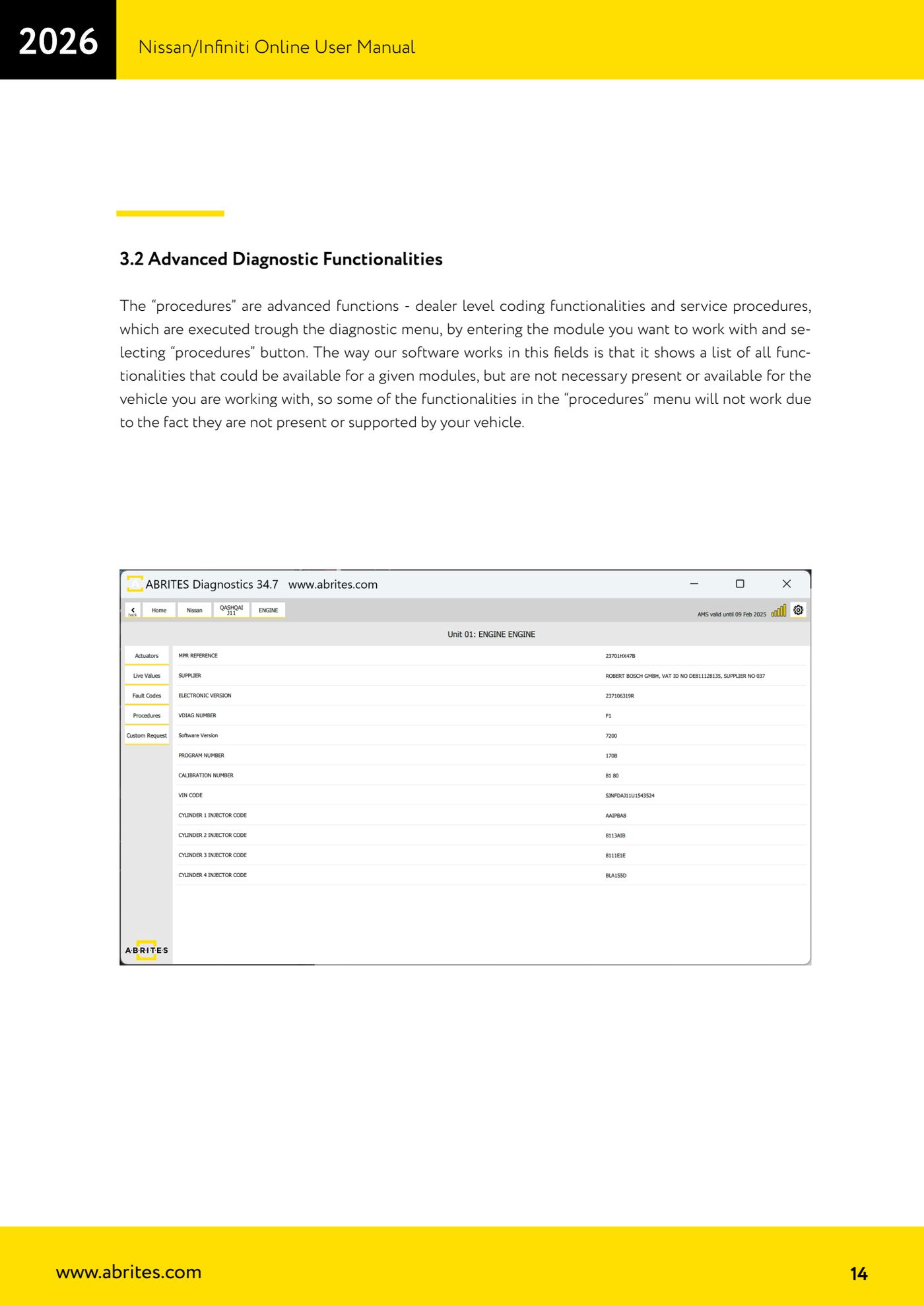
Source: Manuale Nissan/Infiniti Online, cap. 3.2 (p.14) · ⏱ estimated time varies
← All Abrites guides Hardware catalogue
More guides Nissan/Infiniti
- Module scan and DTC read/clear on Nissan/Infiniti with the AVDI
- Reading live parameters (list and graph) and actuator testing on Nissan/Infiniti
- Calculating and extracting the Nissan/Infiniti PIN Code (ICU, SEC, BCM, OBDII, glovebox label)
- Nissan key programming with NATS-2, NATS-4, NATS-5 and NATS-5+ immobiliser
- EEPROM NATS2/5 Memory Manager: reading, saving and writing NATS configuration data
- Pinout of NATS 2, NATS 4 and NATS-5/5+ Siemens immobiliser units for bench work
- EM002 ESL/steering lock emulator for Renault/Nissan: 6-pin and 8-pin connection diagrams
- Starting Abrites Nissan/Infiniti Online and selecting the vehicle
- Module scan and DTC read/clear on Nissan and Infiniti
- Real-time parameter monitoring (Live Values) on Nissan and Infiniti
- Actuator Testing on Nissan and Infiniti
- Nissan/Infiniti key programming via OBDII (Key Learning, including all keys lost)