
Chip-Tools
Nissan/Infiniti key programming via OBDII (Key Learning, including all keys lost)
Nissan/Infiniti
Interface New
Keys / Immo
Medium
⏱ 30-60 min
9 steps
The "Key Learning" function programs spare keys and covers all-keys-lost jobs on Nissan and Infiniti, working straight from the OBDII port. The procedure is guided: the software walks you through each action step by step.

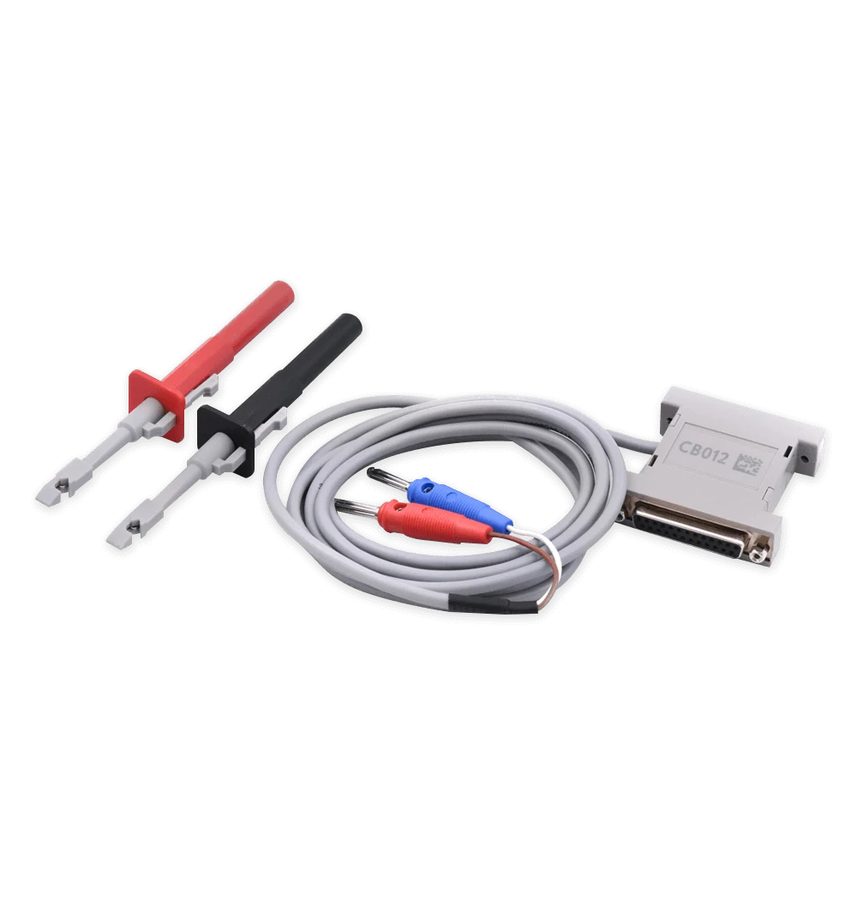
⚠ WarningOnly the latest Renault-platform models need the CB012 cable tapped into the internal CAN: check which platform you are working on first, because cars with a 28-digit PIN follow the Clio V procedure, not this one.
Procedure
- Check that the car falls within the supported platforms: 5-digit PIN to 4-digit PIN with Hitag 2 keys; 12-digit pre-PIN to 12-digit PIN with Hitag 2 keys; 20-digit pre-PIN to 20-digit PIN with Hitag AES keys; 22-digit pre-PIN to 20-digit PIN with Hitag AES keys.
- Plug the AVDI into the OBDII port and select the vehicle as per the start-up procedure.
- From the software main screen press the "Key Learning" button in the special functions bar on the left.
- On the "Select number of keys to learn" screen, drag the slider to the number of keys you need to program (remember that any key not included in the session will stop working).
- Continue: the software lists the actions required for learning and carries them out, reading the BCM number over OBDII to calculate the PIN.
- Carry out exactly the actions shown on screen, key by key, respecting the timings the software gives you.
- If the software cannot read the BCM number over OBDII, switch to manual entry of the number or to the PIN calculator (see the dedicated guide).
- Wait for the confirmation screens: if everything was done correctly the procedure closes with a successful result.
- Test every programmed key: cranking, door lock and unlock. Then run "Scan" and "Clear Faults" to wipe the codes thrown up during learning.
Reference screenshots
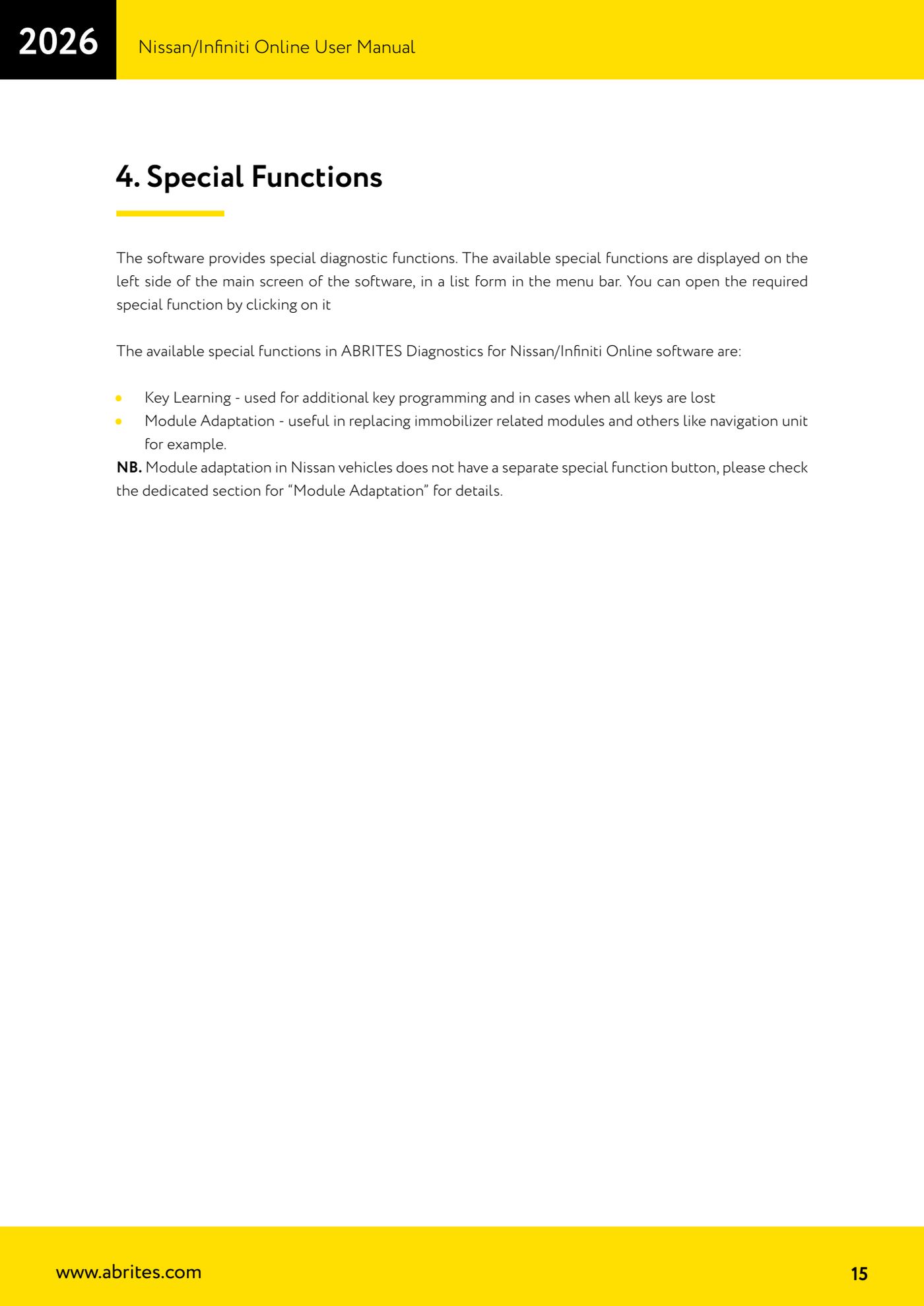
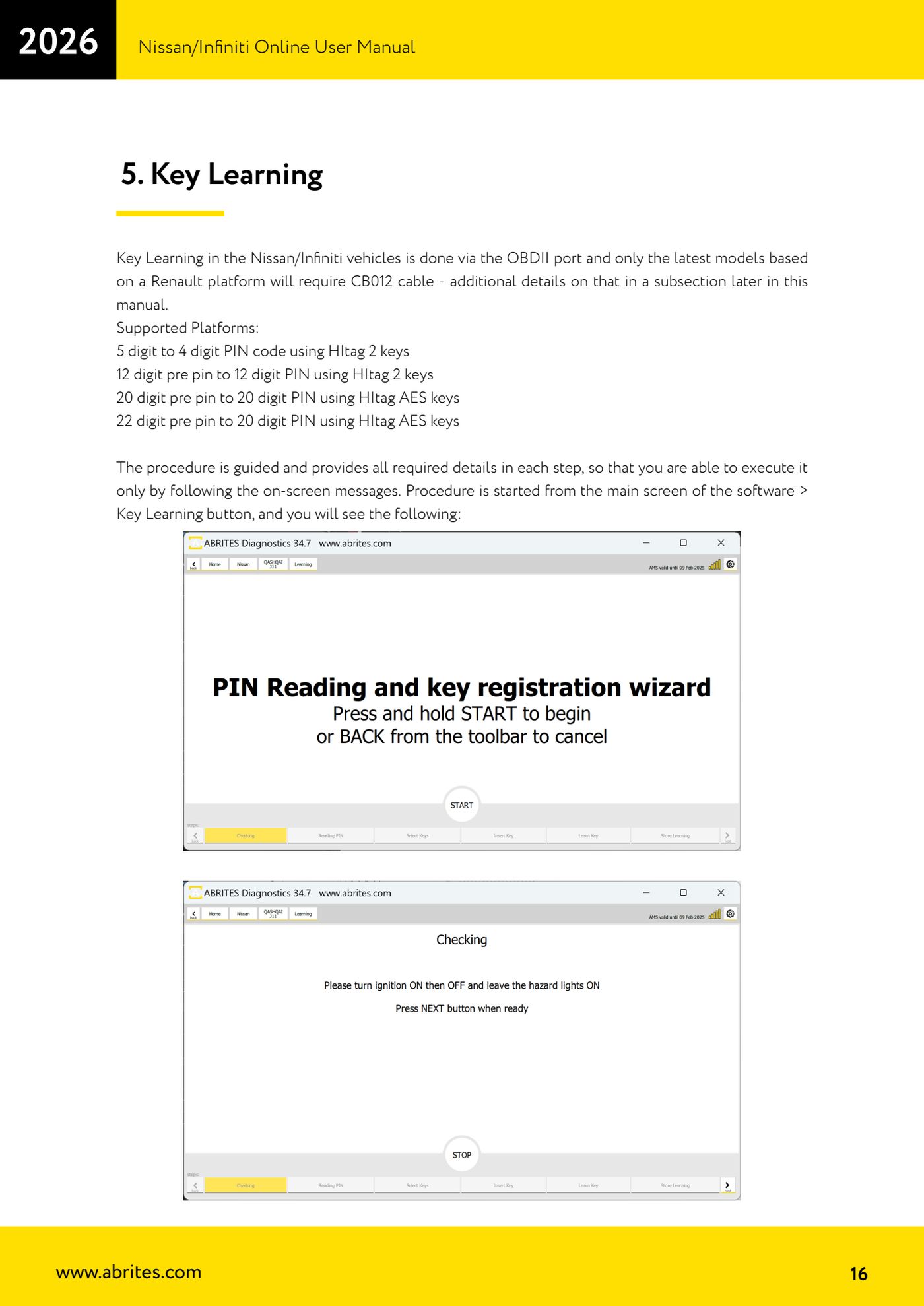
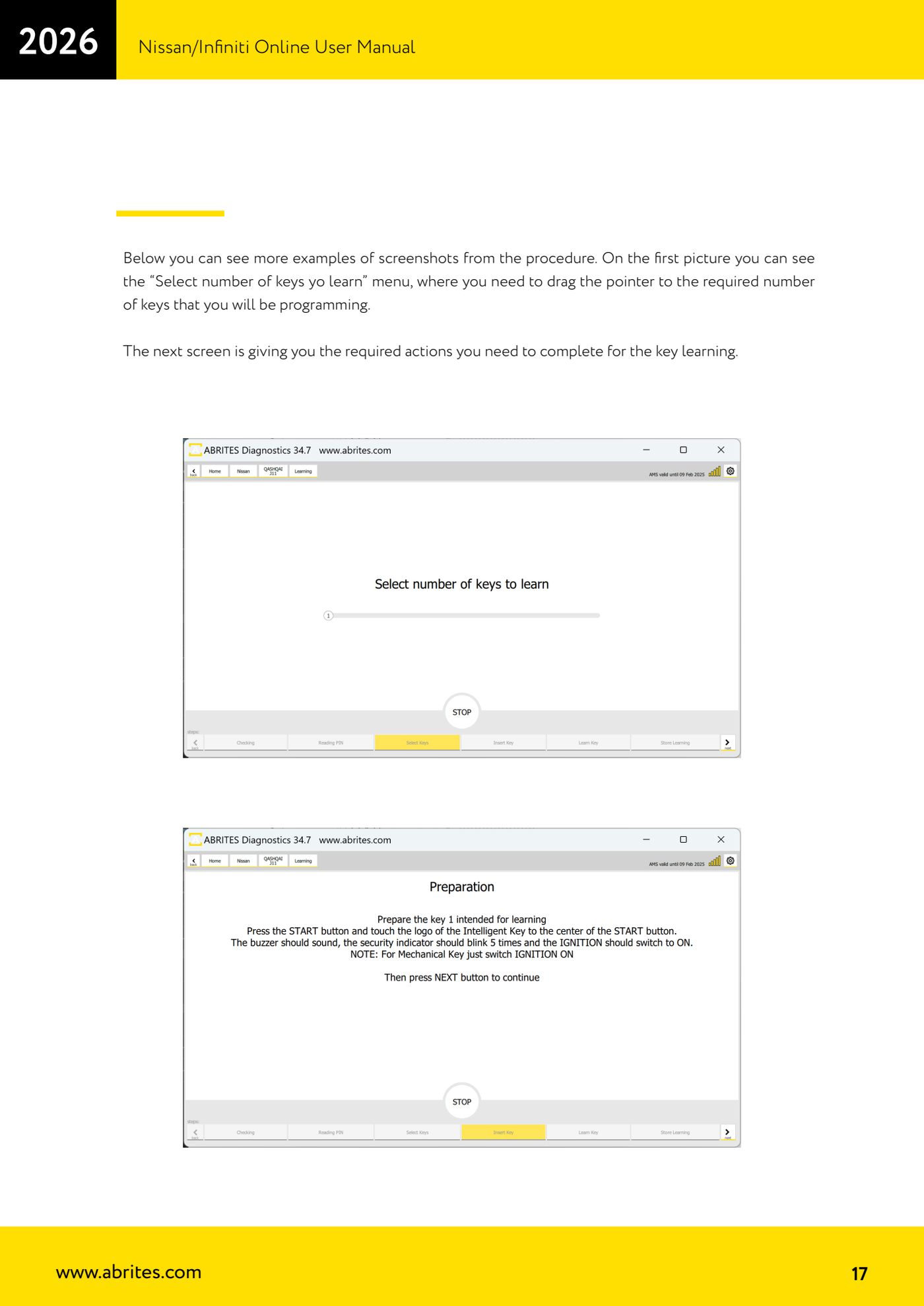
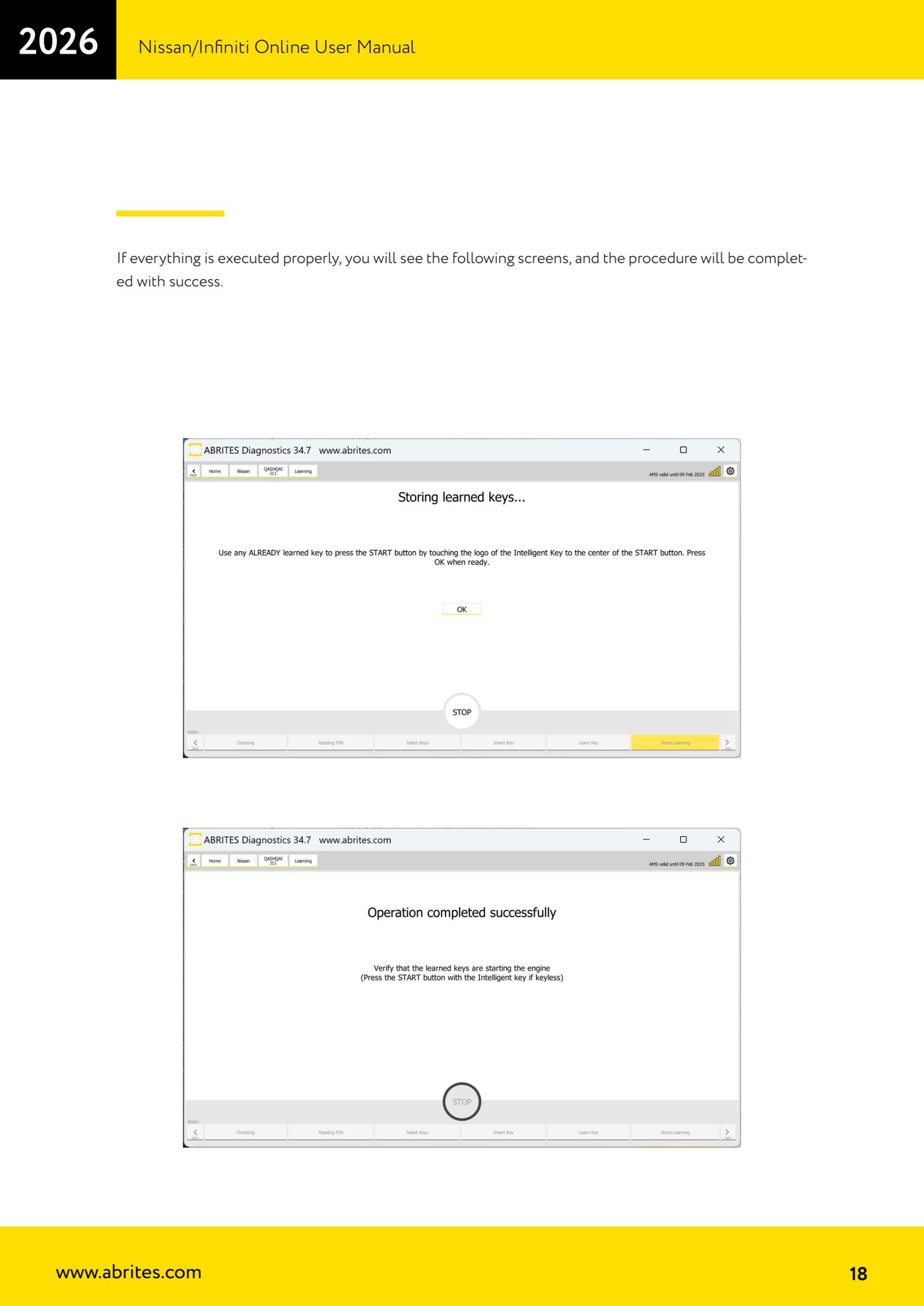
Source: Manuale Nissan/Infiniti Online, cap. 4-5 (p.15-18) · ⏱ estimated time 30-60 min
← All Abrites guides Hardware catalogue
More guides Nissan/Infiniti
- Module scan and DTC read/clear on Nissan/Infiniti with the AVDI
- Reading live parameters (list and graph) and actuator testing on Nissan/Infiniti
- Calculating and extracting the Nissan/Infiniti PIN Code (ICU, SEC, BCM, OBDII, glovebox label)
- Nissan key programming with NATS-2, NATS-4, NATS-5 and NATS-5+ immobiliser
- EEPROM NATS2/5 Memory Manager: reading, saving and writing NATS configuration data
- Pinout of NATS 2, NATS 4 and NATS-5/5+ Siemens immobiliser units for bench work
- EM002 ESL/steering lock emulator for Renault/Nissan: 6-pin and 8-pin connection diagrams
- Starting Abrites Nissan/Infiniti Online and selecting the vehicle
- Module scan and DTC read/clear on Nissan and Infiniti
- Real-time parameter monitoring (Live Values) on Nissan and Infiniti
- Actuator Testing on Nissan and Infiniti
- Dealer-level advanced functions: the "procedures" menu of Nissan/Infiniti modules