
Chip-Tools
EEPROM NATS2/5 Memory Manager: reading, saving and writing NATS configuration data
Nissan/Infiniti
Interface Classic
Keys / Immo
Advanced
⏱ 20-40 min
7 steps
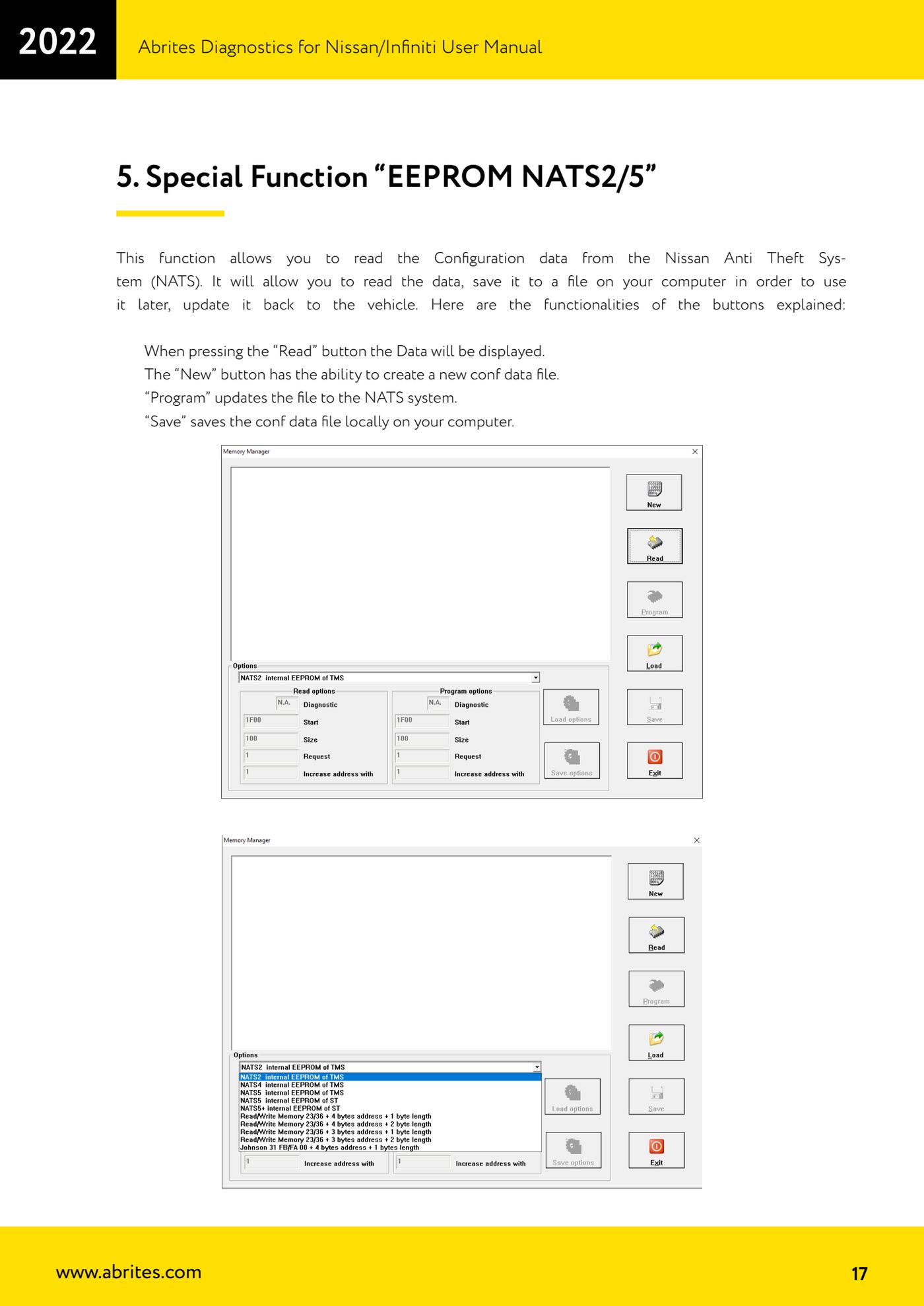
The "EEPROM NATS2/5 Memory Manager" special function reads the configuration data of the Nissan anti-theft system (NATS), saves it to a file on the PC for later reuse and writes it back to the vehicle. Use it when the anti-theft configuration has to be preserved or restored.
Required licences
- —
Hardware / cables
 AVDI
AVDI- cavo OBDII
⚠ WarningBefore writing any data with "Program", read the configuration with "Read" and save it to file with "Save": it is the only backup that lets you restore the NATS system.
Procedure
- Connect the AVDI to the vehicle's OBDII socket and start "Abrites Diagnostics for Nissan/Infinity".
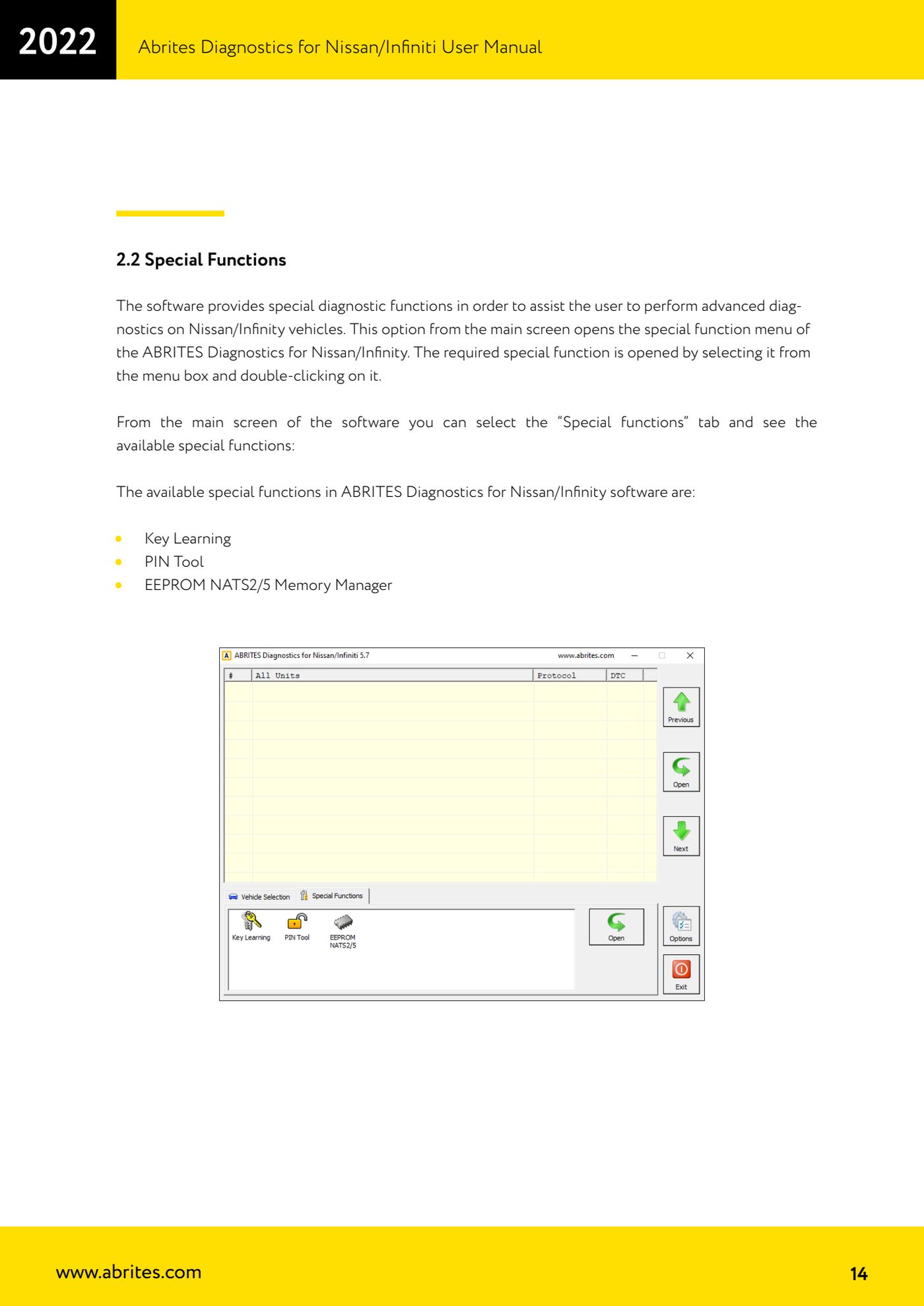
- Open the "Special functions" tab and double-click on "EEPROM NATS2/5 Memory Manager".
- Press the "Read" button: the NATS system configuration data is read and displayed.
- Press "Save" to save the configuration file on your computer. Always do this before any modification, so you can reuse the data later.
- If you need to start from a fresh configuration, use the "New" button: it creates a new conf data file.
- When the file is ready, press "Program" to update the data in the vehicle's NATS system.
- Once the write is finished check that the anti-theft system works (key start, immobiliser light) and, if needed, read back with "Read" to confirm the data is as expected.
Reference screenshots
Source: Manuale Nissan/Infiniti, cap. 5 (p.17) · ⏱ estimated time 20-40 min
← All Abrites guides Hardware catalogue
More guides Nissan/Infiniti
- Module scan and DTC read/clear on Nissan/Infiniti with the AVDI
- Reading live parameters (list and graph) and actuator testing on Nissan/Infiniti
- Calculating and extracting the Nissan/Infiniti PIN Code (ICU, SEC, BCM, OBDII, glovebox label)
- Nissan key programming with NATS-2, NATS-4, NATS-5 and NATS-5+ immobiliser
- Pinout of NATS 2, NATS 4 and NATS-5/5+ Siemens immobiliser units for bench work
- EM002 ESL/steering lock emulator for Renault/Nissan: 6-pin and 8-pin connection diagrams
- Starting Abrites Nissan/Infiniti Online and selecting the vehicle
- Module scan and DTC read/clear on Nissan and Infiniti
- Real-time parameter monitoring (Live Values) on Nissan and Infiniti
- Actuator Testing on Nissan and Infiniti
- Dealer-level advanced functions: the "procedures" menu of Nissan/Infiniti modules
- Nissan/Infiniti key programming via OBDII (Key Learning, including all keys lost)