
Chip-Tools
Troubleshooting connection problems and sending log files to Abrites support
Moto
Interface Classic
Diagnostics
Basic
⏱ 15-30 min
8 steps
The most common problem with the bike software is not being able to open a diagnostic session with the ECU, or an error during key learning. This guide lists the causes to check and explains how to retrieve the log files to attach to a support request.
Required licences
- —
Hardware / cables
 AVDI
AVDI- programmatore transponder TAG
Procedure
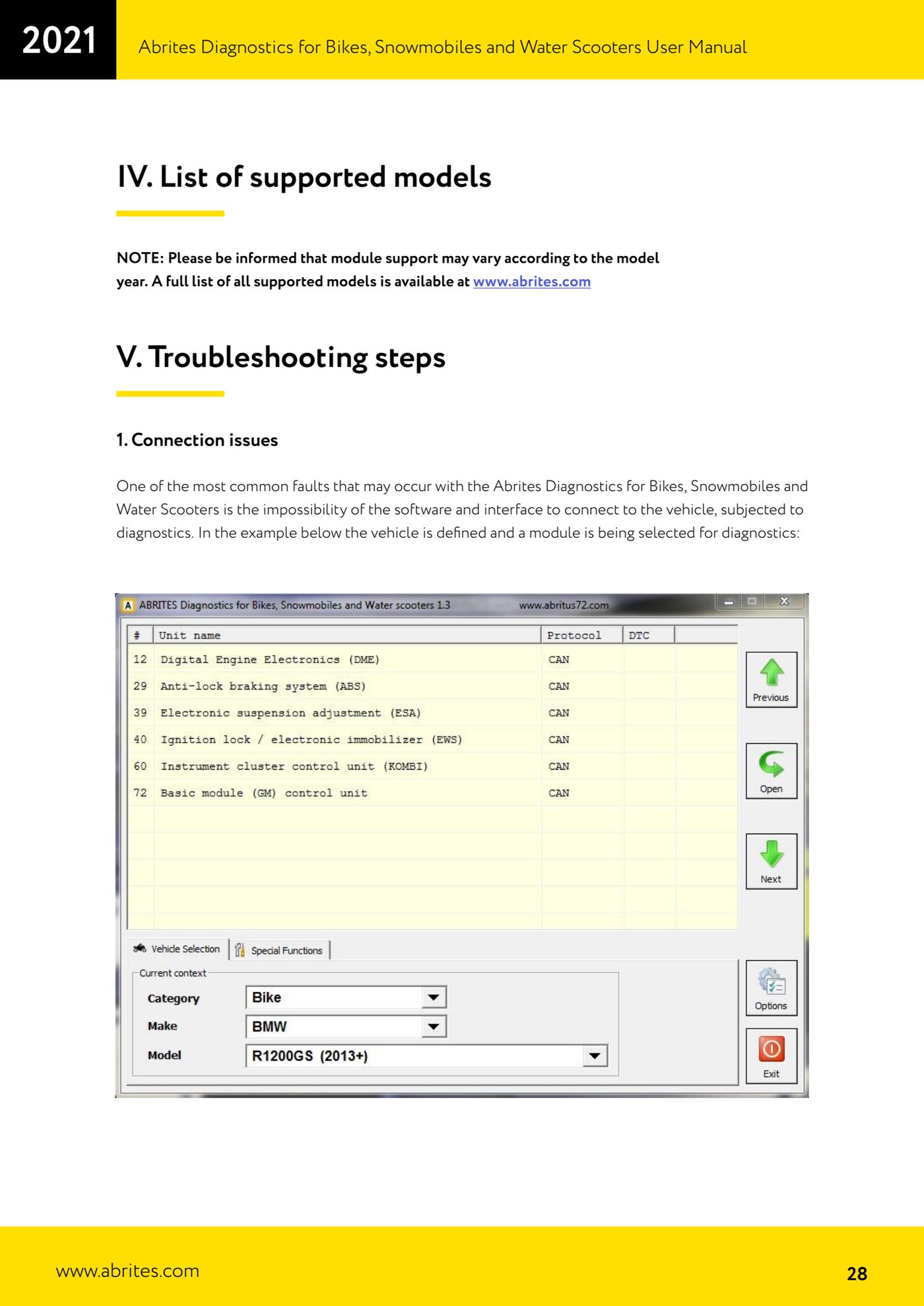
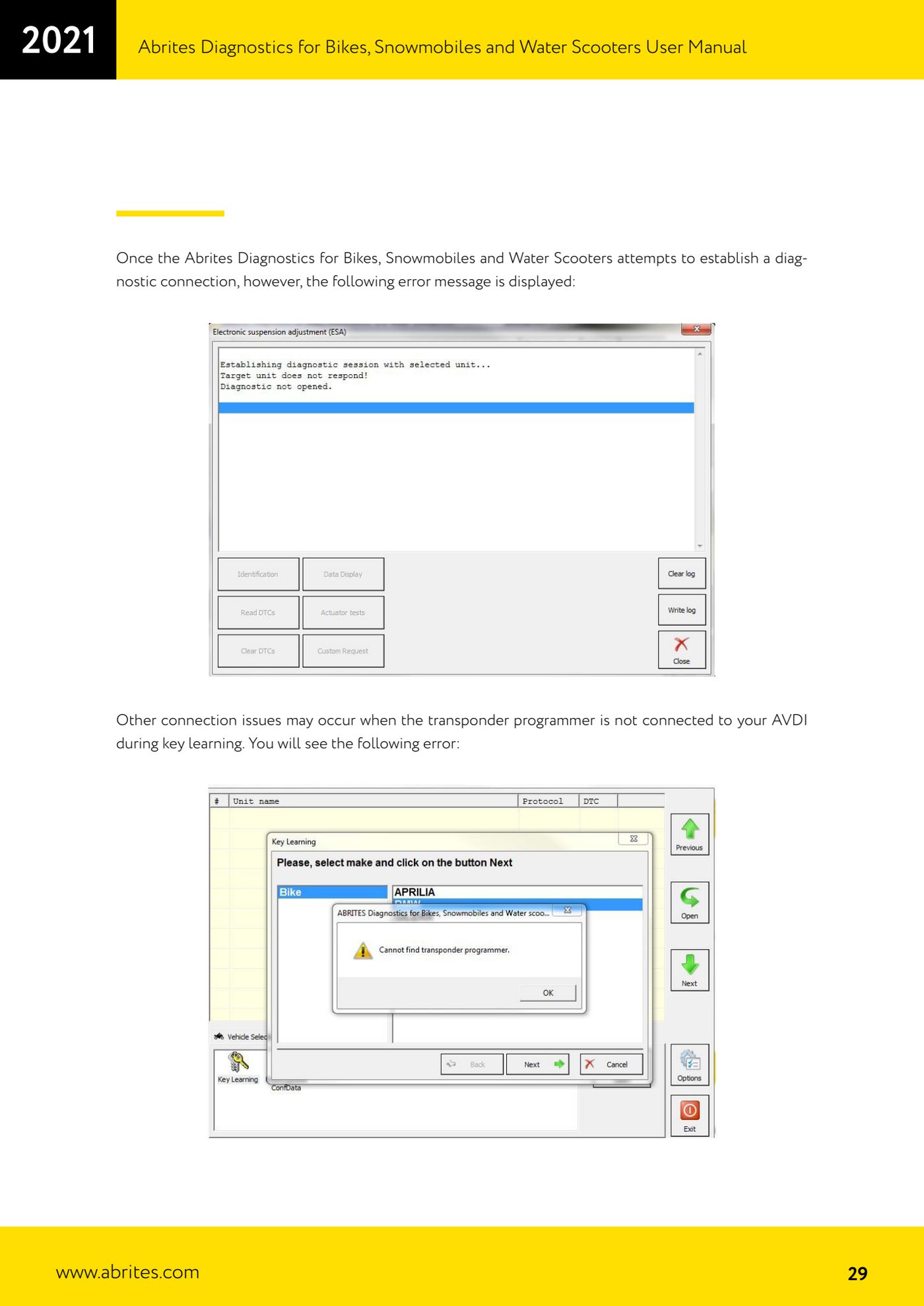
- If a connection error message appears after selecting the vehicle and the module, first of all check that the AVDI is connected to the computer.
- Check that the diagnostic connector is properly seated on the vehicle and that the cable is the one specified for that model.
- If the error appears during "Key learning", check that the transponder programmer is connected to the AVDI: that is the usual cause of that specific error.
- Bear in mind that module support can vary by model year: the full list of supported models is published on www.abrites.com.
- To collect the logs go to Start -> Programs -> ABRITES software for IDxxxxxx -> Log Files, where IDxxxxxx is your AVDI ID; alternatively open the second page of the "Quick Start" menu and click the "LOG" icon.
- In the log folder open the "BIKE" subfolder.
- Copy the ".log" files matching the date and time when the problem occurred.
- Attach those files to an e-mail to support@abrites.com describing the problem: without logs, support cannot trace the cause of the communication failure.
Reference screenshots
Source: Manuale Abrites Diagnostics per moto, snowmobili e moto d'acqua (bikes), cap. V Troubleshooting steps (p.28-30) · ⏱ estimated time 15-30 min
← All Abrites guides Hardware catalogue
More guides Moto
- Starting Abrites Diagnostics for bikes, snowmobiles and water scooters and setting "Debug logging" and language
- Standard bike diagnostics: vehicle selection, module scan, "Identification", "Read DTC" and "Clear DTC"
- Reading live parameters with "Data Display" ("List" and "Graph" views) and sending a "Custom Request"
- Programming bike keys with Temic transponders: cloning or replacing with "Key learning"
- Key programming for BMW bikes with Hitag 2 transponders and the TAG programmer
- Programming a Harley-Davidson spare key with the CB305 cable and the FOB Serial Number
- Reading and writing ECU configuration data: "Read ConfData", "Update ConfData", "Load from file" and "Make Virgin"
- Connecting the AVDI to Suzukis with the 6-pin diagnostic connector: DB9 and DB25 pinout
- Diagnostic socket location and connections for BMW (10-pin), Harley-Davidson (4/6-pin), Aprilia (6-pin) and Kawasaki
- Additional Abrites cables for bikes: CB008, CB301, CB302, CB303, CB304, CB305, CB306
- Recovering the CAS PIN on BMW R1200GS and other recent models with CAS4: opening the module and reading the EEPROM