
Chip-Tools
Diagnostic socket location and connections for BMW (10-pin), Harley-Davidson (4/6-pin), Aprilia (6-pin) and Kawasaki
Moto
Interface Classic
Hardware / Connections
Medium
⏱ 15-30 min
8 steps
A practical round-up of the diagnostic connectors on the most common makes and the DB9 pinout used to get their signal to the AVDI, with a list of OBD socket locations on the most widespread BMW models.

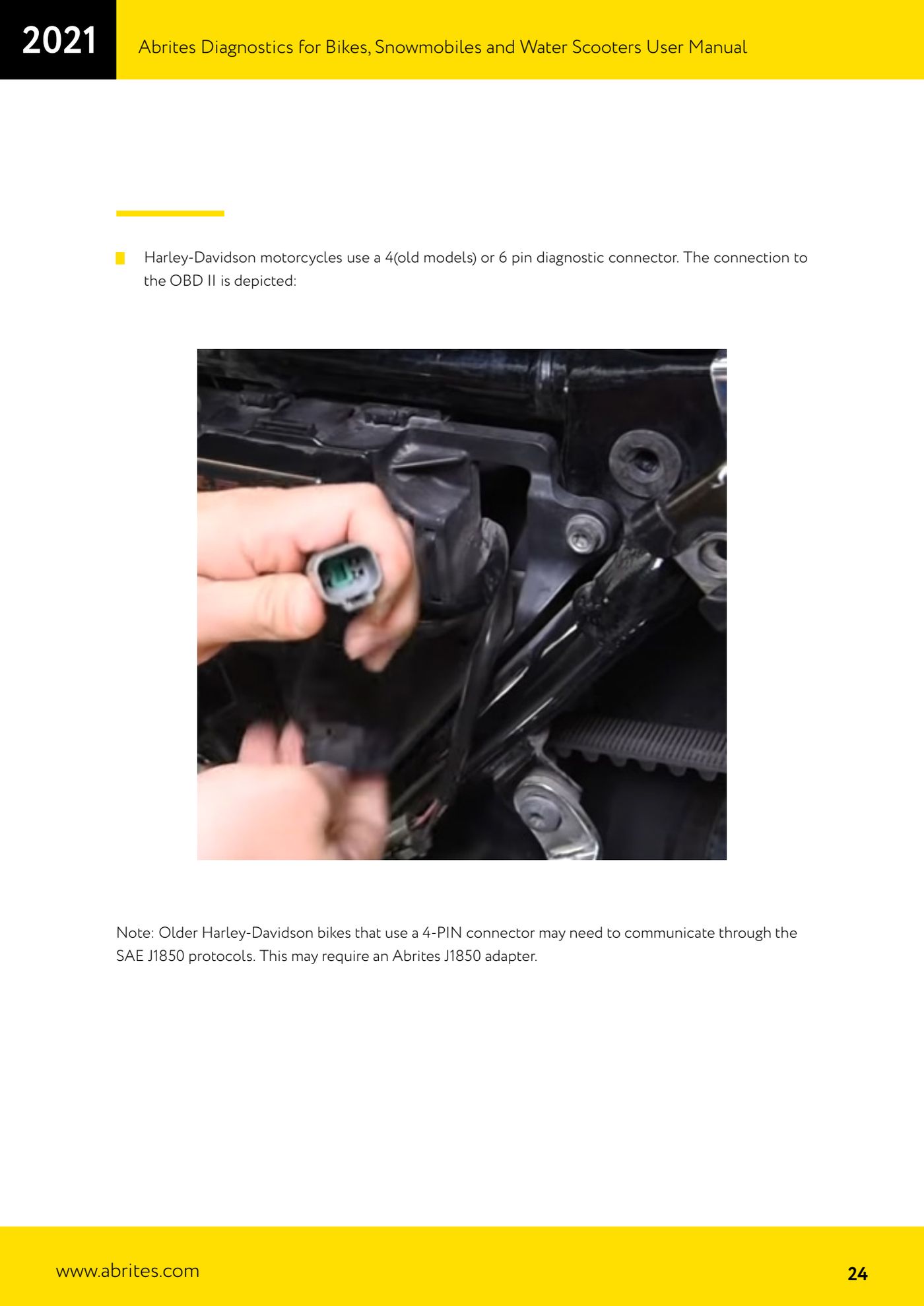
⚠ WarningOlder Harley-Davidsons with the 4-pin connector may communicate over SAE J1850 protocols: in that case you need the Abrites J1850 adapter.
Procedure
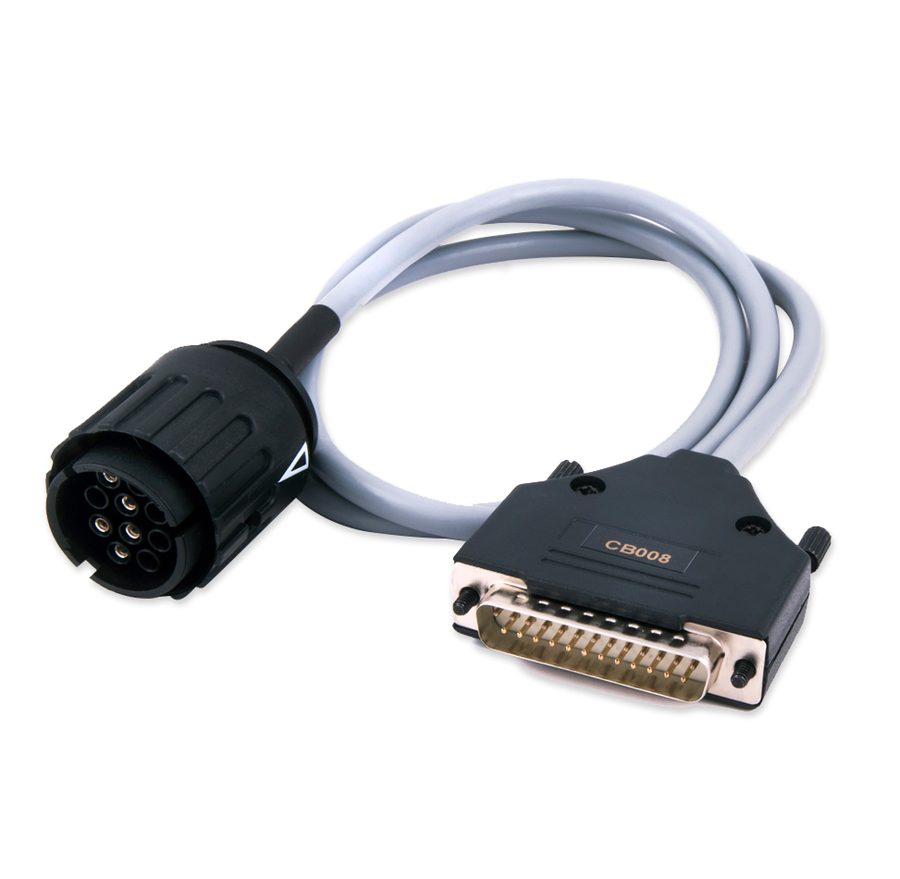
- BMW: the bikes use a 10-pin diagnostic connector, connected to the AVDI with the dedicated cable (CB008).
- Find the socket on the most widespread BMW models: S1000RR under the rear seat cover; R1200GS Adventure under the rear part of the seat; R1200GS under the seat; R1200RT under the seat; R1200C under the left chrome cover; HP2 Enduro under the front part of the seat, near the tank; K1200GT and K1200S under the rear part of the seat; K1200LT under the seat; R1150 GS/Adventure under the seat; R1150RT between the tail light and the seat; G650X Challenge/Country/Moto behind the front right panel; C1-200 behind the seat backrest.
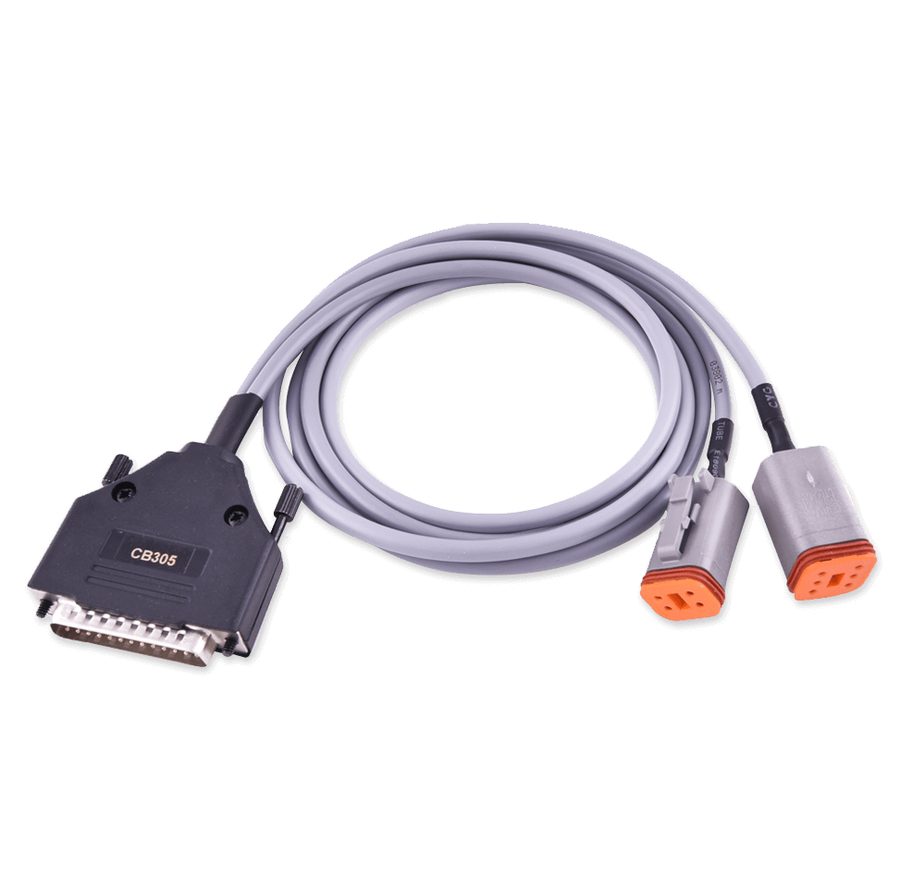
- Harley-Davidson: 4-pin diagnostic connector on older models or 6-pin on newer ones; use the CB305 cable and, for the 4-pin, add the Abrites J1850 adapter.
- Kawasaki: in most cases the diagnostic pin is under the seat.
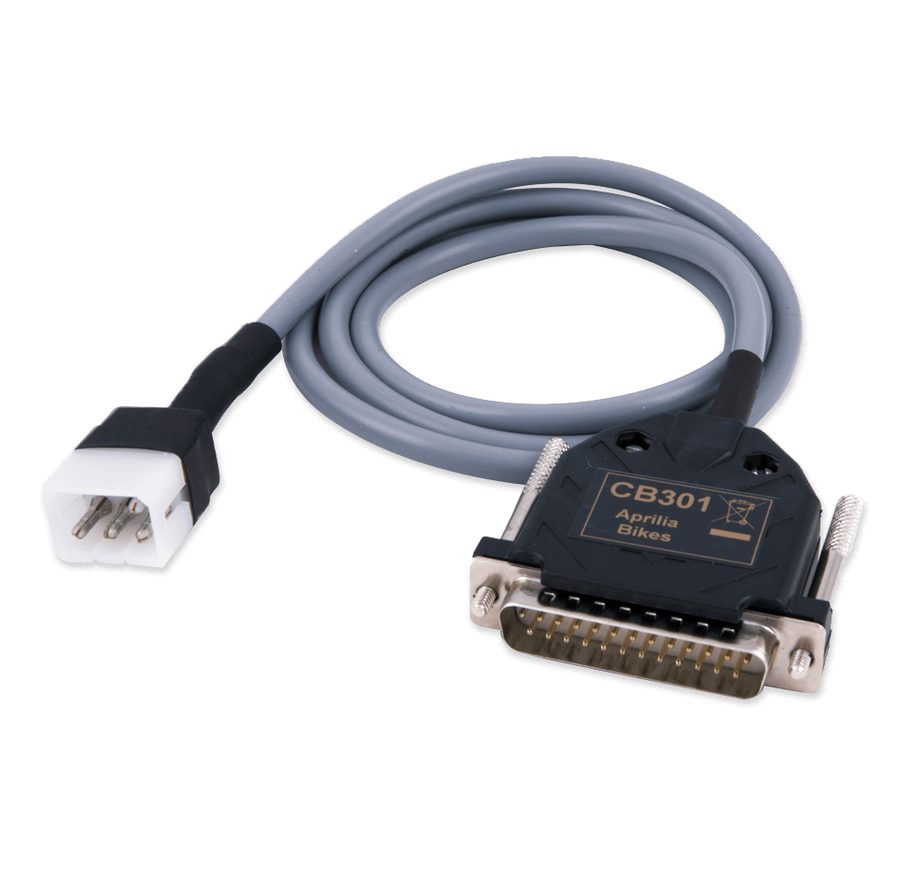
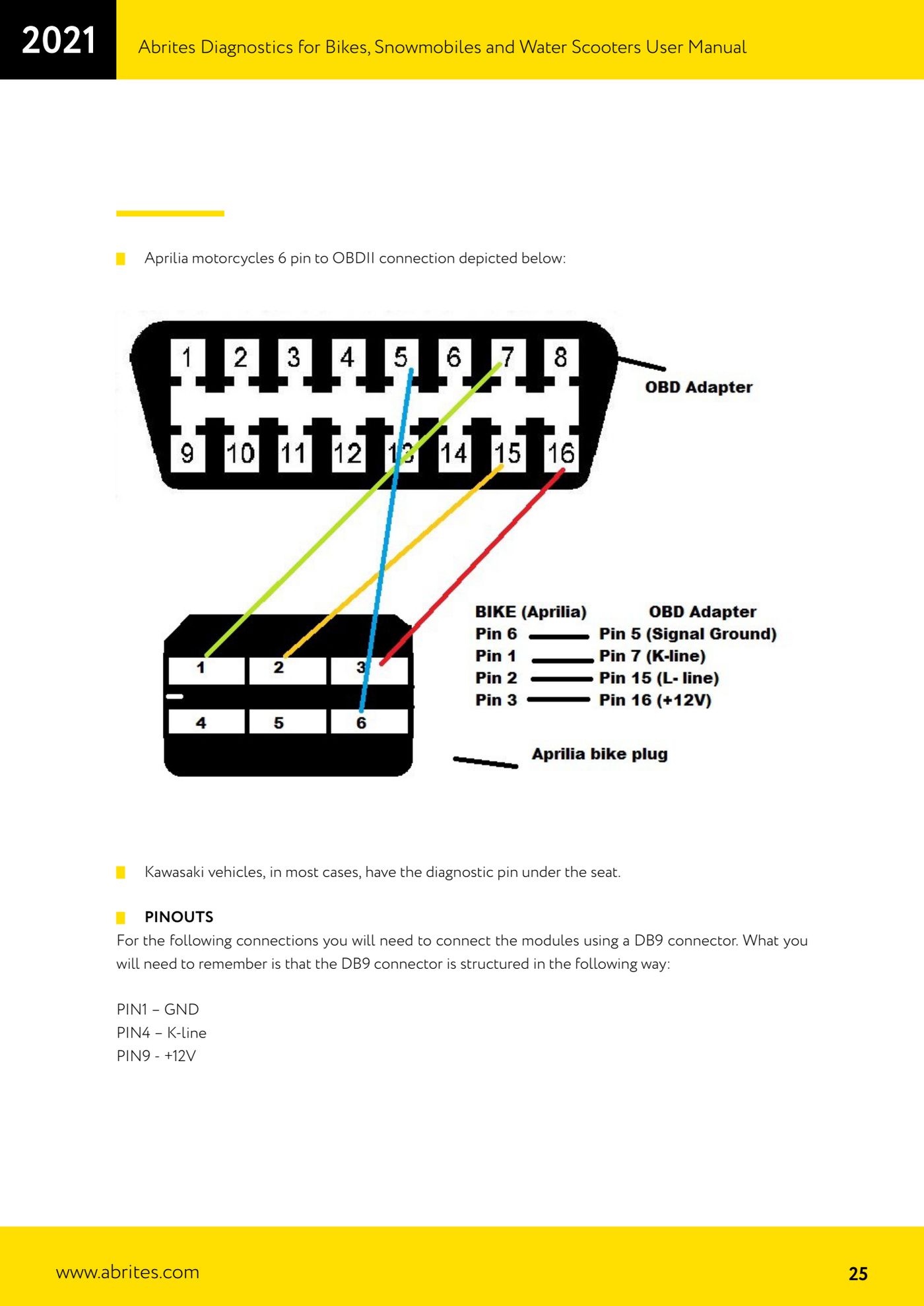
- Aprilia: connection from the 6-pin connector to OBDII as shown in the manual, with the dedicated CB301 cable.
- For these connections the module is wired through a DB9 connector with this pinout: PIN 1 GND, PIN 4 K-line, PIN 9 +12V.
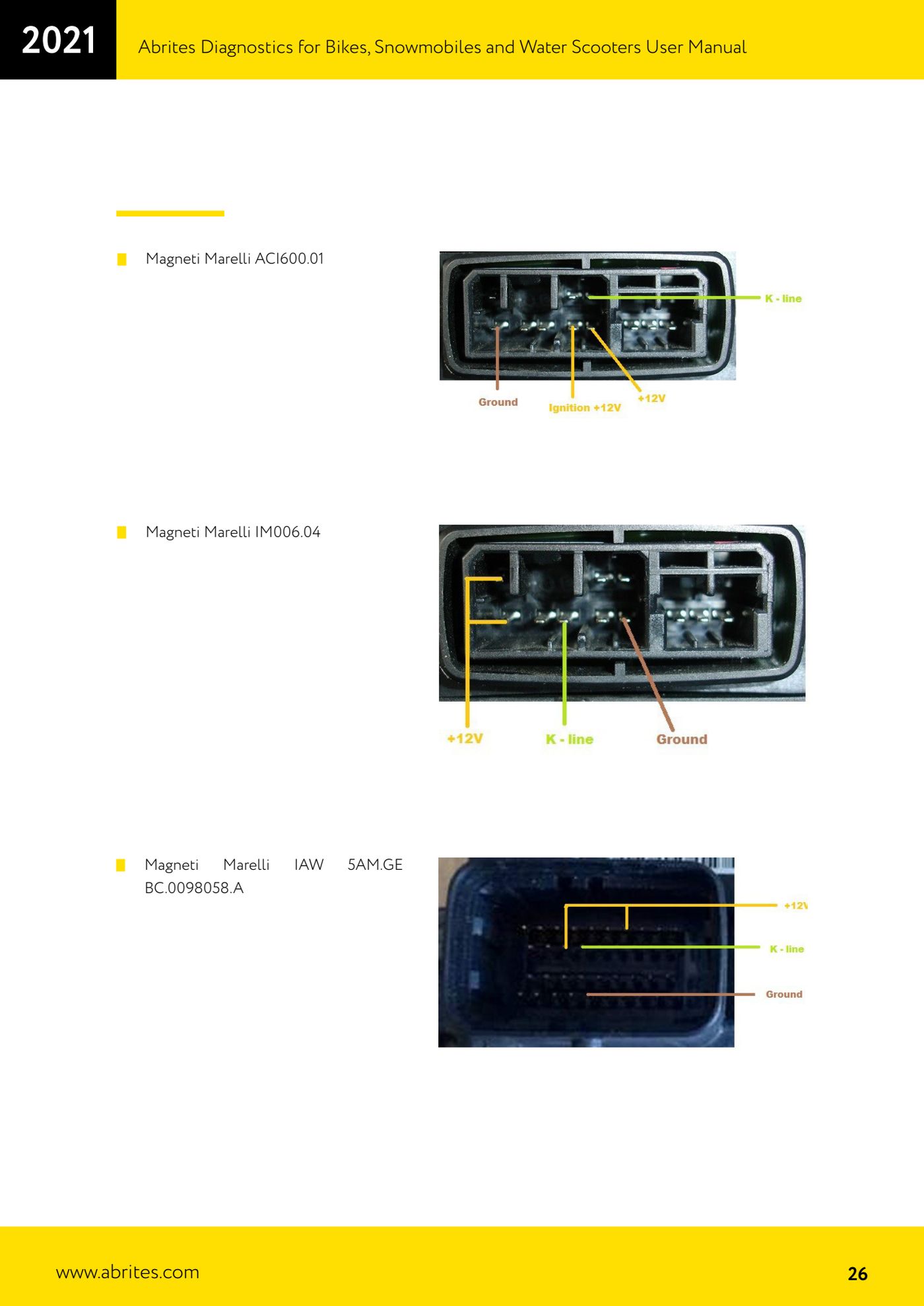
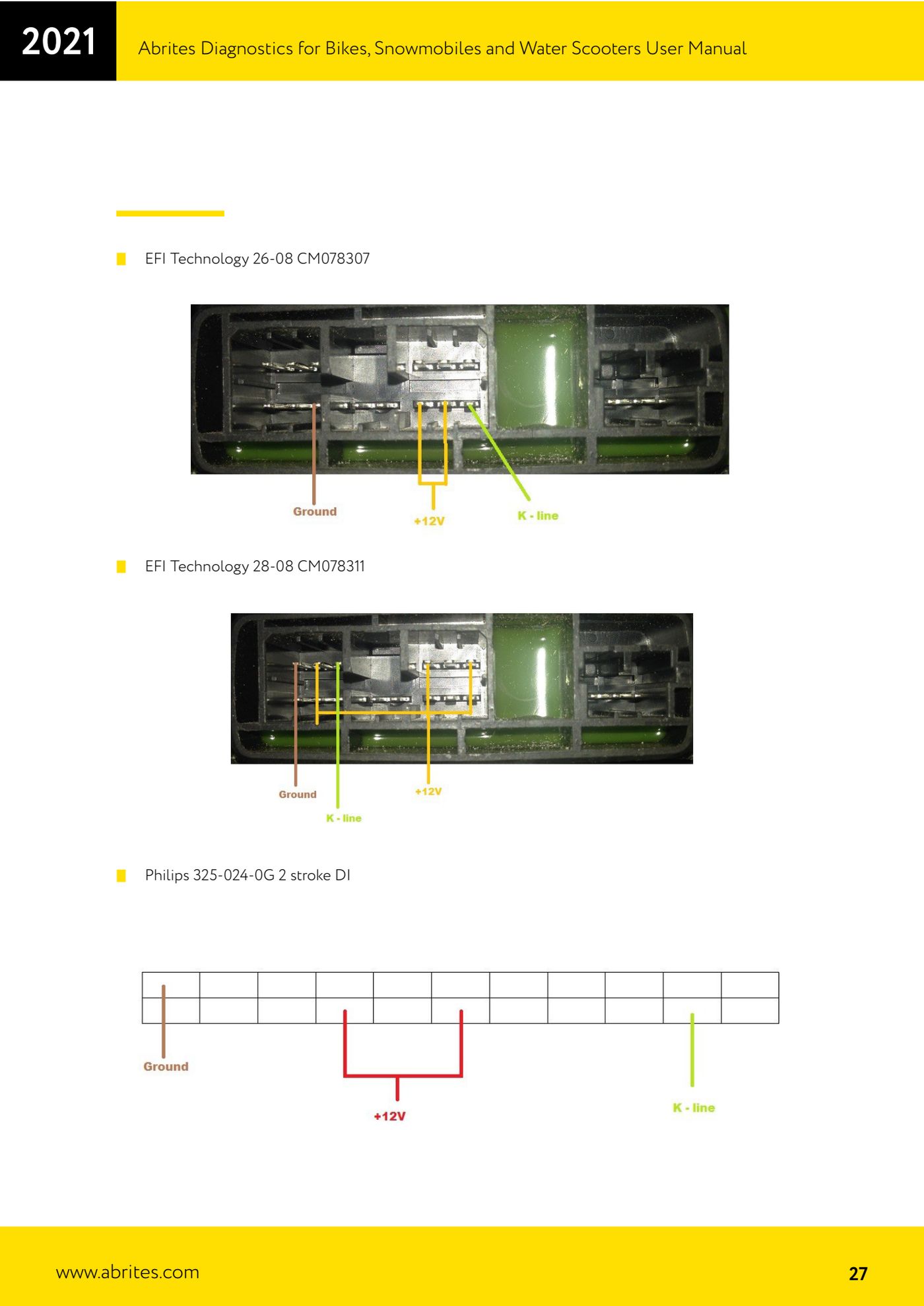
- On the bench you can connect directly to the control units shown in the manual: Magneti Marelli ACI600.01, Magneti Marelli IM006.04, Magneti Marelli IAW 5AM.GE BC.0098058.A, EFI Technology 28-08 CM078311, EFI Technology 26-08 CM078307, Philips 325-024-0G 2 stroke DI.
- Connect the AVDI to the PC, open the software and select the vehicle to check that the diagnostic session opens correctly.
Reference screenshots
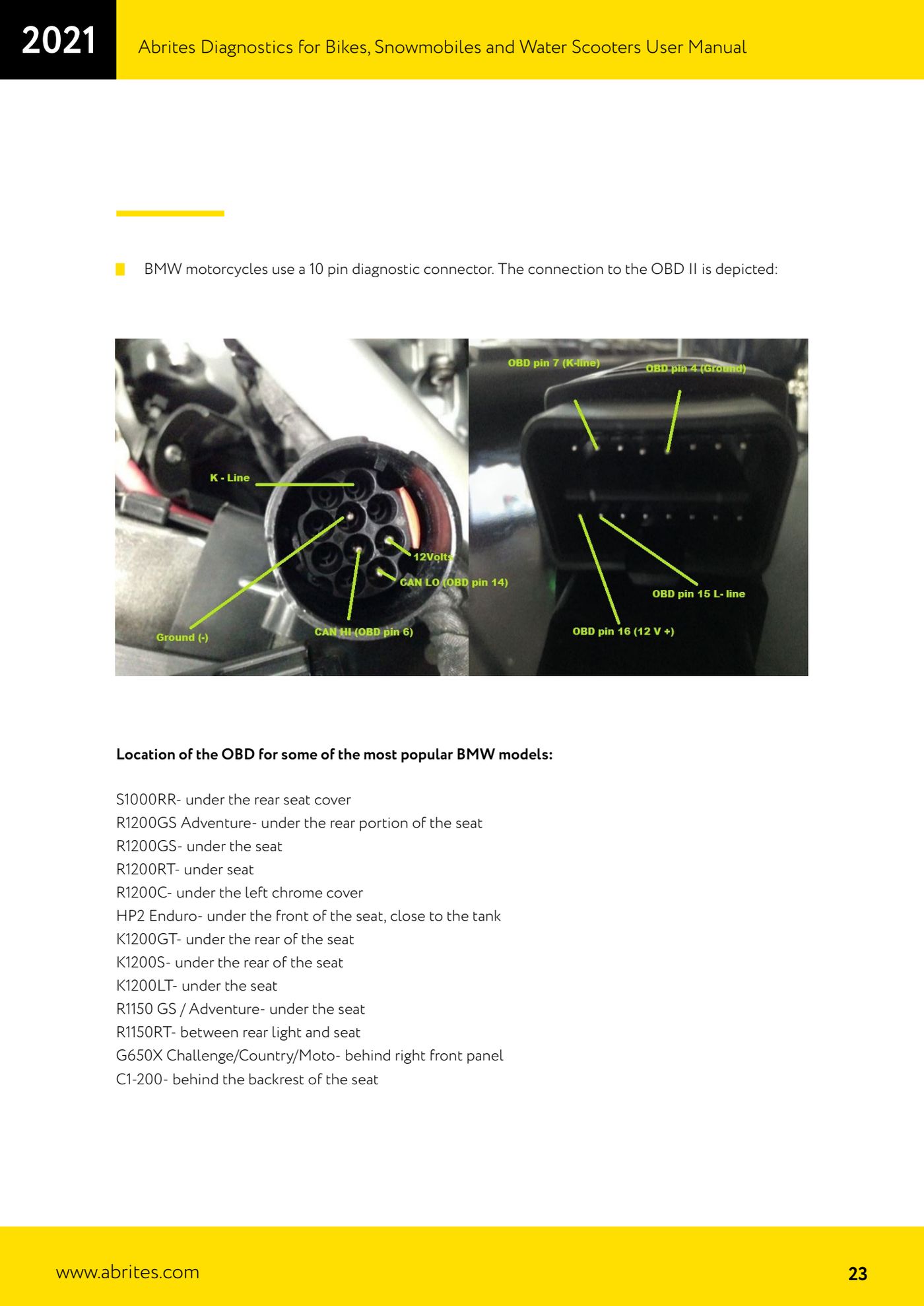
Source: Manuale Abrites Diagnostics per moto, snowmobili e moto d'acqua (bikes), cap. III Connecting your AVDI (p.23-27) · ⏱ estimated time 15-30 min
← All Abrites guides Hardware catalogue
More guides Moto
- Starting Abrites Diagnostics for bikes, snowmobiles and water scooters and setting "Debug logging" and language
- Standard bike diagnostics: vehicle selection, module scan, "Identification", "Read DTC" and "Clear DTC"
- Reading live parameters with "Data Display" ("List" and "Graph" views) and sending a "Custom Request"
- Programming bike keys with Temic transponders: cloning or replacing with "Key learning"
- Key programming for BMW bikes with Hitag 2 transponders and the TAG programmer
- Programming a Harley-Davidson spare key with the CB305 cable and the FOB Serial Number
- Reading and writing ECU configuration data: "Read ConfData", "Update ConfData", "Load from file" and "Make Virgin"
- Connecting the AVDI to Suzukis with the 6-pin diagnostic connector: DB9 and DB25 pinout
- Additional Abrites cables for bikes: CB008, CB301, CB302, CB303, CB304, CB305, CB306
- Troubleshooting connection problems and sending log files to Abrites support
- Recovering the CAS PIN on BMW R1200GS and other recent models with CAS4: opening the module and reading the EEPROM