
Chip-Tools
Reading live parameters with "Data Display" ("List" and "Graph" views) and sending a "Custom Request"
Moto
Interface Classic
Diagnostics
Medium
⏱ 20-40 min
7 steps
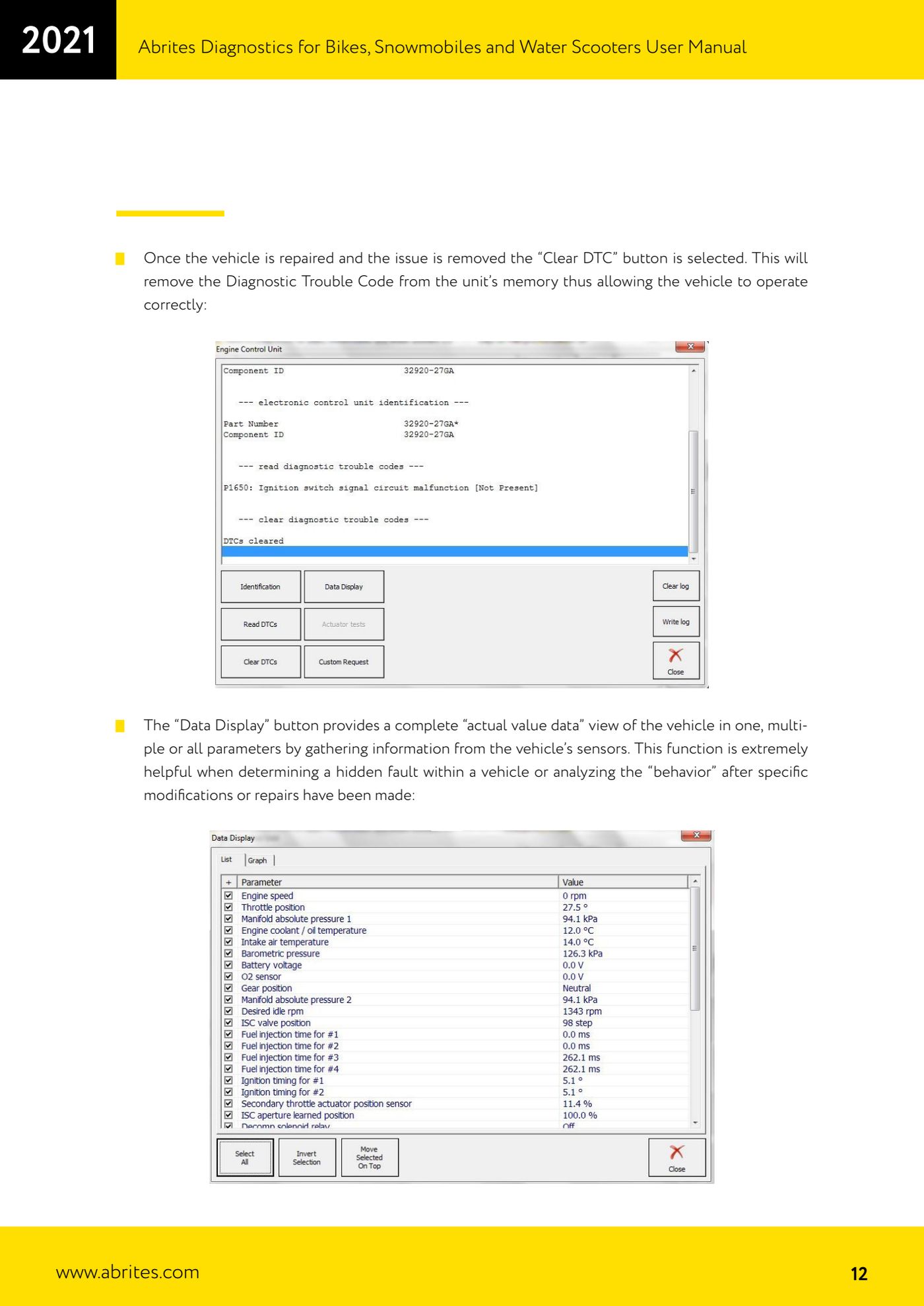
This is what you use to see the bike's real sensor values while it is running, both as a list and as a graph, and to send custom requests to the ECU. It is the right tool for tracking down a hidden fault or for checking how the vehicle behaves after a repair or a modification.
Required licences
- —
Hardware / cables

Procedure
- Go into diagnostics on the module you want from the "Vehicle selection" tab (double-click the unit name).
- Press "Data Display": the software collects the actual values from the vehicle's sensors, on one parameter, several parameters or all of them.
- In the "List" view tick the check boxes for the sensors you are interested in; you can customise the list and change its order so the values you actually need are in front of you.
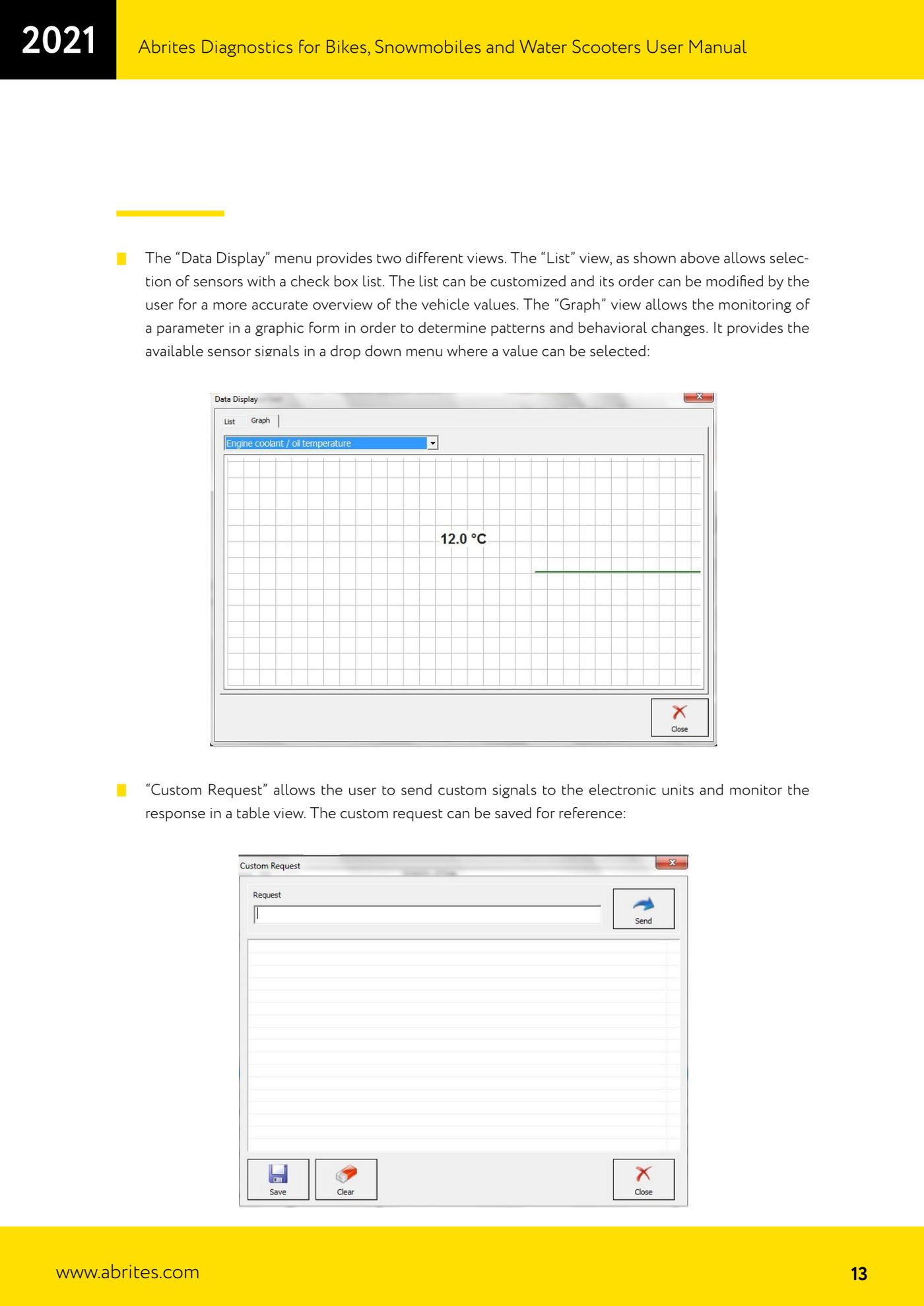
- Switch to the "Graph" view to follow a parameter graphically and spot abnormal trends or changes in behaviour.
- In the "Graph" view pick the signal to monitor from the drop-down of available sensors.
- If you need to interrogate the ECU outside the standard parameters, use "Custom Request": send the custom command to the module and read the reply in the table view.
- Save the custom request so you can reuse it as a reference on later diagnostic jobs.
Reference screenshots
Source: Manuale Abrites Diagnostics per moto, snowmobili e moto d'acqua (bikes), cap. II.1 Standard diagnostic functions (p.12-13) · ⏱ estimated time 20-40 min
← All Abrites guides Hardware catalogue
More guides Moto
- Starting Abrites Diagnostics for bikes, snowmobiles and water scooters and setting "Debug logging" and language
- Standard bike diagnostics: vehicle selection, module scan, "Identification", "Read DTC" and "Clear DTC"
- Programming bike keys with Temic transponders: cloning or replacing with "Key learning"
- Key programming for BMW bikes with Hitag 2 transponders and the TAG programmer
- Programming a Harley-Davidson spare key with the CB305 cable and the FOB Serial Number
- Reading and writing ECU configuration data: "Read ConfData", "Update ConfData", "Load from file" and "Make Virgin"
- Connecting the AVDI to Suzukis with the 6-pin diagnostic connector: DB9 and DB25 pinout
- Diagnostic socket location and connections for BMW (10-pin), Harley-Davidson (4/6-pin), Aprilia (6-pin) and Kawasaki
- Additional Abrites cables for bikes: CB008, CB301, CB302, CB303, CB304, CB305, CB306
- Troubleshooting connection problems and sending log files to Abrites support
- Recovering the CAS PIN on BMW R1200GS and other recent models with CAS4: opening the module and reading the EEPROM