
Chip-Tools
Standard bike diagnostics: vehicle selection, module scan, "Identification", "Read DTC" and "Clear DTC"
Moto
Interface Classic
Diagnostics
Basic
⏱ 15-30 min
11 steps
Basic dealer-level diagnostic procedure on bikes, quads, snowmobiles, ATV/UTVs and water scooters: pick the vehicle, list the control units fitted, read the module identification and read and clear the fault codes.
Required licences
- —
Hardware / cables

⚠ WarningOnly use "Clear DTC" after the fault has been repaired: clearing the code without fixing the cause removes the information from the ECU memory but does not solve the problem.
Procedure
- Connect the AVDI to the vehicle's diagnostic connector with the cable suited to the model and start the bike software.
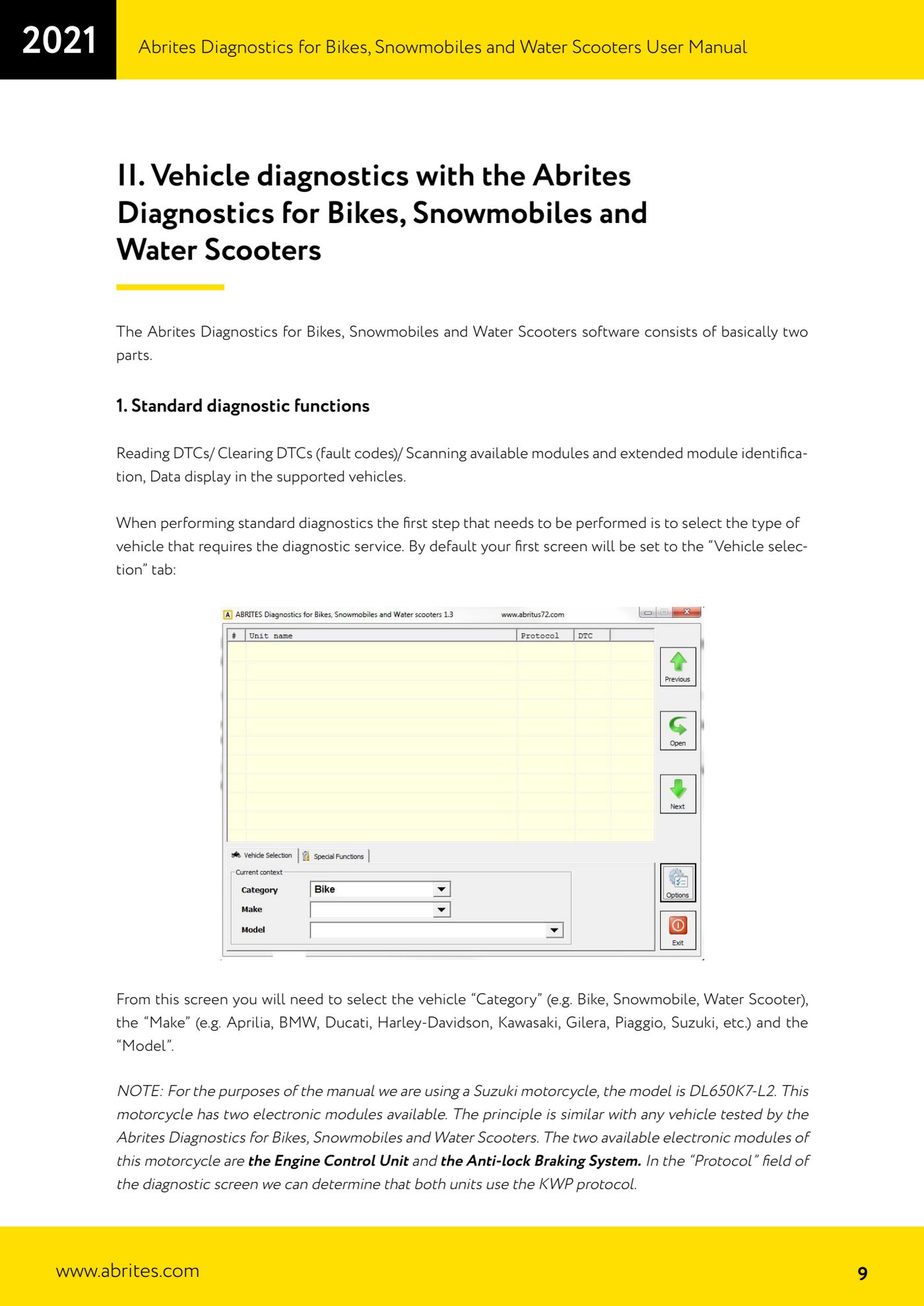
- On the "Vehicle selection" tab pick the "Category" (Bike, Snowmobile, Water Scooter).
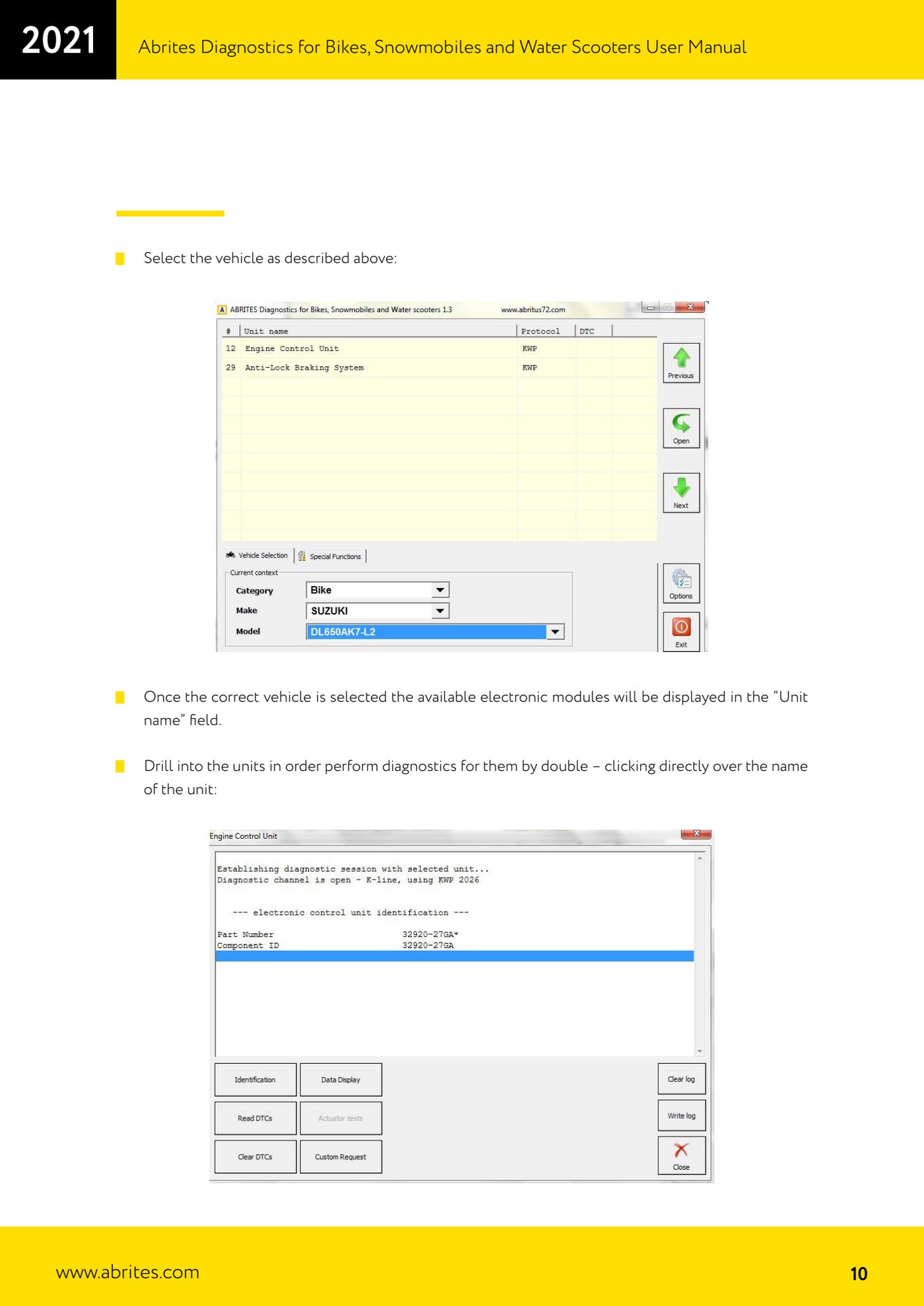
- Pick the "Make" (for example Aprilia, BMW, Ducati, Harley-Davidson, Kawasaki, Gilera, Piaggio, Suzuki) and then the "Model" (the manual's example is a Suzuki DL650K7-L2).
- Check the "Unit name" field for the control units available on that model: in the Suzuki example the engine control unit (Engine Control Unit) and the ABS (Anti-lock Braking System) are listed.
- Check the "Protocol" field: it shows the protocol used by each module (in the Suzuki example both units work in KWP).
- Double-click straight on the unit name to go into diagnostics on that control unit.
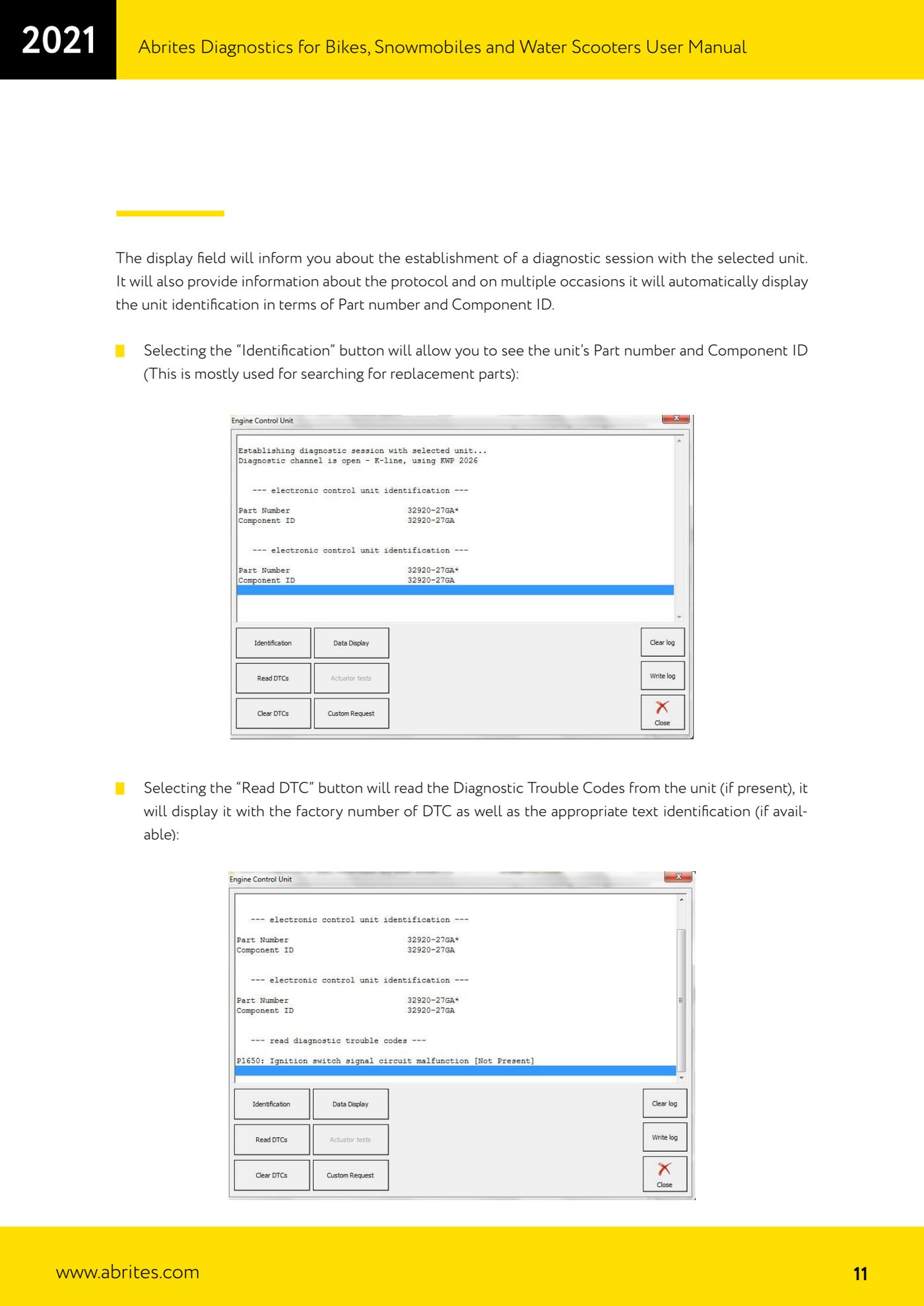
- Read the display panel: it confirms the diagnostic session has opened, shows the protocol and often already offers the module identification with Part number and Component ID.
- Press "Identification" to read the module's Part number and Component ID - useful above all when you have to source the correct replacement part.
- Press "Read DTC" to read the fault codes present: the software shows the factory DTC number and, where available, the text description.
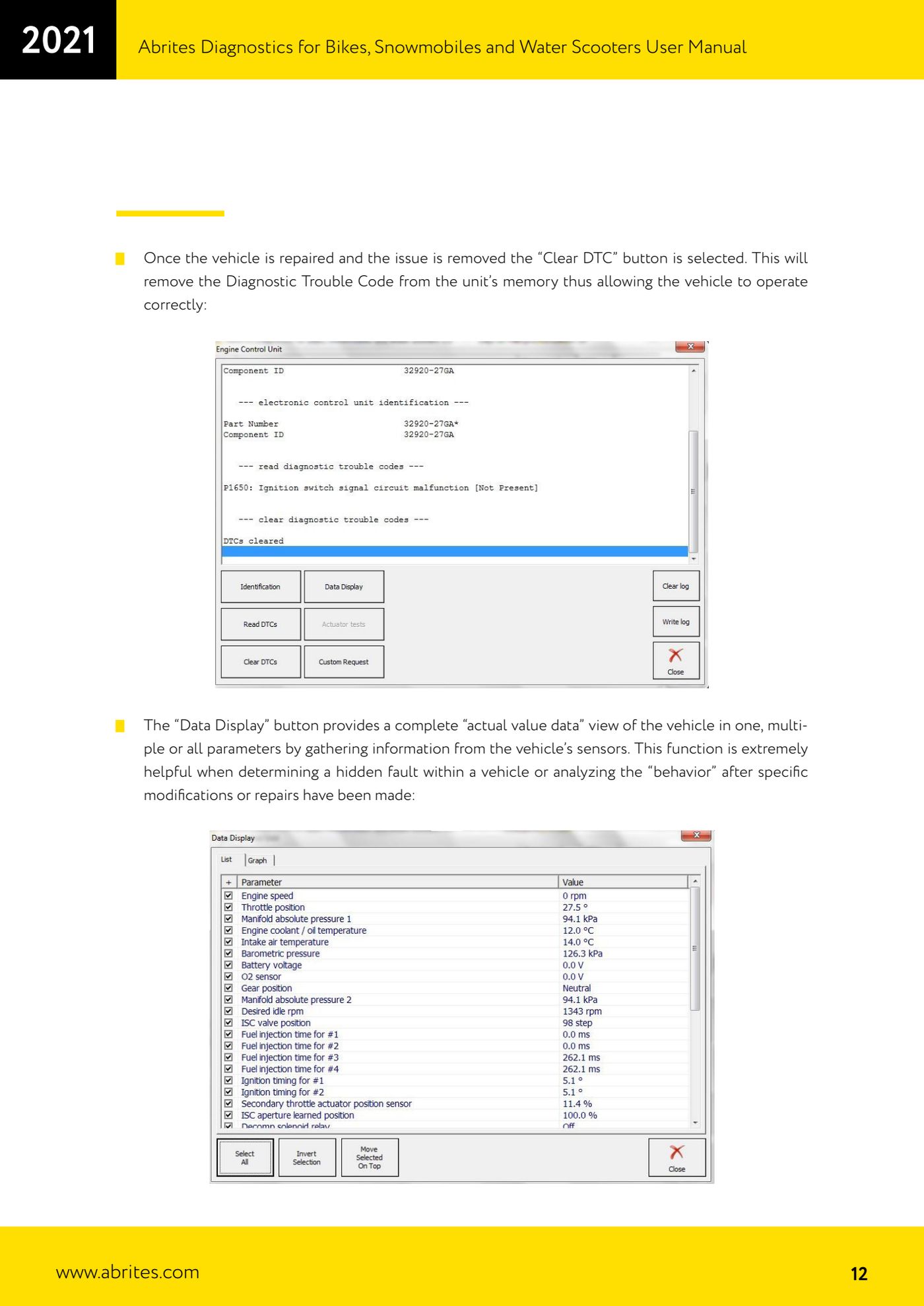
- Repair the fault on the vehicle, then press "Clear DTC" to remove the code from the ECU memory.
- Read again with "Read DTC" to confirm the memory really is clean.
Reference screenshots
Source: Manuale Abrites Diagnostics per moto, snowmobili e moto d'acqua (bikes), cap. II.1 Standard diagnostic functions (p.9-12) · ⏱ estimated time 15-30 min
← All Abrites guides Hardware catalogue
More guides Moto
- Starting Abrites Diagnostics for bikes, snowmobiles and water scooters and setting "Debug logging" and language
- Reading live parameters with "Data Display" ("List" and "Graph" views) and sending a "Custom Request"
- Programming bike keys with Temic transponders: cloning or replacing with "Key learning"
- Key programming for BMW bikes with Hitag 2 transponders and the TAG programmer
- Programming a Harley-Davidson spare key with the CB305 cable and the FOB Serial Number
- Reading and writing ECU configuration data: "Read ConfData", "Update ConfData", "Load from file" and "Make Virgin"
- Connecting the AVDI to Suzukis with the 6-pin diagnostic connector: DB9 and DB25 pinout
- Diagnostic socket location and connections for BMW (10-pin), Harley-Davidson (4/6-pin), Aprilia (6-pin) and Kawasaki
- Additional Abrites cables for bikes: CB008, CB301, CB302, CB303, CB304, CB305, CB306
- Troubleshooting connection problems and sending log files to Abrites support
- Recovering the CAS PIN on BMW R1200GS and other recent models with CAS4: opening the module and reading the EEPROM