
Chip-Tools
Connecting to the internal CAN (B-CAN) on Hyundai/Kia 2017+ with ZN041 or ZN051: tap points and pins 3-11
Hyundai/Kia
Interface Classic
Hardware / Connections
Advanced
⏱ 30-60 min
10 steps
On the more recent Kia and Hyundai models (Kia Cee'd CD generation, Kia Stinger, Hyundai Santa Fe TMA generation and generally cars built from 2018 onwards) PIN reading, key programming and module neutralisation with the HK008 and HK009 software require a direct connection to the vehicle's internal CAN. Here you find how to connect and where to find the B-CAN wires.


⚠ WarningIt is essential to keep both the OBD and the needle pinches on the internal CAN connected at the same time: if you disconnect either one the procedure will not succeed. Note from the manual: this functionality is dated, today the PIN code can be read over OBDII with the KIA Hyundai Online software.
Procedure
- Always carry a ZN041 or a ZN051 when working on Kia/Hyundai from 2017 onwards: the software automatically detects when the internal CAN is needed and warns you with a message.
- Connect the ZN041 or ZN051 distribution box to the AVDI and also connect the distribution box to the vehicle's OBD socket.
- Take the needle pinch connectors supplied with the ZN041 or the ZN051: they are used to tap the internal CAN H and CAN L wires.
- On the ZN041 or ZN051 locate contacts 3-11 (CAN H and CAN L) and connect the CAN needle pinches to them.
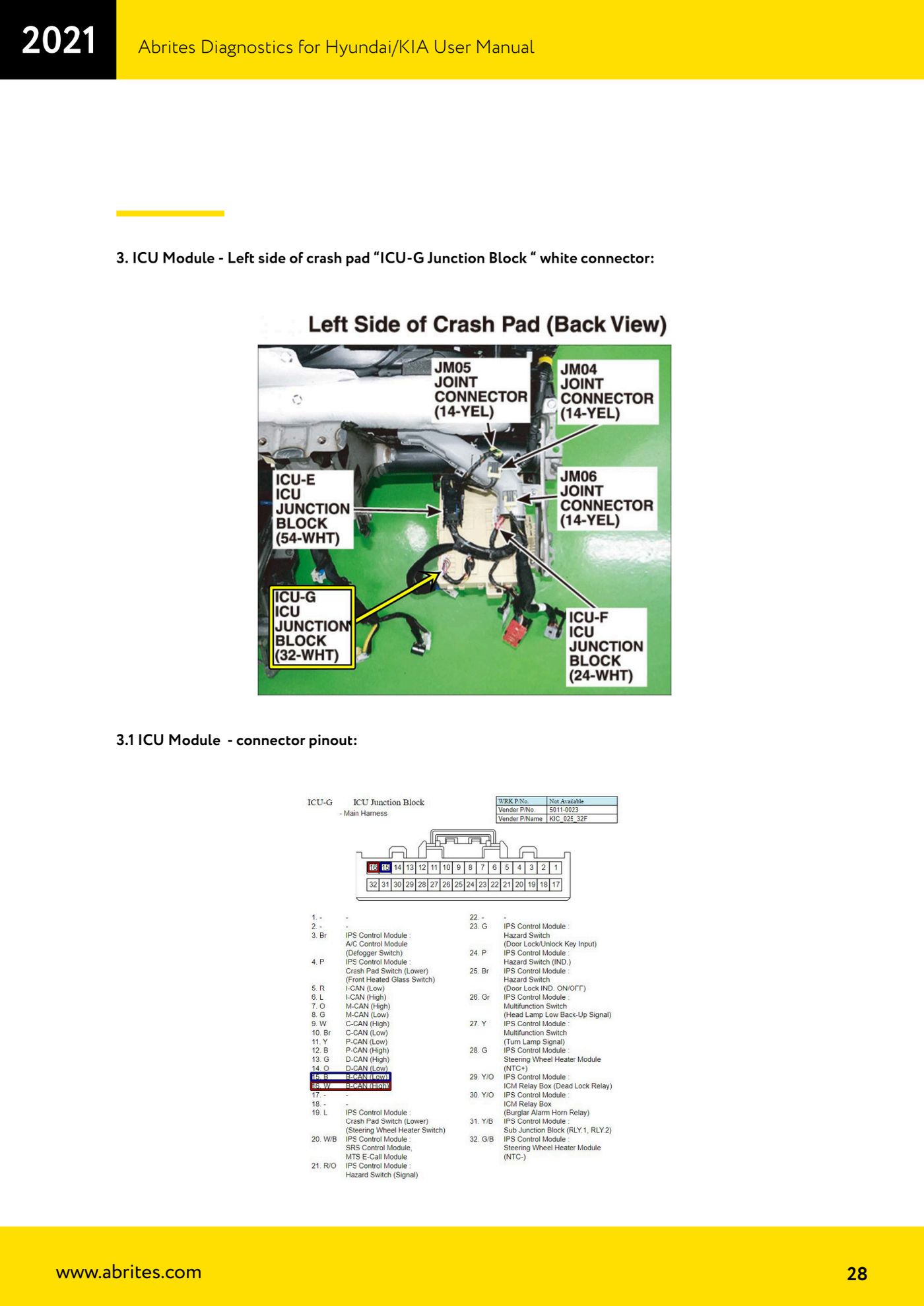
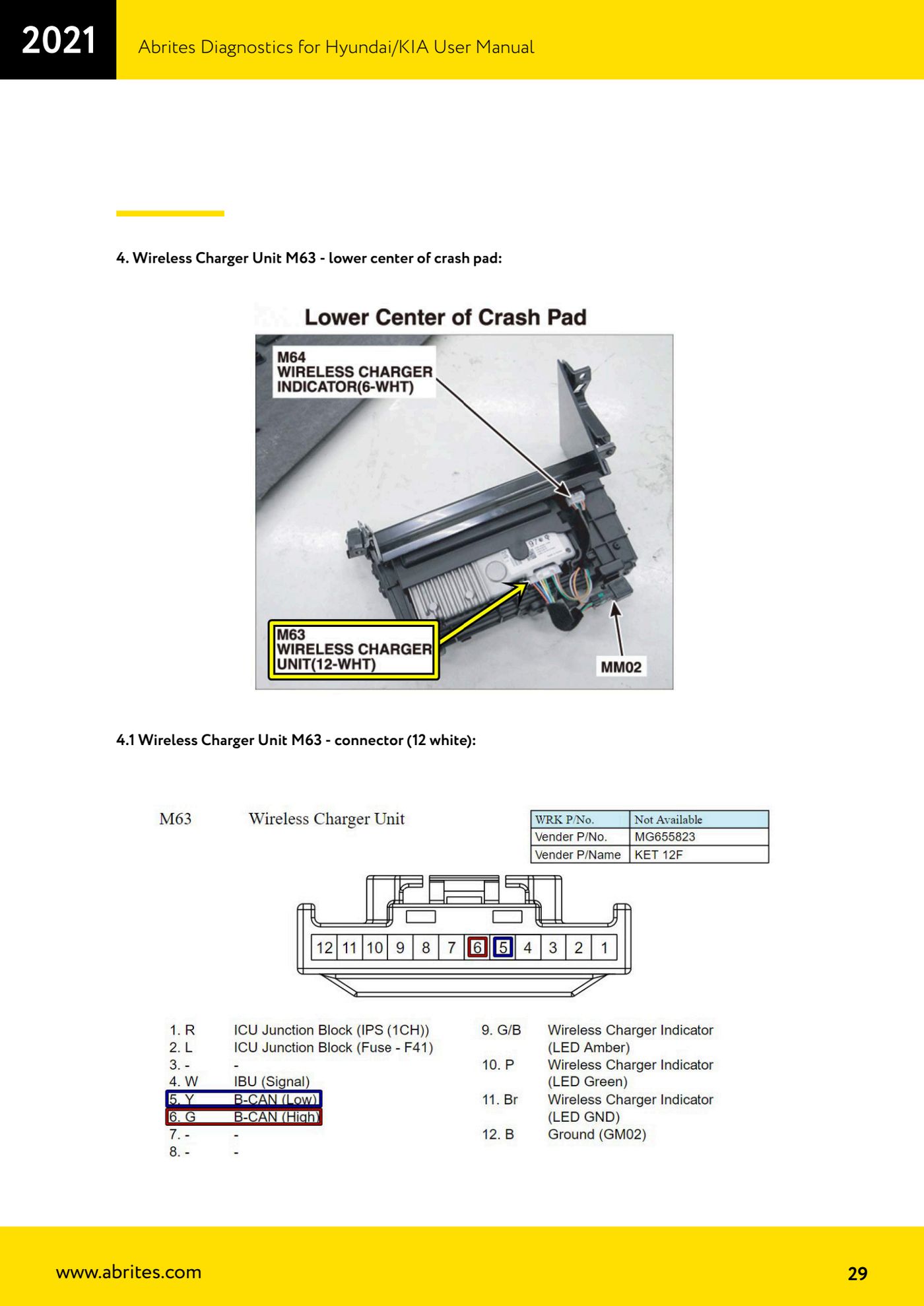
- Tap the needle pinches onto the vehicle's internal B-CAN wires at one of the points shown in the manual (see next steps).
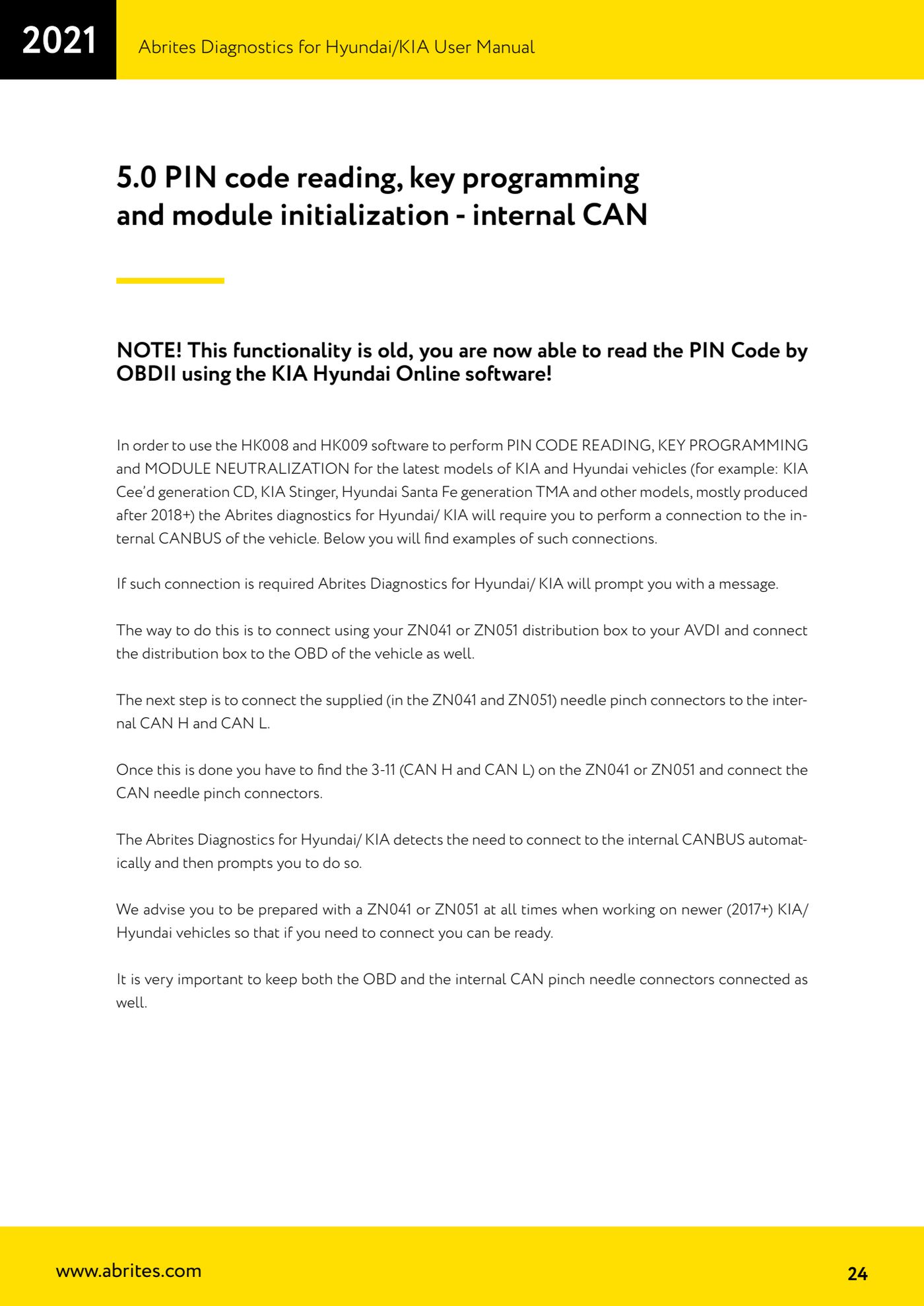
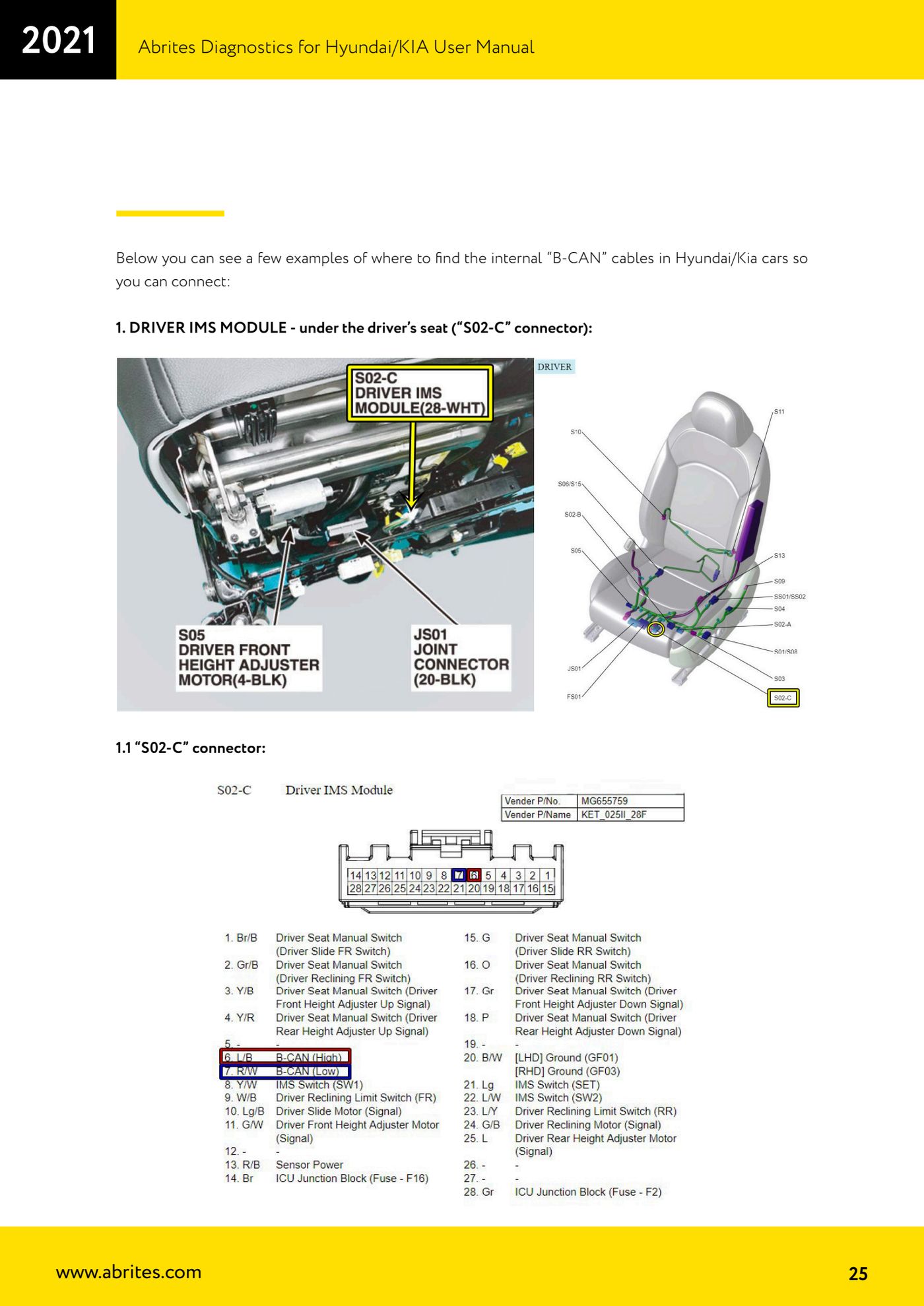
- Point 1 - DRIVER IMS module, under the driver's seat: connector "S02-C".
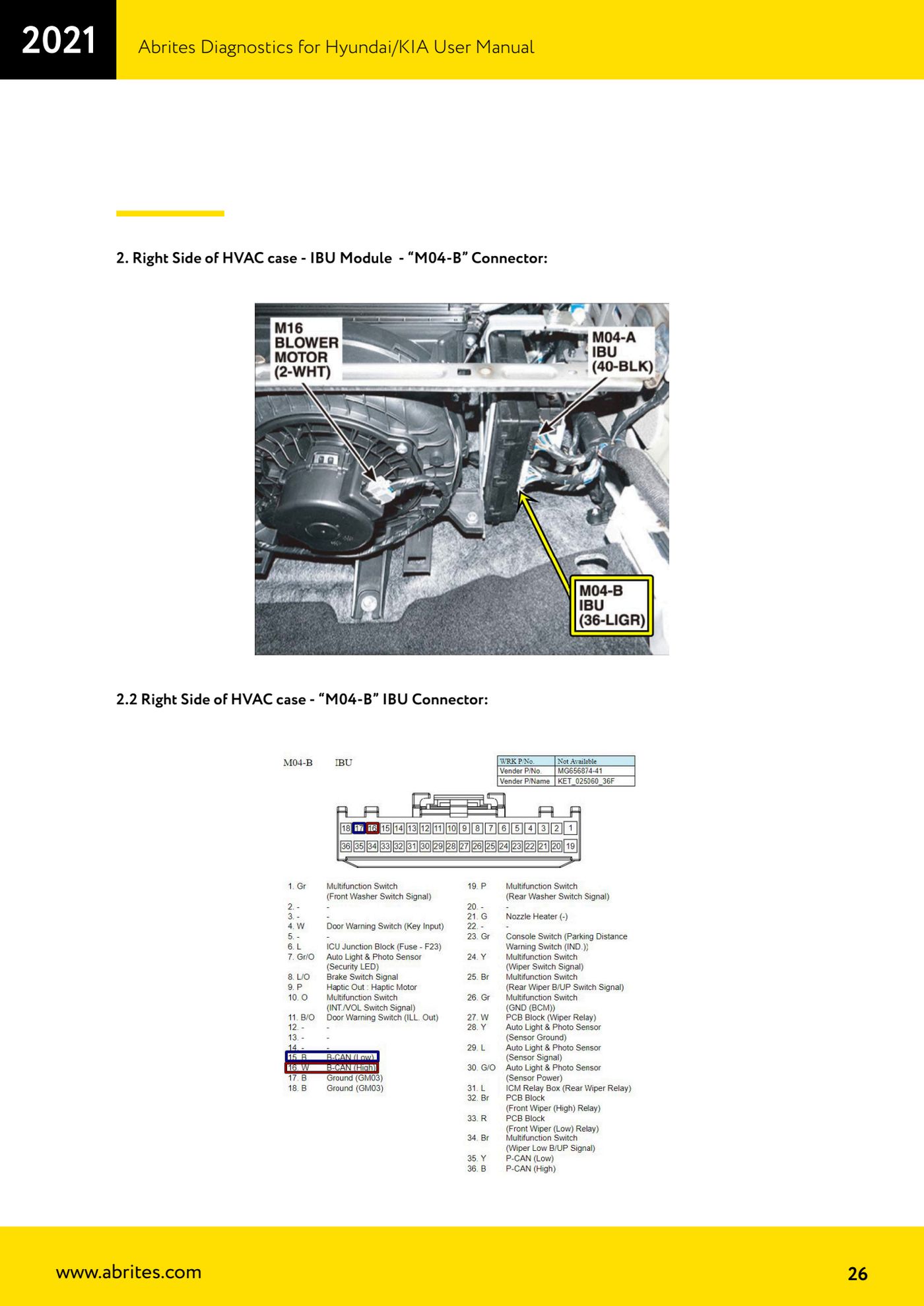
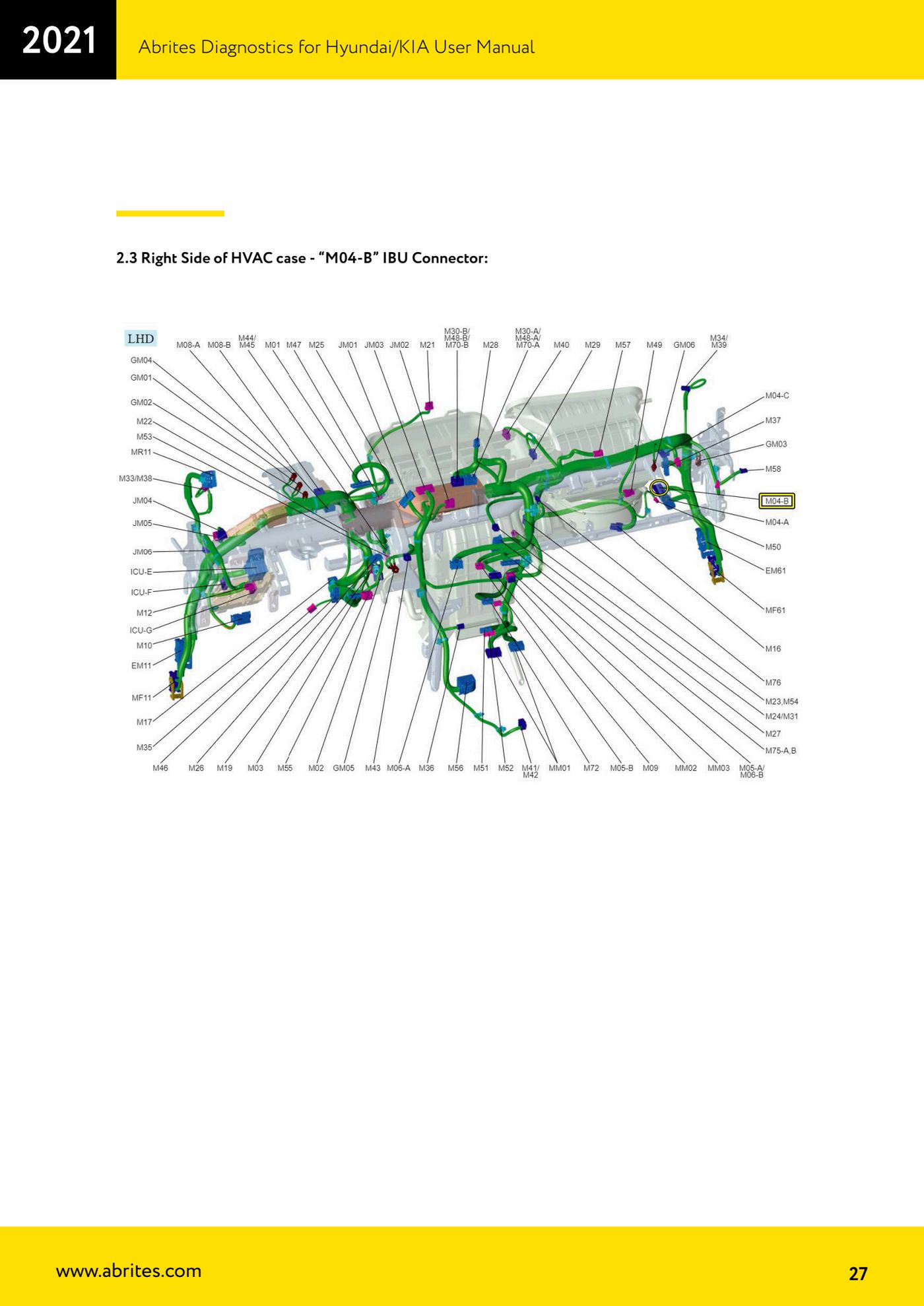
- Point 2 - right-hand side of the HVAC box, IBU module: connector "M04-B".
- Point 3 - ICU module, left-hand side of the dashboard: white connector of the "ICU-G Junction Block".
- Point 4 - Wireless Charger M63 unit, in the lower centre of the dashboard: white 12-way connector.
- With the connection checked, leave the OBD and the needle pinches connected together and go back to the procedure you need (PIN reading, key programming or module neutralisation) in the software.
Reference screenshots
Source: Manuale Hyundai/Kia, cap. 5.0 (p.24-29) · ⏱ estimated time 30-60 min
← All Abrites guides Hardware catalogue
More guides Hyundai/Kia
- Hyundai/Kia diagnostics with the AVDI: module scan, DTC read and clear, actual values
- Obtaining the Hyundai/Kia PIN code: PIN by VIN or reading the PIN from the vehicle (Smart Key and mechanical key)
- Hyundai/Kia key programming with "Key Learning" and separate remote programming
- Reading the Hyundai/Kia PIN from a working key with PROTAG and the TA31 extractor
- Hyundai/Kia Neutralization: making used modules adaptable (smart system, ECU, ESCL, PDM, immobiliser)
- Hyundai/Kia cluster calibration: aligning the instrument cluster counters after fitting a used unit
- Hyundai/Kia ECU Flasher: reading and updating engine ECU Flash and Configuration Data
- Hyundai/Kia Configuration Data: "Dump tool" on dumps read with a programmer and "Read/Update Conf Data" over OBD
- Starting Abrites Diagnostics for Hyundai/KIA Online and selecting the vehicle (VIN or model)
- Hyundai/KIA standard diagnostics: module scan, DTCs, Live Data and actuator tests
- Reading the Hyundai/KIA PIN code: from the car, from a working key or calculated from the VIN
- Hyundai/KIA key programming (Learn Keys) with mechanical keys and smart keys