
Chip-Tools
Hyundai/KIA key programming (Learn Keys) with mechanical keys and smart keys
Hyundai/Kia
Interface New
Keys / Immo
Medium
⏱ 30-60 min
9 steps
The "Learn Keys" Special Function programmes mechanical keys and smart keys on Hyundai/KIA vehicles. It also serves as module synchronisation after neutralising a used module or after fitting new modules to the car.
Required licences
- —
Hardware / cables


Procedure
- Connect the AVDI to the OBDII socket, start the Hyundai/KIA Online software and complete the vehicle selection, entering the key type correctly (mechanical or smart).
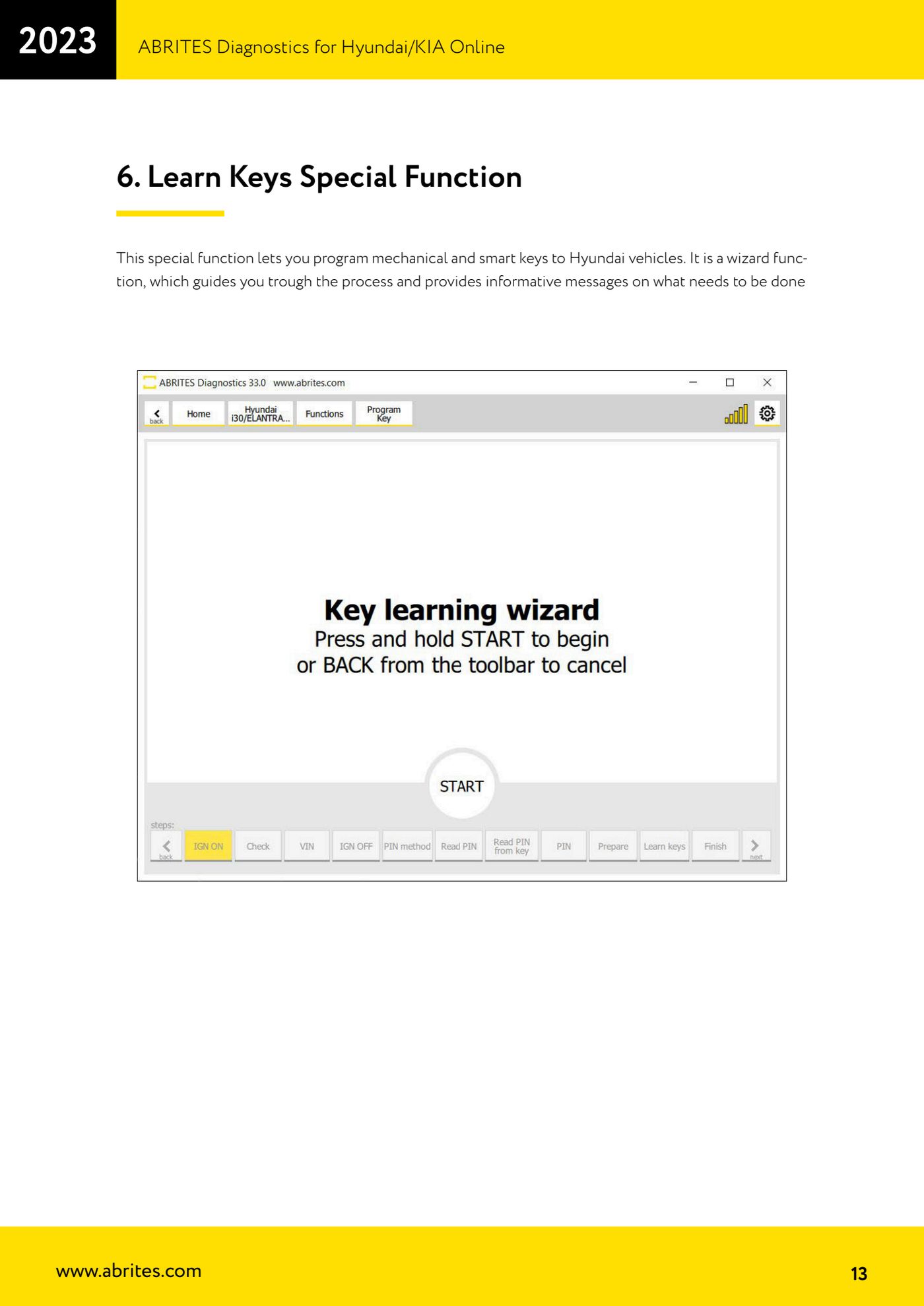
- From "Special Functions" select the key programming function ("Learn Keys") and start the guided procedure.
- Follow the on-screen prompts: the wizard shows step by step what to do and when.
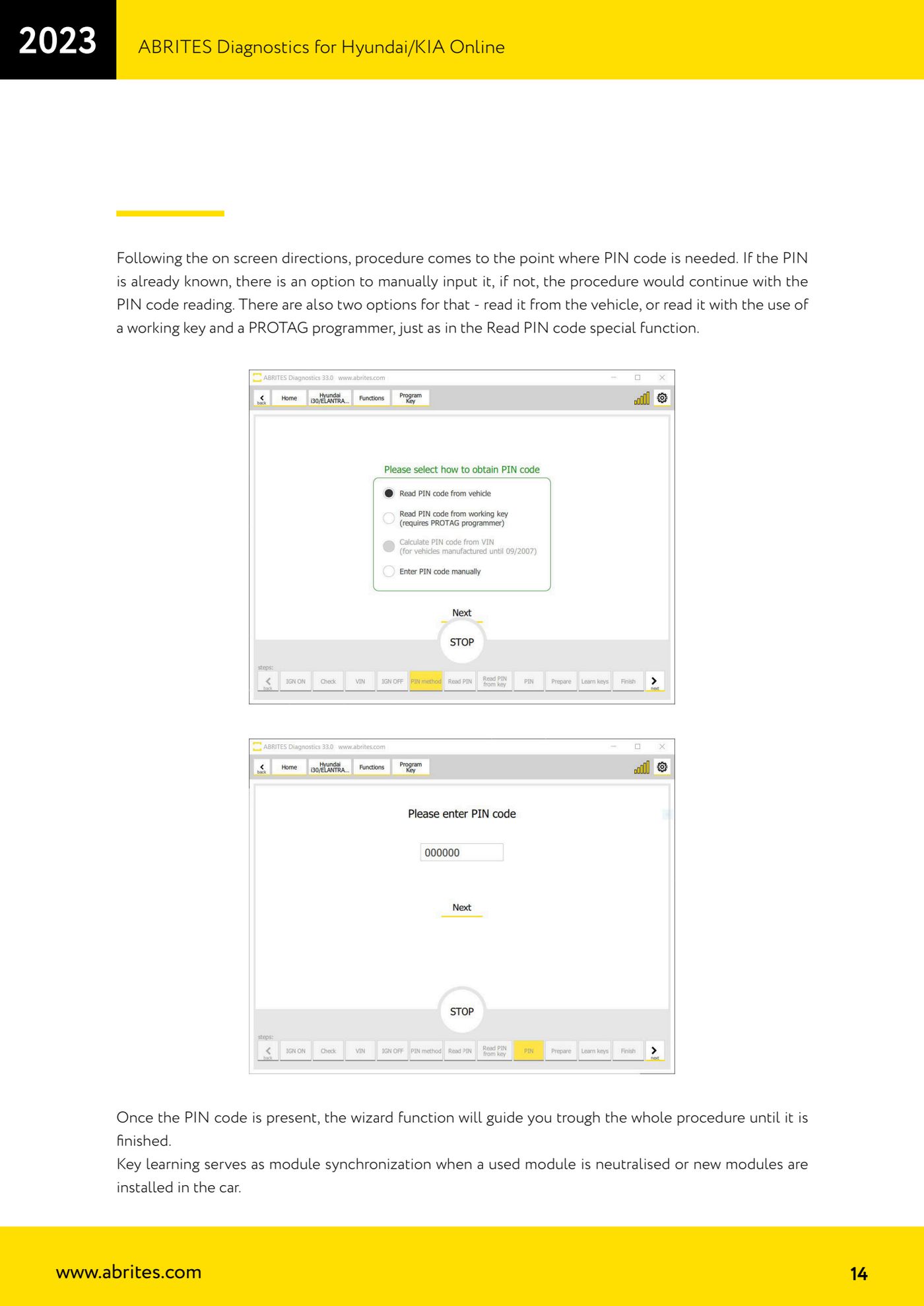
- When the procedure reaches the point where the PIN code is required, decide how to proceed. If the PIN is already known, enter it manually in the field provided.
- If the PIN is not known, carry on with reading the PIN from within the same procedure. The options are the same as in the "Read PIN Code" function: read it from the car, or read it from a working key using the PROTAG programmer.
- With the PIN acquired, let the wizard carry the whole key learning procedure through to the completion message.
- At the end test all the programmed keys: starting and immobiliser recognition.
- If the car has a mechanical key, remember that the remote is NOT programmed by the key learning: you have to run the "Program Remotes" function separately.
- If you have just neutralised a used module or fitted new modules, run key programming anyway: it acts as module synchronisation. If the key comes from the same car, you can reprogramme it and reuse it.
Reference screenshots
Source: Manuale Hyundai/KIA Online, cap. 6 (p.13-14) · ⏱ estimated time 30-60 min
← All Abrites guides Hardware catalogue
More guides Hyundai/Kia
- Hyundai/Kia diagnostics with the AVDI: module scan, DTC read and clear, actual values
- Obtaining the Hyundai/Kia PIN code: PIN by VIN or reading the PIN from the vehicle (Smart Key and mechanical key)
- Hyundai/Kia key programming with "Key Learning" and separate remote programming
- Reading the Hyundai/Kia PIN from a working key with PROTAG and the TA31 extractor
- Hyundai/Kia Neutralization: making used modules adaptable (smart system, ECU, ESCL, PDM, immobiliser)
- Hyundai/Kia cluster calibration: aligning the instrument cluster counters after fitting a used unit
- Hyundai/Kia ECU Flasher: reading and updating engine ECU Flash and Configuration Data
- Hyundai/Kia Configuration Data: "Dump tool" on dumps read with a programmer and "Read/Update Conf Data" over OBD
- Connecting to the internal CAN (B-CAN) on Hyundai/Kia 2017+ with ZN041 or ZN051: tap points and pins 3-11
- Starting Abrites Diagnostics for Hyundai/KIA Online and selecting the vehicle (VIN or model)
- Hyundai/KIA standard diagnostics: module scan, DTCs, Live Data and actuator tests
- Reading the Hyundai/KIA PIN code: from the car, from a working key or calculated from the VIN