
Chip-Tools
Hyundai/Kia diagnostics with the AVDI: module scan, DTC read and clear, actual values
Hyundai/Kia
Interface Classic
Diagnostics
Basic
⏱ 15-30 min
11 steps
This is the basic function of the Abrites Diagnostics for Hyundai/Kia software: it identifies the modules fitted to the vehicle, reads and clears fault codes and shows parameters in real time. Use it as the first step of every job, before the special functions.
Required licences
- —
Hardware / cables

Procedure
- Connect the AVDI to the vehicle's OBDII socket and to the PC, then switch the ignition ON.
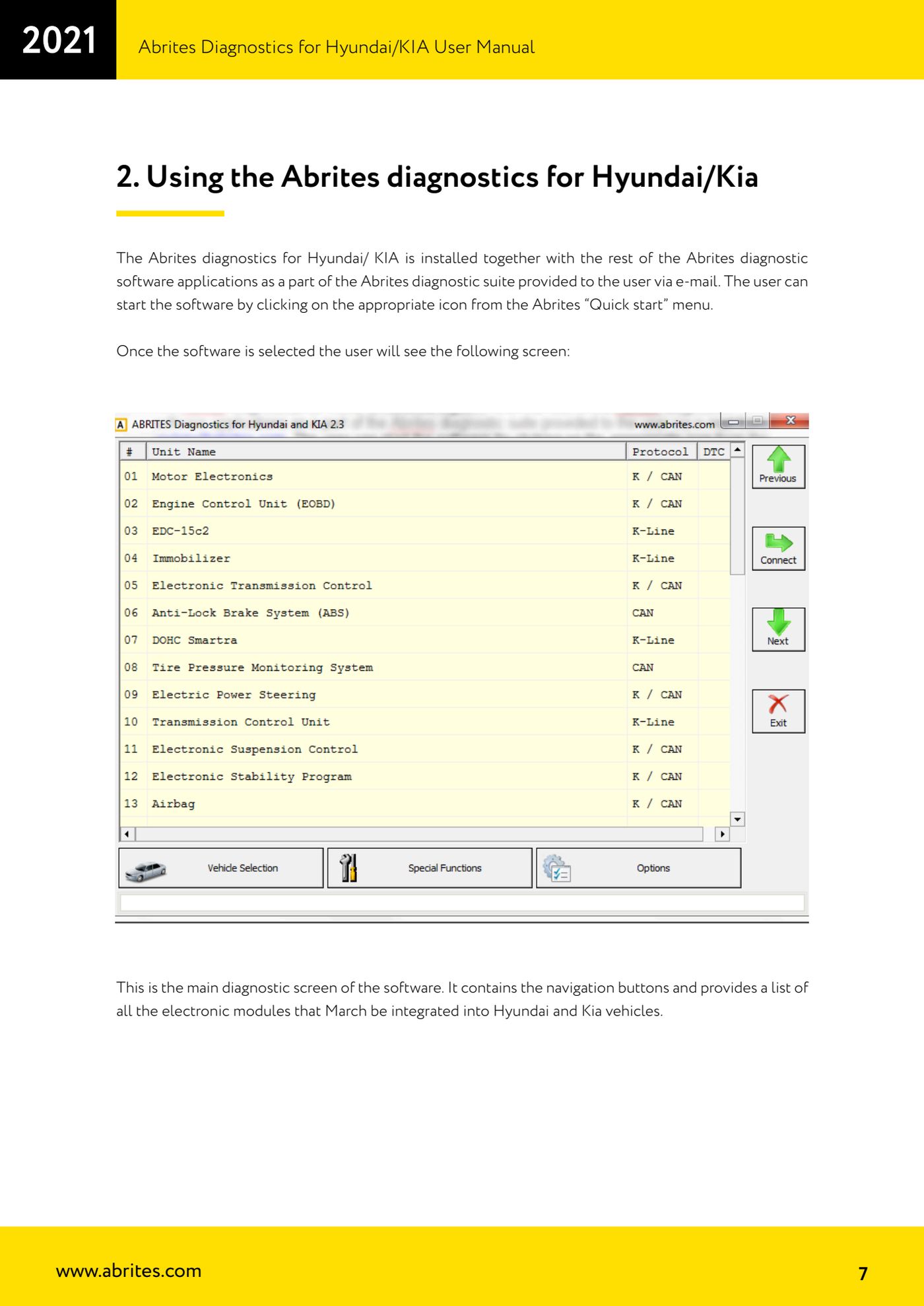
- Start "Abrites Diagnostics for Hyundai/KIA" by clicking the matching icon in the Abrites "Quick start" menu. The main diagnostic screen opens with the navigation buttons and the list of all electronic modules that can be present on Hyundai and Kia vehicles.
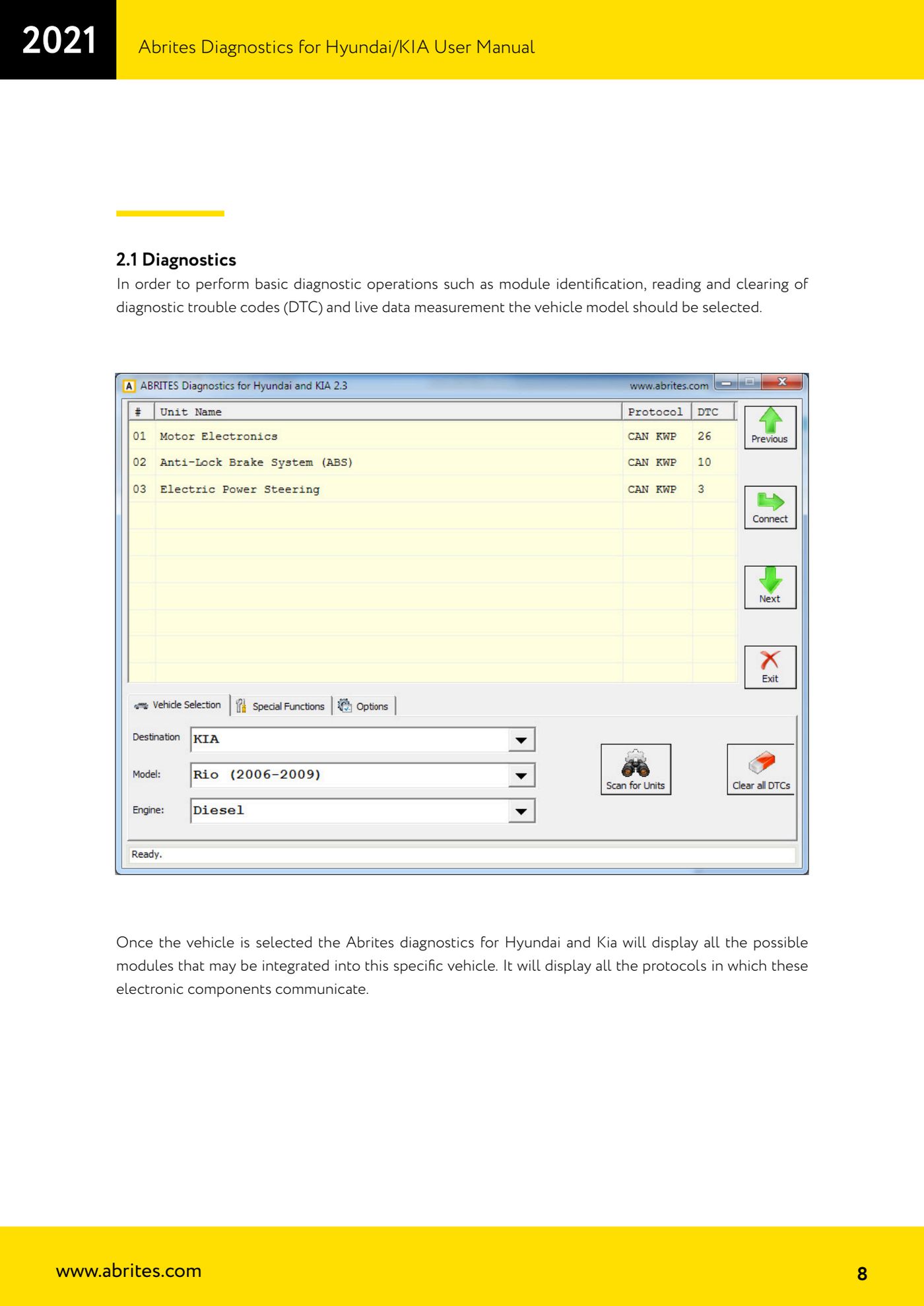
- Select the vehicle model: without this selection you cannot run module identification, DTC read/clear and actual value measurement.
- After the selection the software shows all the possible modules for that specific vehicle and the protocols each electronic component communicates with.
- Press "Scan for units": the software interrogates all the electronic modules and lists them together with the DTCs they hold.
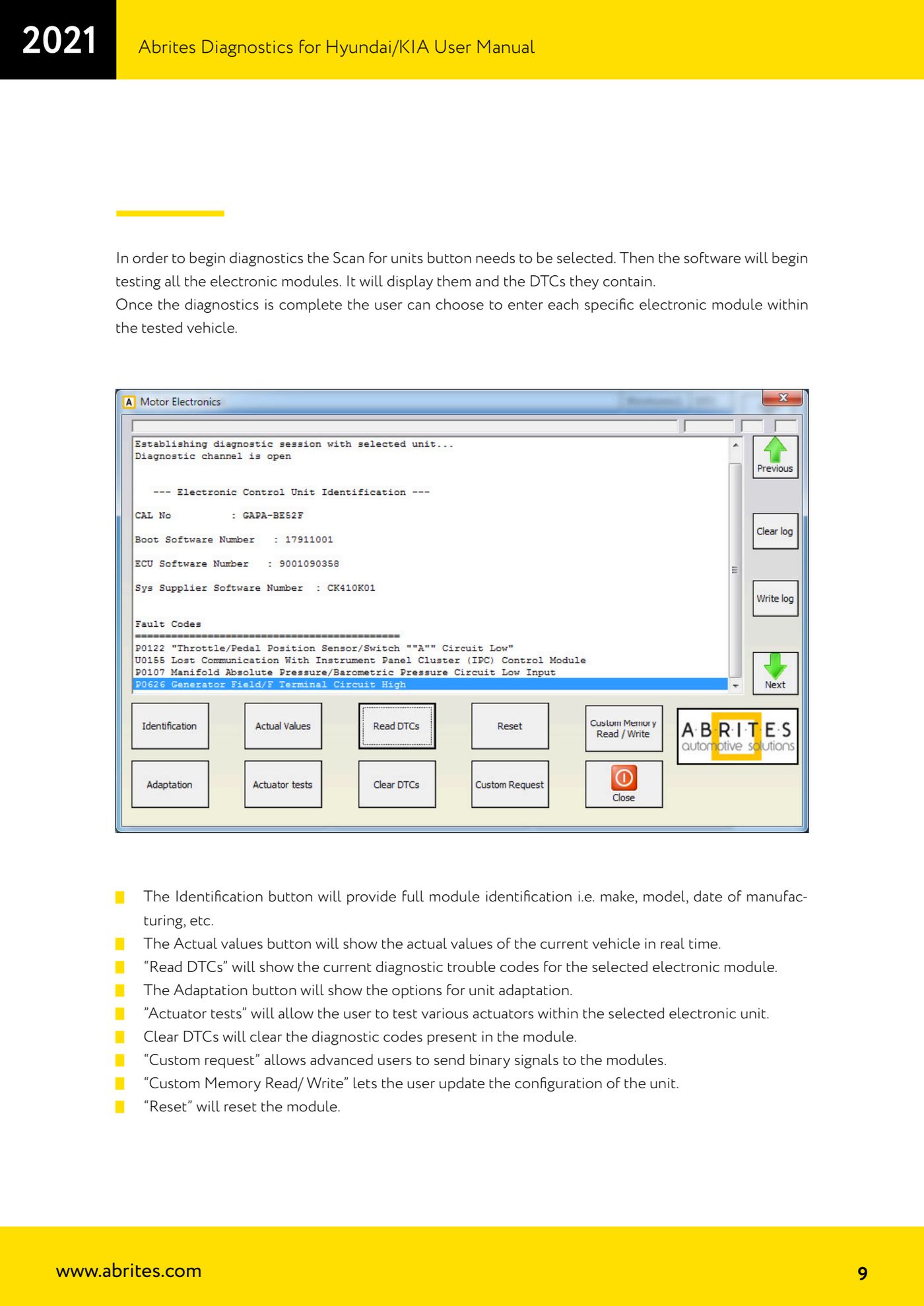
- Once the scan is finished, go into the individual module you need to work on.
- Use "Identification" to get the full identification of the module (make, model, production date, etc.).
- Use "Actual values" to see the vehicle's current values in real time and "Read DTCs" to re-read the fault codes present in the selected module.
- Use "Adaptation" for the unit's adaptation options and "Actuator tests" to drive and test the various actuators of the selected module.
- After the repair press "Clear DTCs" to clear the codes stored in the module, then run "Read DTCs" again to check they do not come back.
- Functions for advanced users: "Custom request" lets you send binary requests to the module, "Custom Memory Read/Write" lets you update the unit's configuration and "Reset" resets the module.
Reference screenshots
Source: Manuale Hyundai/Kia, cap. 2 e 2.1 (p.7-9) · ⏱ estimated time 15-30 min
← All Abrites guides Hardware catalogue
More guides Hyundai/Kia
- Obtaining the Hyundai/Kia PIN code: PIN by VIN or reading the PIN from the vehicle (Smart Key and mechanical key)
- Hyundai/Kia key programming with "Key Learning" and separate remote programming
- Reading the Hyundai/Kia PIN from a working key with PROTAG and the TA31 extractor
- Hyundai/Kia Neutralization: making used modules adaptable (smart system, ECU, ESCL, PDM, immobiliser)
- Hyundai/Kia cluster calibration: aligning the instrument cluster counters after fitting a used unit
- Hyundai/Kia ECU Flasher: reading and updating engine ECU Flash and Configuration Data
- Hyundai/Kia Configuration Data: "Dump tool" on dumps read with a programmer and "Read/Update Conf Data" over OBD
- Connecting to the internal CAN (B-CAN) on Hyundai/Kia 2017+ with ZN041 or ZN051: tap points and pins 3-11
- Starting Abrites Diagnostics for Hyundai/KIA Online and selecting the vehicle (VIN or model)
- Hyundai/KIA standard diagnostics: module scan, DTCs, Live Data and actuator tests
- Reading the Hyundai/KIA PIN code: from the car, from a working key or calculated from the VIN
- Hyundai/KIA key programming (Learn Keys) with mechanical keys and smart keys