
Chip-Tools
VID block (Vehicle Identification Data) in the Ford/Mazda PCM: reading and configuring parameters
Ford/Mazda
Interface Classic
Coding / Adaptations
Advanced
⏱ 20-40 min
8 steps
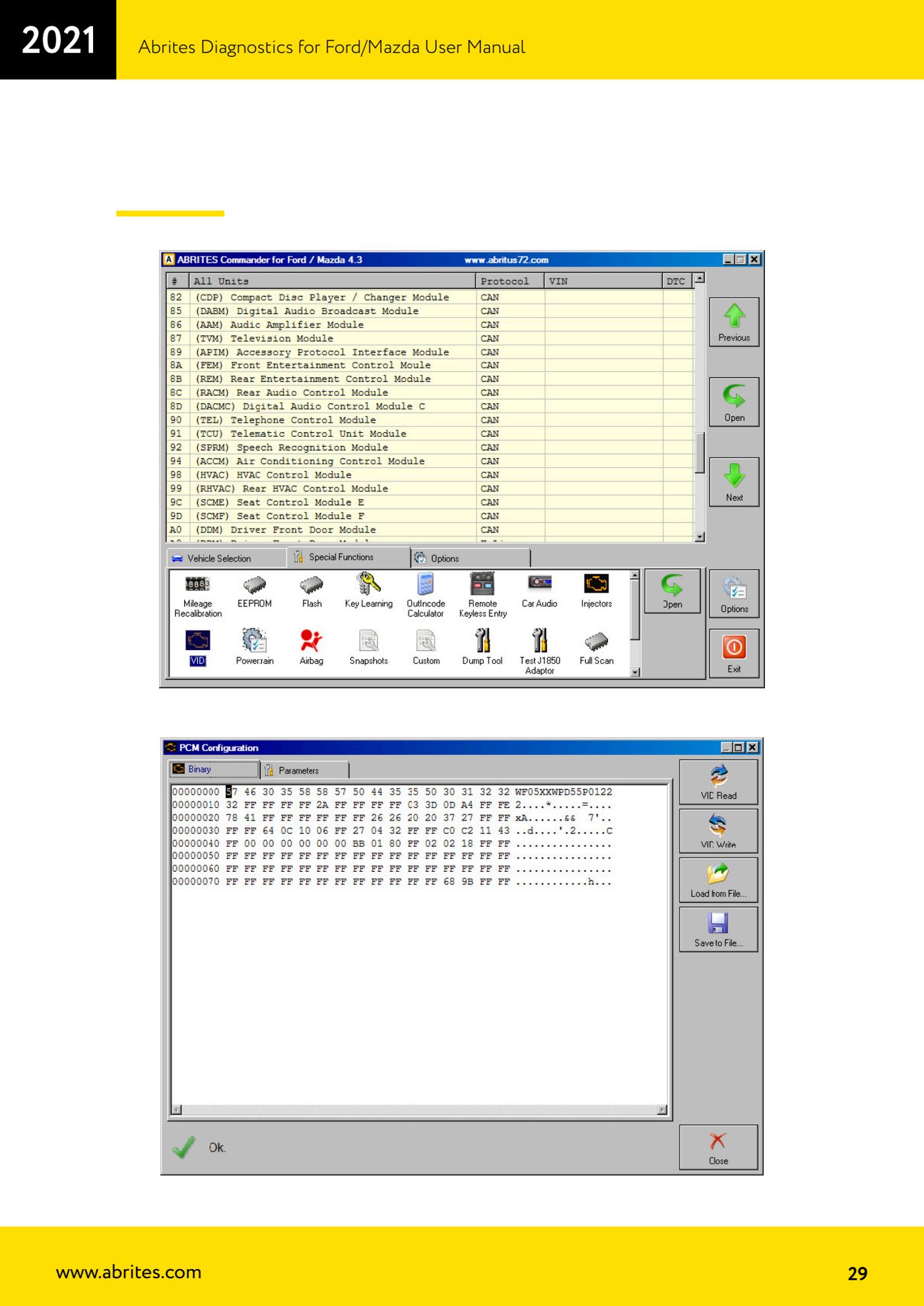
The VID block is a 128-byte area held in the PCM (Powertrain Control Module) of most Ford/Mazda models and contains the vehicle's configurable parameters: VIN, tyre size, axle ratio, ABS, transmission, body type and more. You work here when replacing the PCM or when the configuration does not match the car's actual specification.
Required licences
- —
Hardware / cables

Procedure
- Connect the AVDI, put the vehicle on a stable power supply, start the software and select the correct vehicle context.
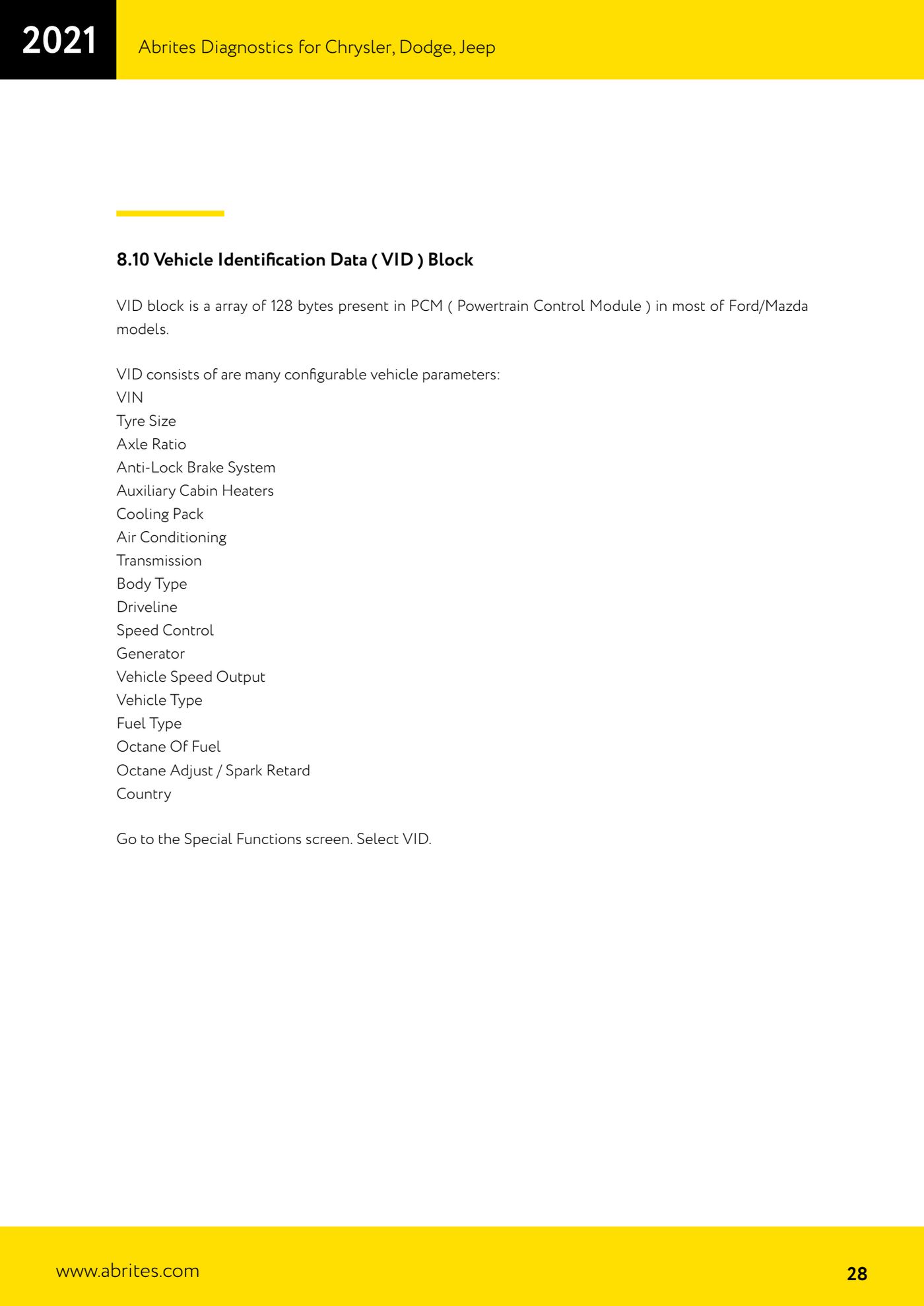
- Go to the "Special Functions" screen and select "VID".
- Read the VID block from the PCM and SAVE a copy of the original data before changing any parameter: these 128 bytes hold the entire vehicle configuration.
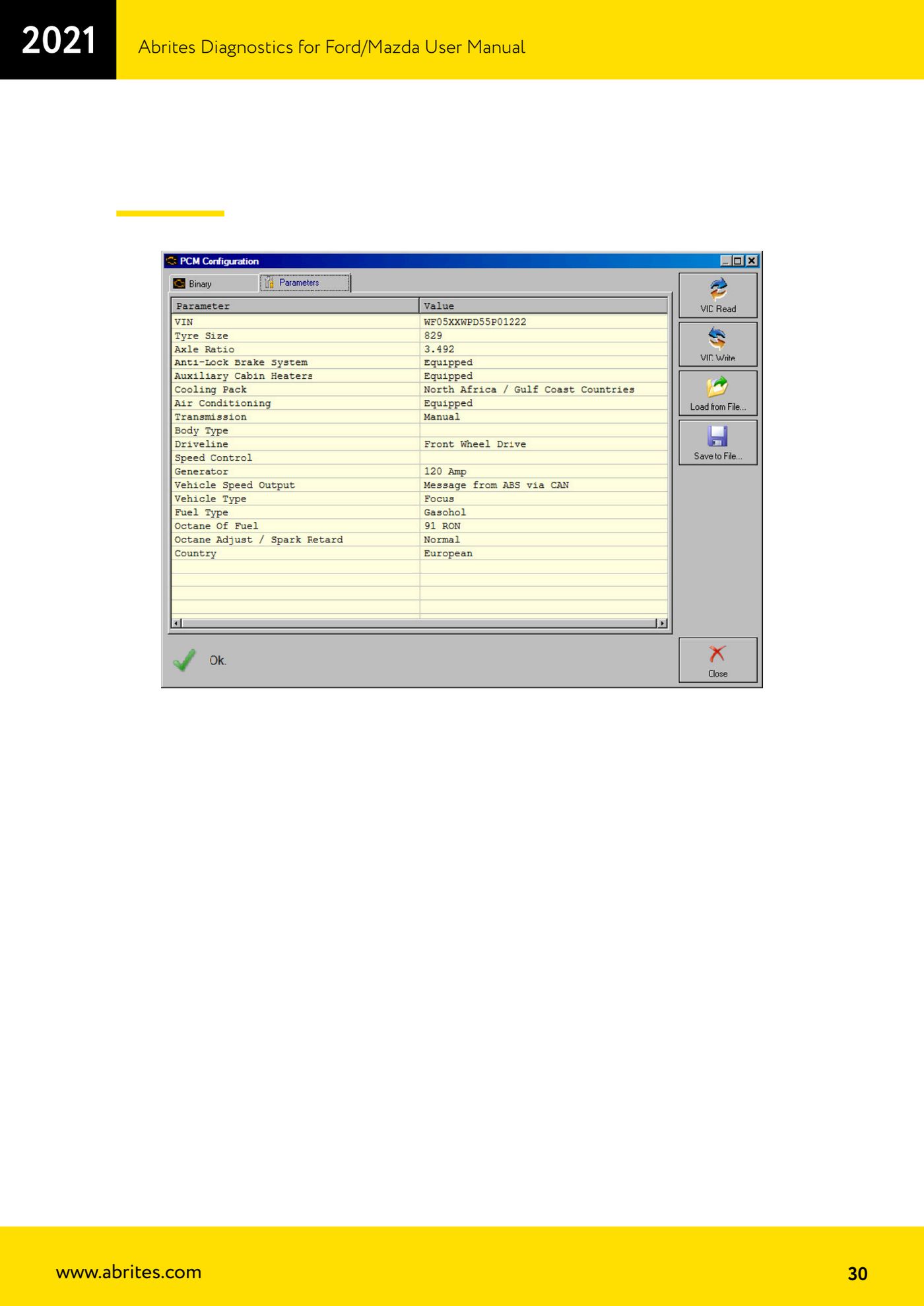
- Check the parameters in the block against the car's actual specification. The configurable parameters are: VIN, Tyre Size, Axle Ratio, Anti-Lock Brake System (ABS), Auxiliary Cabin Heaters, Cooling Pack, Air Conditioning, Transmission, Body Type, Driveline, Speed Control, Generator, Vehicle Speed Output, Vehicle Type, Fuel Type, Octane Of Fuel, Octane Adjust / Spark Retard, Country.
- Change only the parameters that genuinely need to change, one at a time, and write the block back to the PCM.
- Cycle the ignition off and on, then read the VID block again to confirm the written values are actually in the PCM.
- Clear the DTCs raised during the job and take the car for a road test: speedometer, tachometer and speed control are the first symptoms of a wrong VID configuration (tyre size and axle ratio).
- When fitting a used PCM, the VID block has to be matched to the receiving car: read the VID from the original PCM if it can still be recovered and transfer it onto the replacement module.
Reference screenshots
Source: Manuale Ford/Mazda, parte 1 di 2, cap. 8.10 (p.28-30) · ⏱ estimated time 20-40 min
← All Abrites guides Hardware catalogue
More guides Ford/Mazda
- Starting Abrites Diagnostics for Ford/Mazda: vehicle context and ECU scanning ("Scan all")
- ECU identification, DTC read/clear and Live Data on Ford/Mazda
- Getting to the Ford/Mazda "Special Functions": Memory Read/Write and Key Learning
- PATS Key Learning: adding keys on Ford/Mazda (including with the alarm triggered)
- Key programming on Mazda CX-30 and Mazda 3 from 2019 with special function MZ001
- Ford key programming from 2021 (F-150, Maverick, Mustang Mach-E, Transit): incode from the outcode or bench read of the BCM with the ZN085
- PATS Erase All Keys: erasing all keys from the Ford/Mazda PATS memory
- PATS Initialization: matching the PCM to the instrument cluster (IPC/HEC), BCM or FIP on Ford/Mazda
- Spare Key Programming and Unlimited Key Mode: enabling/disabling Ford/Mazda key programming
- PATS OUT/IN code calculator for Ford/Mazda IDS (SINGLE xx40 and DOUBLE xx44 outcodes)
- Supported protocols and OBDII pins on Ford/Mazda: HS-CAN, MS-CAN, K-Line and J1850 PWM
- Ford PMI (Programmable Module Installation): transferring As-Built data to a new module