
Chip-Tools
Starting Abrites Diagnostics for Ford/Mazda: vehicle context and ECU scanning ("Scan all")
Ford/Mazda
Interface Classic
Diagnostics
Basic
⏱ 10-20 min
7 steps
First thing to do on every Ford or Mazda that comes into the workshop: connect the AVDI, narrow the ECU list down to the right model and run a full scan to see straight away which modules answer and which have a dirty fault memory.
Required licences
- —
Hardware / cables

Procedure
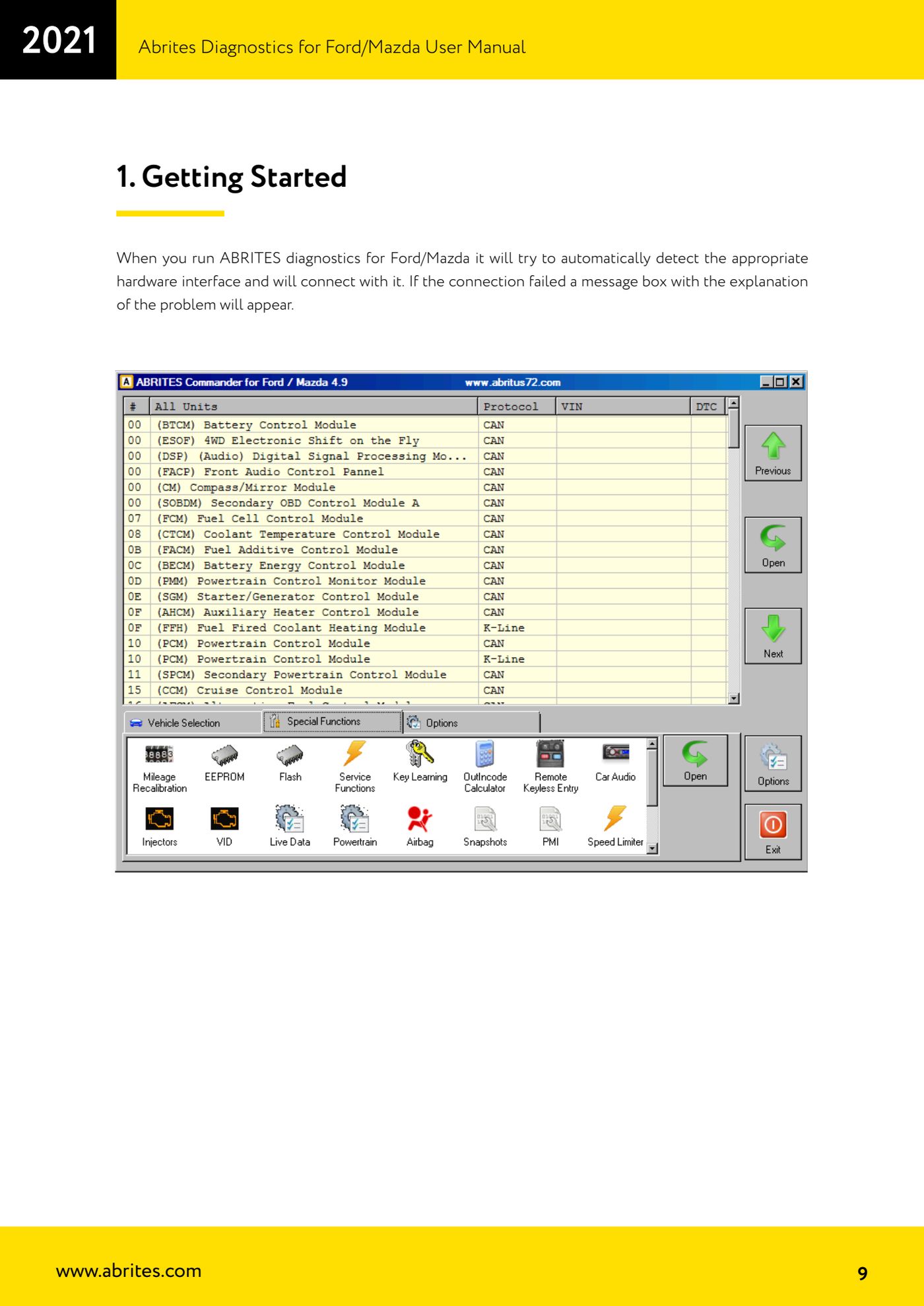
- Connect the AVDI to the vehicle's OBDII port and to the PC, then start "Abrites Diagnostics for Ford/Mazda". On start-up the software looks for the hardware interface by itself and connects; if the connection fails, a window explaining the problem appears (check cable, drivers and power before going any further).
- Turn the ignition ON and make sure the battery is in good shape: the scan interrogates every module and unstable voltage will drop the communication.
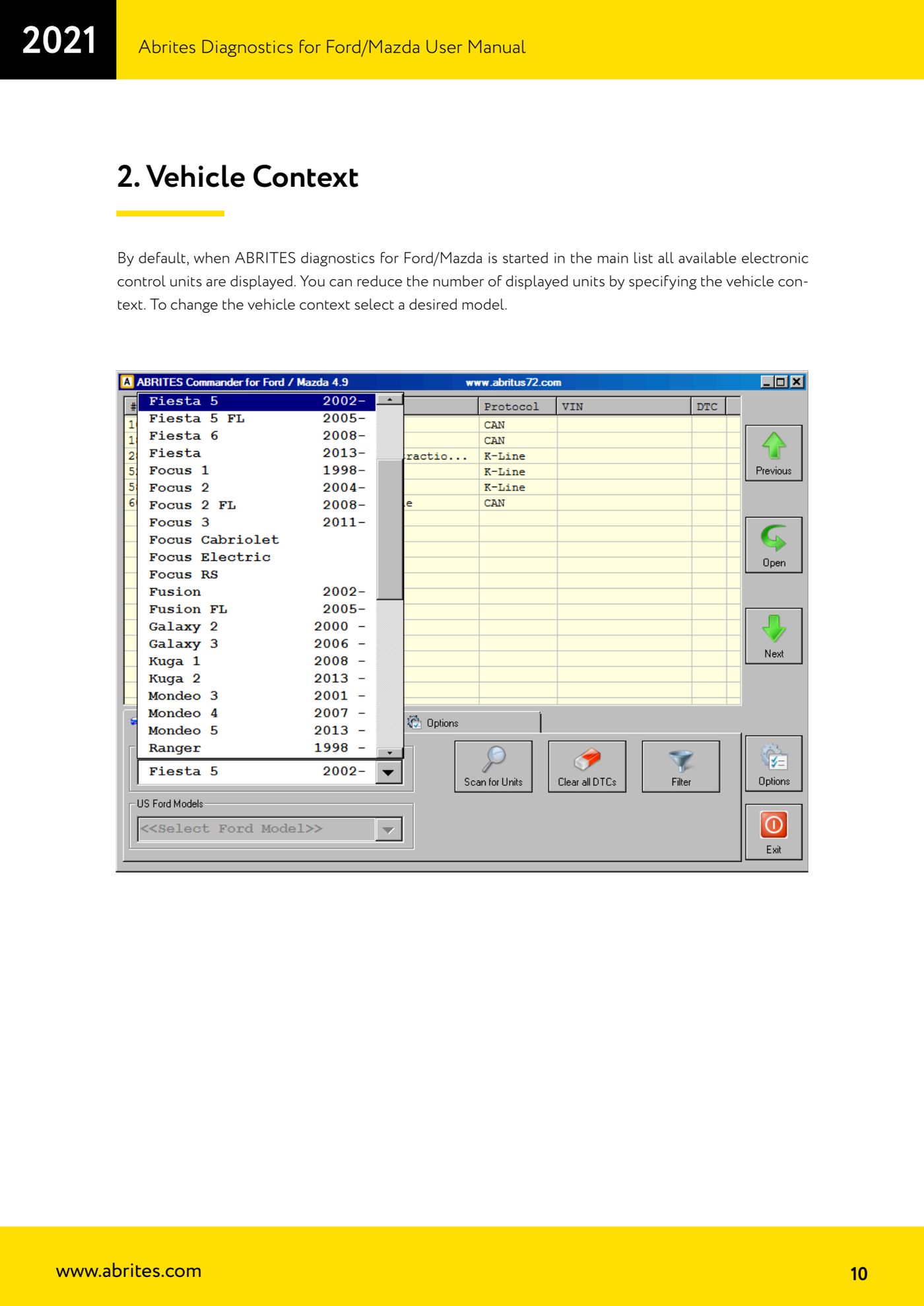
- Set the vehicle context: by default the main list shows ALL the control units in the database. Select the model you are working on to cut the list down to the units actually fitted to that car.
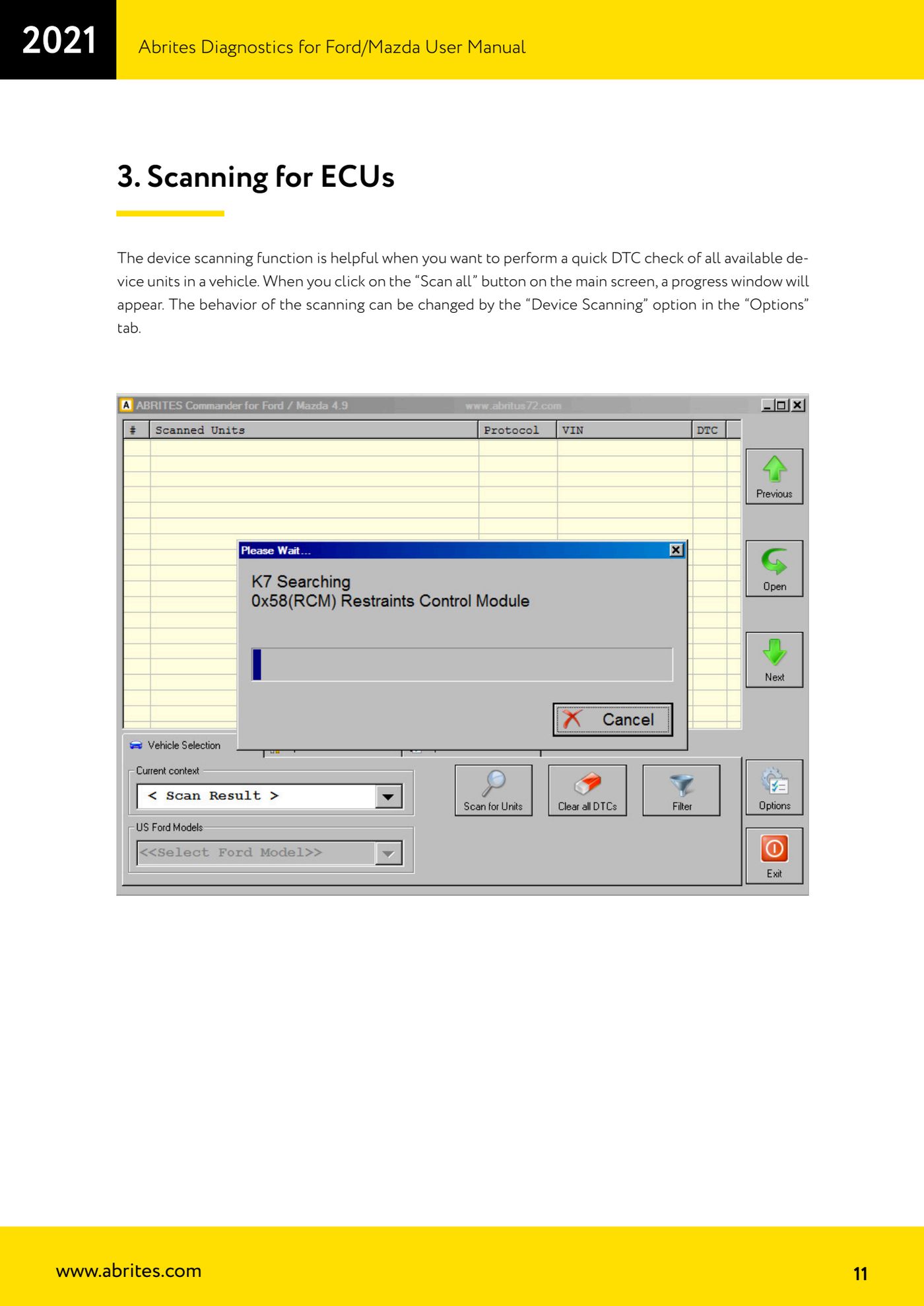
- Click the "Scan all" button on the main screen: a progress window opens showing the result of the interrogation module by module. It gives you a quick DTC check across every unit on the vehicle.
- If you want to change how the scan behaves (which modules are interrogated and how), go to the "Options" tab and change the "Device Scanning" setting, then run "Scan all" again.
- When it finishes, note which control units answered and which did not: a module that does not answer with the correct vehicle context points to a power supply problem, a CAN network problem, or the module itself being dead.
- From here you can go into an individual ECU for identification, DTC read/clear, measured values and Special Functions.
Reference screenshots
Source: Manuale Ford/Mazda, parte 1 di 2, cap. 1-4 (p.9-12) · ⏱ estimated time 10-20 min
← All Abrites guides Hardware catalogue
More guides Ford/Mazda
- ECU identification, DTC read/clear and Live Data on Ford/Mazda
- Getting to the Ford/Mazda "Special Functions": Memory Read/Write and Key Learning
- PATS Key Learning: adding keys on Ford/Mazda (including with the alarm triggered)
- Key programming on Mazda CX-30 and Mazda 3 from 2019 with special function MZ001
- Ford key programming from 2021 (F-150, Maverick, Mustang Mach-E, Transit): incode from the outcode or bench read of the BCM with the ZN085
- PATS Erase All Keys: erasing all keys from the Ford/Mazda PATS memory
- PATS Initialization: matching the PCM to the instrument cluster (IPC/HEC), BCM or FIP on Ford/Mazda
- Spare Key Programming and Unlimited Key Mode: enabling/disabling Ford/Mazda key programming
- PATS OUT/IN code calculator for Ford/Mazda IDS (SINGLE xx40 and DOUBLE xx44 outcodes)
- VID block (Vehicle Identification Data) in the Ford/Mazda PCM: reading and configuring parameters
- Supported protocols and OBDII pins on Ford/Mazda: HS-CAN, MS-CAN, K-Line and J1850 PWM
- Ford PMI (Programmable Module Installation): transferring As-Built data to a new module