
Chip-Tools
Working on a single control unit: identification, VIN in Adaptation, Custom Memory Read/Write
Fiat/FCA
Interface Classic
Coding / Adaptations
Medium
⏱ 15-30 min
10 steps
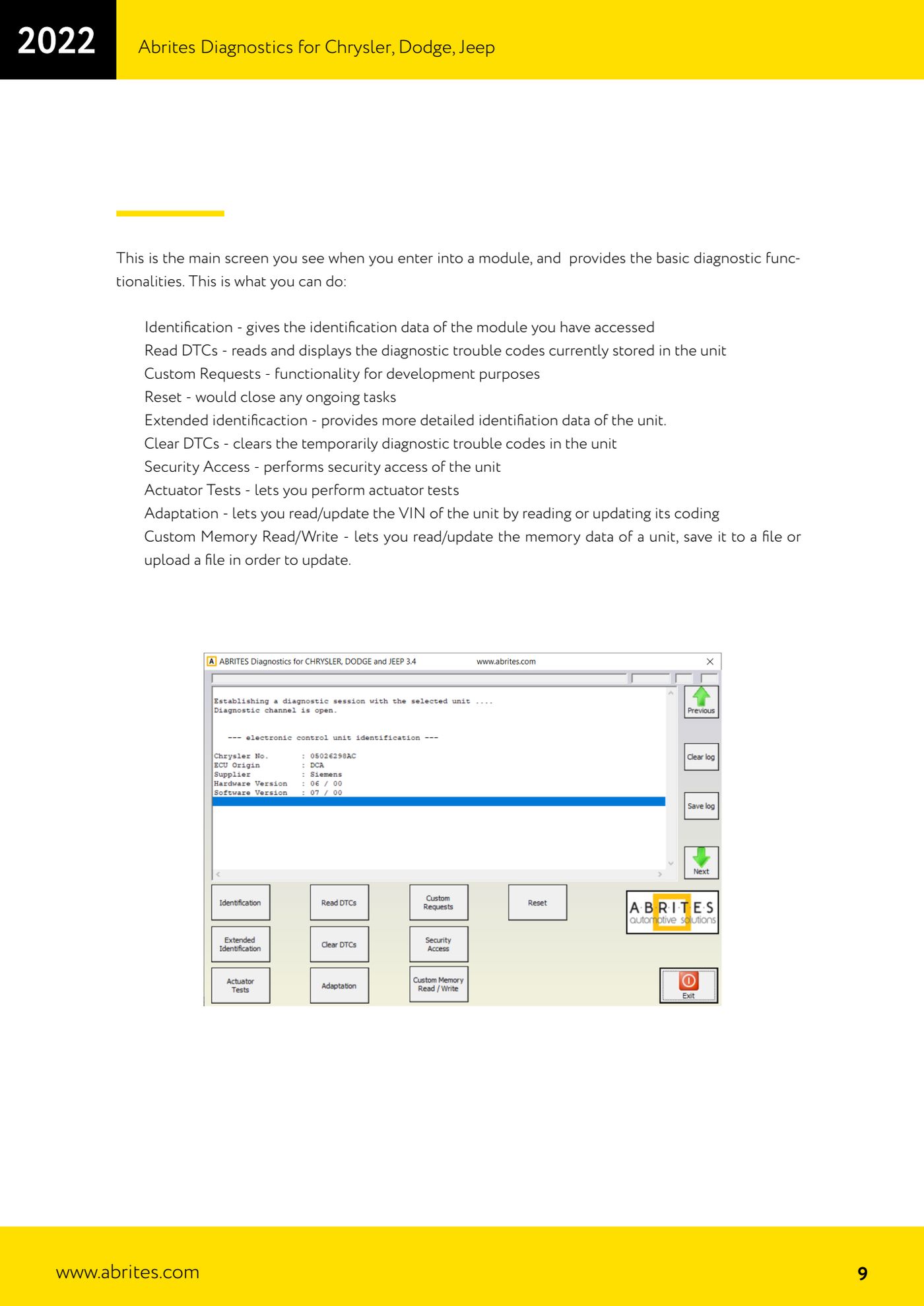
Once you are into a control unit, the software gives you every function for working on that single module: identification data, VIN read/write through the coding, security access, actuator tests and direct memory read/write. It is typically needed after replacing a module or to align the VIN.
Required licences
- —
Hardware / cables
 AVDI
AVDI- cavo OBD-II
⚠ Warning"Custom Memory Read/Write" and "Custom Requests" act directly on the unit's memory and protocols: these are functions for experienced users. Always save the original read to file before writing any data.
Procedure
- Connect the AVDI to the OBD-II, ignition ON, and start the software.
- In the module list select the control unit you are interested in and double-click it (or press "Connect").
- Press "Identification" to read the module's identification data; use "Extended identification" when you need more detailed information (useful for comparing part numbers).
- Use "Read DTCs" to read that module's fault codes only and "Clear DTCs" to clear the temporary ones.
- If the job calls for it, press "Security Access" to perform security access to the control unit.
- To check the operation of the components driven by the module use "Actuator Tests".
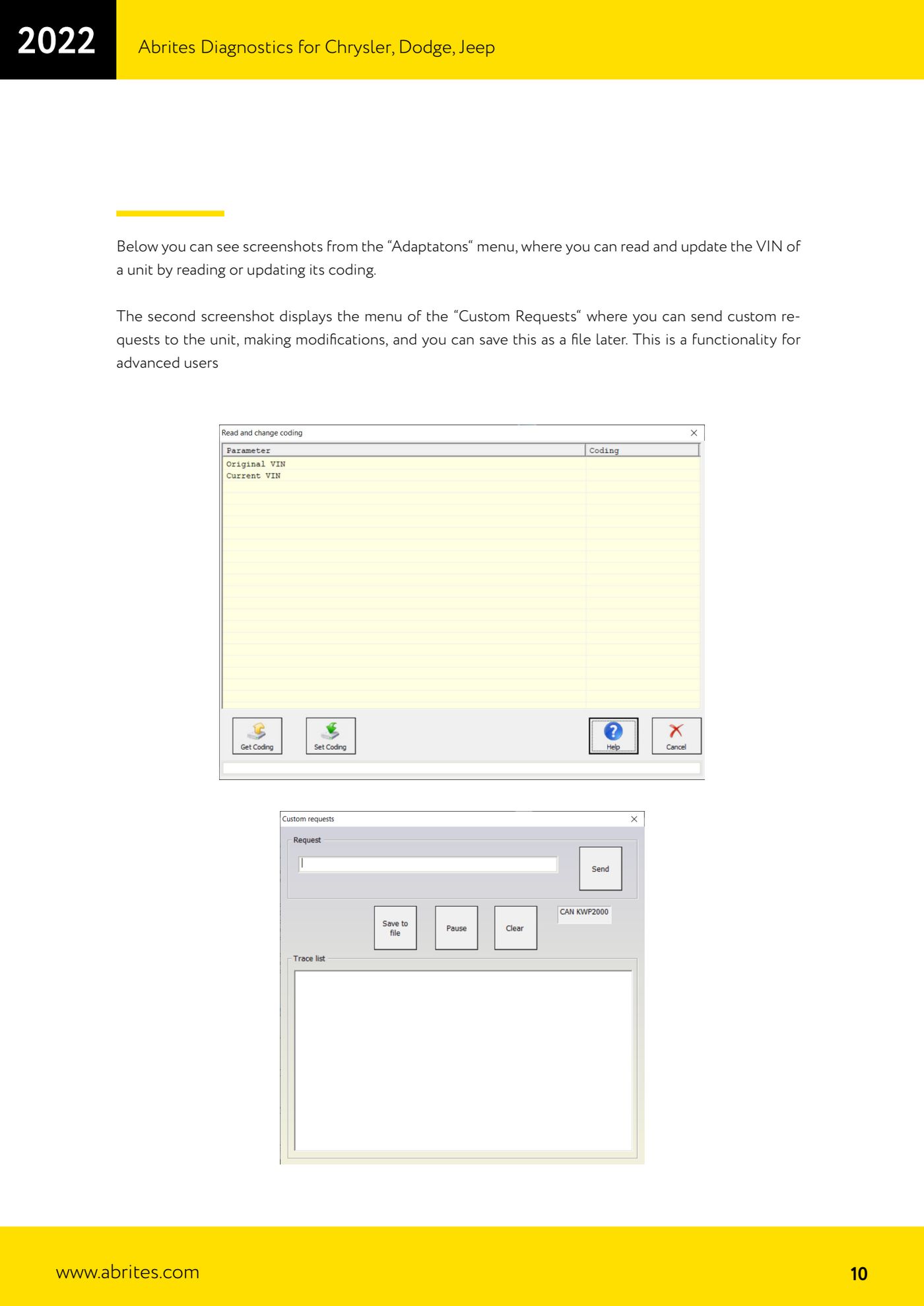
- To read or update the VIN go into "Adaptation": the function works by reading and rewriting the unit's coding. Read the current value first, then enter the correct VIN and confirm the write.
- With "Custom Memory Read/Write" you can read the unit's memory and save it to file, or load a file and write it back into the module. Always save the original dump before writing.
- "Custom Requests" lets you send custom requests to the module and save them to file: only use it if you know exactly what you are sending.
- If a procedure hangs or the module stops responding, press "Reset" to close down the operations in progress.
Reference screenshots
Source: Manuale Chrysler / Dodge / Jeep, cap. 2.1 (p.9-10) · ⏱ estimated time 15-30 min
← All Abrites guides Hardware catalogue
More guides Fiat/FCA
- Vehicle scan, module identification and reading/clearing DTC (Fiat, Alfa Romeo, Lancia, FCA)
- Reading live data (Data Display) and ECU identification on FCA vehicles
- Actuator tests on FCA control units (engine, BCM and other modules)
- BCM, RFH and Key Manager: reading the PIN, Component Protection data and Transponder Maker
- Key programming via OBD on FCA vehicles (with PIN from the RFH and Security Gateway bypass)
- Key programming on FCA keyless models from 2020 onwards in All Keys Lost (CB017 set + ZN051)
- Key programming on Fiat Ducato, Fiat 500L and Iveco Daily 2020+ (PIN from the BCM EEPROM with ABProg and ZN057)
- FCA instrument cluster calibration via OBDII ("Cluster Calibration" and "Cluster Calibration 2")
- ECU Flash Manager: reading and writing flash memory on Marelli and Bosch ECUs (IAW, MJD 6JF, ME7 boot mode)
- ECU Configuration Manager: reading/writing configuration and VIRGIN reset (EDC15, MJD 6JF/8F2, Marelli IAW, ME7)
- Proxi Alignment: BCM configuration and module alignment on FCA vehicles (bench work included)
- Module scan and DTC read/clear with FCA Online (Fiat, Alfa Romeo, Jeep, Lancia)