
Chip-Tools
Radio Code: retrieving the radio code from the serial number (Chrysler, Dodge, Jeep)
Fiat/FCA
Interface Classic
Special Functions
Basic
⏱ 5-10 min
6 steps
The "Radio Codes" Special Function works out the radio's unlock code from the unit's serial number. It is needed when the radio locks after the battery has been disconnected or after the unit has been replaced.
Required licences
- —
Hardware / cables

Procedure
- Take down the radio's serial number (label on the body of the unit, so it generally has to be pulled out of the dash).
- Open the software, go into the Special Functions menu and double-click "Radio Codes".
- From the drop-down menu pick the generation matching the vehicle: "Radio Codes (1995 - 2002)", "Radio Codes ( - 1999)", "Radio Codes (2000 - 2002)" or "Radio Codes for L Radios 3.1".
- Enter the unit's serial number in the field provided.
- Press "Get Radio Code" to obtain the code.
- Note the code down and enter it on the radio to unlock it; hand the code to the customer along with the vehicle's job card.
Reference screenshots
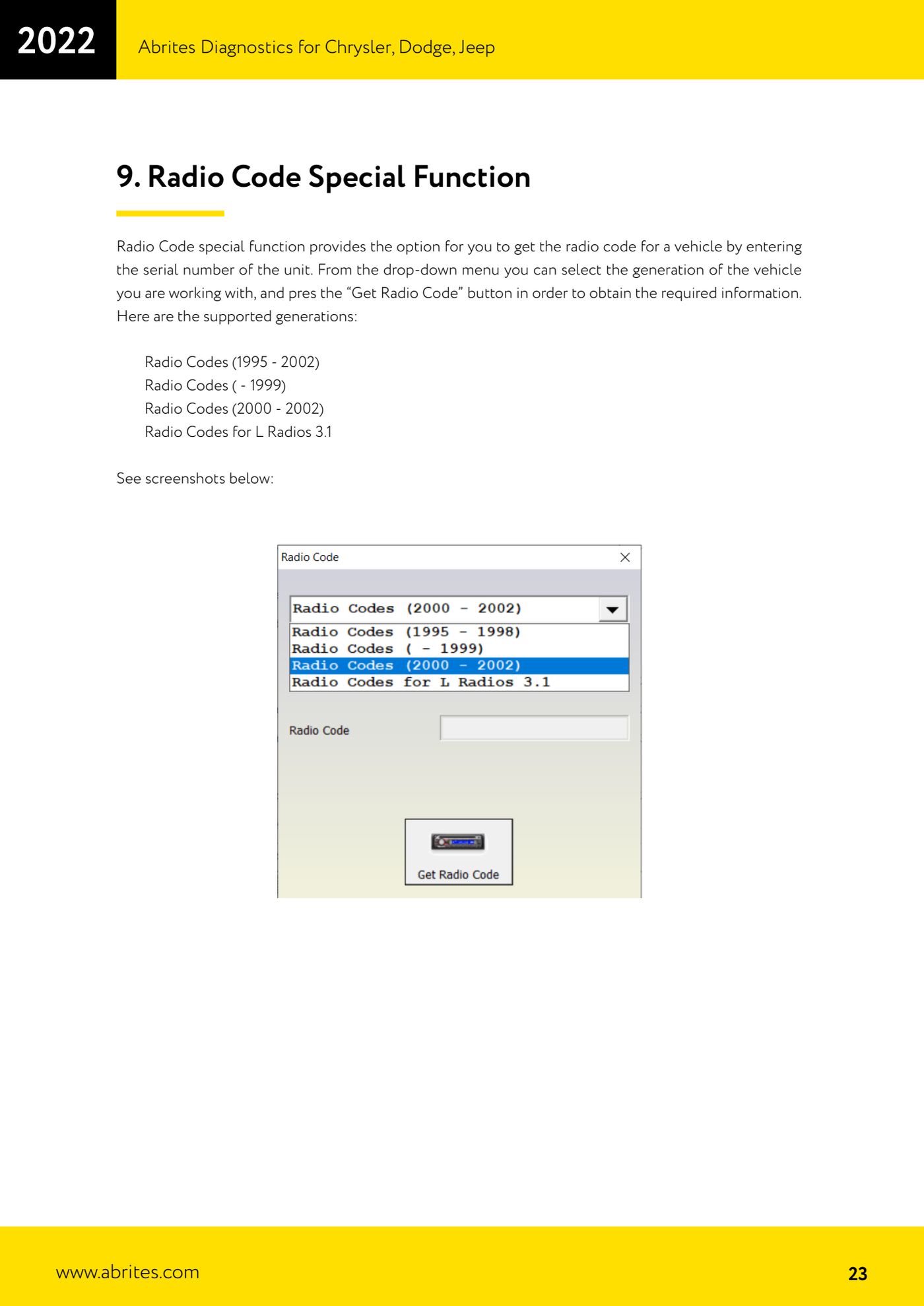
Source: Manuale Chrysler / Dodge / Jeep, cap. 9 (p.23) · ⏱ estimated time 5-10 min
← All Abrites guides Hardware catalogue
More guides Fiat/FCA
- Vehicle scan, module identification and reading/clearing DTC (Fiat, Alfa Romeo, Lancia, FCA)
- Reading live data (Data Display) and ECU identification on FCA vehicles
- Actuator tests on FCA control units (engine, BCM and other modules)
- BCM, RFH and Key Manager: reading the PIN, Component Protection data and Transponder Maker
- Key programming via OBD on FCA vehicles (with PIN from the RFH and Security Gateway bypass)
- Key programming on FCA keyless models from 2020 onwards in All Keys Lost (CB017 set + ZN051)
- Key programming on Fiat Ducato, Fiat 500L and Iveco Daily 2020+ (PIN from the BCM EEPROM with ABProg and ZN057)
- FCA instrument cluster calibration via OBDII ("Cluster Calibration" and "Cluster Calibration 2")
- ECU Flash Manager: reading and writing flash memory on Marelli and Bosch ECUs (IAW, MJD 6JF, ME7 boot mode)
- ECU Configuration Manager: reading/writing configuration and VIRGIN reset (EDC15, MJD 6JF/8F2, Marelli IAW, ME7)
- Proxi Alignment: BCM configuration and module alignment on FCA vehicles (bench work included)
- Module scan and DTC read/clear with FCA Online (Fiat, Alfa Romeo, Jeep, Lancia)