
Chip-Tools
Connecting to the internal CAN for ECU and TCU work on Mercedes Actros with the ZN051 Distribution Box
Camion / Bus
Interface Classic
Hardware / Connections
Medium
⏱ 20-40 min
7 steps
When you have to work on the ECU (engine) or the TCU (transmission) of a Mercedes Actros, OBDII on its own is not enough: you need to be connected to the OBDII port and to the truck's internal CAN at the same time, through the ZN051 Distribution Box.


⚠ WarningUnlike cars, wire colours on trucks are not always the same: always check the factory wiring diagram before piercing. Use slots 3-11 of the DS-Box only.
Procedure
- Remove the panel in the passenger footwell to get at the harness between the CPC and the ECU units (see the Actros access procedure).
- Connect the ZN051 Distribution Box to the AVDI.
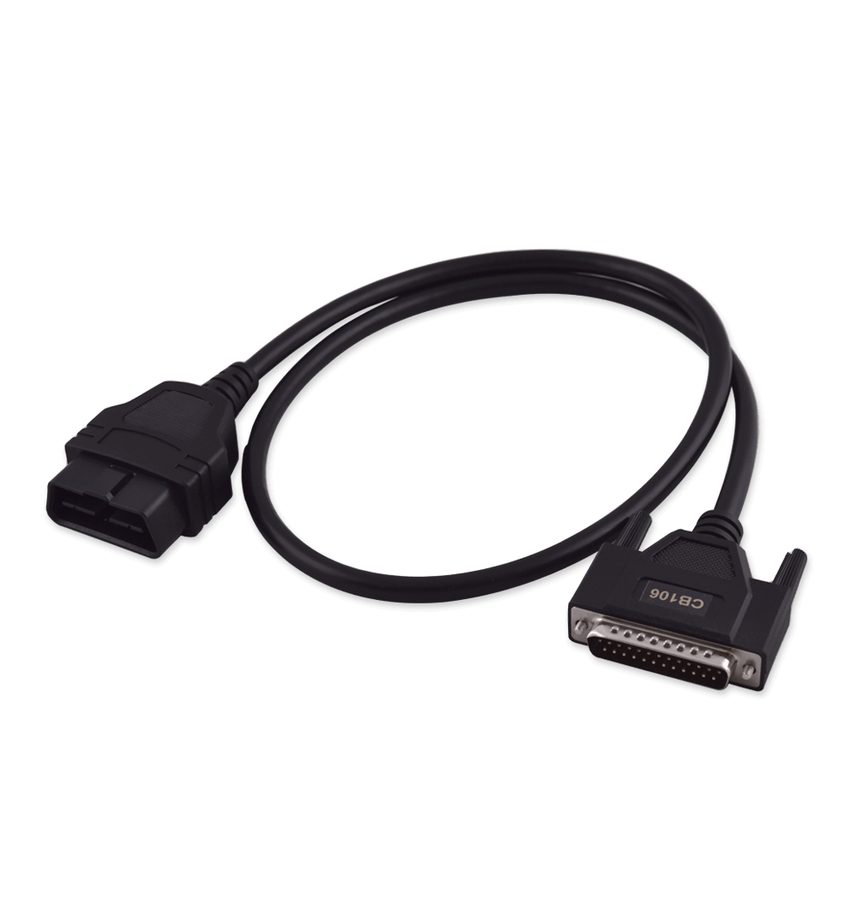
- Connect the OBDII cable (CB106) to the DS-Box and to the truck's OBDII port: while working on the ECU/TCU you must be connected to OBDII and internal CAN at the same time.
- Find the internal CAN wires in the harness running between CPC and ECU: CAN H is the BLUE wire, CAN L is the WHITE wire.
- Tap the two wires with the needle pinch connectors supplied in the ZN051 set.
- Bring the two connections to the DS-Box using slots 3-11.
- Check communication by starting the software and opening the FBS (DAS) Manager from the Mercedes icon and then the Truck icon on the main screen.
Reference screenshots
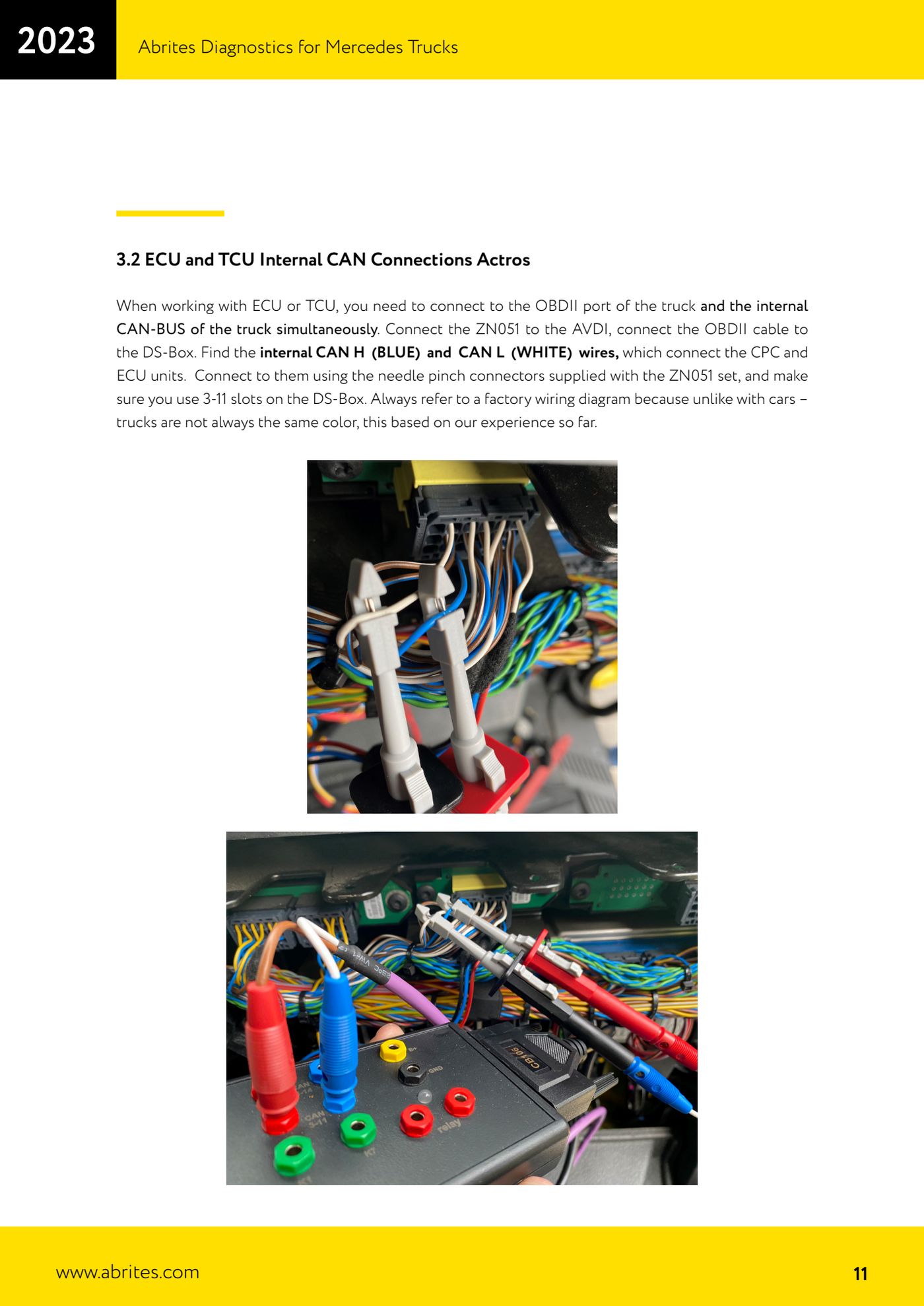
Source: Manuale Abrites Diagnostics for Mercedes Trucks, cap. 3.2 (p.11) · ⏱ estimated time 20-40 min
← All Abrites guides Hardware catalogue
More guides Camion / Bus
- Starting Abrites Diagnostics for DAF and connecting the AVDI to the vehicle
- DAF key programming over OBDII (2002-2008 models, no PIN required)
- Getting to the connection points behind the glovebox on Mercedes Actros (and 963 MP4 trucks)
- All Keys Lost connections on Mercedes Actros: fuse relay on fuse 17 or CB022 jumper cable
- Connecting to the fuse box on the Setra S515HD bus with the CB025 cable (fuse F61)
- Reading FBS information from the EIS/EZS, ECU and TCU on Mercedes Trucks (Info screens)
- Key programming on Mercedes Trucks FBS3 (Actros, Axor, Arocs, Setra) with TA69 and ZN003 PROTAG
- DAS module replacement on Mercedes Trucks: the VIRGIN - PERSONALIZE - ACTIVATE sequence (EIS/EZS, ECU, TCU)
- Reading and writing the coding and changing the VIN on Mercedes Trucks DAS modules