
Chip-Tools
Reading FBS information from the EIS/EZS, ECU and TCU on Mercedes Trucks (Info screens)
Camion / Bus
Interface Classic
Diagnostics
Basic
⏱ 10 min
7 steps
Before any work on keys or modules it pays to read the FBS data from the control units. The Info screens show how many keys are programmed, the VIN, the SSID and other identification data of the truck's DAS modules.


Procedure
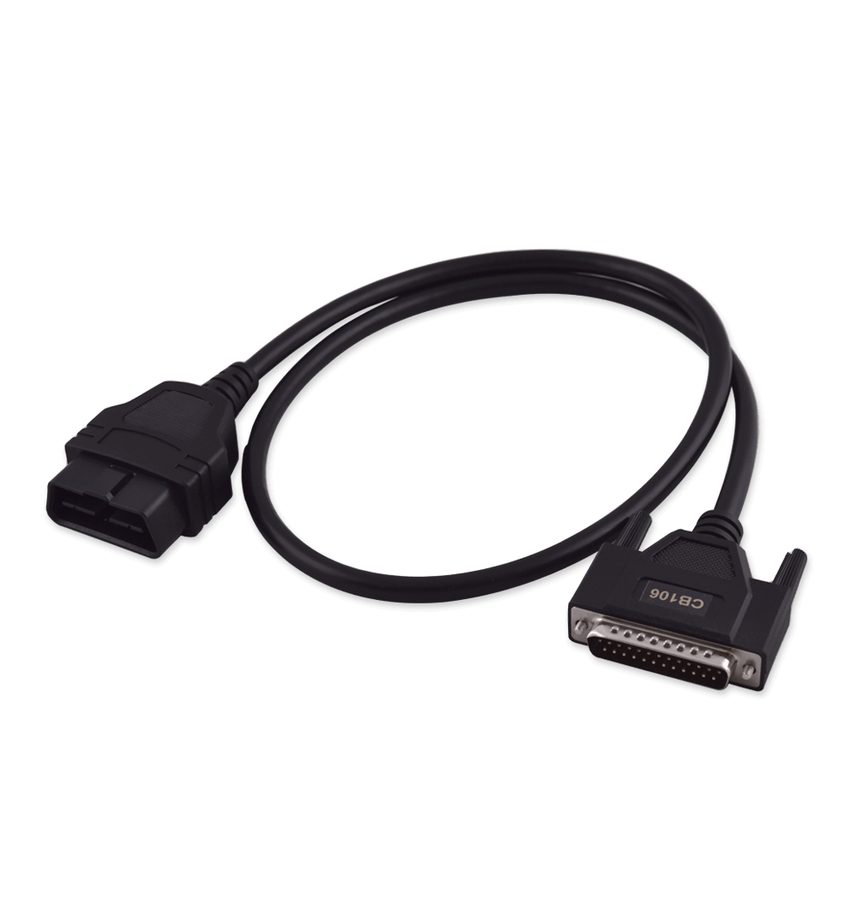
- Connect the AVDI to the truck with the CB106 OBDII cable and, if you are working on the ECU or TCU, also make the internal CAN connection through the ZN051.
- Open the software and get into the FBS (DAS) Manager from the Mercedes icon on the main screen and then the Truck icon.
- Establish the connection with the truck's DAS (FBS) modules.
- From the main screen press the "Info" button to reach the information screens.
- Select the module you want to look at: EIS/EZS (Electronic Ignition Switch), ECU (Engine Control Unit) or TCU (Transmission Control Unit).
- Read and note down the FBS data shown: number of keys programmed, diagnostic variant, hardware supplier, serial number, VIN, SSID and last key used.
- Keep this data for reference: you will need it for key programming and above all for module replacement (VIN and SSID).
Reference screenshots
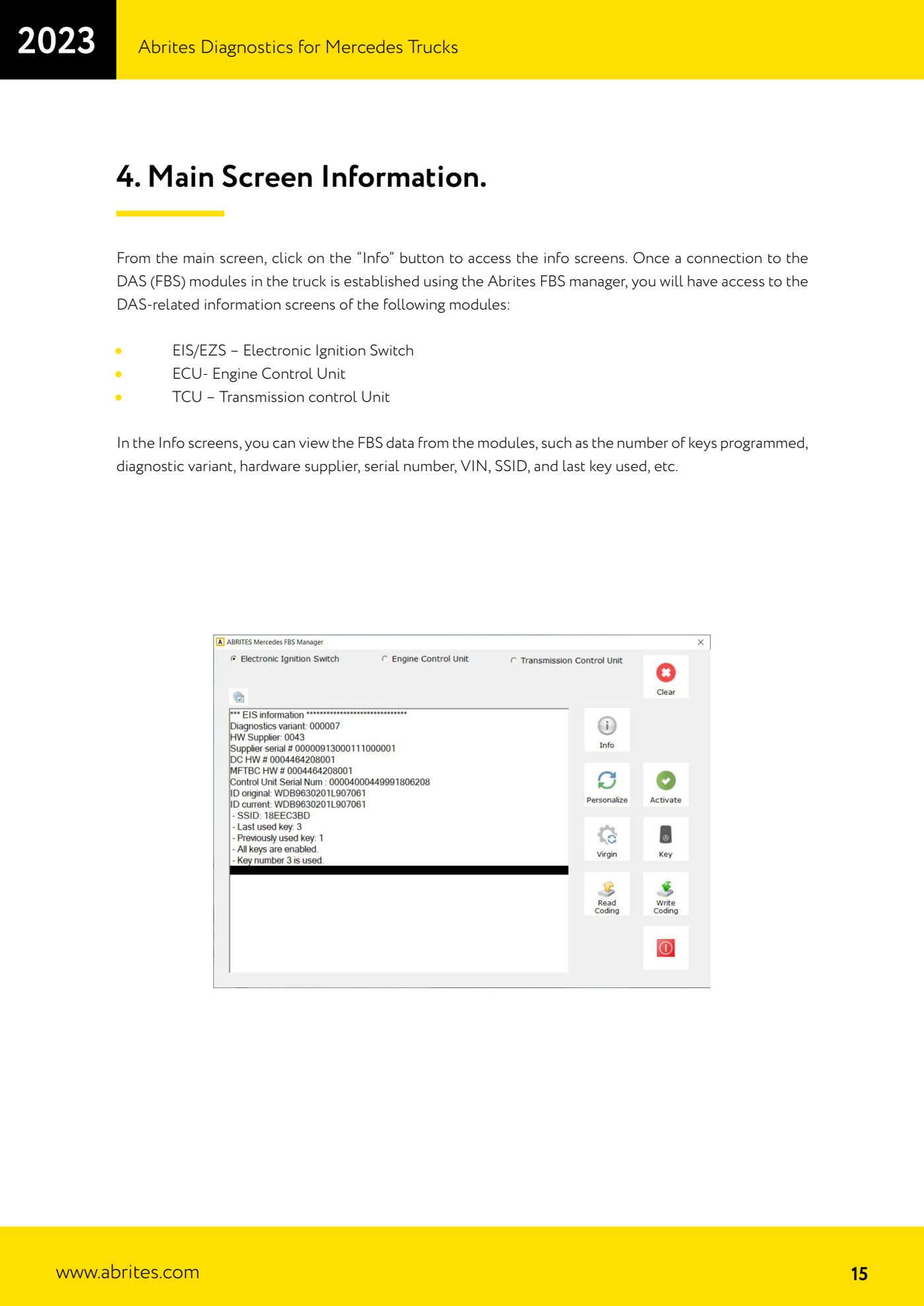
Source: Manuale Abrites Diagnostics for Mercedes Trucks, cap. 4 (p.15) · ⏱ estimated time 10 min
← All Abrites guides Hardware catalogue
More guides Camion / Bus
- Starting Abrites Diagnostics for DAF and connecting the AVDI to the vehicle
- DAF key programming over OBDII (2002-2008 models, no PIN required)
- Getting to the connection points behind the glovebox on Mercedes Actros (and 963 MP4 trucks)
- Connecting to the internal CAN for ECU and TCU work on Mercedes Actros with the ZN051 Distribution Box
- All Keys Lost connections on Mercedes Actros: fuse relay on fuse 17 or CB022 jumper cable
- Connecting to the fuse box on the Setra S515HD bus with the CB025 cable (fuse F61)
- Key programming on Mercedes Trucks FBS3 (Actros, Axor, Arocs, Setra) with TA69 and ZN003 PROTAG
- DAS module replacement on Mercedes Trucks: the VIRGIN - PERSONALIZE - ACTIVATE sequence (EIS/EZS, ECU, TCU)
- Reading and writing the coding and changing the VIN on Mercedes Trucks DAS modules