
Chip-Tools
Resetting and adapting a ZF 8HP EGS on BMW F series via OBDII (8HP EGS EWS Reset)
BMW
Interface New
Coding / Adaptations
Medium
⏱ 30-40 min
7 steps
On BMW F series the ZF 8HP EGS transmission unit can be reset to virgin state and adapted easily, straight on the car through OBDII. Handy when fitting a replacement or second-hand EGS.
Required licences
- —
Hardware / cables

⚠ WarningConnect an external power supply to the car and make sure the voltage never drops below 13.6V. Adaptation of the 6HP EGS on F series is currently NOT supported. Follow every on-screen prompt to the letter: at the end the software asks you to switch the ignition on (IGN ON) and wait 2 minutes, then switch it off (IGN OFF) and wait another 2 minutes, repeating the cycle 5 times.
Procedure
- Fit the replacement EGS on the car and turn the ignition to IGN ON.
- Connect an external power supply and check that the supply voltage does not drop below 13.6V.
- Connect the AVDI to the OBDII socket and start the BMW/Mini software.
- Go to "Keys and Start Synchronization" and open the menu "EWS Parts Adaptation Menu" > "8HP EGS EWS Reset".
- Work through the wizard and every on-screen prompt step by step, without skipping anything.
- At the end run the required cycle: IGN ON and wait 2 minutes, IGN OFF and wait 2 minutes; repeat 5 times (roughly 20 minutes in total), keeping an eye on the software messages.
- Check that the gearbox works properly and clear any remaining DTC.
Reference screenshots
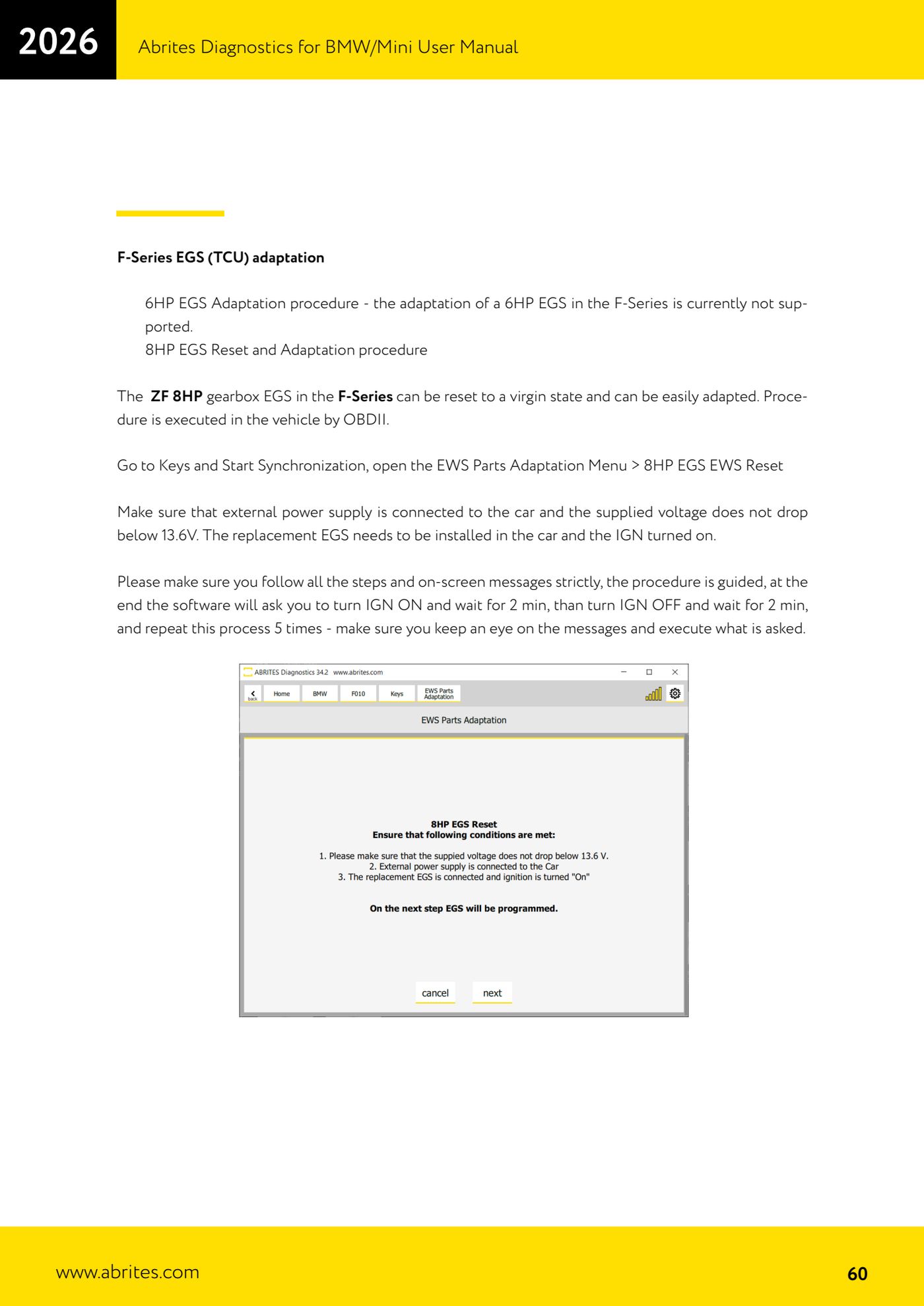
Source: Manuale BMW/Mini, terza parte, cap. 11 (p.60) · ⏱ estimated time 30-40 min
← All Abrites guides Hardware catalogue
More guides BMW
- Module scan and fault code (DTC) clearing on BMW/Mini E series and F series
- Reading real-time parameters ("Live values") with graphing and file comparison
- Actuator tests with simultaneous reading of measured values
- Reading and writing the VIN in control units ("Program IDs")
- Central coding and Vehicle Order: adding or removing options and retrofits
- Programming (flashing) control unit firmware with free choice of version
- MD/MG engine control unit replacement on BMW G series (DME Exchange with DFlash)
- CAS1/CAS2/CAS3/CAS3+ key programming (BMW E series) via OBDII
- FEM/BDC key programming (BMW F series) with EWS Manager
- FEM/BDC key programming over OBDII (BMW F series) - all keys lost and spare key
- Connections for F series BDC: ENET cable CB015 or OBDII CB100/CB106
- Preparing FEM and BDC units (software above version 85) with M95256 EEPROM reading