
Chip-Tools
ECU Tool: extracting the ISN from the DME/DDE via OBDII or from a dump
BMW
Interface New
Keys / Immo
Medium
⏱ 15-30 min
6 steps
The ECU Tool is used to extract the ISN from BMW DME/DDE units. It works both via OBDII and from a dump, and it is the quickest route when all you need is the ISN code.
Required licences
- —
Hardware / cables

Procedure
- Connect the AVDI to the vehicle's OBDII socket and start the BMW/Mini software.
- Open the "ECU Tool" function.
- Use the unit check option to identify which DME/DDE is fitted.
- Start the read via OBDII: the process is quick.
- Alternatively, load a dump of the unit if you cannot work via OBDII.
- Once the data flash has been read, the software displays the ISN codes on screen: note them down or copy them for later use.
Reference screenshots
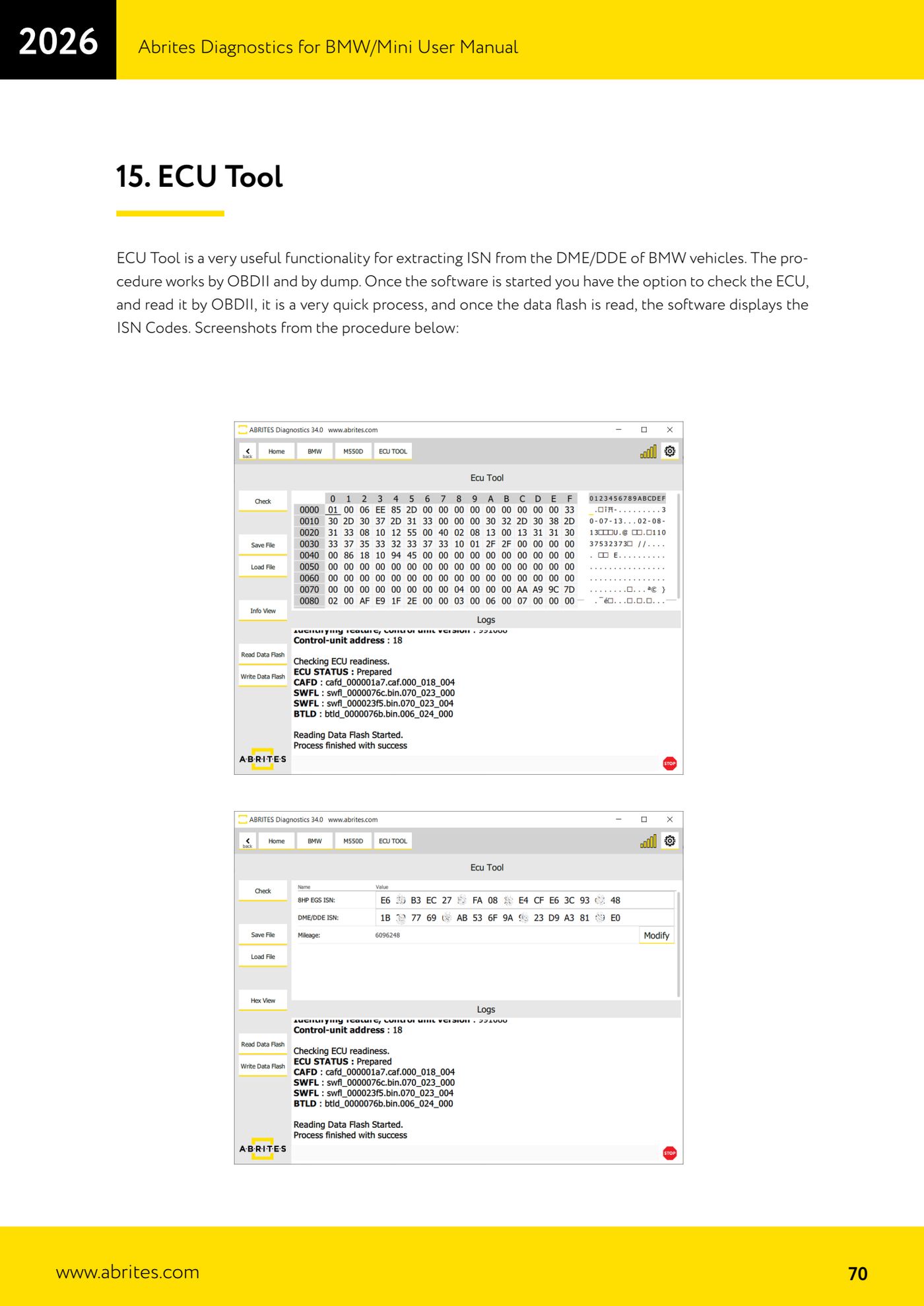
Source: Manuale BMW/Mini, terza parte, cap. 15 (p.70) · ⏱ estimated time 15-30 min
← All Abrites guides Hardware catalogue
More guides BMW
- Module scan and fault code (DTC) clearing on BMW/Mini E series and F series
- Reading real-time parameters ("Live values") with graphing and file comparison
- Actuator tests with simultaneous reading of measured values
- Reading and writing the VIN in control units ("Program IDs")
- Central coding and Vehicle Order: adding or removing options and retrofits
- Programming (flashing) control unit firmware with free choice of version
- MD/MG engine control unit replacement on BMW G series (DME Exchange with DFlash)
- CAS1/CAS2/CAS3/CAS3+ key programming (BMW E series) via OBDII
- FEM/BDC key programming (BMW F series) with EWS Manager
- FEM/BDC key programming over OBDII (BMW F series) - all keys lost and spare key
- Connections for F series BDC: ENET cable CB015 or OBDII CB100/CB106
- Preparing FEM and BDC units (software above version 85) with M95256 EEPROM reading