
Chip-Tools
Working out the long code (Coding calculator)
VAG
Interface Classic
Coding / Adaptations
Basic
⏱ 5-15 min
7 steps
The "Coding calculator" lets you work out the long coding value of the various modules by ticking individual functions on or off instead of typing the value by hand.
Required licences
- —
Hardware / cables

Procedure
- Open the "Coding calculator" special function.
- Select the device: the list of possible long codings appears.
- Choose the appropriate coding and press "Next".
- In the window that opens, tick or untick the functions you want, edit the values in the two-column list (text and value) or pick values from the drop-down menus.
- If you want to tick every box at once, use the "Select all" checkbox.
- Check the coding value in the text field at the bottom, next to the "Show Coding Value" button: it updates automatically with every change.
- To find out what an already known coding value means, type it into the text field and press "Show Coding Value".
Reference screenshots
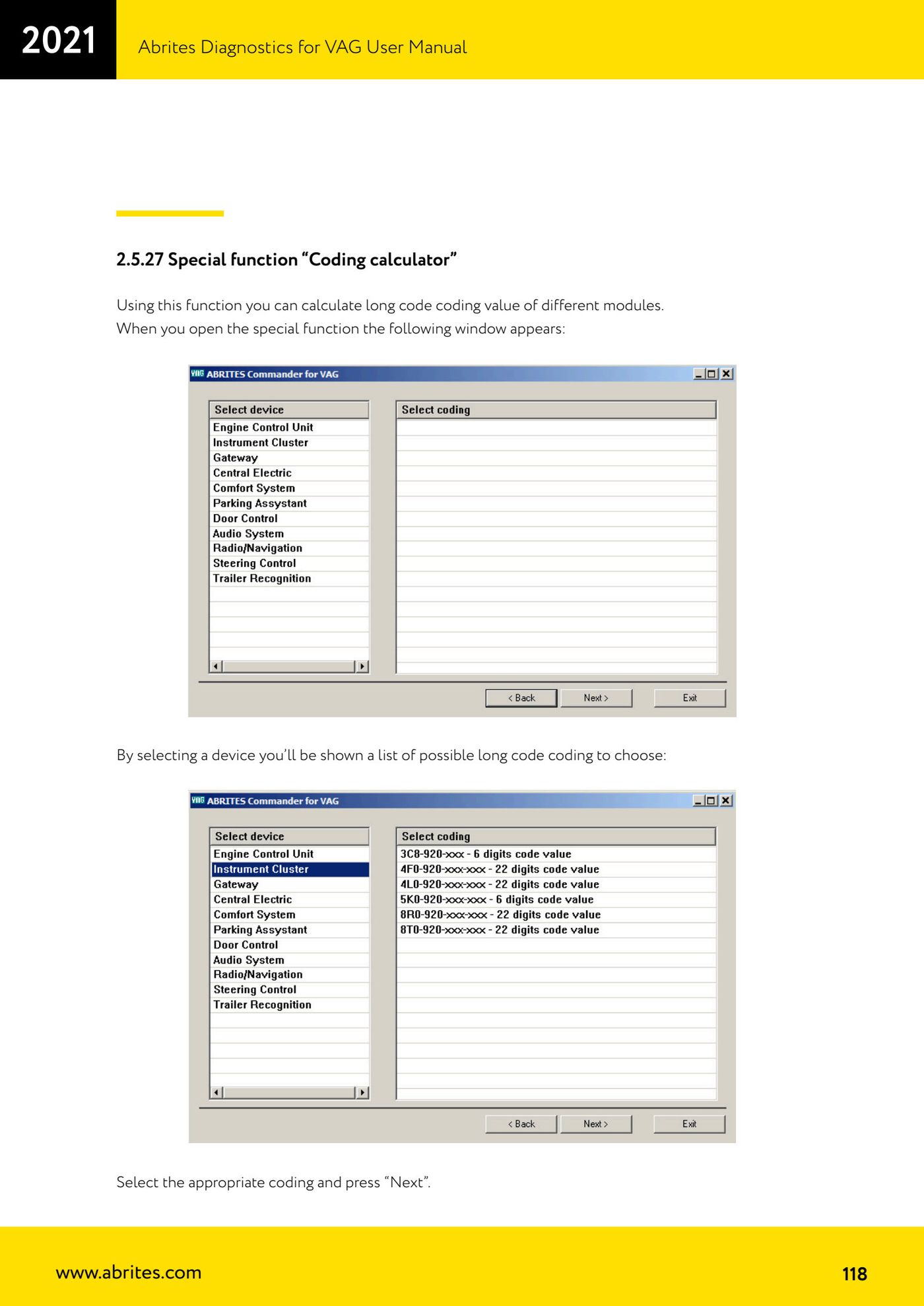
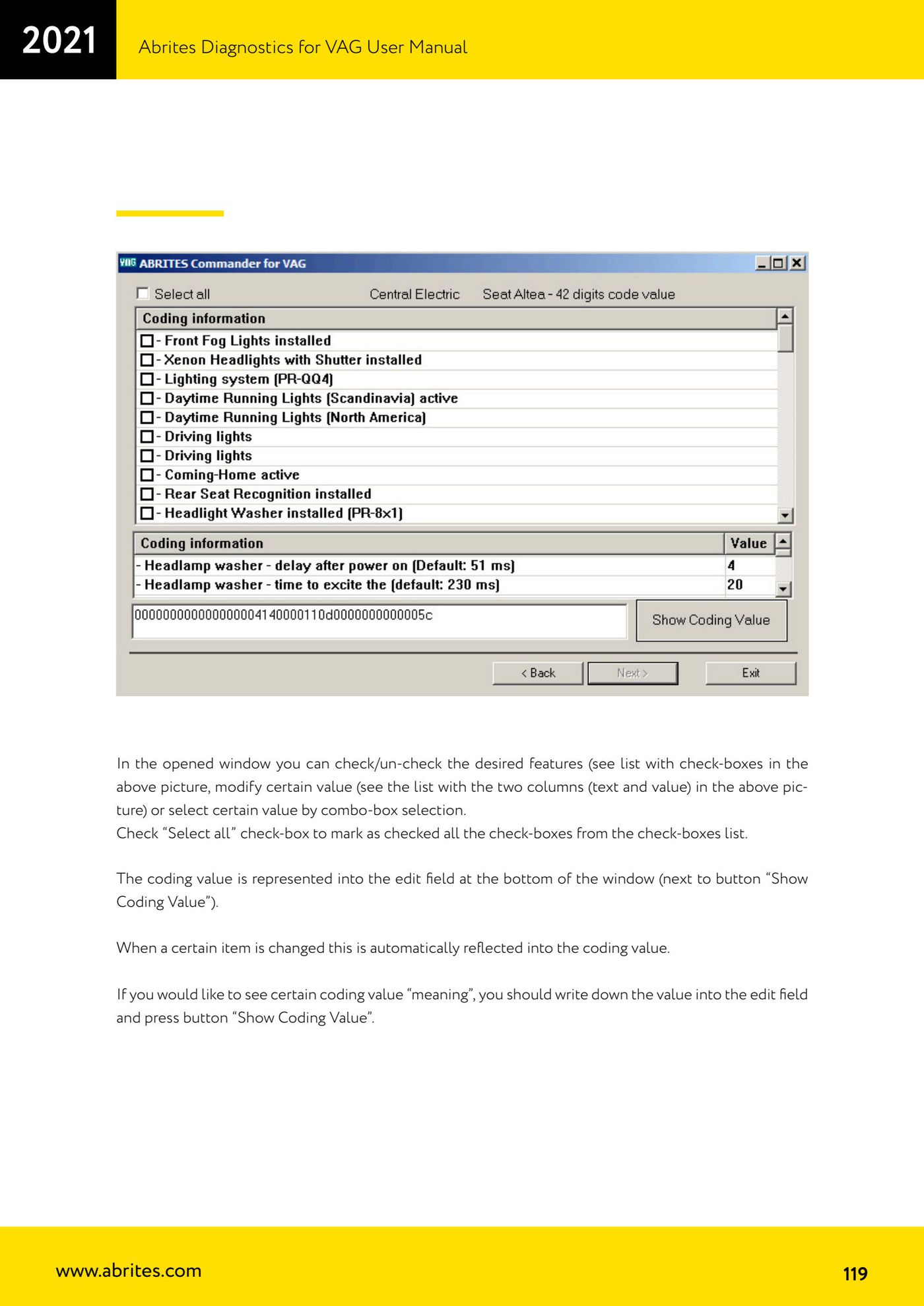
Source: Manuale VAG (Offline), cap. 2.5.27 (p.118-119) · ⏱ estimated time 5-15 min
← All Abrites guides Hardware catalogue
More guides VAG
- General diagnostics and fault code (DTC) read/clear
- Basic settings — factory reset (throttle body, steering, clutch)
- Adaptations — customer-requested changes
- Long coding — enabling hidden features
- MMI Functions — enable/disable infotainment features
- Wireless CarPlay / Android Auto
- Video in motion
- BCM2 unlock with the ZN080 set (solder-free)
- Reading CS on bench (PCR2.1, Simos 8.x/1x.xx, DCM6.2, TCU AL551/DL501/DQxxx)
- DSG mileage recalibration
- Service Intervals
- ECU programming with .frf files