
Chip-Tools
MQB/MLB CAN blocker (cluster data filter)
VAG
Interface New
Appendix
Medium
⏱ installation
5 steps
Filters the communication between the vehicle and the cluster on MQB and MLB platforms: it scales the data reaching the cluster by a 20/30/40/50% coefficient (e.g. real value 100 → displayed as 20/30/40/50).
Required licences
- —
Hardware / cables
- Emulatore CAN blocker MQB/MLB
⚠ WarningThe calculated fuel consumption is affected by the filter setting. It is installed behind the cluster.
Procedure
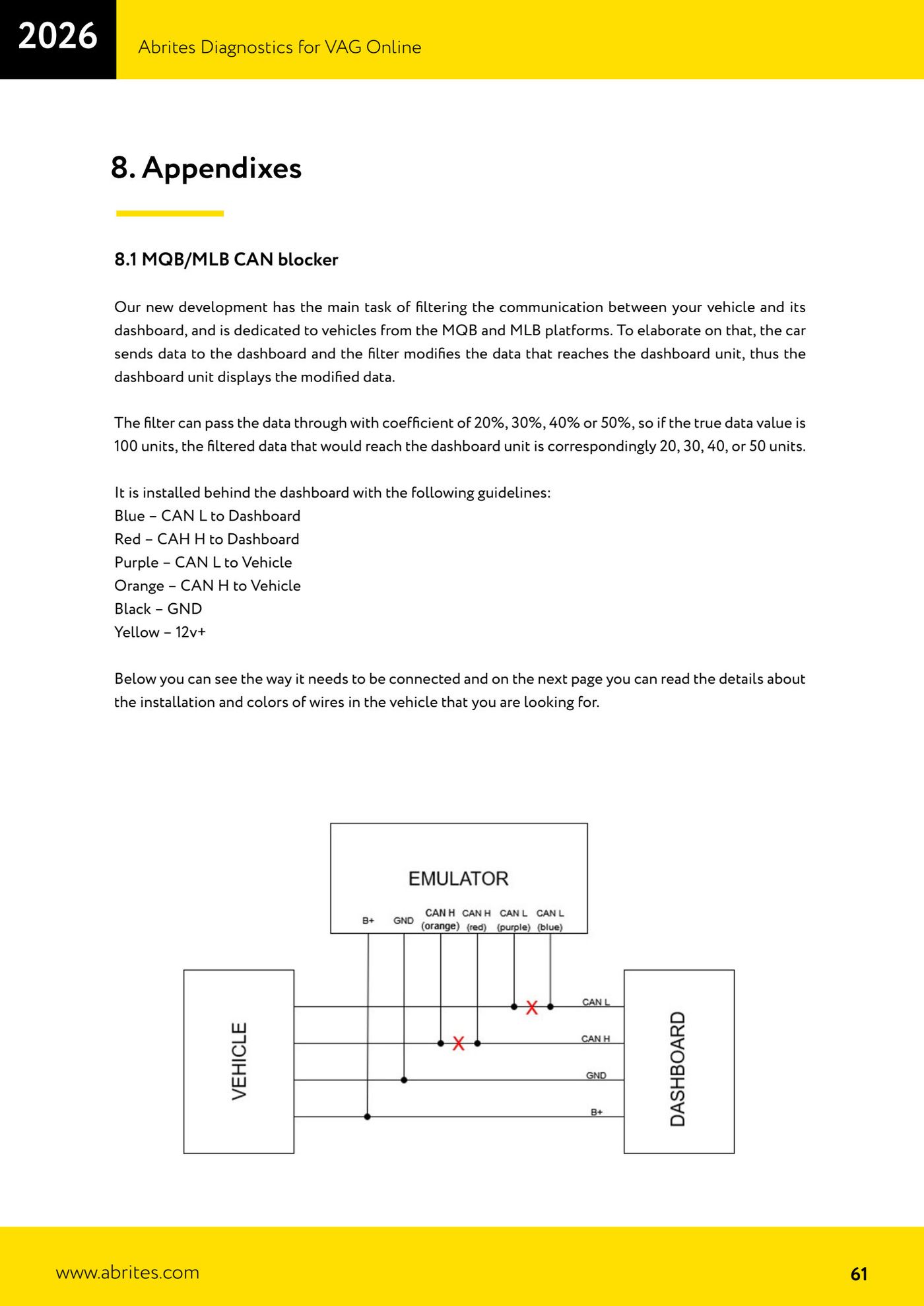
- Wire the emulator in behind the cluster: Blue = CAN L to the cluster, Red = CAN H to the cluster, Purple = CAN L to the vehicle, Orange = CAN H to the vehicle, Black = GND, Yellow = 12V+.
- Identify the correct connector (MQB 18 PIN, Q3 32 PIN, MLB 32 PIN) and wire it up to the pinout given.
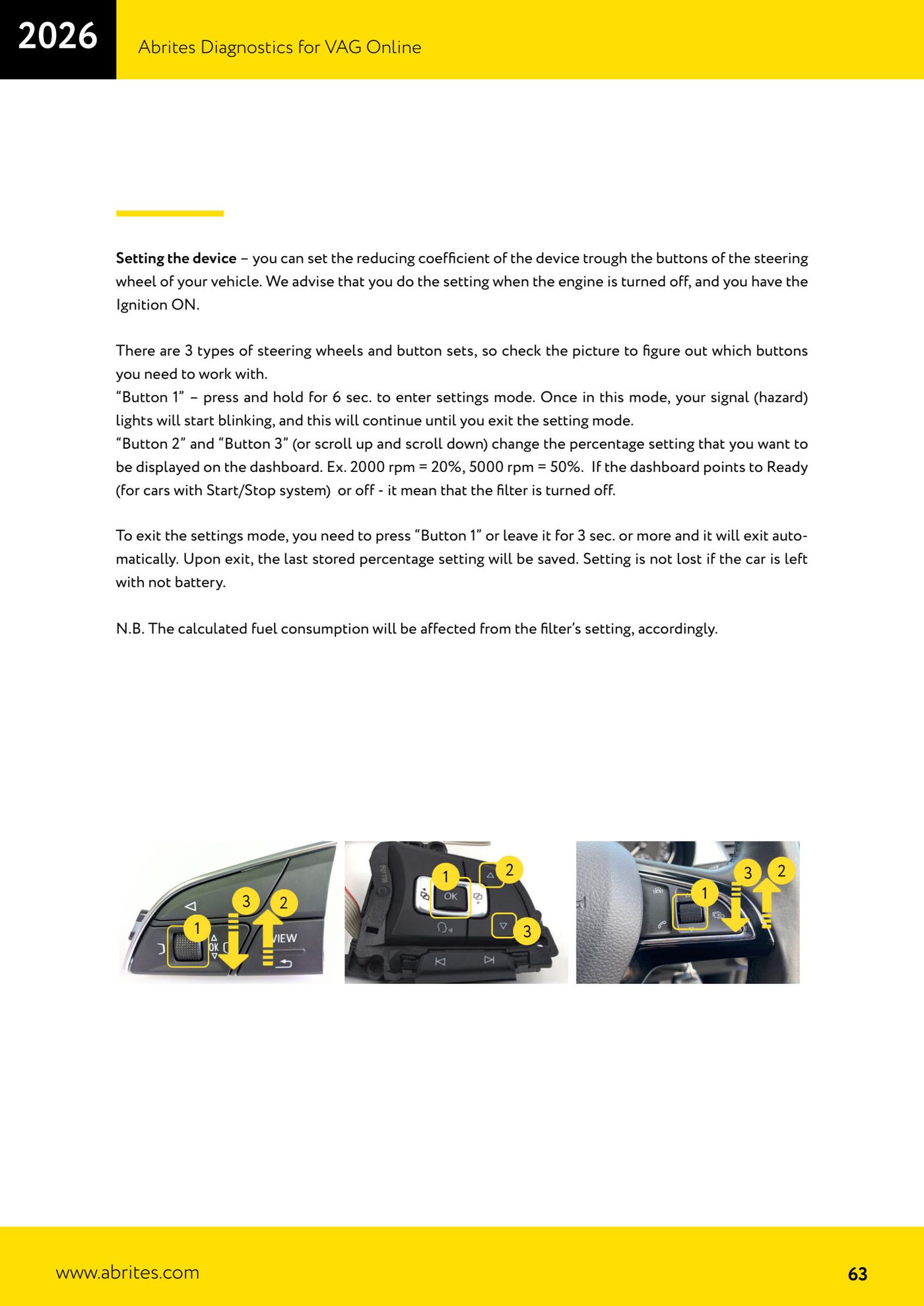
- Set the coefficient using the steering wheel buttons: engine off, ignition ON. Hold "Button 1" for 6 sec to enter (the indicators flash).
- Use "Button 2/3" (scroll up/down) to set the percentage (2000 rpm = 20%, 5000 rpm = 50%). "Ready"/off = filter disabled.
- Exit with "Button 1" or after 3+ sec: the last percentage is saved (it stays in memory even with the battery disconnected).
Reference screenshots
Source: Manuale VAG Online, cap. 8.1 (p.61–63) · ⏱ estimated time installation
← All Abrites guides Hardware catalogue
More guides VAG
- General diagnostics and fault code (DTC) read/clear
- Basic settings — factory reset (throttle body, steering, clutch)
- Adaptations — customer-requested changes
- Long coding — enabling hidden features
- MMI Functions — enable/disable infotainment features
- Wireless CarPlay / Android Auto
- Video in motion
- BCM2 unlock with the ZN080 set (solder-free)
- Reading CS on bench (PCR2.1, Simos 8.x/1x.xx, DCM6.2, TCU AL551/DL501/DQxxx)
- DSG mileage recalibration
- Service Intervals
- ECU programming with .frf files