
Chip-Tools
BCM2 Audi A6/A7/A8 (2010+) with ALL KEYS LOST
VAG
Interface Classic
Keys / Immo
Advanced
⏱ 2-15 hours (online calculation)
11 steps
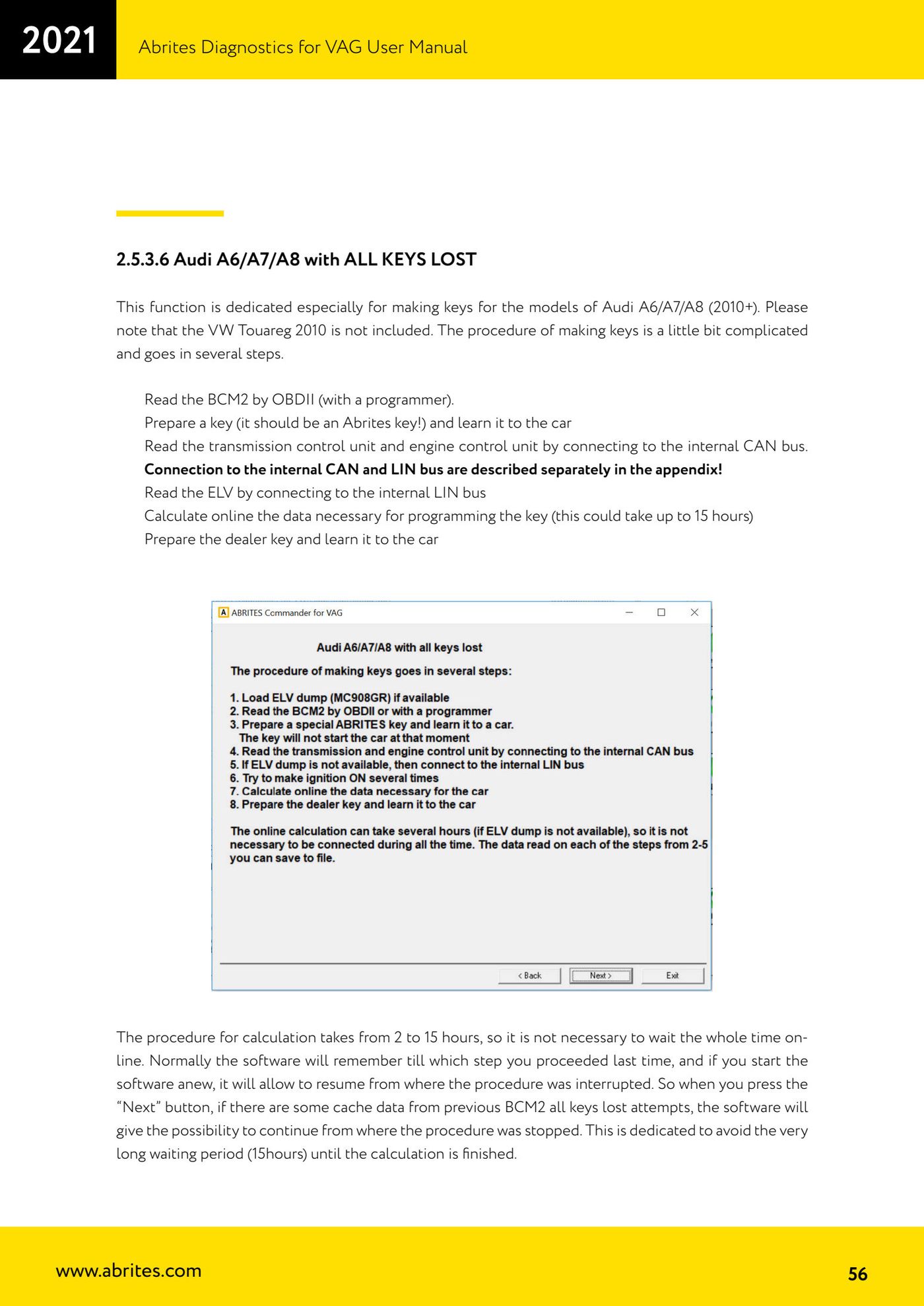
The procedure for making keys on Audi A6 / A7 / A8 from 2010 when no key is available. It requires a BCM2 read, a TCU/ECU read from the internal CAN, an ELV read from the internal LIN and an online calculation that can take up to 15 hours.


⚠ WarningThe VW Touareg 2010 is NOT covered by this procedure. If the engine ECU is a Simos (not readable with a direct connection), a key can only be programmed if an ELV dump is available. For the key preparation step only an Abrites key may be used: other keys will not work.
Procedure
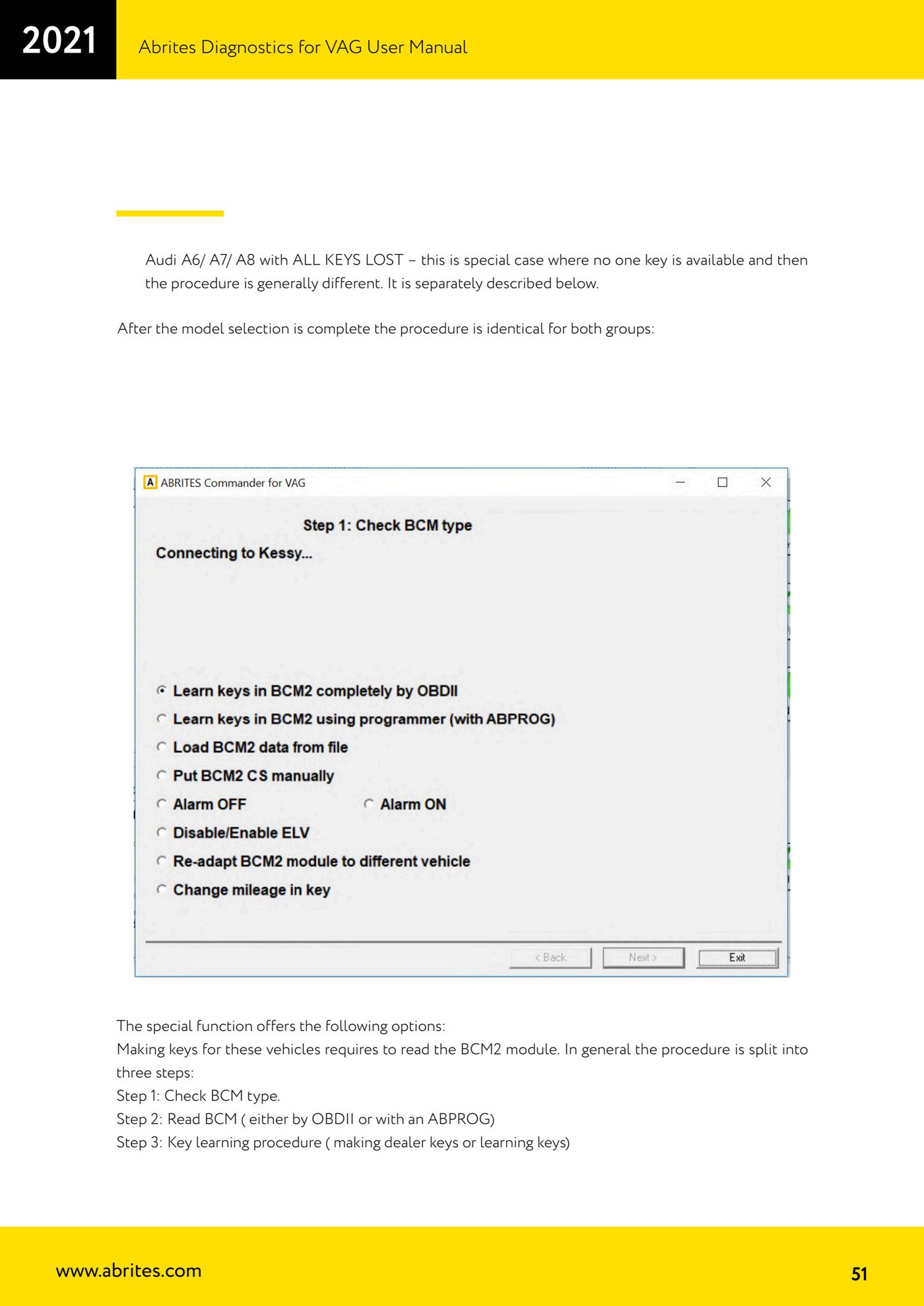
- Open the BCM2 special function and select the group "Audi A6/ A7/ A8 with ALL KEYS LOST".
- If you have an ELV dump (MC908GR), load it with "Load ELV dump": it cuts the time down considerably.
- Read the BCM2 over OBDII (or with a programmer). Since all keys are lost, during this step you have to disconnect and reconnect the BCM2 power supply.
- Prepare a key (it must be an Abrites key) and learn it to the car.
- Connect to the internal CAN to read the transmission control unit (TCU) and the engine control unit (ECU): they are not readable over OBDII, they have to be read on the bench or by connecting the AVDI to the car's internal CAN.
- Internal CAN wiring: find the orange/black and orange/brown CAN wires and connect orange/black <-> CAN-H (PIN 6 of the OBDII), orange/brown <-> CAN-L (PIN 14 of the OBDII), ground <-> GND (PIN 4 of the OBDII), 12V <-> 12V (PIN 16 of the OBDII). These are the same wires used for TCU adaptation.
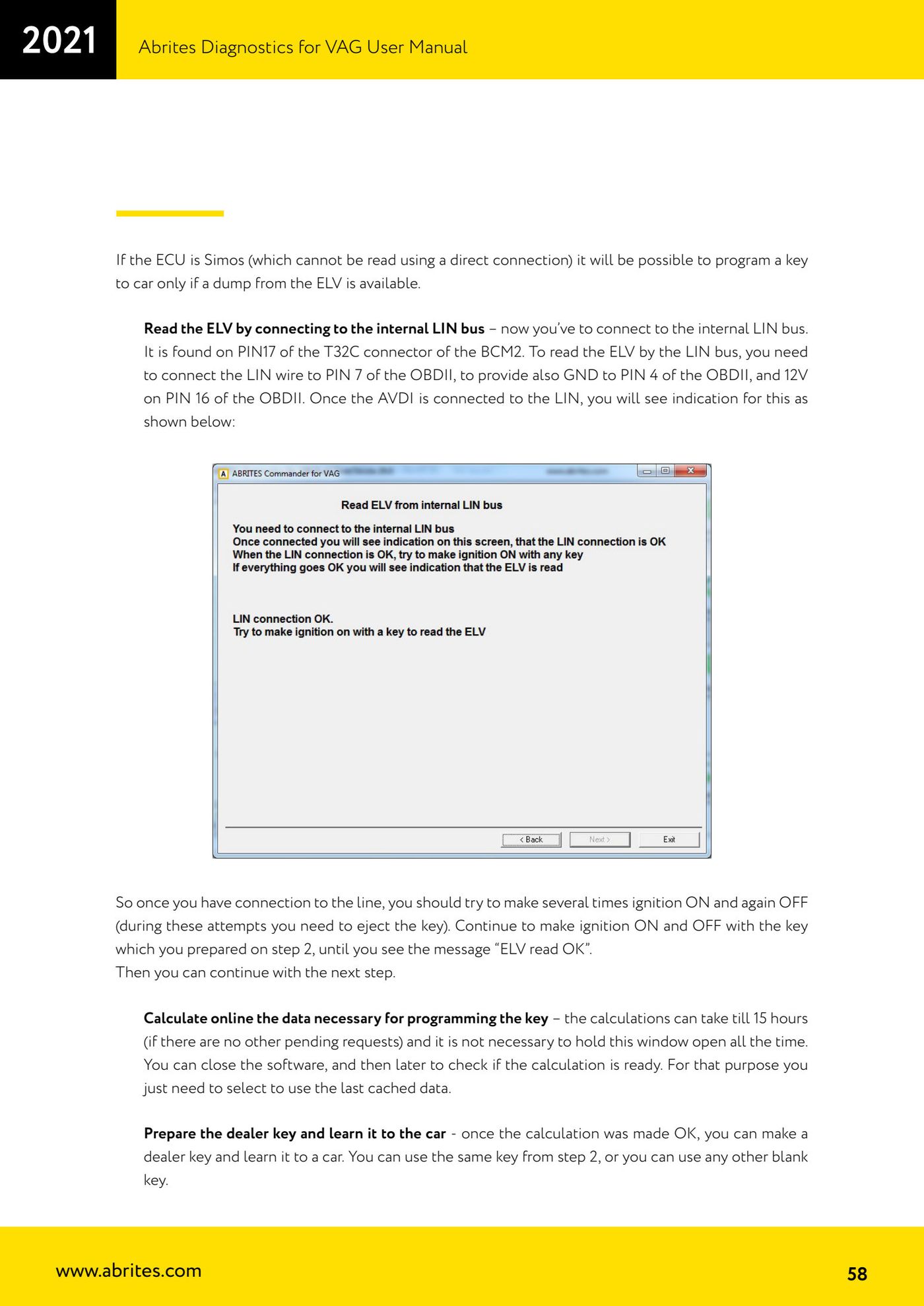
- Read the ELV by connecting to the internal LIN bus: it is on PIN 17 of the BCM2's T32C connector. Connect the LIN wire to PIN 7 of the OBDII, ground to PIN 4 of the OBDII and 12V to PIN 16 of the OBDII. When the AVDI is connected to the LIN the relevant message will appear on screen.
- With the connection live, cycle the ignition ON and OFF several times (you have to take the key out between attempts), using the key prepared in step 4, until the message "ELV read OK" appears.
- Start the online calculation of the data needed to program the key: it can take between 2 and 15 hours. You do not need to keep the window open — you can close the software and check back later, selecting the use of the last cached data.
- Once the calculation is done, prepare the dealer key and learn it to the car: you can use the same key from step 4 or any other virgin key.
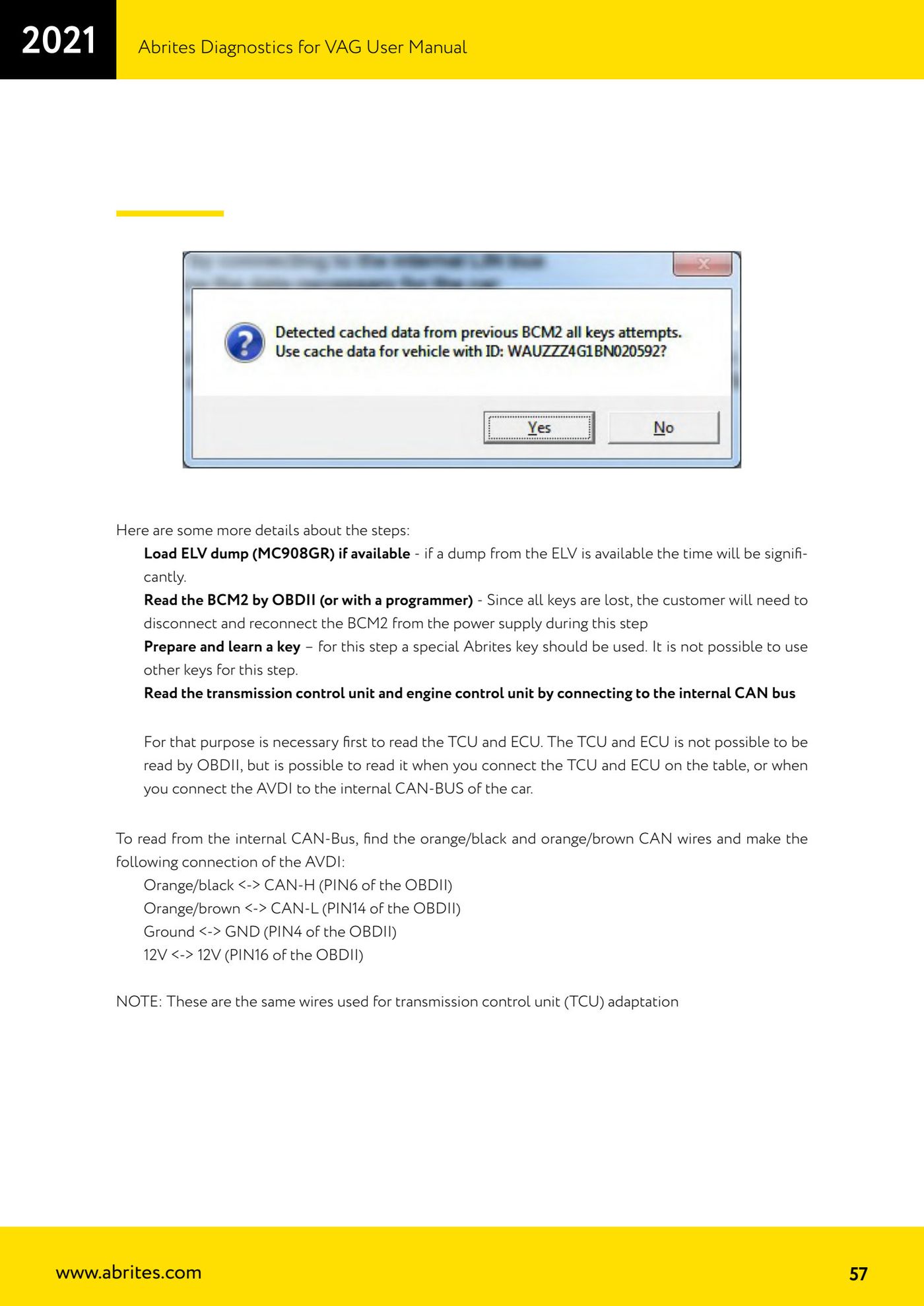
- Note: the software remembers how far you got; when you press "Next", if cached data from previous attempts exists, it offers to resume from where the procedure was interrupted, saving you from waiting through the calculation again.
Reference screenshots
Source: Manuale VAG (Offline), cap. 2.5.3.6 (p.51, 56-58) · ⏱ estimated time 2-15 hours (online calculation)
← All Abrites guides Hardware catalogue
More guides VAG
- General diagnostics and fault code (DTC) read/clear
- Basic settings — factory reset (throttle body, steering, clutch)
- Adaptations — customer-requested changes
- Long coding — enabling hidden features
- MMI Functions — enable/disable infotainment features
- Wireless CarPlay / Android Auto
- Video in motion
- BCM2 unlock with the ZN080 set (solder-free)
- Reading CS on bench (PCR2.1, Simos 8.x/1x.xx, DCM6.2, TCU AL551/DL501/DQxxx)
- DSG mileage recalibration
- Service Intervals
- ECU programming with .frf files