
Chip-Tools
All Keys Lost on Subaru with BCM using TA41 and PROTAG
Subaru
Interface New
Keys / Immo
Advanced
⏱ 45-90 min
10 steps
The solution for Subaru vehicles with a mechanical key and a BCM unit with no working key: using the PROTAG you prepare a TA41 that becomes the vehicle's emergency key and then lets you register further keys.


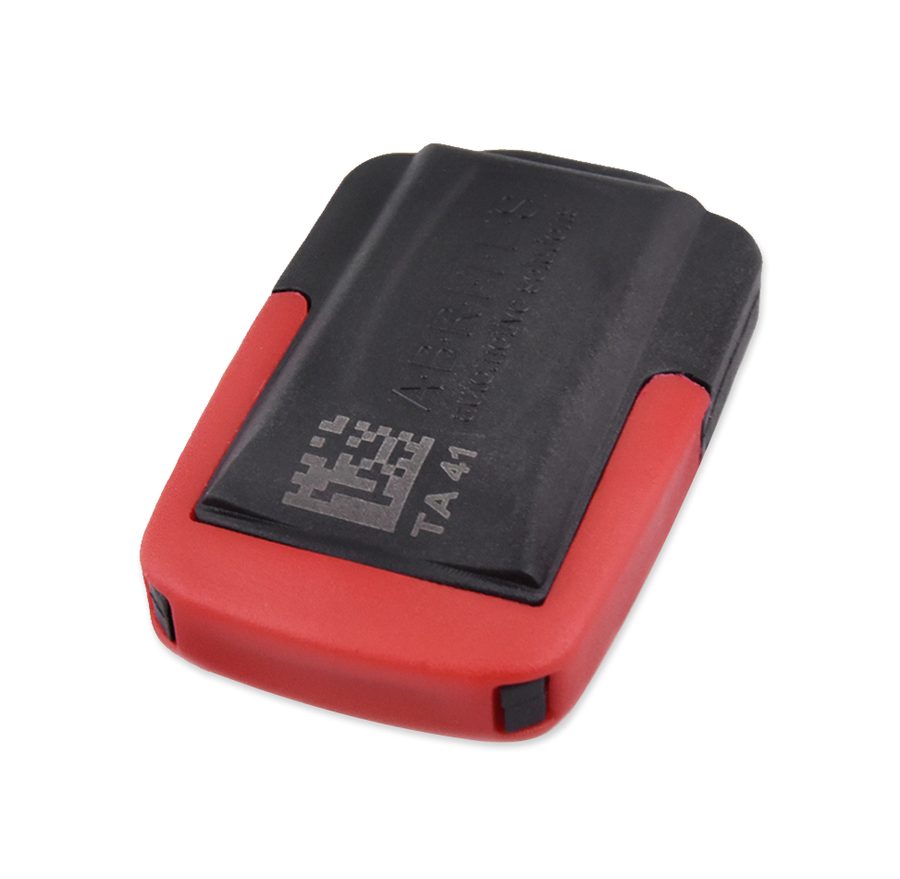
⚠ WarningThe TA41 stays locked to the vehicle it is prepared on: it cannot be reused on other cars and is normally left with the customer as a spare or emergency key.
Procedure
- Check the vehicle has a mechanical key and a BCM unit: with an Immobilizer unit you use "Immobilizer Reset" instead.
- Connect the AVDI to the vehicle OBDII socket and start "Abrites Diagnostics for Subaru".
- Open the "Immobilizer" special function and select "All Keys Lost": the two available options appear, TA41 with PROTAG or ZN066.
- Select the TA41 option, connect the PROTAG to the PC and keep the TA41 to hand.
- Let the software read the information from the vehicle and prepare it for key programming.
- When the software prompts, insert the TA41 into the PROTAG: the software prepares the key emulator.
- At the next prompt, switch the ignition ON using the prepared TA41: at this point the vehicle is able to start.
- If the customer wants more keys, open "Key Registration" from the "Immobilizer" menu and program the additional keys following the guided procedure.
- If required, cut a blade and fit it into the slot on the TA41, which has a place for the key shank.
- Run the ECM registration if it does not start automatically and check the engine starts with all the keys.
Reference screenshots
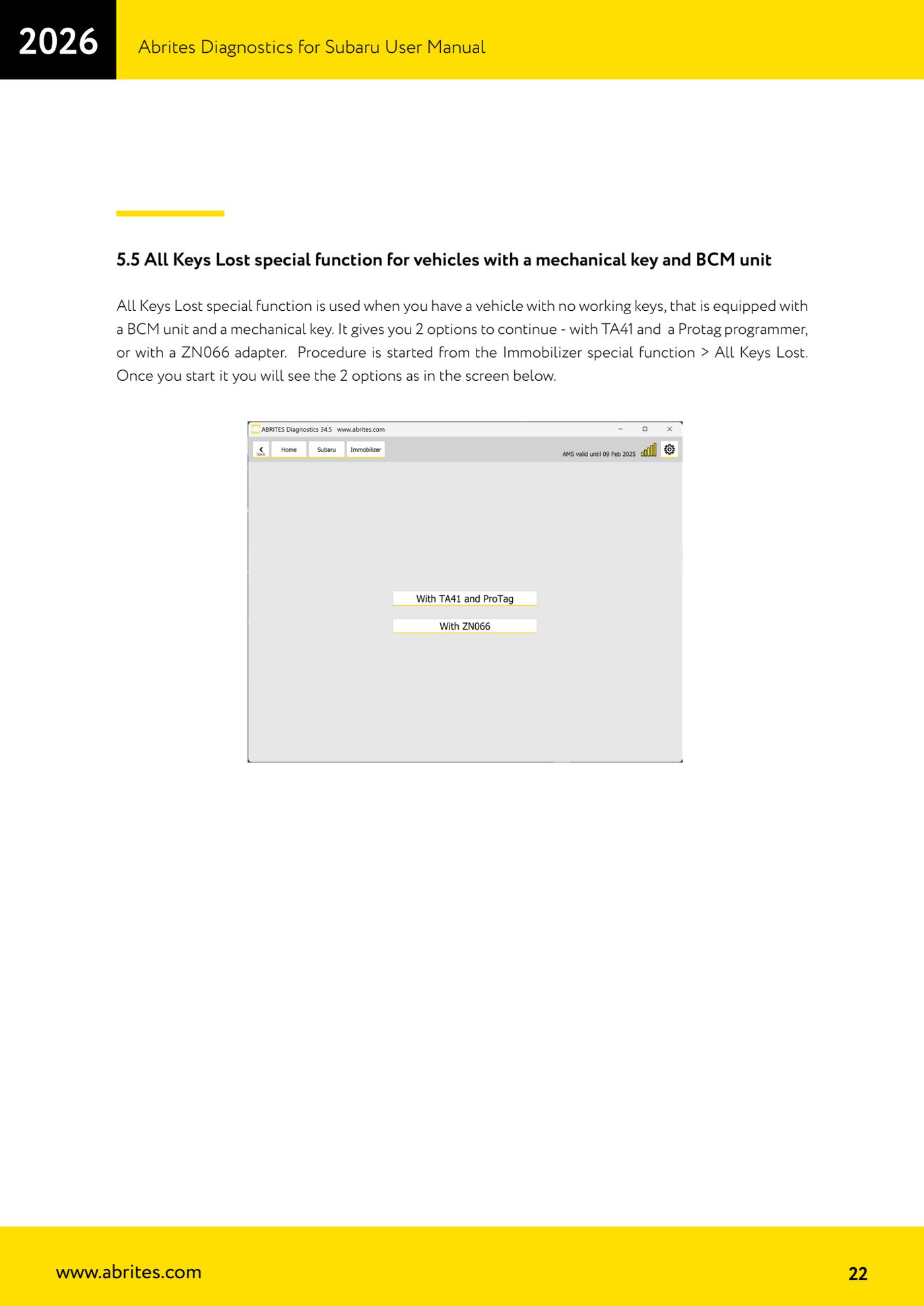
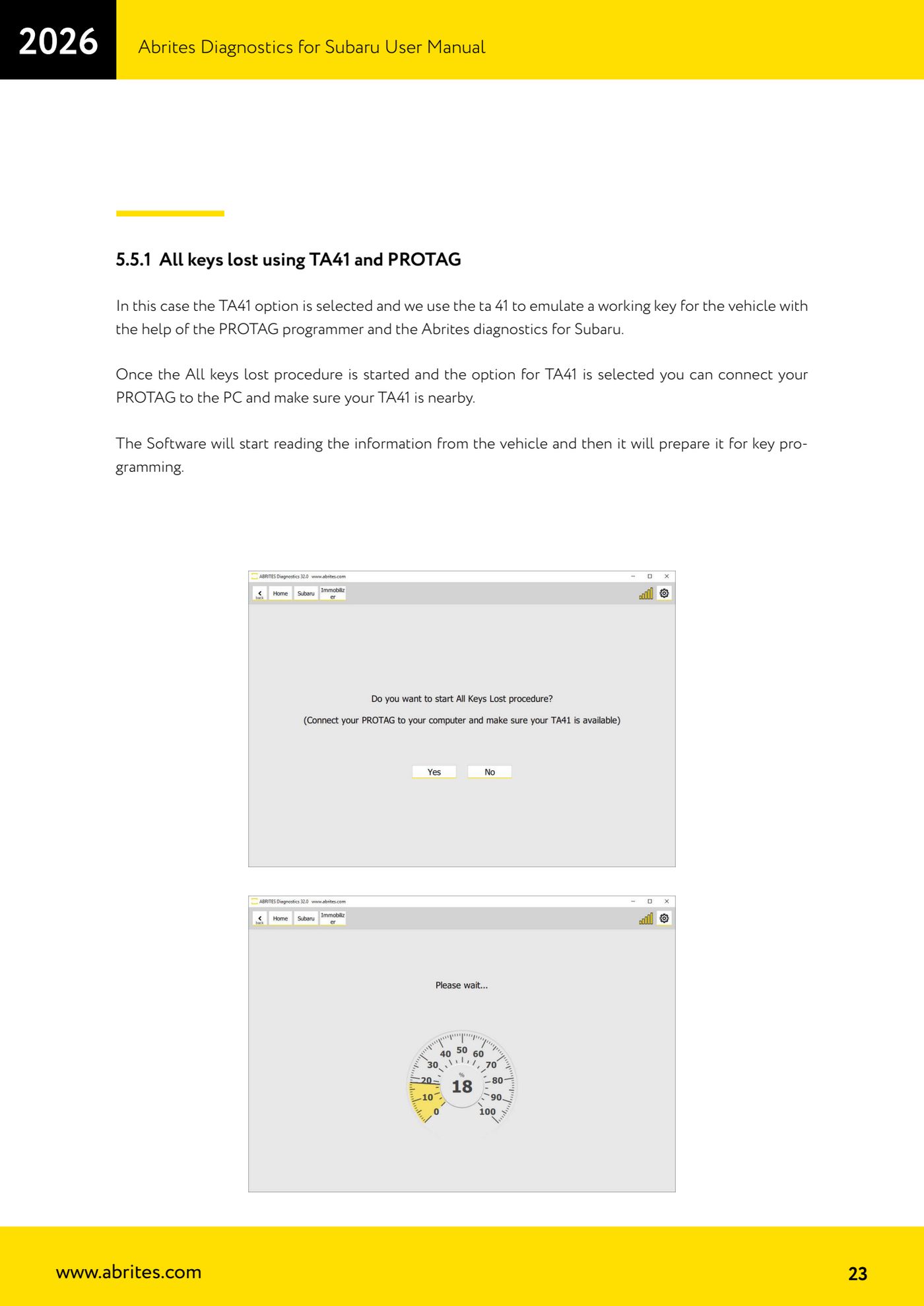
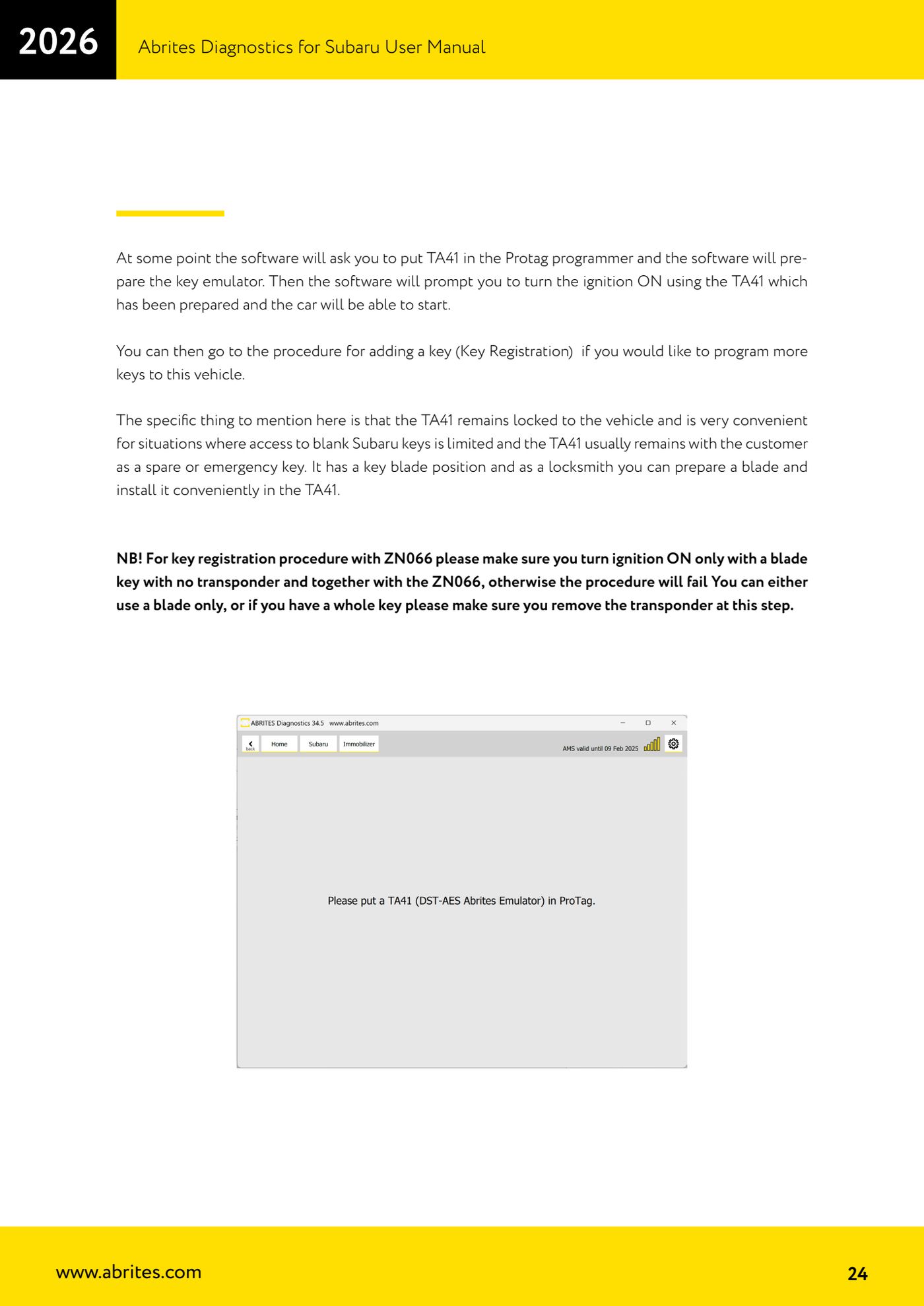
Source: Manuale Abrites Diagnostics for Subaru, cap. 5.5 e 5.5.1 (p.22-24) · ⏱ estimated time 45-90 min
← All Abrites guides Hardware catalogue
More guides Subaru
- Full Subaru module scan and DTC reading/clearing with the AVDI
- Reading real-time parameters (Live Data) from Subaru control units
- Registered key count and erasing all keys (Immobilizer and Smart Access System)
- Programming an additional key on a Subaru with a mechanical key (Immobilizer or BCM)
- Immobilizer Reset for all keys lost on Subaru with an Immobilizer unit
- All Keys Lost on Subaru with BCM using the ZN066 adapter
- Engine ECM registration after Subaru key programming
- Programming an additional key on a Subaru with Smart Access System (smart key)
- All Keys Lost on Subaru smart key: Smart System Reset and reprogramming
- ESL (steering lock) adaptation in All Keys Lost on Subaru smart key with ZN085, TA68 and CB012
- Key Learning internal CAN: All Keys Lost on Subaru from 2023 via OBDII and internal CAN with the CB012 (Alarm OFF, Smart System Reset, Key Registration)
- Forced DPF regeneration on Subaru diesels over OBDII