
Chip-Tools
AVDI basic package functions: vehicle scan, DTCs, live data, actuator tests and covered makes
Strumenti
Interface Classic
Diagnostics
Basic
⏱ 20-40 min
9 steps
The AVDI basic software package, supplied with the interface, covers diagnostics on every supported make plus a number of working functions. Every AVDI includes the Annual Maintenance Subscription (AMS) and the Support Plan Service (SPS) for the first year.
Required licences
- —
Hardware / cables

⚠ WarningThe AMS is what entitles you to the latest AVDI diagnostic software updates and to access to Abrites Online services: without an active subscription you get neither updates nor online services.
Procedure
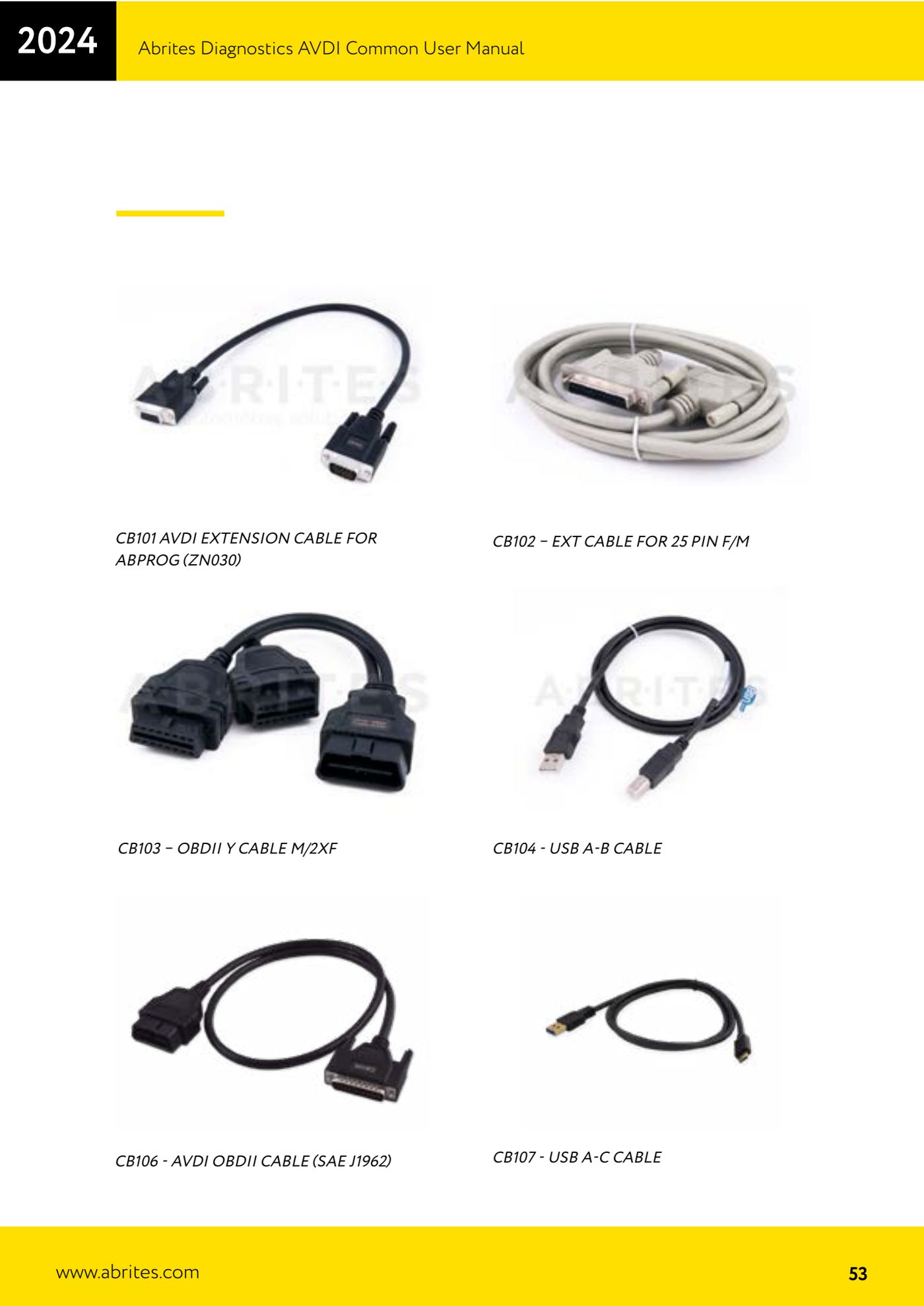
- Connect the AVDI to the vehicle OBDII socket with the CB106 - AVDI OBDII cable (SAE J1962) and start the Abrites software for the relevant make.
- Run a "Complete vehicle scan" to get the overall picture of the control units fitted.
- Use "Module identification" to see all the vehicle control units with VIN and part numbers where available.
- Read and clear the fault codes (DTC) of the units concerned.
- Open "Live data" to see the vehicle sensor values in real time.
- Run "Actuator testing" to pin down faulty components.
- If the job calls for it, make use of the functions already included in the basic package: "Key Learning", "Module Adaptation", "Cluster Calibration" and "Coding".
- Remember that basic diagnostics covers, among others: Audi, Volkswagen, Seat, Skoda, Bentley, Lamborghini, BMW, MINI, Rolls Royce, Renault, Dacia, Mercedes-Benz, SMART, Mitsubishi, GM, Peugeot, Citroen, Opel/Vauxhall, Porsche, Honda, Ford, Mazda, Jaguar, Land Rover, Toyota, Lexus, Volvo, FIAT, Alfa Romeo, Lancia, Jeep, Subaru, Nissan, Infiniti, Chrysler, Dodge, Kia, Hyundai, Suzuki, Daihatsu, DAF, Aprilia and Bombardier Recreational Products.
- Check the abrites.com website, "AVDI" section, from time to time for the up-to-date list of basic package features: Abrites regularly folds new functions and licenses into the package.
Reference screenshots
Source: Manuale AVDI - manuale comune, parte 2 di 2, cap. 8 Functionalities of the Basic AVDI software package (p.88) · ⏱ estimated time 20-40 min
← All Abrites guides Hardware catalogue
More guides Strumenti
- ABPROG ZN030: what's in the set, hooking it up to the AVDI and starting the Classic software
- Reading and writing SPI, I2C and Microwire EEPROMs with ABPROG and the ZN031/ZN035 adapter
- Erasing and reprogramming M35080VP / M35080V6 incremental EEPROMs with ABPROG
- Wiring an SPI EEPROM straight to the ABPROG DB25 without the ZN031 adapter
- Mercedes-Benz IR keys: reading the SSID, erasing and programming the NEC with ZN032 / ZN033
- Renewing used keys (HITAG/PCF) with the ZN046 adapter and ABPROG
- Solder points on key PCBs for the ZN046 and list of keys supported for renewal
- Reading the EWS3 dump on BMW E46/E39/E53 and others with the ZN055 adapter
- Reading the EEPROM on BMW F-Series FEM/BDC without desoldering, using the ZN057 extension
- Reading and writing NEC V850ES MCUs with the ZN078 adapter and ABPROG
- ABPROG DB25 pinout: building your own ZN046, ZN058, ZN078 and ZN086 adapters
- Reading the immobiliser from a Renault X95 BCM (and Audi BCM) with ABPROG and direct wiring