
Chip-Tools
Abrites ECU Programming Tool: choosing between DIAG, Bench or BSL (boot) mode
Strumenti
Interface Classic
Flashing / Programming
Medium
⏱ varies
7 steps
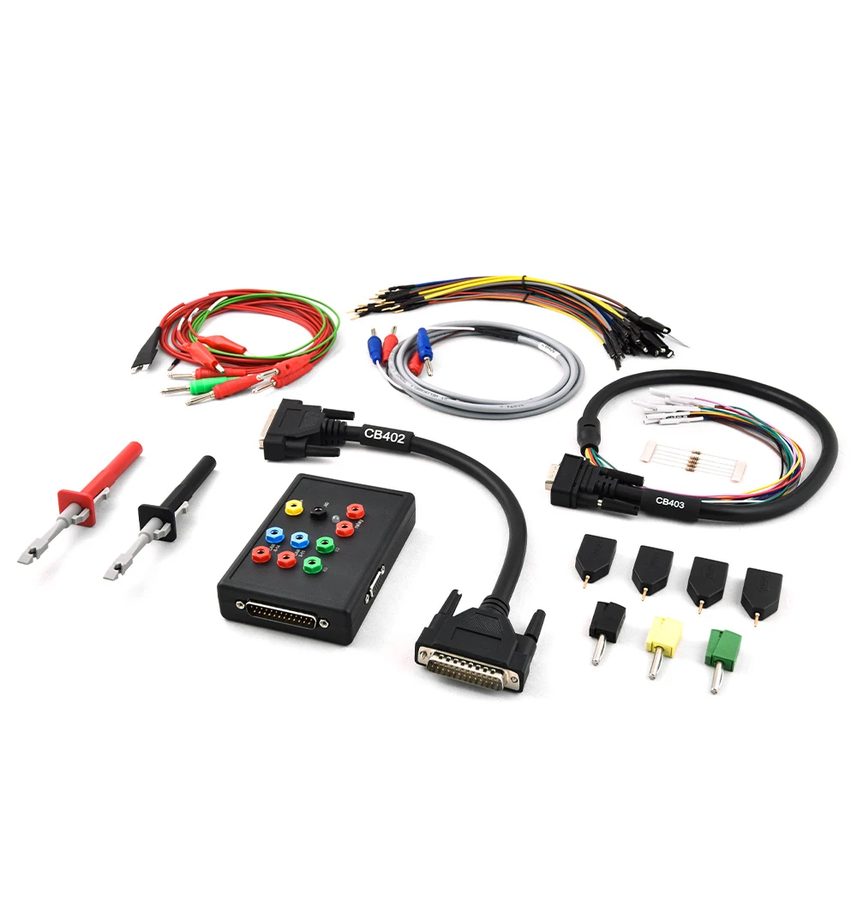
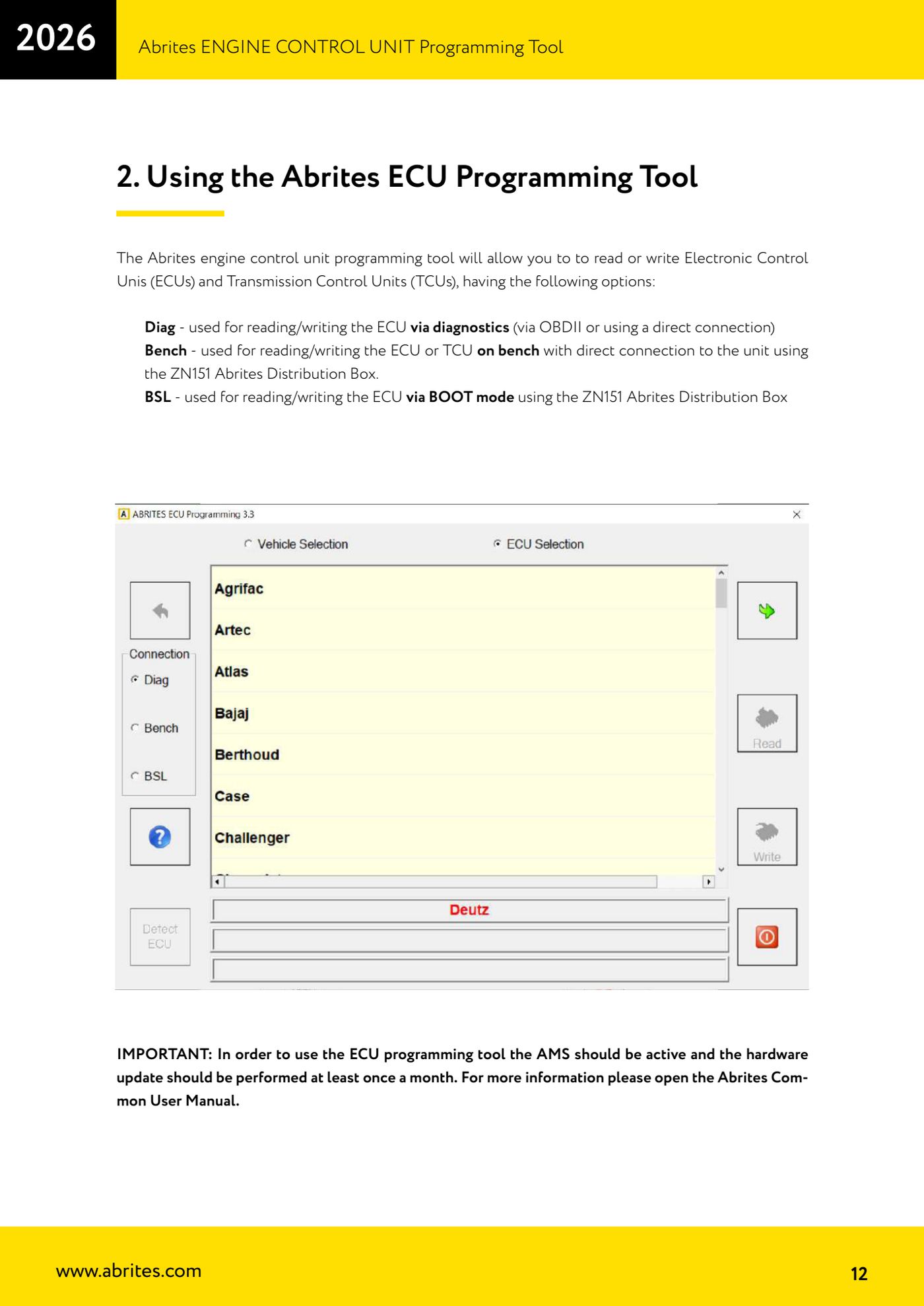
The ECU Programming Tool brings every engine and transmission ECU read and write into one piece of software: EEPROM (Data Flash), internal/external Program Flash, ECM maps, SPI memories and Adblue modules. Before you put a wire on anything you have to decide which of the three modes to work in: DIAG (over OBDII), Bench (direct connection without opening the ECU) or BSL (boot mode, with the ECU opened).


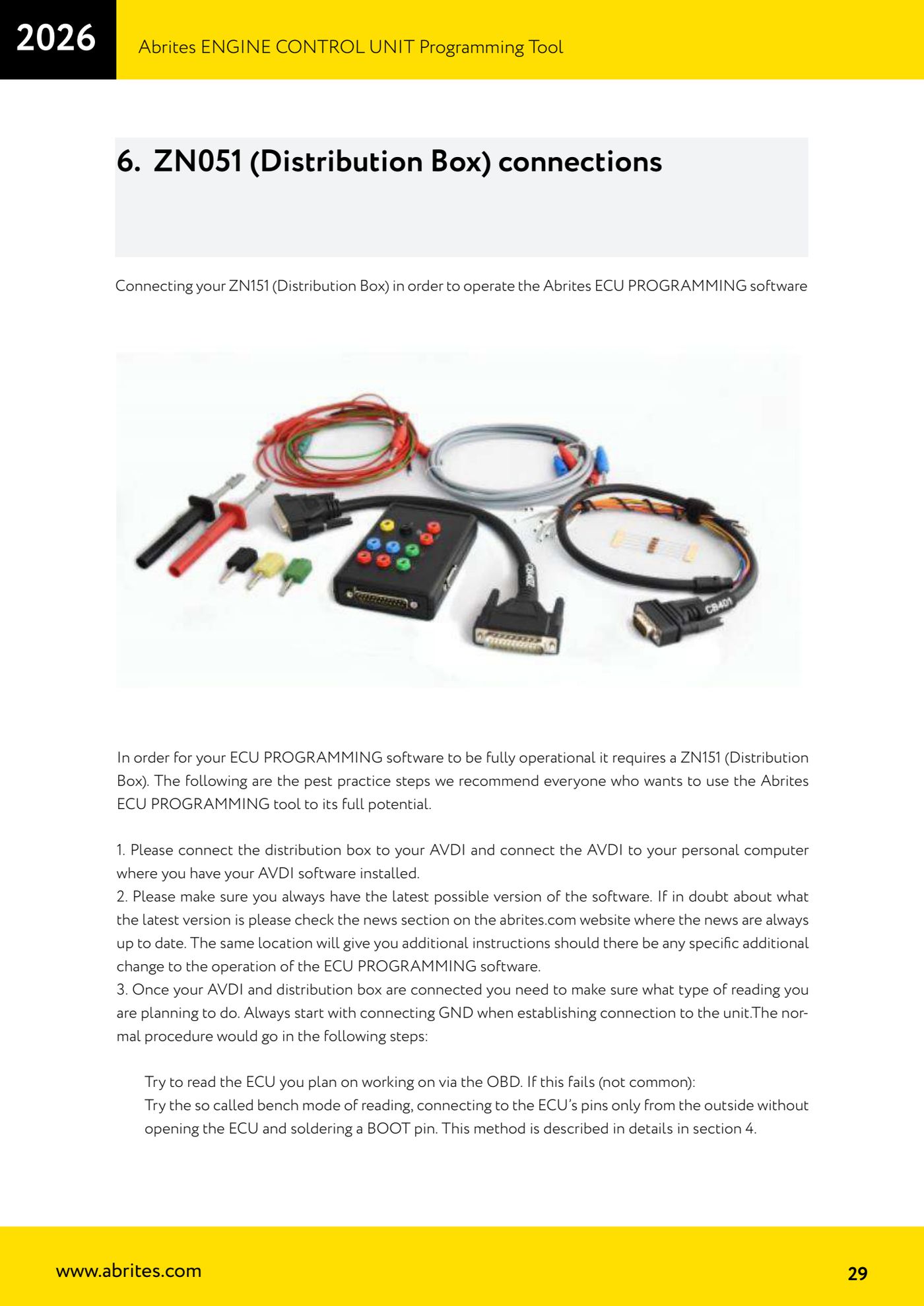
⚠ WarningTo use the ECU Programming Tool your AMS has to be active and the hardware update has to be run at least once a month. When connecting the ECU ALWAYS start from GND before any other wire: it cuts the risk of damaging the unit.
Procedure
- Check the prerequisites: AVDI connected to the PC, software updated to the latest version (check the news section on abrites.com) and hardware update carried out less than a month ago with AMS active.
- Try the OBDII read first: open the ECU Programming Tool, choose "Diag", select the car make and the ECU make, then the memory type and press "Info" to see whether the unit answers. It's the quickest route and needs nothing stripped down.
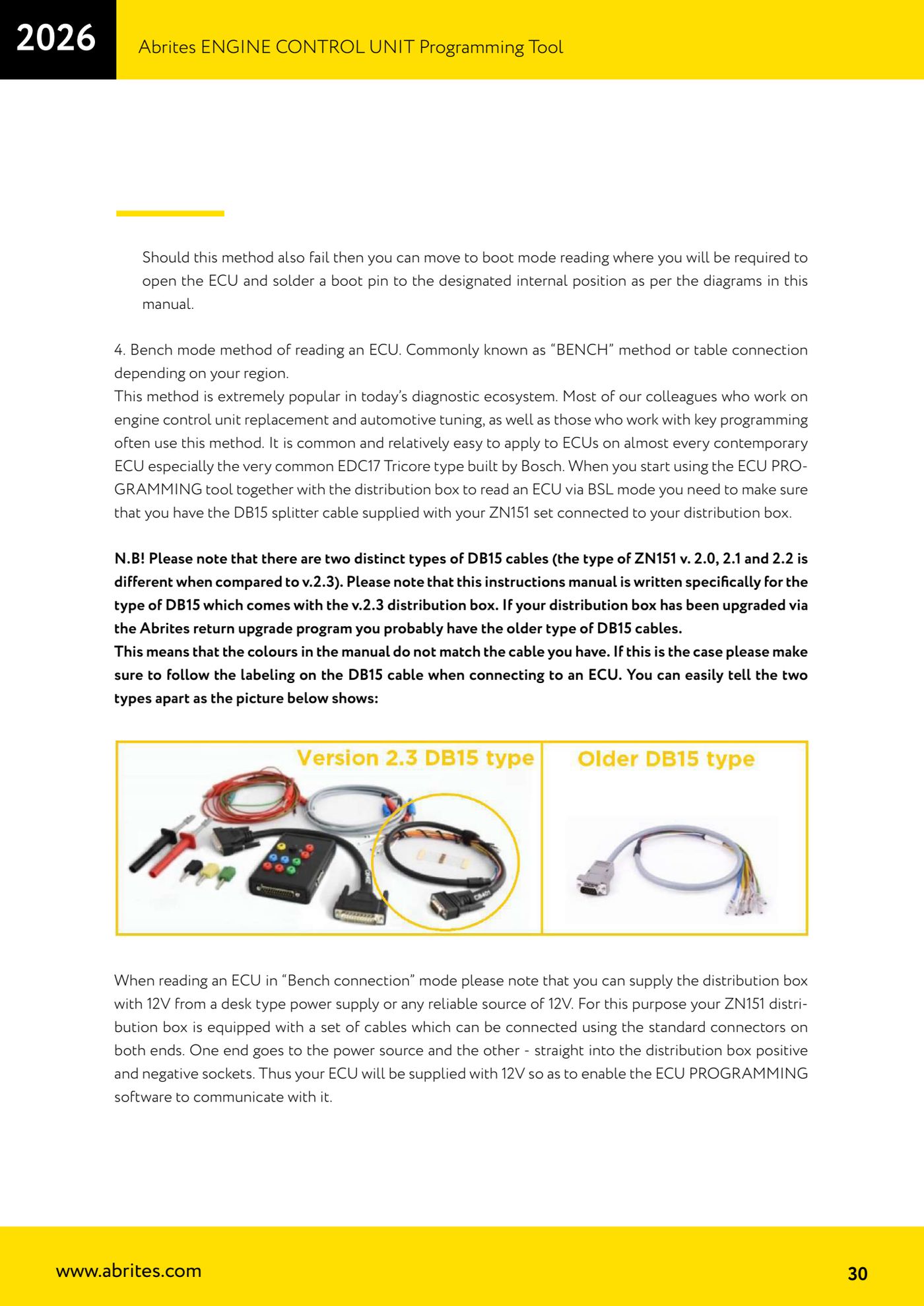
- If the OBDII read fails (not a common case), move to the "Bench" method: you strip the ECU out and connect straight to the pins from the outside, without opening it and without soldering, using the ZN151 Distribution Box. It's the most widely used method today, especially on Bosch EDC17 Tricore units.
- If Bench fails too, that leaves "BSL" (bootstrap loader / boot mode): you have to open the ECU and solder a boot pin at the internal position shown in the manual's diagrams, with the resistors that specific diagram calls for.
- Remember what each mode can do: in "Diag" you read/write ECM Maps, Internal/External Flash and Data Flash and you can do both a real read and a virtual read; in "Bench" and "BSL" you read/write internal/external Program Flash and Data Flash.
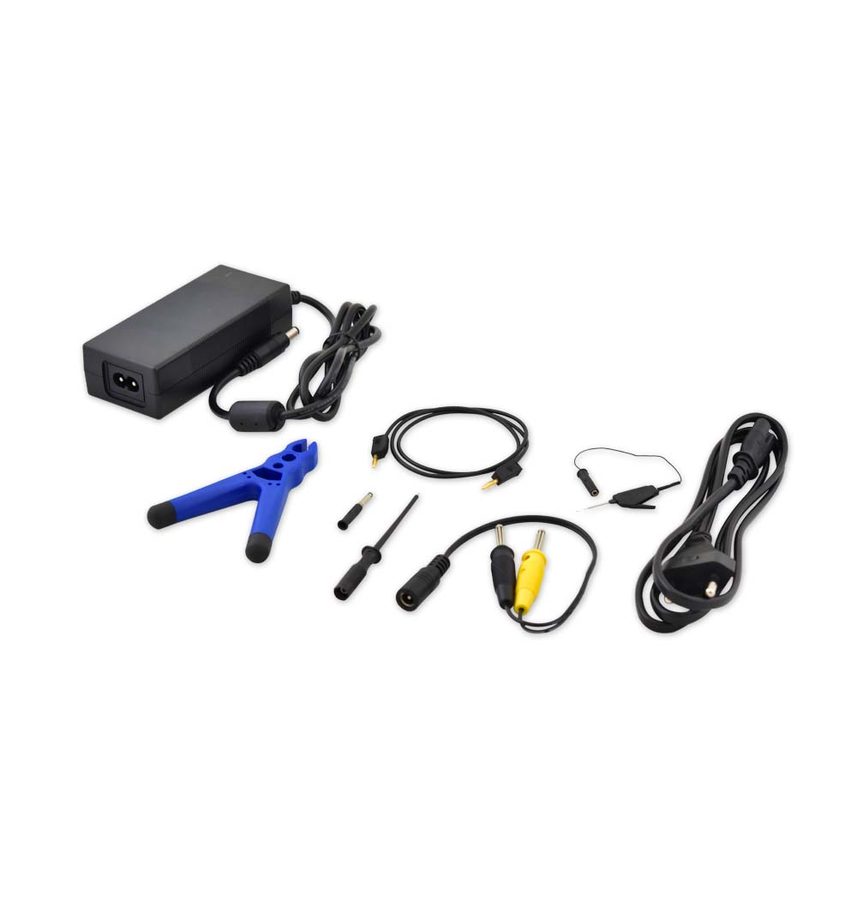
- Always power the ECU with external 12V from the Distribution Box: the 5V supplied by the AVDI is NOT enough to run the ECU.
- Save every read to file before writing anything: the files you read (DFLASH, PFLASH, maps) are your backup and your means of transferring the data to another ECU in case of replacement.
Reference screenshots
Source: Manuale ECU Programming Tool, parte 1 di 3, cap. 2 e 6 (p.12, 29-31) · ⏱ estimated time varies
← All Abrites guides Hardware catalogue
More guides Strumenti
- ABPROG ZN030: what's in the set, hooking it up to the AVDI and starting the Classic software
- Reading and writing SPI, I2C and Microwire EEPROMs with ABPROG and the ZN031/ZN035 adapter
- Erasing and reprogramming M35080VP / M35080V6 incremental EEPROMs with ABPROG
- Wiring an SPI EEPROM straight to the ABPROG DB25 without the ZN031 adapter
- Mercedes-Benz IR keys: reading the SSID, erasing and programming the NEC with ZN032 / ZN033
- Renewing used keys (HITAG/PCF) with the ZN046 adapter and ABPROG
- Solder points on key PCBs for the ZN046 and list of keys supported for renewal
- Reading the EWS3 dump on BMW E46/E39/E53 and others with the ZN055 adapter
- Reading the EEPROM on BMW F-Series FEM/BDC without desoldering, using the ZN057 extension
- Reading and writing NEC V850ES MCUs with the ZN078 adapter and ABPROG
- ABPROG DB25 pinout: building your own ZN046, ZN058, ZN078 and ZN086 adapters
- Reading the immobiliser from a Renault X95 BCM (and Audi BCM) with ABPROG and direct wiring