
Chip-Tools
Renault/Dacia module replacement: virginising and adapting UCH and engine ECU with the "Renew" function
Renault/Dacia
Interface New
Keys / Immo
Advanced
⏱ 30-60 min
8 steps
The "Renew" function is for module replacement: it returns a unit to virgin state and adapts it to the vehicle. The manual's example is the UCH, but the same procedure applies to engine ECUs and other modules.
Required licences
- —
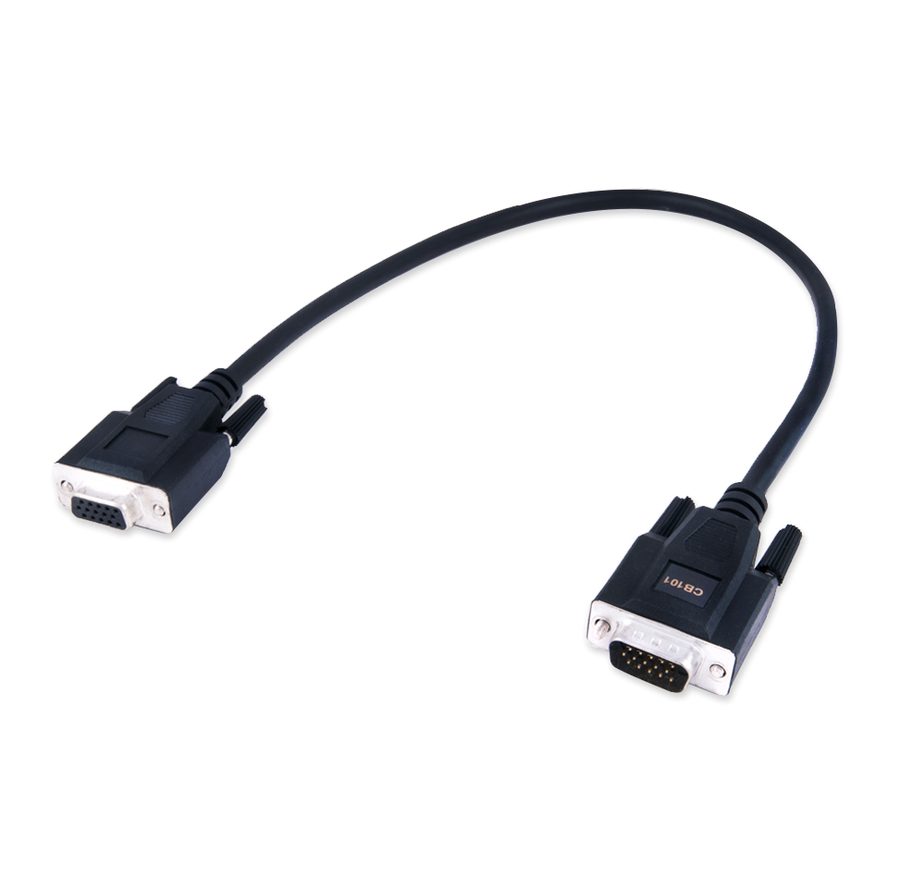
Hardware / cables

⚠ WarningBefore doing anything read and save the PIN code from the car: without the PIN and the VIN you cannot complete the module adaptation.
Procedure
- Plug the AVDI into the OBDII and open the Renault/Dacia Online software with the vehicle identified.
- Read the PIN code from the car and copy it with right-click > "COPY", as in the key programming procedure. Note the car's correct VIN as well.
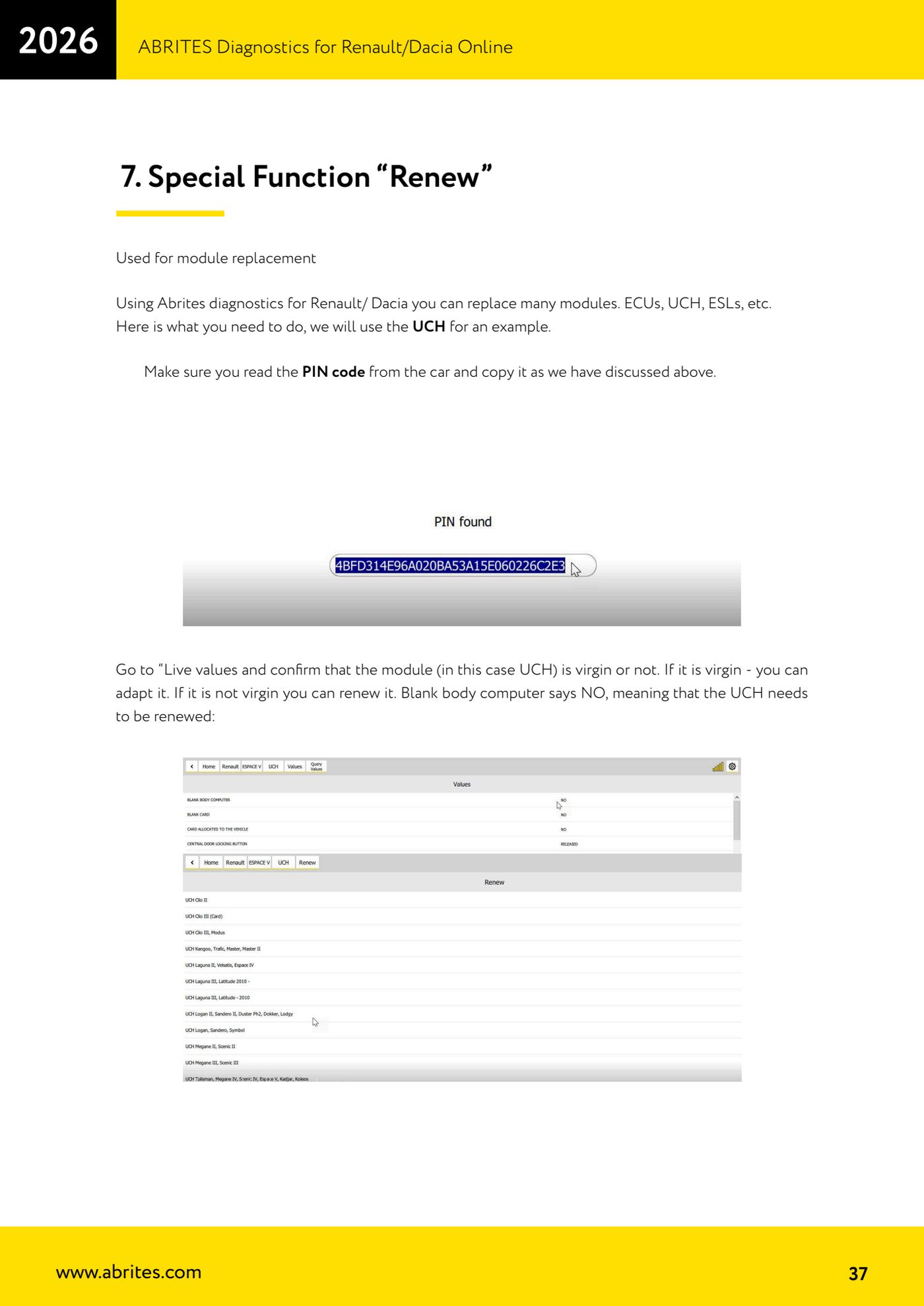
- Go to "Live values" and check the status of the module you have to work on (the UCH in the example): see whether it comes up as virgin or not.
- Read the result: if the "Blank body computer" parameter says NO it means the UCH is not virgin, so it has to be virginised with "Renew" first. If it already comes up virgin you can go straight to the adaptation.
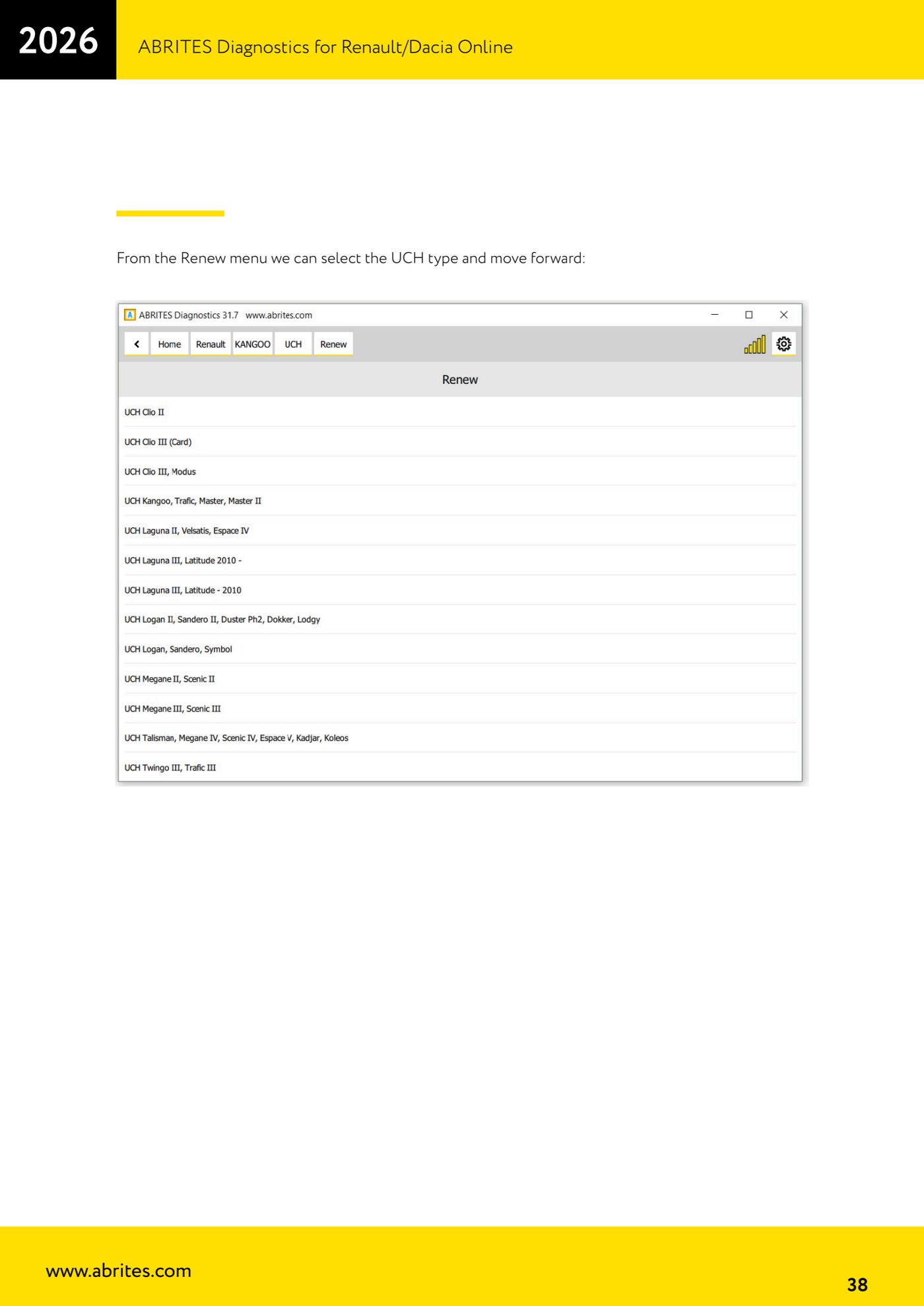
- Open the "Renew" special function and select the UCH type (or the module you are working on) from the list.
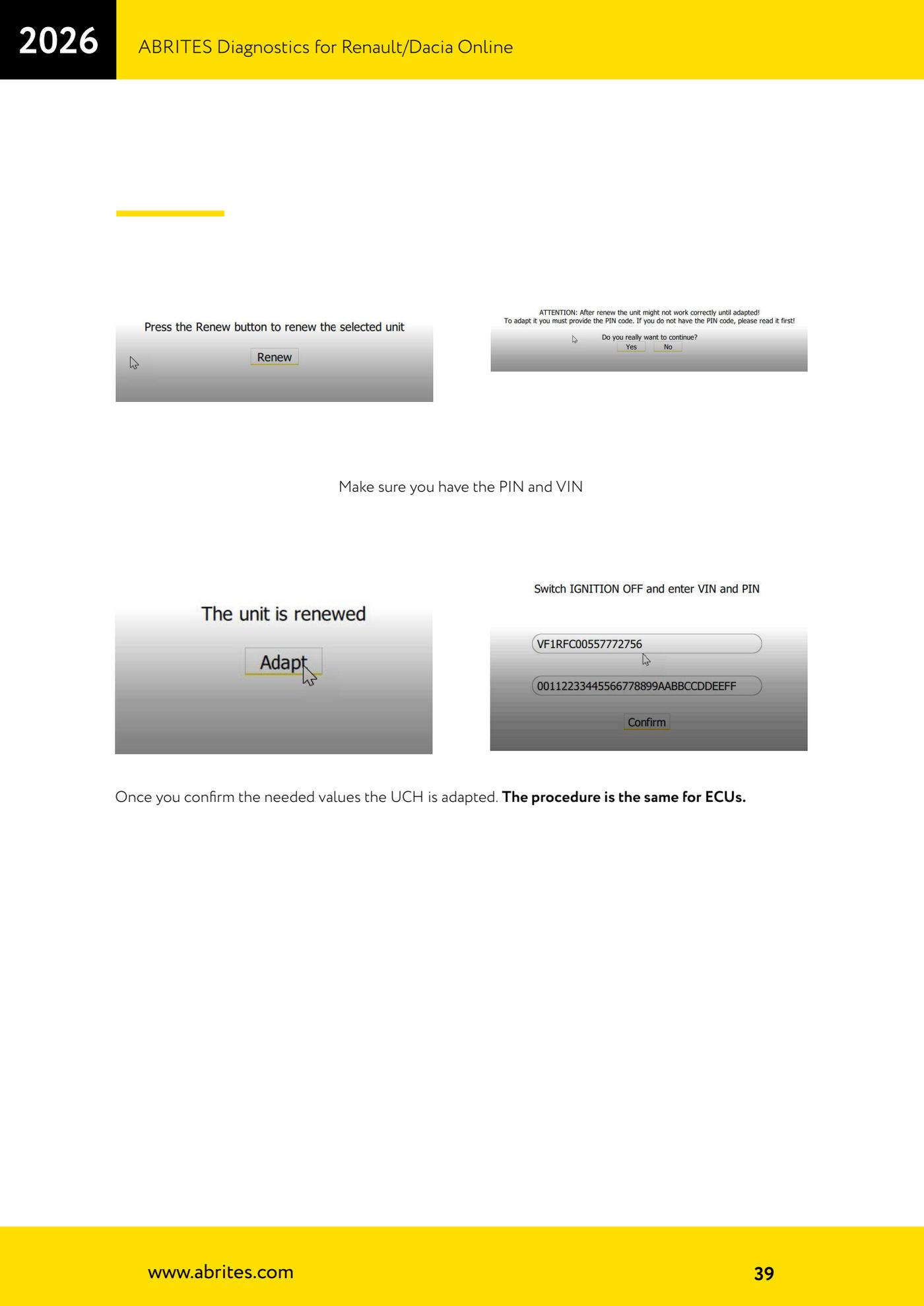
- Carry on and enter the values required: PIN and VIN.
- Confirm the values: when it finishes the module is adapted to the vehicle. The same sequence applies to engine ECUs.
- Check the result: re-read the "Live values" to confirm the module status, clear any stored DTCs and test cranking and key functionality.
Reference screenshots
Source: Manuale Renault/Dacia Online, cap. 7 (p.37-39) · ⏱ estimated time 30-60 min
← All Abrites guides Hardware catalogue
More guides Renault/Dacia
- Renault/Dacia: module scan, ECU identification and DTC read/clear with AVDI
- Renault/Dacia: live data (list and graph) and actuator tests
- Renault/Dacia: PIN reading and key/card learning - common procedure
- Renault X95 (Megane III, Scenic III, Fluence): learning virgin cards and already-working cards
- Renault X95 from 2011 with updated immobiliser software: cards via ABPROG
- Renault Clio IV: programming ABRITES key cards with PROTAG
- Renault: immobiliser PIN calculation from the key code and Clio PIN from EEPROM dump
- Renault/Dacia: editing dumps with "Dump Tool" and writing the VIN with "Change ID"
- Renault/Dacia: cluster mileage calibration and disabling the ABS synchronisation
- Renault: reading/writing configuration data, flash and IMMO erase on the supported engine ECUs
- Bosch EDC15C3 and EDC15C13 Renault: DB9 Female pinout for bench work
- Renault SID301, SIRIUS 32 and SIM32: DB9 Female pinout and ECU data for bench work