
Chip-Tools
Troubleshooting: "Interface NOT found", interface not calibrated and unstable K-Line communication
Porsche
Interface Classic
Appendix
Basic
⏱ 10-30 min
10 steps
List of the typical problems with the Abrites Diagnostics for Porsche software and their fixes: interface not recognised, interface not calibrated and K-Line communication unstable or impossible.
Required licences
- —
Hardware / cables

Procedure
- If "Interface NOT found" appears at start-up: check that the interface USB drivers are correctly installed. In Device Manager the USB interface must show up as "USB Serial Port (COMxx)", where "xx" is the port number.
- If the interface is recognised but the message stays: unplug and replug the USB cable and restart "ABRITES Diagnostics for Porsche".
- If the interface is not recognised (it shows up with a yellow exclamation mark in Device Manager): uninstall and reinstall the interface USB drivers following the "Installing USB interface drivers" and "Uninstalling USB interface drivers" sections.
- If any bluetooth devices are present, try disabling them.
- If "Interface not calibrated" appears: send all the logs to your distributor.
- If the K-Line connection only works sometimes: try increasing or decreasing the "Wakeup echo delay" timing parameter.
- If the K-Line connection is unstable: try increasing or decreasing the "Inter byte time", "Time between messages" and "Communication echo delay" parameters.
- If you cannot connect to a control unit over K-Line while other diagnostic tools can: change the baud rate sequence to 9600/10472 in the options window.
- If a control unit will not read or behaves oddly: send the communication logs to your distributor with a short description of the problem.
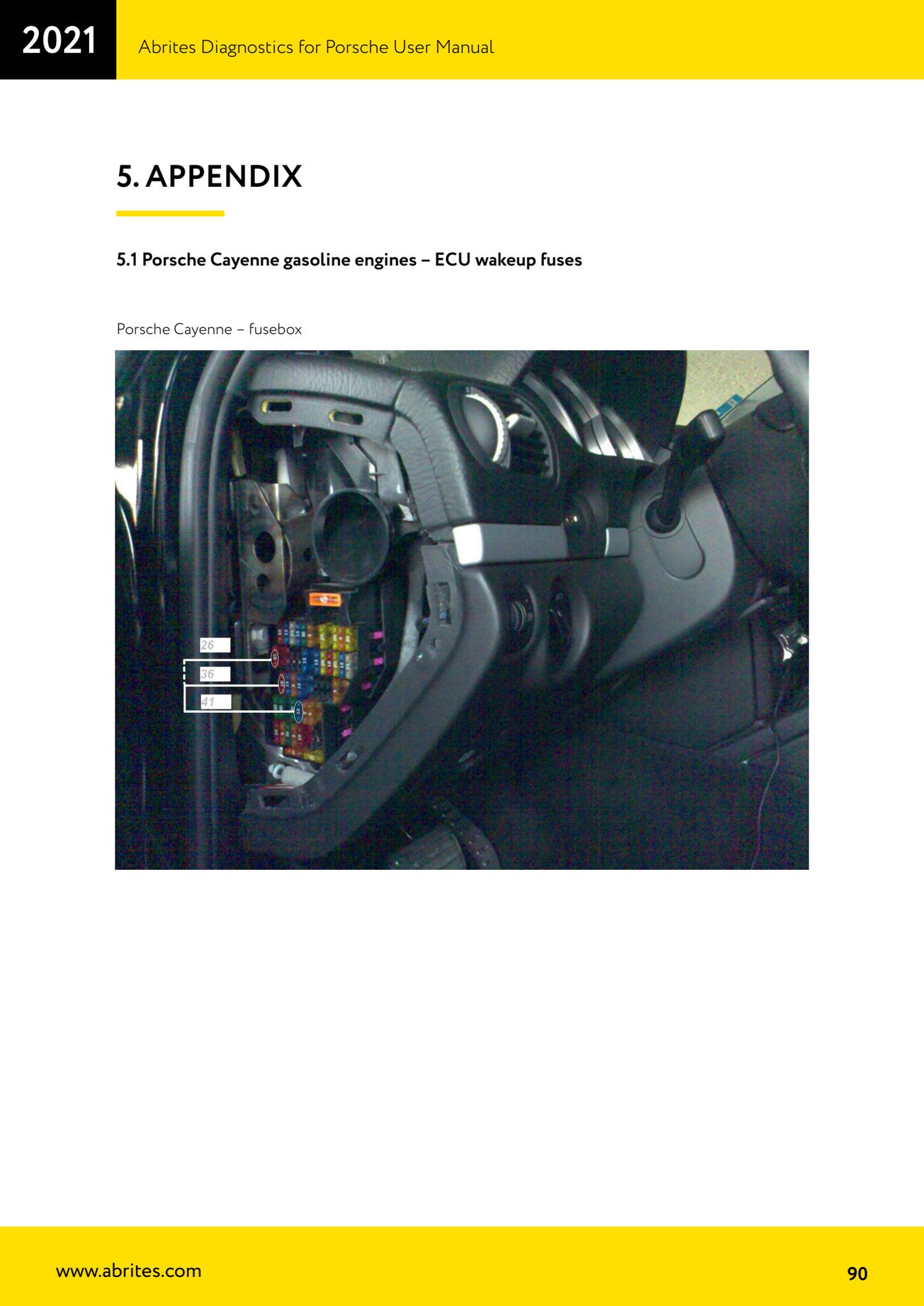
- On petrol Cayenne models, refer to the fuse diagram in the appendix for engine ECU wakeup ("Porsche Cayenne gasoline engines - ECU wakeup fuses").
Reference screenshots
Source: Manuale Porsche (interfaccia classica), terza parte, cap. 4 Troubleshooting (p.89) e appendice 5.1 (p.90) · ⏱ estimated time 10-30 min
← All Abrites guides Hardware catalogue
More guides Porsche
- Porsche software setup: protocols, K-Line baud rates, pins and CAN resistance
- Scanning control units, identification, actual values and reading/clearing DTCs
- Coding control unit options with "Coding - Settings" (Boxster 987 PAS example)
- Automatic coding, manual coding and restoring from file (UDS CAN TP units)
- Actuator tests ("Actuator tests") on Porsche control units
- Writing the VIN into a control unit with "Change ID"
- Control unit replacement: copying the configuration data with "Control Unit Replacement"
- CAN instrument cluster 911 997, Boxster 987 and Cayman: ConfData, mileage reading and cluster reset
- Service interval reset and oil level measurement: 911 997, Boxster 987, Cayman
- Reading and erasing the instrument cluster event memory (Instrument Cluster CAN)
- Service interval reset for Panamera, Cayenne 2011+, Macan, 918 Spyder, 911 991 and Boxster/Cayman 981
- Writing and changing the maintenance intervals: Panamera (2010-2012) and Cayenne (2011+)