
Chip-Tools
Service interval reset and oil level measurement: 911 997, Boxster 987, Cayman
Porsche
Interface Classic
Service
Basic
⏱ 10-15 min
7 steps
This resets the service interval indication in the instrument cluster on the 911 997, Boxster 987 and Cayman, and lets you read the oil level measurement straight from the cluster.
Required licences
- —
Hardware / cables

Procedure
- Connect the interface, put the ignition on and start the software.
- Open the special functions list and select "Instrument Cluster CAN".
- In the "Select vehicle model" list pick 911 997 (2005-2010), Boxster 987 (2005-2010) or Cayman.
- For the service reset, select "Reset service interval" in the "Select function" list and press "Next": the software connects to the instrument cluster.
- Follow the wizard and enter the details it asks for on the model in question; at the end the software carries out the service interval reset.
- For the oil measurement, select the "Oil level measurement" function instead and press "Open": the software connects to the instrument cluster and, once you've confirmed a few model details, shows the oil level information.
- Check on the cluster that the service indication has actually been reset before handing the car back.
Reference screenshots
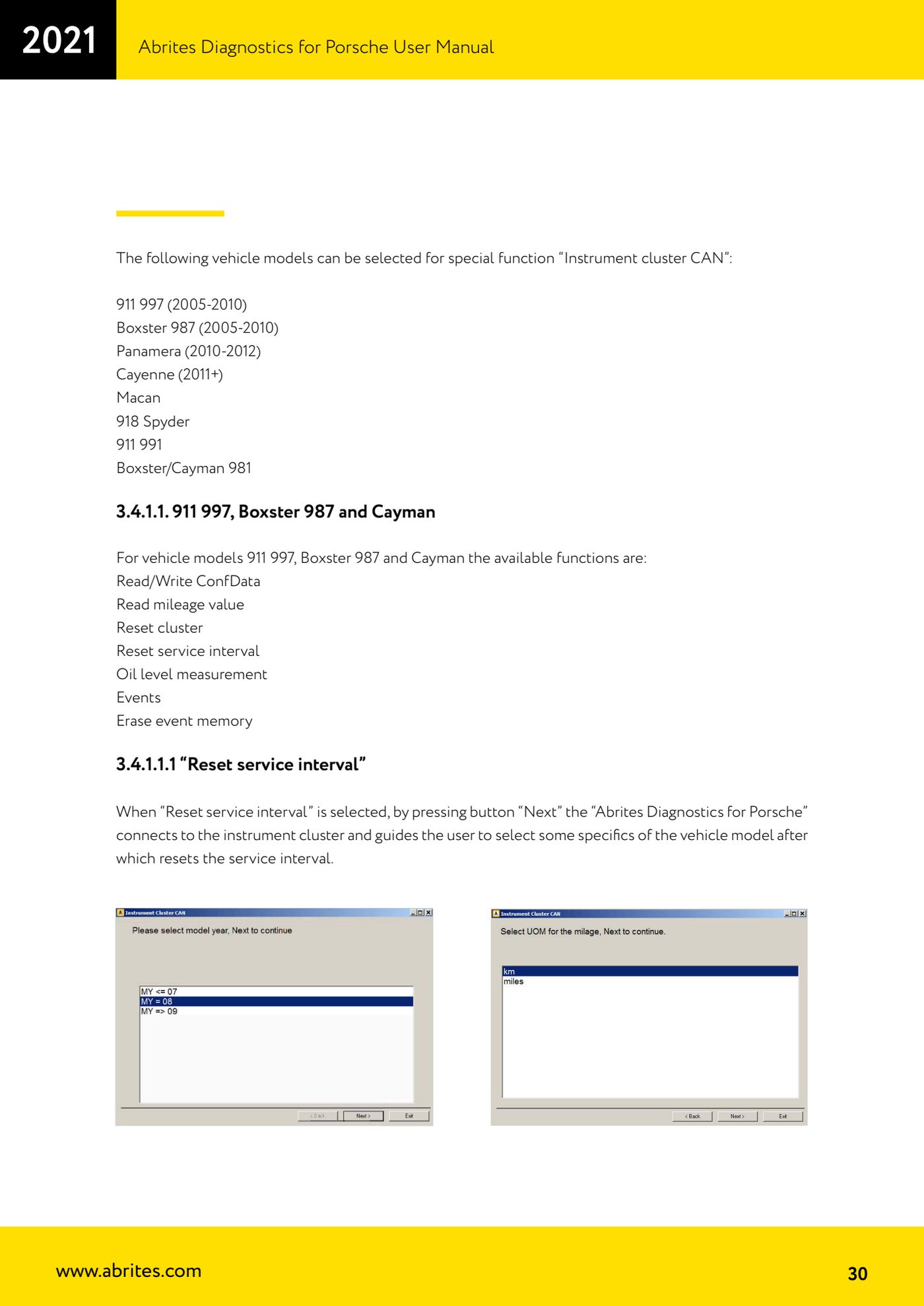
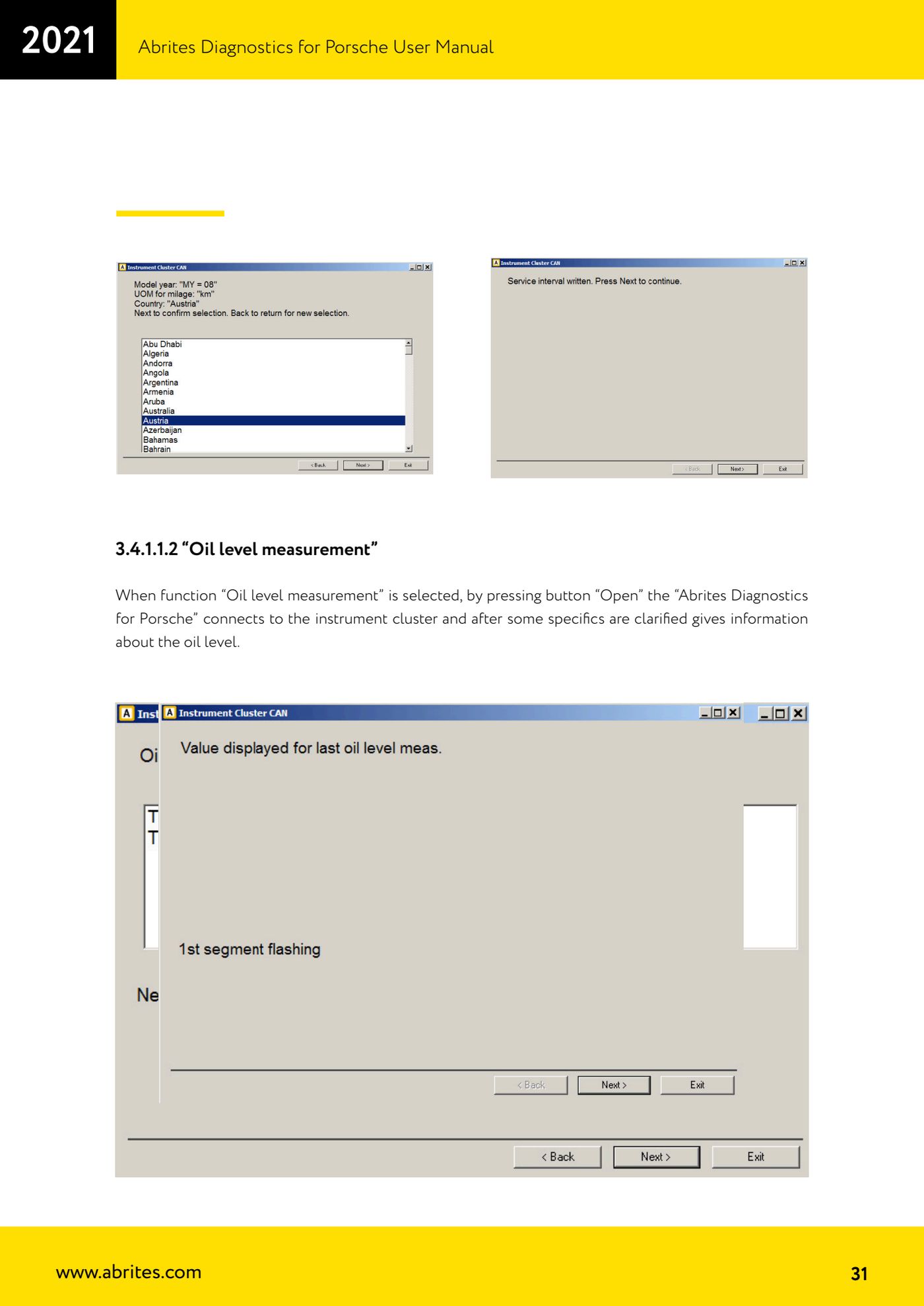
Source: Manuale Porsche (interfaccia classica), prima parte, cap. 3.4.1.1.1 e 3.4.1.1.2 (p.30-31) · ⏱ estimated time 10-15 min
← All Abrites guides Hardware catalogue
More guides Porsche
- Porsche software setup: protocols, K-Line baud rates, pins and CAN resistance
- Scanning control units, identification, actual values and reading/clearing DTCs
- Coding control unit options with "Coding - Settings" (Boxster 987 PAS example)
- Automatic coding, manual coding and restoring from file (UDS CAN TP units)
- Actuator tests ("Actuator tests") on Porsche control units
- Writing the VIN into a control unit with "Change ID"
- Control unit replacement: copying the configuration data with "Control Unit Replacement"
- CAN instrument cluster 911 997, Boxster 987 and Cayman: ConfData, mileage reading and cluster reset
- Reading and erasing the instrument cluster event memory (Instrument Cluster CAN)
- Service interval reset for Panamera, Cayenne 2011+, Macan, 918 Spyder, 911 991 and Boxster/Cayman 981
- Writing and changing the maintenance intervals: Panamera (2010-2012) and Cayenne (2011+)
- Cayenne K-Line instrument cluster: ConfData, ECU reset, service and mileage reading