
Chip-Tools
Automatic coding, manual coding and restoring from file (UDS CAN TP units)
Porsche
Interface Classic
Coding / Adaptations
Advanced
⏱ 20-40 min
9 steps
Use these when a control unit is not coded or the coding is wrong (there is usually a DTC flagging it). The software works out the unit's default coding from the vehicle configuration and writes it. They are only available for units that communicate over UDS CAN TP.
Required licences
- —
Hardware / cables

⚠ WarningUse "Manual coding" carefully: you must be certain you pick the correct vehicle configuration options, otherwise the calculated coding can be wrong and damage the unit. All three functions need an internet connection.
Procedure
- Connect to the control unit you want to code and open the coding section.
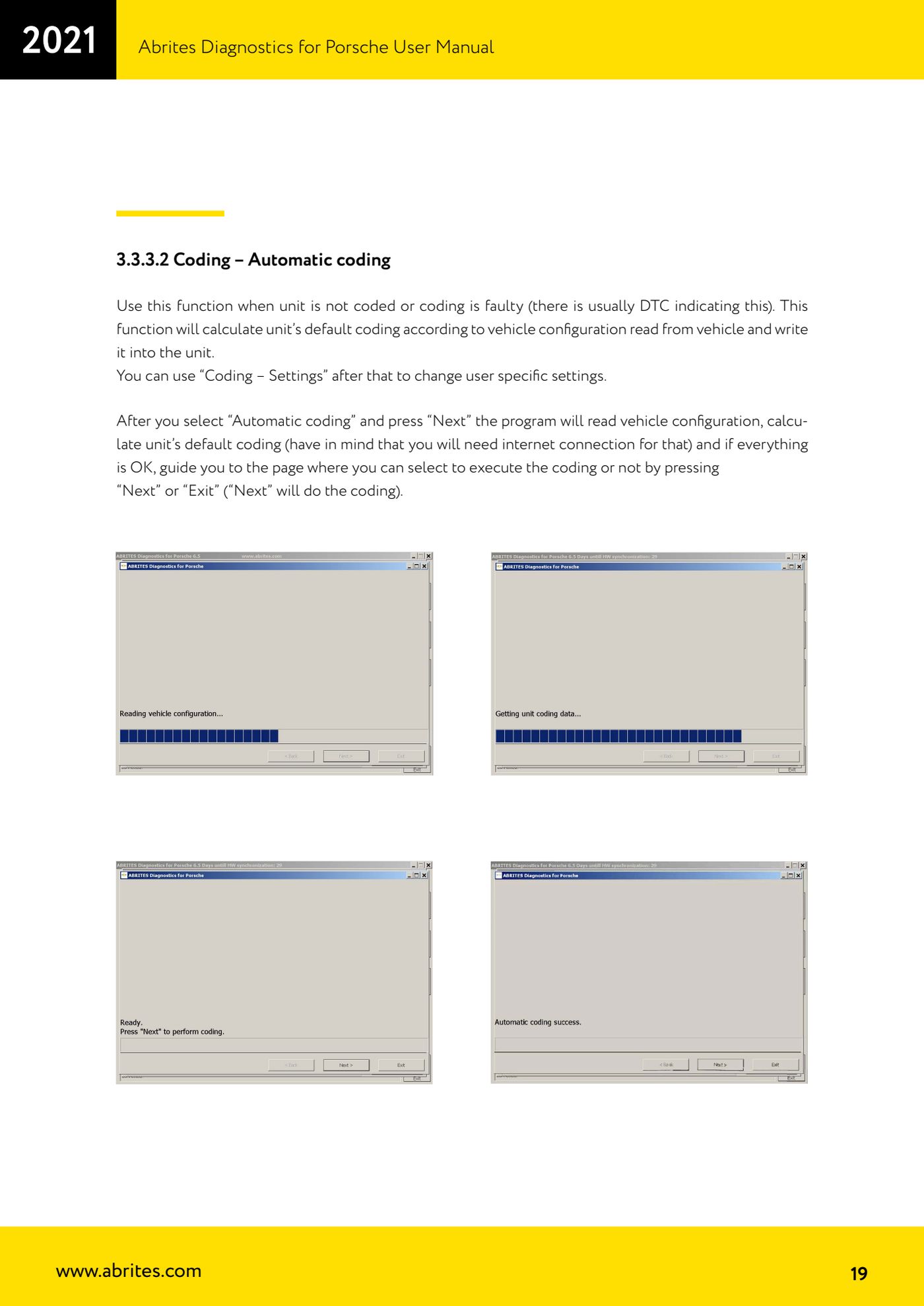
- For automatic coding select "Automatic coding" and press "Next": the software reads the vehicle configuration and works out the unit's default coding (internet connection required).
- If the calculation succeeds you reach the confirmation page: press "Next" to carry out the coding or "Exit" to quit without writing.
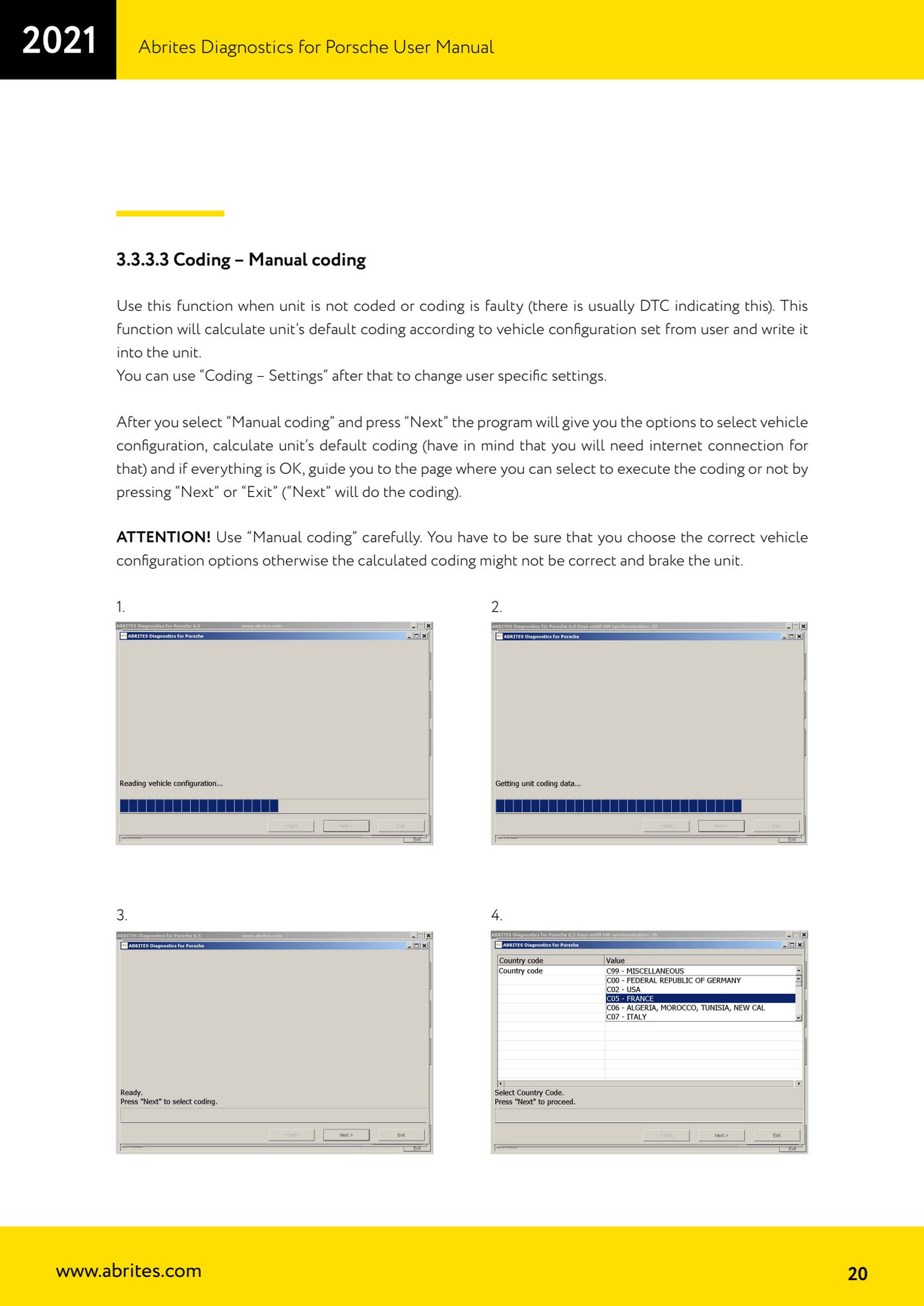
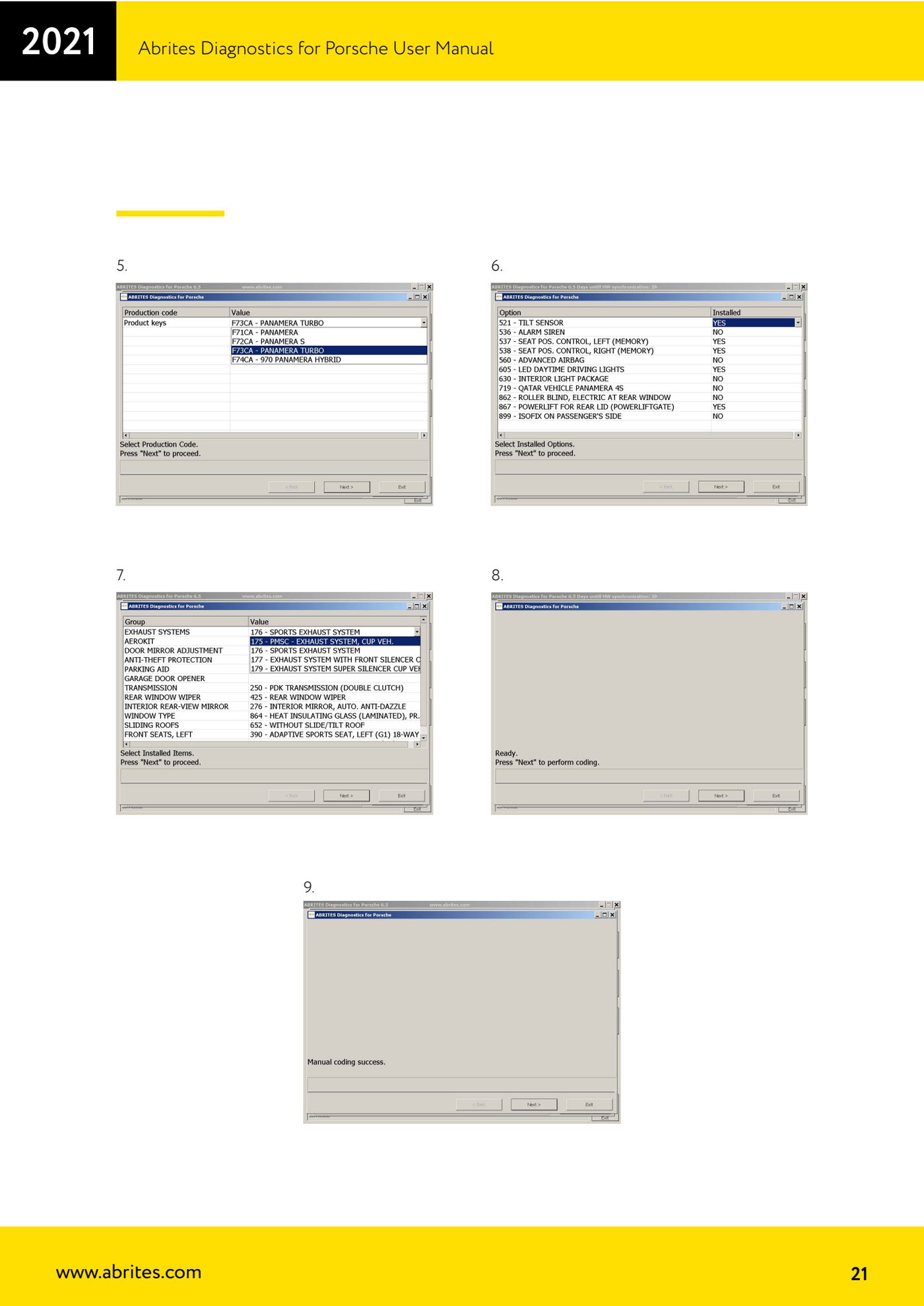
- If the configuration cannot be read from the vehicle, select "Manual coding" and press "Next": the software walks you through selecting the vehicle configuration options, then works out the default coding (internet required here too).
- Here as well the last page asks for confirmation: "Next" carries out the coding, "Exit" cancels.
- After "Automatic coding" or "Manual coding" you can use "Coding - Settings" to put the customer's specific settings back.
- Every time you run "Automatic coding" or "Manual coding", the coding present before the operation is saved to a file in the log folder: the file name contains the VIN, the unit name, and the creation date and time.
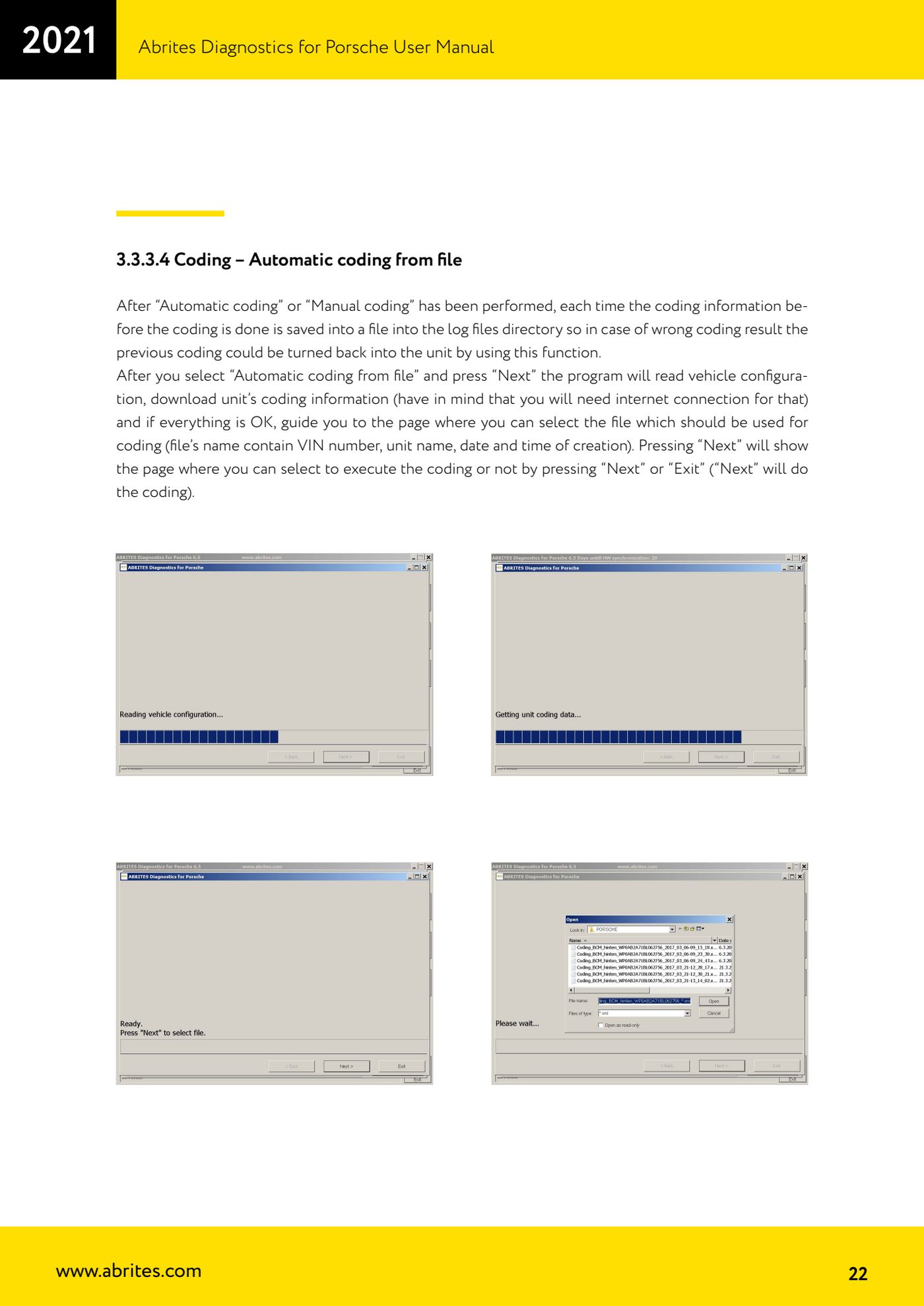
- If the coding result isn't correct, select "Automatic coding from file" and press "Next": the software reads the vehicle configuration and downloads the unit's coding information (internet required).
- Select the previously saved file, press "Next", then "Next" on the confirmation page to write the previous coding back into the unit ("Exit" to cancel).
Reference screenshots
Source: Manuale Porsche (interfaccia classica), prima parte, cap. 3.3.3.2, 3.3.3.3, 3.3.3.4 (p.19-22) · ⏱ estimated time 20-40 min
← All Abrites guides Hardware catalogue
More guides Porsche
- Porsche software setup: protocols, K-Line baud rates, pins and CAN resistance
- Scanning control units, identification, actual values and reading/clearing DTCs
- Coding control unit options with "Coding - Settings" (Boxster 987 PAS example)
- Actuator tests ("Actuator tests") on Porsche control units
- Writing the VIN into a control unit with "Change ID"
- Control unit replacement: copying the configuration data with "Control Unit Replacement"
- CAN instrument cluster 911 997, Boxster 987 and Cayman: ConfData, mileage reading and cluster reset
- Service interval reset and oil level measurement: 911 997, Boxster 987, Cayman
- Reading and erasing the instrument cluster event memory (Instrument Cluster CAN)
- Service interval reset for Panamera, Cayenne 2011+, Macan, 918 Spyder, 911 991 and Boxster/Cayman 981
- Writing and changing the maintenance intervals: Panamera (2010-2012) and Cayenne (2011+)
- Cayenne K-Line instrument cluster: ConfData, ECU reset, service and mileage reading