
Chip-Tools
Service interval reset for Panamera, Cayenne 2011+, Macan, 918 Spyder, 911 991 and Boxster/Cayman 981
Porsche
Interface Classic
Service
Basic
⏱ 10 min
7 steps
This resets the service indication on the later CAN-based models, letting you pick the type of service carried out: oil change, interim service, or main plus interim service together.
Required licences
- —
Hardware / cables

Procedure
- Plug the interface into the OBDII socket and switch the ignition on.
- Open the special functions list and select "Instrument Cluster CAN".
- In the "Select vehicle model" list pick the model: Panamera (2010-2012), Cayenne (2011+), Macan, 918 Spyder, 911 991 or Boxster/Cayman 981.
- In the "Select function" list choose the reset type according to the work carried out: "Reset service interval (Oil Change)" for the oil change, "Reset service interval (Interim Service)" for the interim service, "Reset service interval (Main and Interim Service)" for main plus interim service.
- Follow the wizard the software presents.
- Press "Next": the service interval is reset.
- Check on the instrument cluster that the service indication has actually been reset.
Reference screenshots
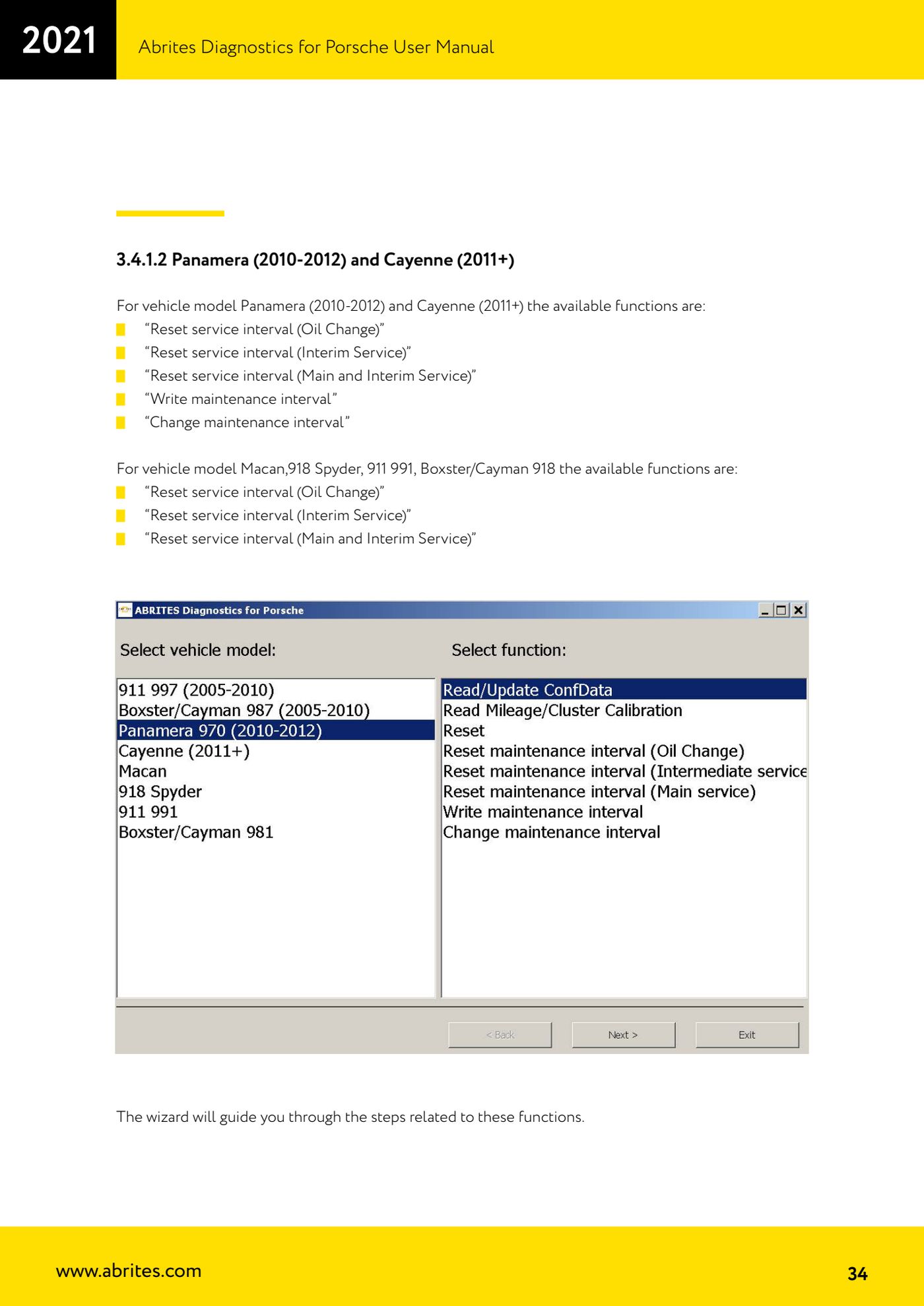
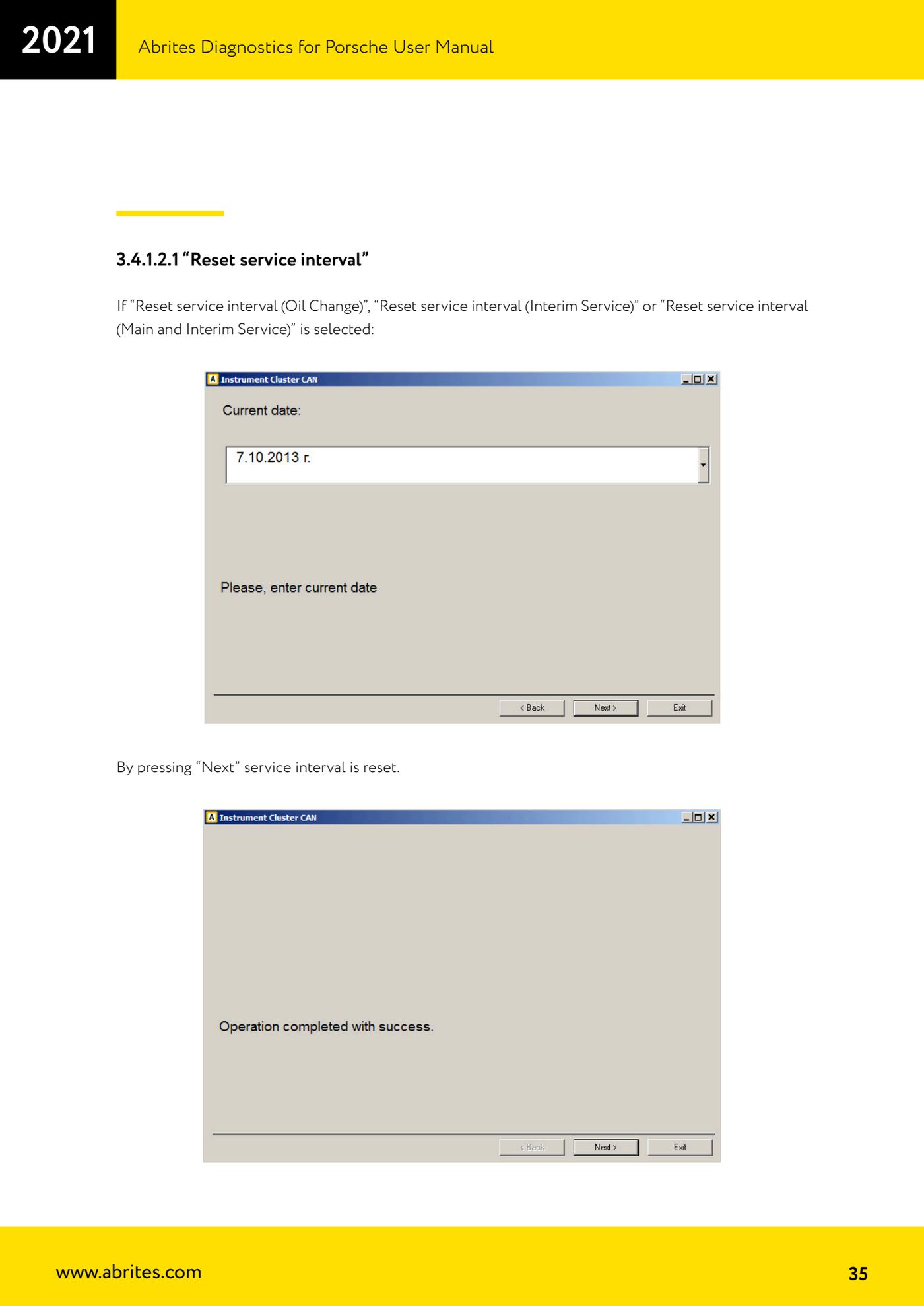
Source: Manuale Porsche (interfaccia classica), prima parte, cap. 3.4.1.2 e 3.4.1.2.1 (p.34-35) · ⏱ estimated time 10 min
← All Abrites guides Hardware catalogue
More guides Porsche
- Porsche software setup: protocols, K-Line baud rates, pins and CAN resistance
- Scanning control units, identification, actual values and reading/clearing DTCs
- Coding control unit options with "Coding - Settings" (Boxster 987 PAS example)
- Automatic coding, manual coding and restoring from file (UDS CAN TP units)
- Actuator tests ("Actuator tests") on Porsche control units
- Writing the VIN into a control unit with "Change ID"
- Control unit replacement: copying the configuration data with "Control Unit Replacement"
- CAN instrument cluster 911 997, Boxster 987 and Cayman: ConfData, mileage reading and cluster reset
- Service interval reset and oil level measurement: 911 997, Boxster 987, Cayman
- Reading and erasing the instrument cluster event memory (Instrument Cluster CAN)
- Writing and changing the maintenance intervals: Panamera (2010-2012) and Cayenne (2011+)
- Cayenne K-Line instrument cluster: ConfData, ECU reset, service and mileage reading