
Chip-Tools
Starting Abrites Diagnostics for Porsche Online and basic diagnostics (DTCs and measured values)
Porsche
Interface New
Diagnostics
Basic
⏱ 15-30 min
10 steps
First job on any Porsche: start the online software, connect to the car and read the status of the control units. From here you read and clear the fault codes (DTCs) and monitor live values from the control units.
Required licences
- —
Hardware / cables

⚠ WarningThe Porsche Online software runs on servers: you need an active AMS and a stable internet connection, otherwise the functions will not start. Minimum PC requirements: Windows 7 64 bit SP1 or later, 2 GB RAM (4 GB recommended), 64 GB of free disk space.
Procedure
- Check the workstation requirements: Windows 7 64 bit SP1 PC or later, at least 2 GB RAM (4 GB recommended), 64 GB of free disk space, active AMS and a stable internet connection.
- Connect the AVDI interface to the car's OBDII socket and to the PC. Chock the vehicle's wheels before starting any test.
- Check the unique identification number of your AVDI interface in the "license viewer" installed on the PC, so you know which licences you have active.
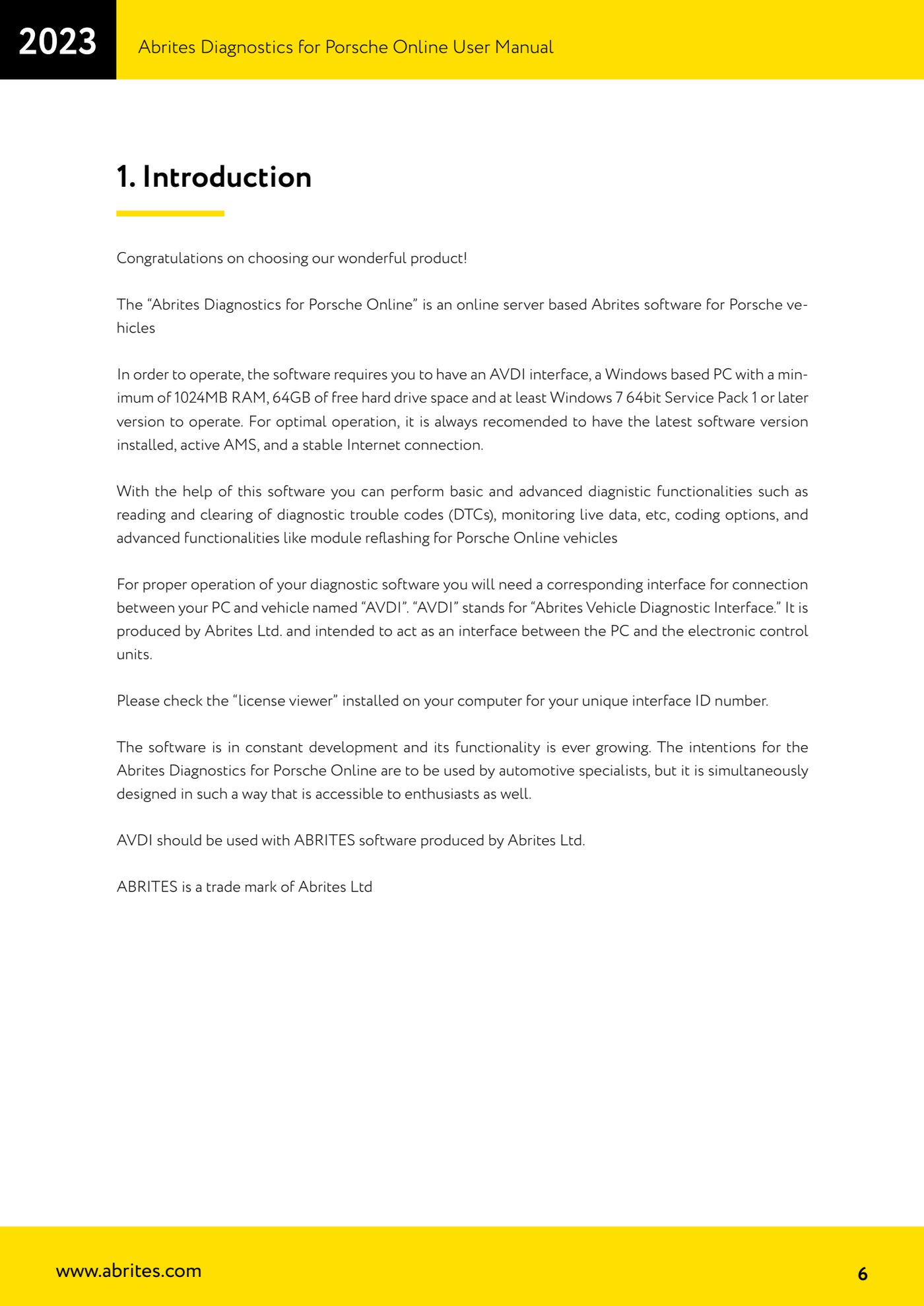
- Start the "Abrites Quick Start" application and select "Porsche".
- Go to the second page of the Porsche options and press the button to launch "Abrites Diagnostics for Porsche Online".
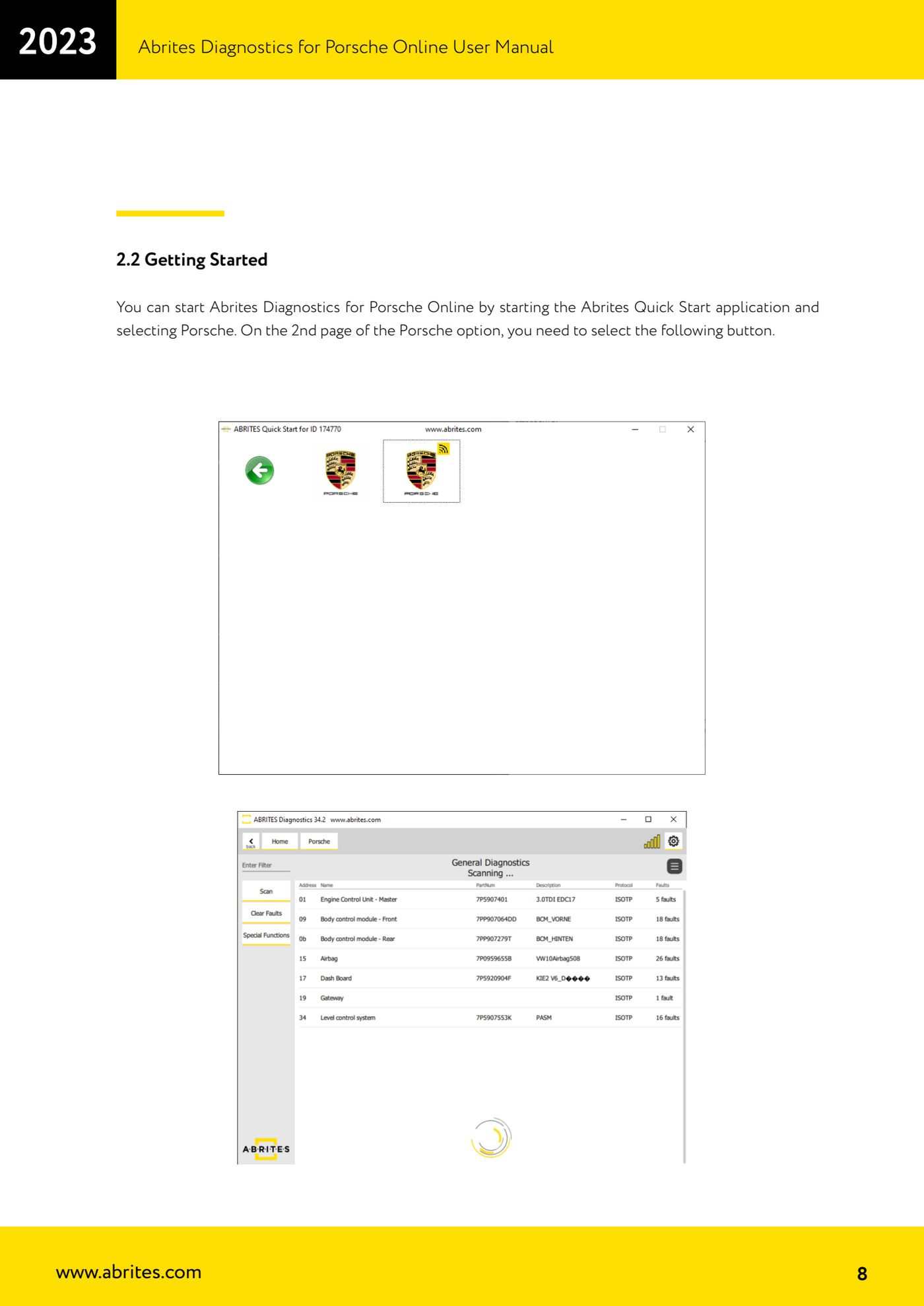
- Wait for the software to connect to the server and establish communication with the car: the diagnostic menu with the list of control units will appear.
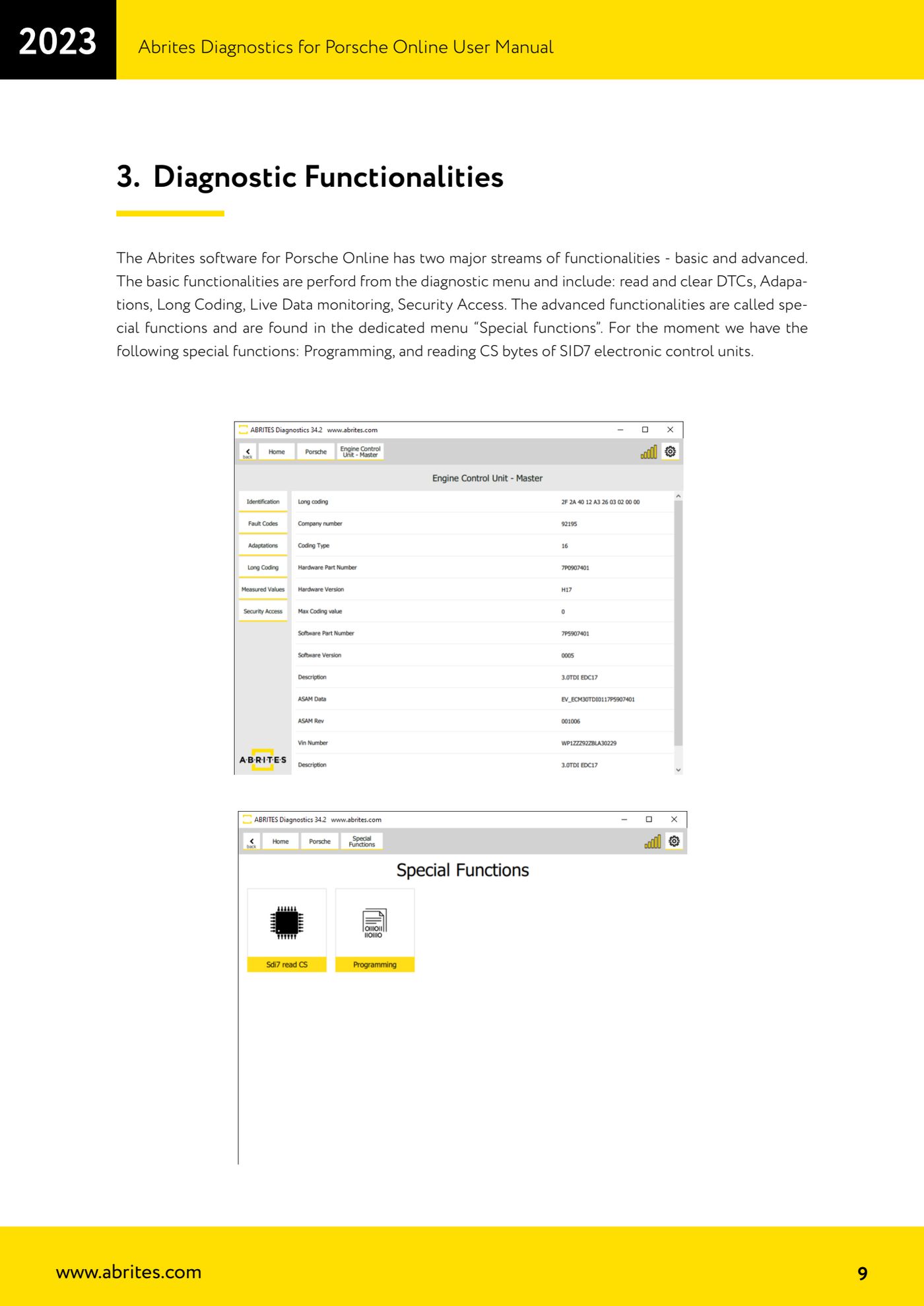
- For basic diagnostics use the diagnostic menu: from here you have DTC reading and clearing, "Adaptations", "Long Coding", live data monitoring and "Security Access".
- Select the control unit you want to check and read the stored fault codes. Write the DTCs down before clearing them, then clear them only after the fault has been fixed and read again to make sure they do not return.
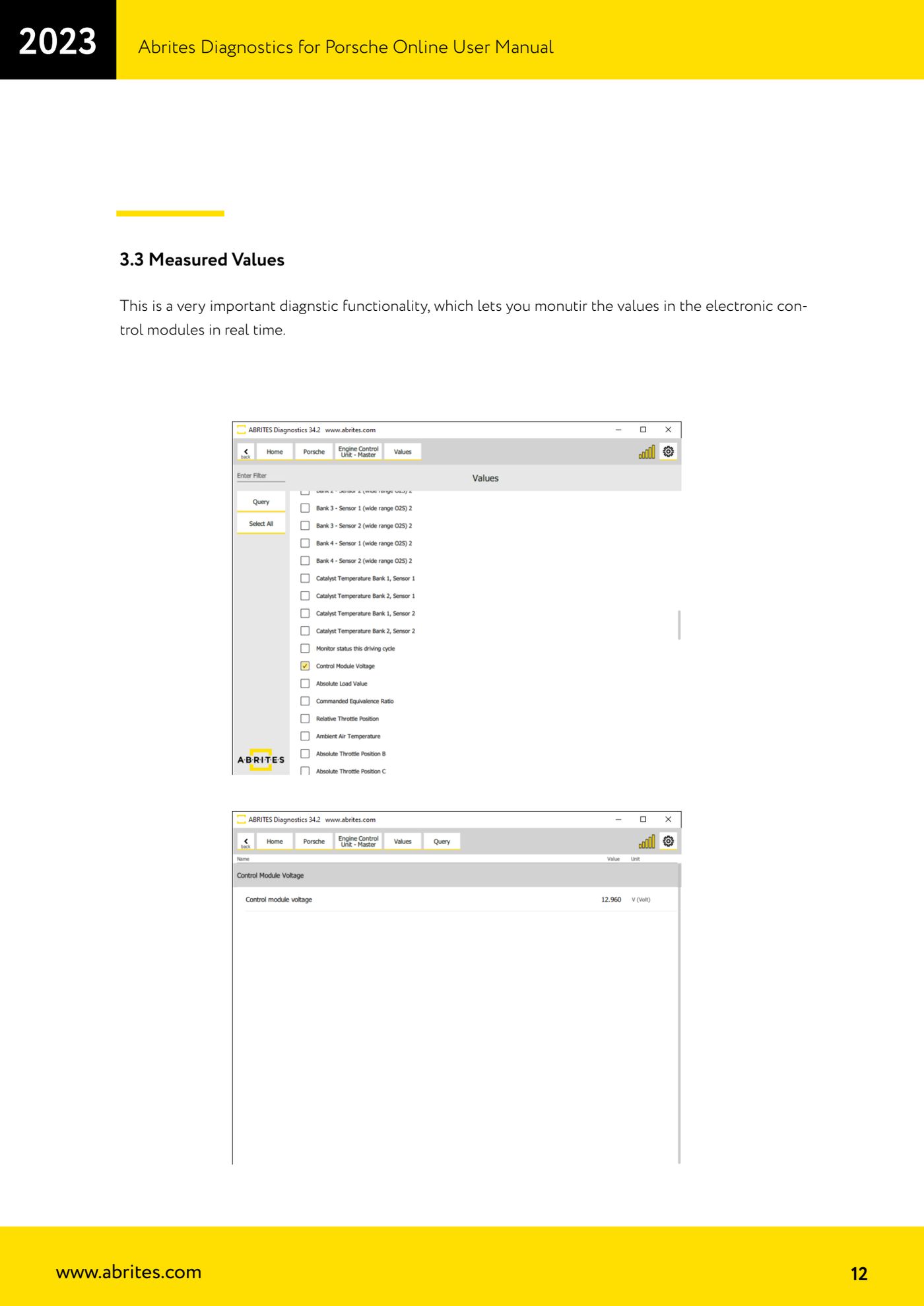
- For live monitoring go into "Measured Values" on the selected control unit: the software shows the control unit values updated live, useful for comparing actual behaviour against expected behaviour during a test.
- The advanced functions (module reprogramming and SID7 CS reading) are not in the diagnostic menu but in the dedicated "Special functions" menu.
Reference screenshots
Source: Manuale Porsche Online, cap. 1, 2.1, 2.2, 3 e 3.3 (p.6-9, 12) · ⏱ estimated time 15-30 min
← All Abrites guides Hardware catalogue
More guides Porsche
- Porsche software setup: protocols, K-Line baud rates, pins and CAN resistance
- Scanning control units, identification, actual values and reading/clearing DTCs
- Coding control unit options with "Coding - Settings" (Boxster 987 PAS example)
- Automatic coding, manual coding and restoring from file (UDS CAN TP units)
- Actuator tests ("Actuator tests") on Porsche control units
- Writing the VIN into a control unit with "Change ID"
- Control unit replacement: copying the configuration data with "Control Unit Replacement"
- CAN instrument cluster 911 997, Boxster 987 and Cayman: ConfData, mileage reading and cluster reset
- Service interval reset and oil level measurement: 911 997, Boxster 987, Cayman
- Reading and erasing the instrument cluster event memory (Instrument Cluster CAN)
- Service interval reset for Panamera, Cayenne 2011+, Macan, 918 Spyder, 911 991 and Boxster/Cayman 981
- Writing and changing the maintenance intervals: Panamera (2010-2012) and Cayenne (2011+)