
Chip-Tools
Reading engine ECU data and overspeed events ("ECU data" / "Overspeed events")
Porsche
Interface Classic
Diagnostics
Medium
⏱ 15 min
6 steps
This reads certain characteristic data from the engine ECU such as the VIN, the operating hours counter and the total distance, and lets you look at the recorded overspeed events. It's the read you want when inspecting or checking a used vehicle.
Required licences
- —
Hardware / cables

⚠ WarningWhen you change a value, keep exactly the same format it was read in: don't delete the units of measurement (where present) and don't remove the spaces.
Procedure
- Open the special functions list, select "Engine control unit" and set the ECU type fitted to the vehicle.
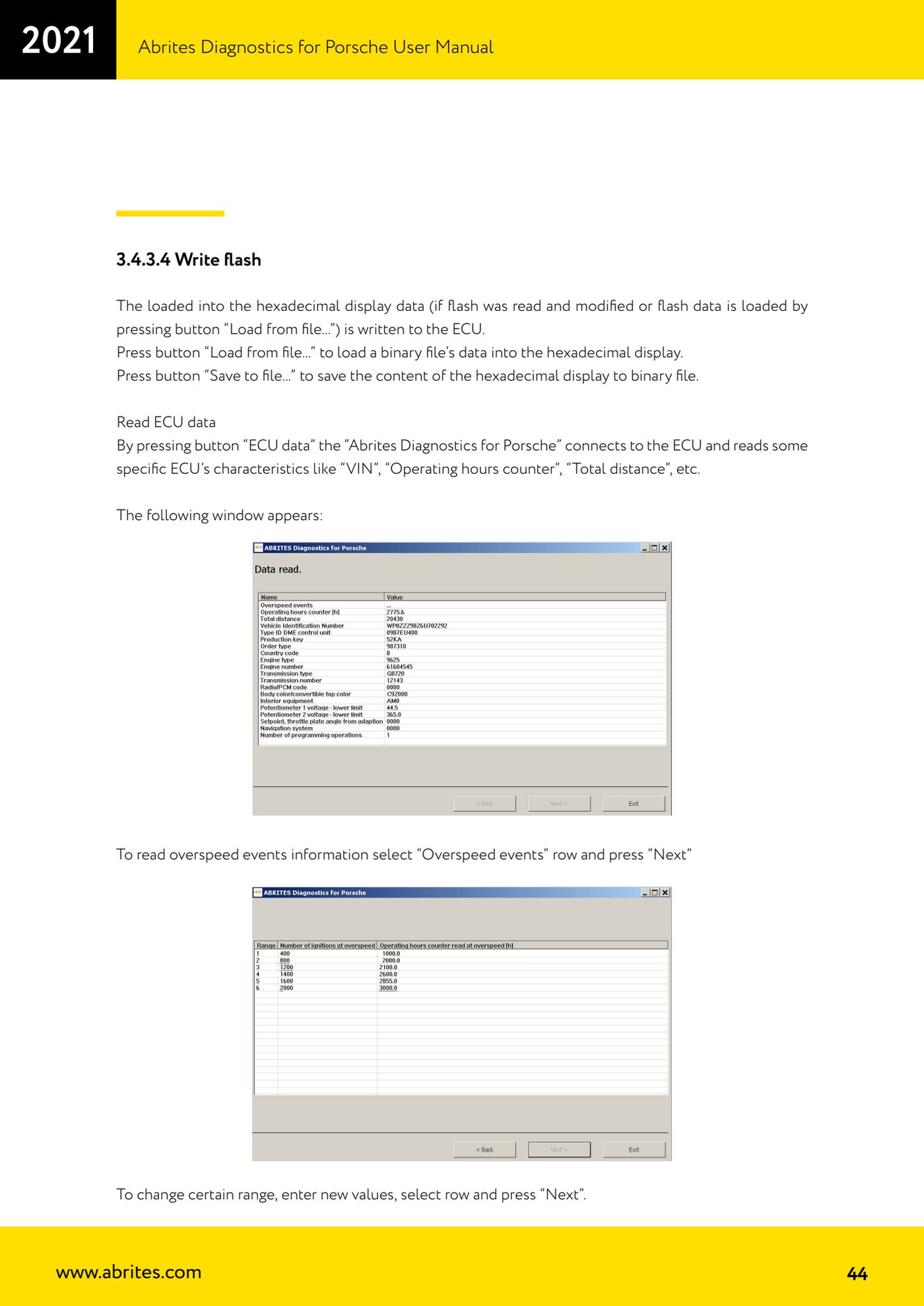
- Press the "ECU data" button: the software connects to the ECU and reads the unit's specific characteristics, such as "VIN", "Operating hours counter" and "Total distance".
- In the window that appears, scroll through the rows of data read and note down the values you need.
- To look at the overspeed event information, select the "Overspeed events" row and press "Next".
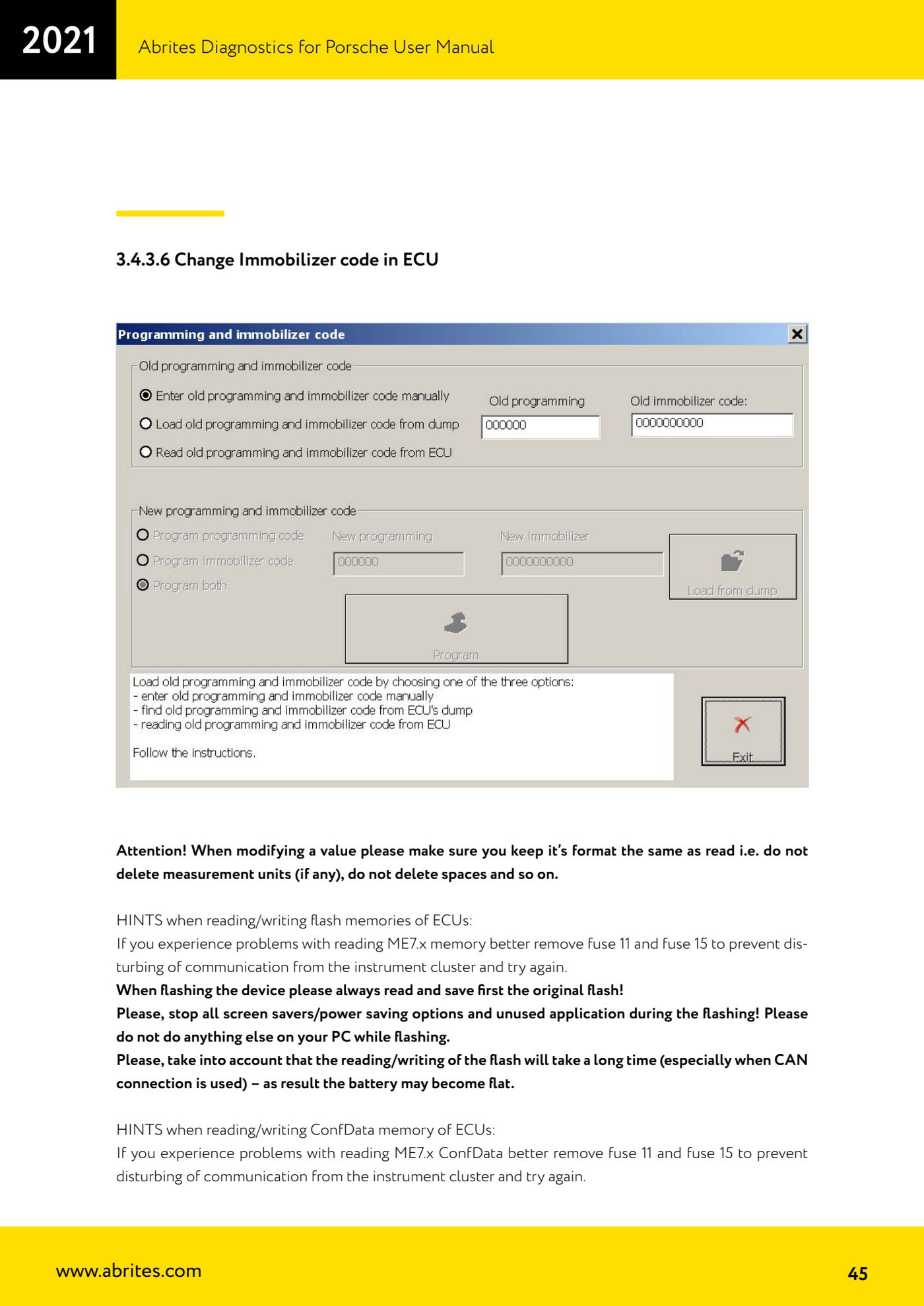
- To change a given field, enter the new values keeping the original format, select the corresponding row and press "Next".
- Check the result by reading the data back with "ECU data" to confirm the values are as expected.
Reference screenshots
Source: Manuale Porsche (interfaccia classica), prima parte, cap. "Read ECU data" e 3.4.3.6 (p.44-45) · ⏱ estimated time 15 min
← All Abrites guides Hardware catalogue
More guides Porsche
- Porsche software setup: protocols, K-Line baud rates, pins and CAN resistance
- Scanning control units, identification, actual values and reading/clearing DTCs
- Coding control unit options with "Coding - Settings" (Boxster 987 PAS example)
- Automatic coding, manual coding and restoring from file (UDS CAN TP units)
- Actuator tests ("Actuator tests") on Porsche control units
- Writing the VIN into a control unit with "Change ID"
- Control unit replacement: copying the configuration data with "Control Unit Replacement"
- CAN instrument cluster 911 997, Boxster 987 and Cayman: ConfData, mileage reading and cluster reset
- Service interval reset and oil level measurement: 911 997, Boxster 987, Cayman
- Reading and erasing the instrument cluster event memory (Instrument Cluster CAN)
- Service interval reset for Panamera, Cayenne 2011+, Macan, 918 Spyder, 911 991 and Boxster/Cayman 981
- Writing and changing the maintenance intervals: Panamera (2010-2012) and Cayenne (2011+)