
Chip-Tools
Programming: reflashing Porsche control units over OBDII
Porsche
Interface New
Flashing / Programming
Advanced
⏱ varies
11 steps
The "Programming" function in the Porsche Online software lets you reprogram modules over OBDII, useful when a control unit has to be updated with a given flash file. It is a guided function that shows the status of the operation and the estimated time remaining step by step.
Required licences
- —
Hardware / cables
 AVDI
AVDI- alimentatore stabilizzato 13,6 V
⚠ WarningIMPORTANT: make sure the flash you select is the correct one for that control unit and that a stable external power supply at 13.6 V is connected. A wrong file or a voltage drop during programming can brick the module. If the required licence is missing the software reports it with a message and the procedure will not start.
Procedure
- Connect a stabilised external power supply delivering 13.6 V to the vehicle battery for the whole duration of the procedure.
- Connect the AVDI to the OBDII socket and start "Abrites Diagnostics for Porsche Online" with a stable internet connection and active AMS.
- Open the "Special functions" menu and select "Programming".
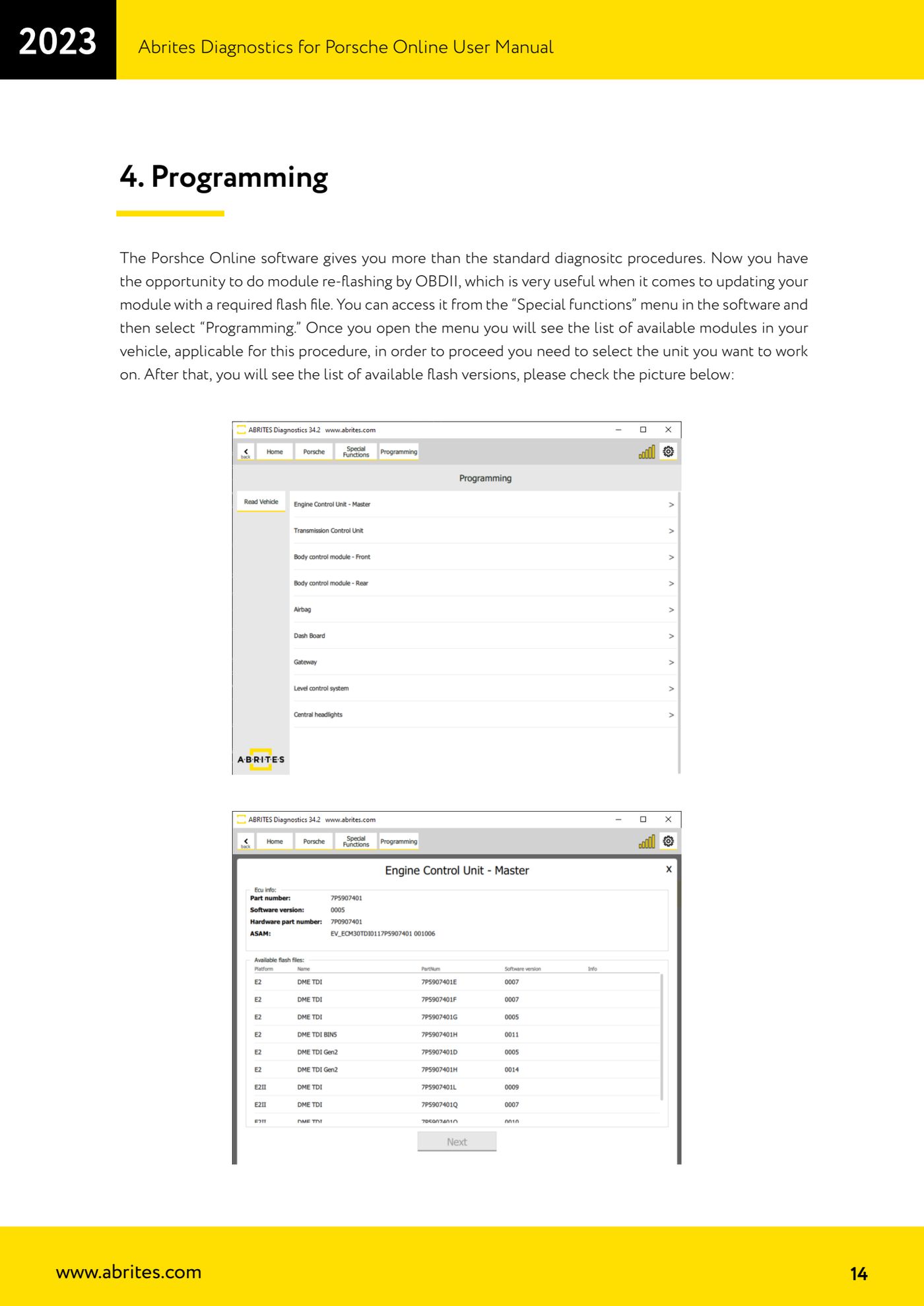
- Wait for the software to list the modules on the car that are compatible with the procedure, then select the control unit you want to work on.
- From the list of flash versions available for that module select the correct version: double-check that it matches the control unit fitted.
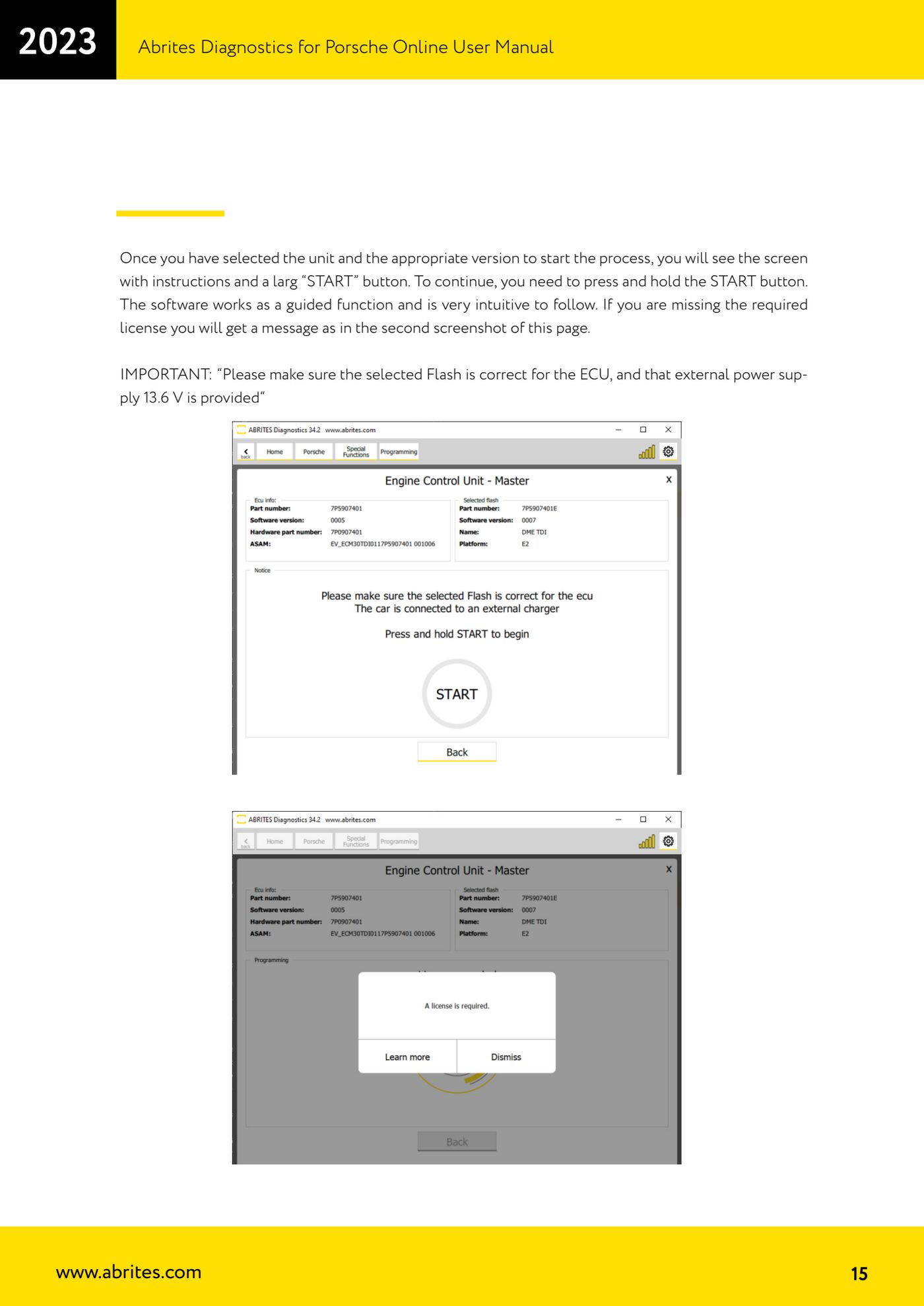
- On the next screen read the instructions shown by the software and check voltage and connections again.
- Press and HOLD DOWN the large "START" button to begin programming (a simple press will not start the procedure).
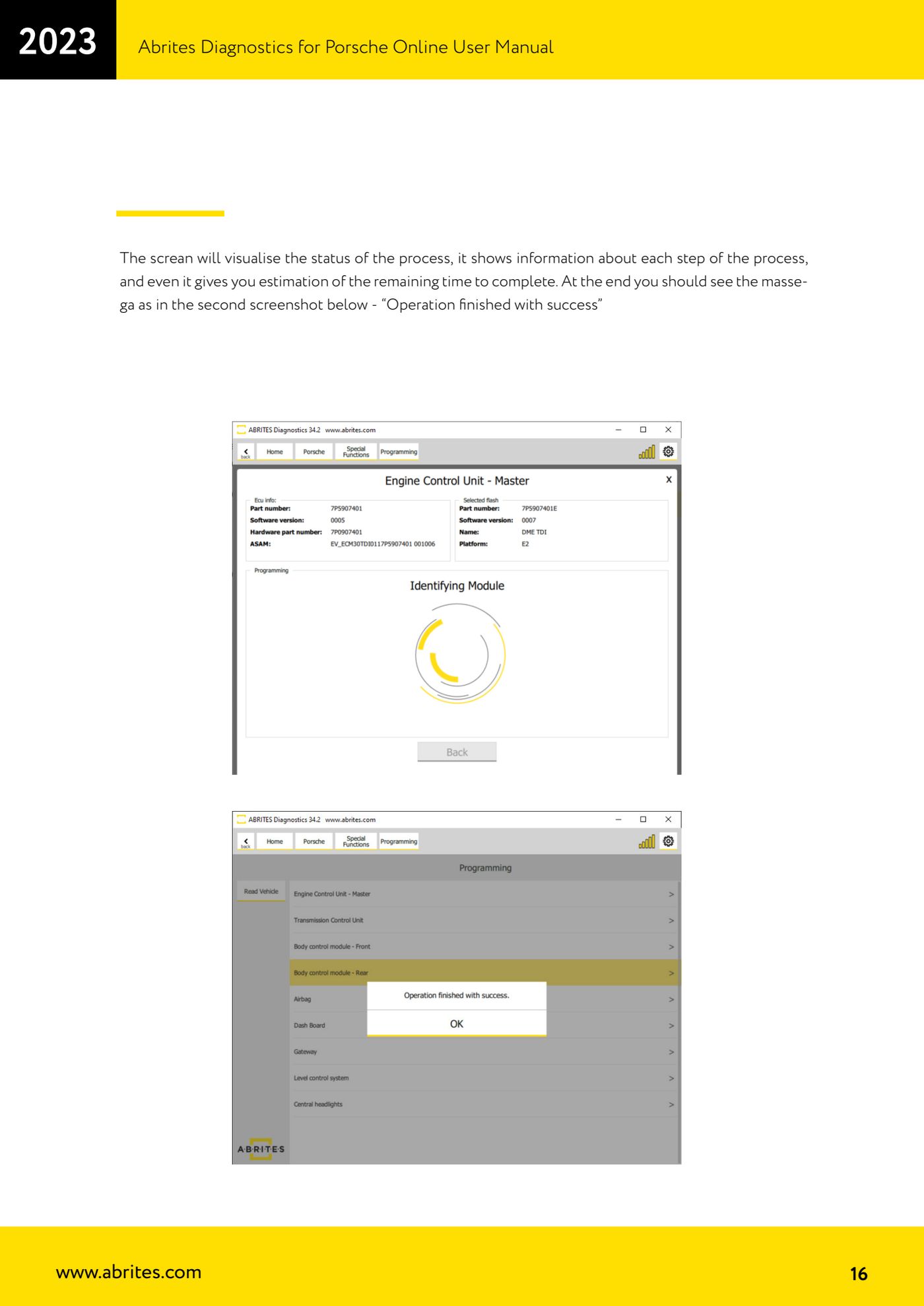
- Do not touch the key, the vehicle controls or the cables during the procedure: follow the status screen, which shows every step of the process and the estimated time remaining.
- Wait for the final message "Operation finished with success": that confirms programming has completed correctly.
- When finished, run a fault code read on all control units, clear the DTCs generated by the reprogramming and check that the car works.
- If the missing licence message appears, the procedure cannot be run: you need the corresponding licence on your AVDI.
Reference screenshots
Source: Manuale Porsche Online, cap. 4 (p.14-16) · ⏱ estimated time varies
← All Abrites guides Hardware catalogue
More guides Porsche
- Porsche software setup: protocols, K-Line baud rates, pins and CAN resistance
- Scanning control units, identification, actual values and reading/clearing DTCs
- Coding control unit options with "Coding - Settings" (Boxster 987 PAS example)
- Automatic coding, manual coding and restoring from file (UDS CAN TP units)
- Actuator tests ("Actuator tests") on Porsche control units
- Writing the VIN into a control unit with "Change ID"
- Control unit replacement: copying the configuration data with "Control Unit Replacement"
- CAN instrument cluster 911 997, Boxster 987 and Cayman: ConfData, mileage reading and cluster reset
- Service interval reset and oil level measurement: 911 997, Boxster 987, Cayman
- Reading and erasing the instrument cluster event memory (Instrument Cluster CAN)
- Service interval reset for Panamera, Cayenne 2011+, Macan, 918 Spyder, 911 991 and Boxster/Cayman 981
- Writing and changing the maintenance intervals: Panamera (2010-2012) and Cayenne (2011+)