
Chip-Tools
Porsche engine ECU: flash and ConfData read/write (ME7.x, ME7.2, ME5.2, ME7.8, MED9.1)
Porsche
Interface Classic
Flashing / Programming
Advanced
⏱ varies (flash read/write is very slow, especially over CAN)
11 steps
Special functions on the engine ECU: reading and writing the configuration data (ConfData) and reading and writing the flash memory. They are used to save the original, work on it and write it back into the ECU.
Required licences
- —
Hardware / cables

⚠ WarningWhen you program the ECU, ALWAYS read and save the original flash first. Turn off the PC's screen saver and power saving and don't use the computer for anything else during programming. Reading and writing the flash takes a long time, especially over CAN, and the vehicle battery can go flat: use a workshop power supply. If you have trouble reading the flash or the ConfData on ME7.x, remove fuse 11 and fuse 15 to eliminate the communication interference coming from the instrument cluster and try again.
Procedure
- Before you start, establish the exact type of engine ECU fitted to the vehicle: this information is essential.
- Open the special functions list and select "Engine control unit".
- Pick the ECU type from the list: ME7.x (wakeup id 0x01), MED9.1, ME7.x (wakeup id 0x11), ME7.2, ME5.2, ME7.8 (9x6), ME7.8 (9x7).
- Connect a regulated power supply to the vehicle and close all unnecessary applications on the PC.
- For the configuration data press "Read ConfData": the software asks whether to auto-detect the ConfData start address and length or whether you want to specify a memory area to read. Once you've chosen, the read starts and the data appears in the hex window.
- Press "Save to file..." to save the contents of the hex window to a binary file.
- To write the ConfData, load the data with "Load from file..." and press "Write ConfData": here too the software asks whether to auto-detect the address and length or whether you want to specify the memory area to write.
- For the flash press "Read flash": the ECU is read and the contents are shown in the hex window. Save it straight away with "Save to file..." as an untouchable original.
- To reprogram, load the file you want to write with "Load from file..." (or modify the flash you read) and press "Write flash": the contents of the hex window are written into the ECU.
- Do not interrupt the operation and do not touch the PC until the write has finished.
- When it's done, read the ECU back and compare the contents with what you wrote, then run a fault read and clear on the vehicle.
Reference screenshots
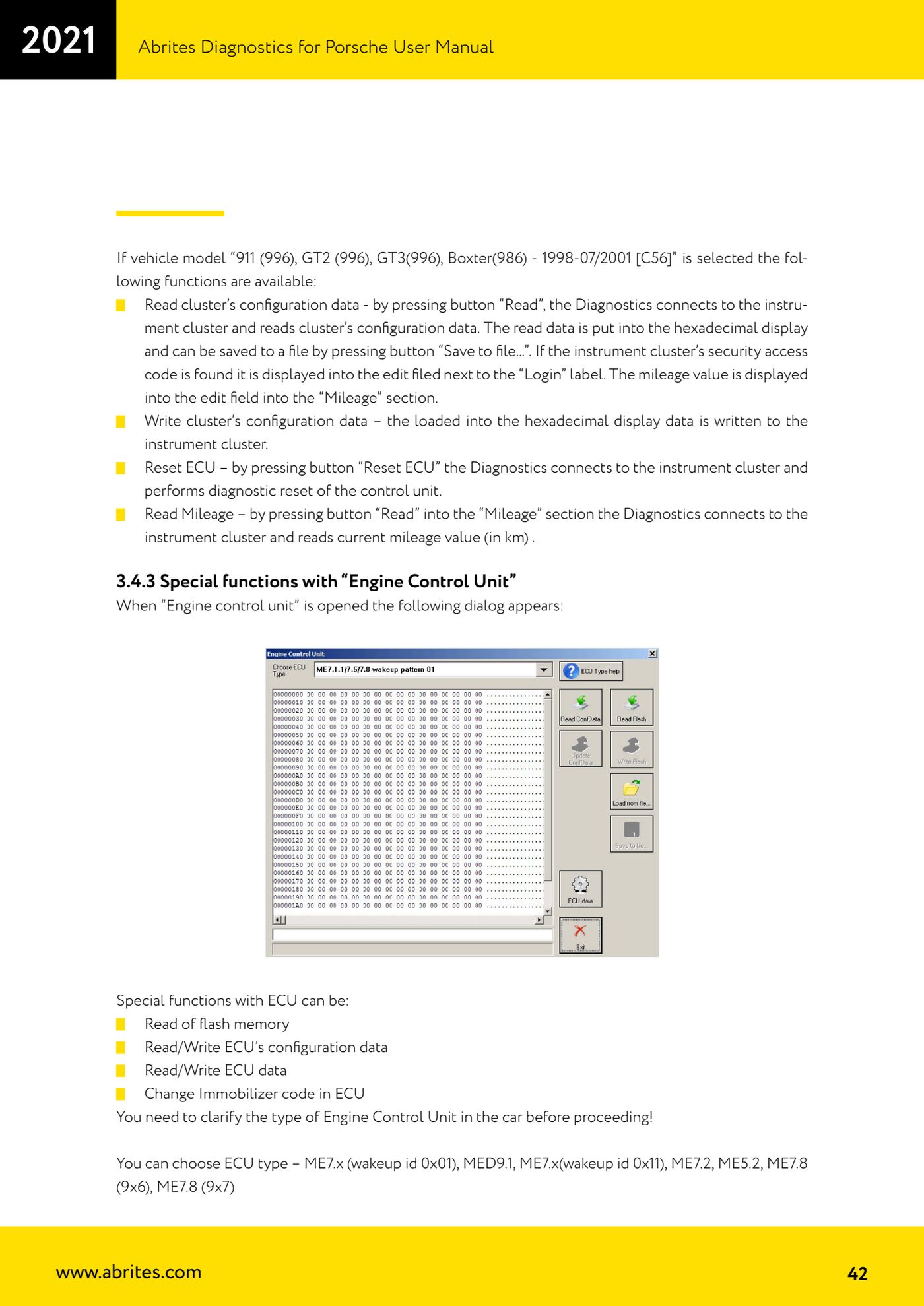
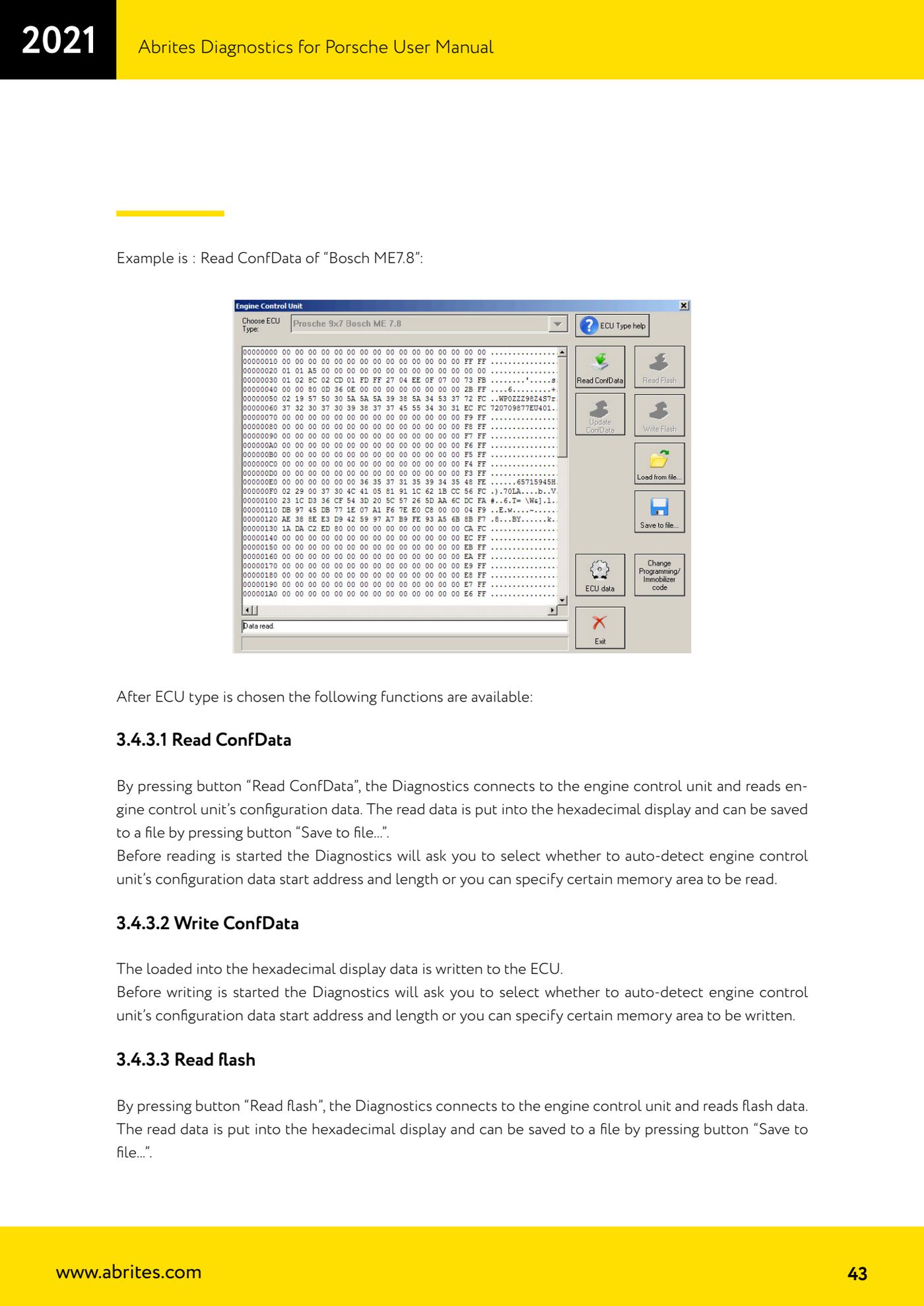
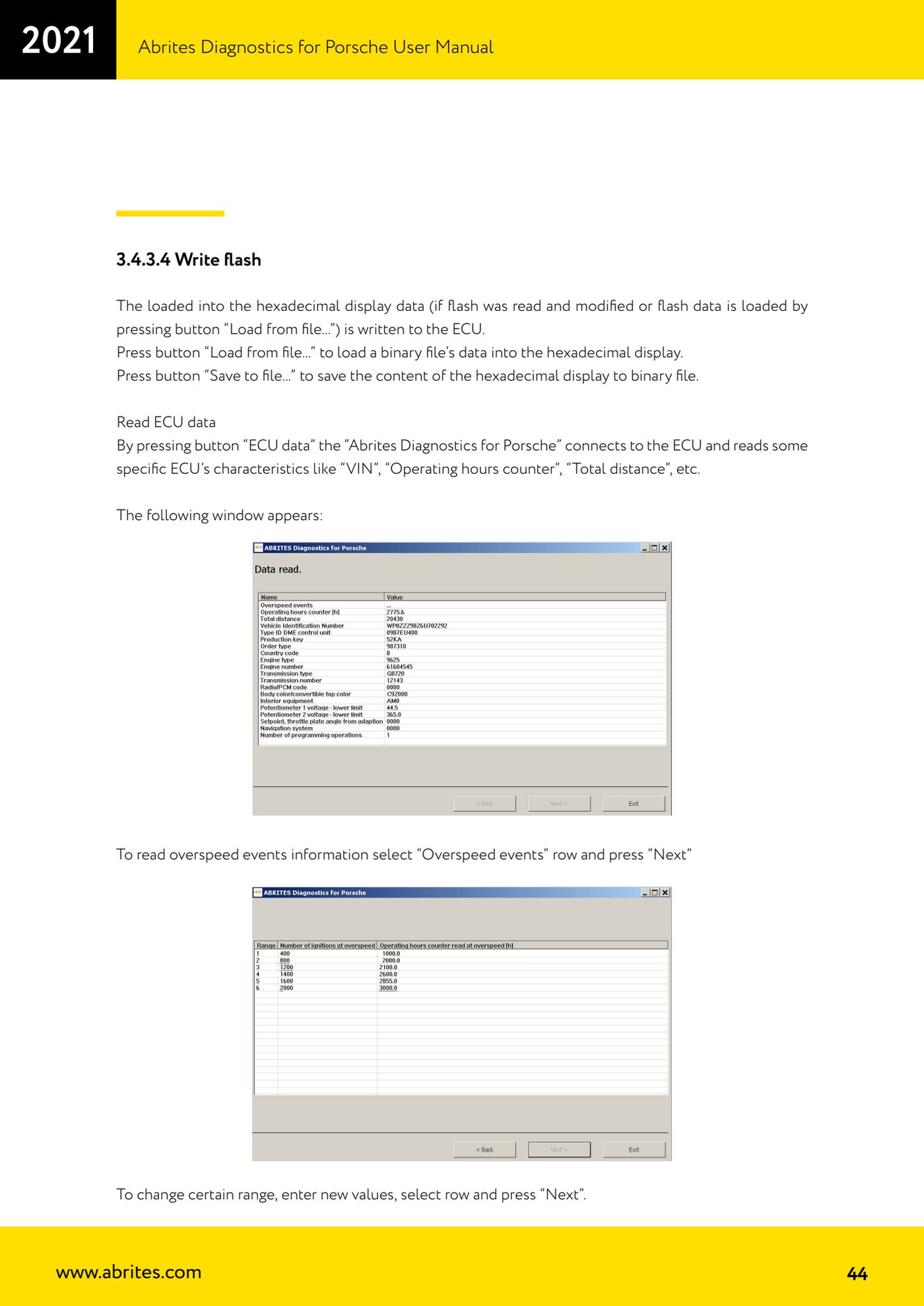
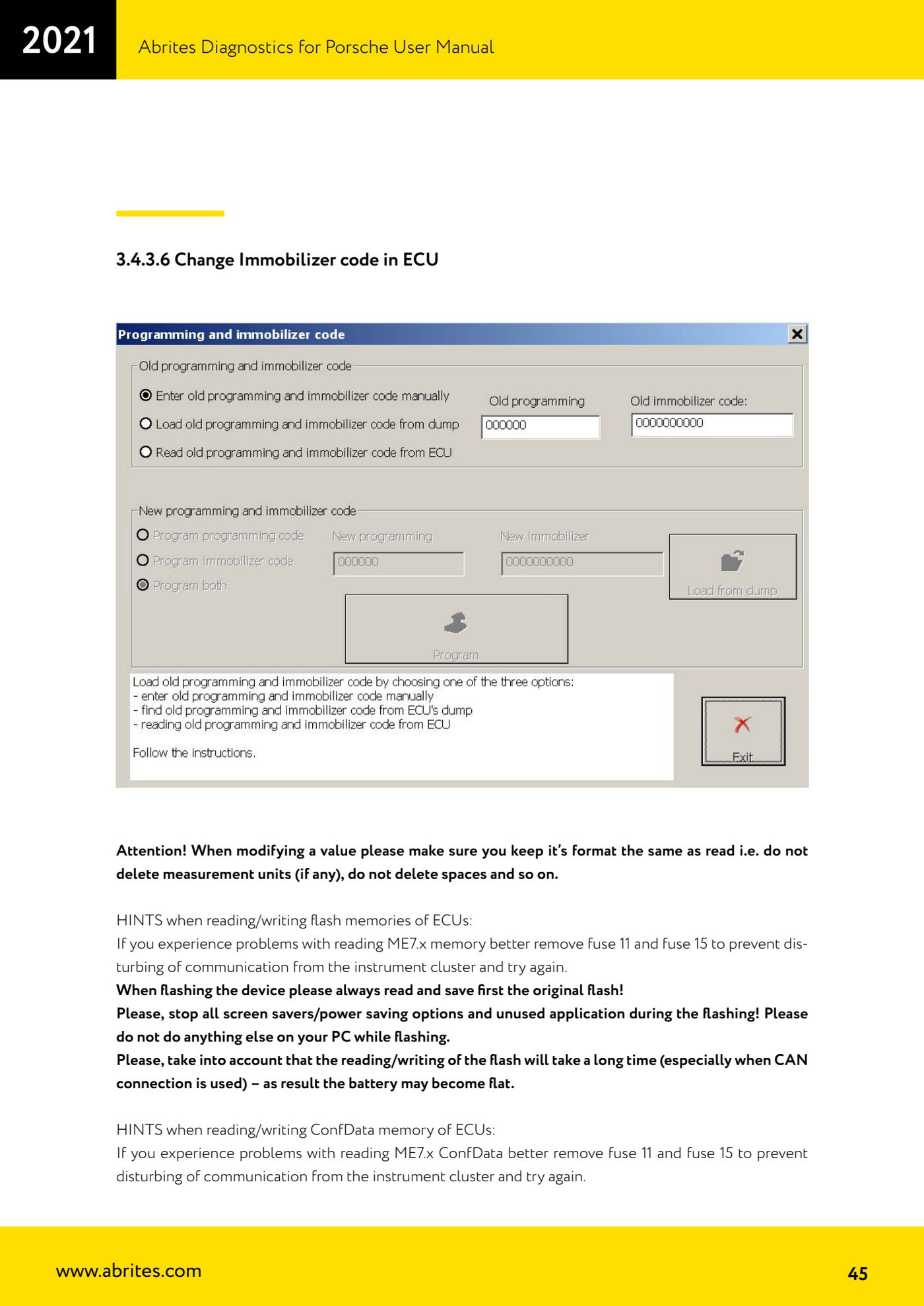
Source: Manuale Porsche (interfaccia classica), prima parte, cap. 3.4.3, 3.4.3.1-3.4.3.4 e HINTS (p.42-45) · ⏱ estimated time varies (flash read/write is very slow, especially over CAN)
← All Abrites guides Hardware catalogue
More guides Porsche
- Porsche software setup: protocols, K-Line baud rates, pins and CAN resistance
- Scanning control units, identification, actual values and reading/clearing DTCs
- Coding control unit options with "Coding - Settings" (Boxster 987 PAS example)
- Automatic coding, manual coding and restoring from file (UDS CAN TP units)
- Actuator tests ("Actuator tests") on Porsche control units
- Writing the VIN into a control unit with "Change ID"
- Control unit replacement: copying the configuration data with "Control Unit Replacement"
- CAN instrument cluster 911 997, Boxster 987 and Cayman: ConfData, mileage reading and cluster reset
- Service interval reset and oil level measurement: 911 997, Boxster 987, Cayman
- Reading and erasing the instrument cluster event memory (Instrument Cluster CAN)
- Service interval reset for Panamera, Cayenne 2011+, Macan, 918 Spyder, 911 991 and Boxster/Cayman 981
- Writing and changing the maintenance intervals: Panamera (2010-2012) and Cayenne (2011+)