
Chip-Tools
Key programming from the BCM Front dump - Panamera 970, 911 991, Boxster/Cayman 981, Cayenne 92A, Macan 95B
Porsche
Interface Classic
Keys / Immo
Advanced
⏱ 60-90 min
13 steps
Procedure for teaching new keys to Panamera 970, 911 991, Boxster/Cayman 981, Cayenne 92A and Macan 95B starting from the BCM Front Dflash (EEPROM) dump. The software prepares the key as a "Dealer key" in the PROTAG and then learns it to the car.


⚠ WarningBefore you start you must locate the BCM Front and read its Dflash (EEPROM) with a programmer, saving the file to a folder you know on the PC: without that dump the procedure will not start. The key must be placed in the TAG programmer or PROTAG before you load the dump, otherwise the software will report that no key is present.
Procedure
- Locate the BCM Front on the car and read its Dflash (EEPROM) with the programmer; save the file to a PC folder whose path you will remember.
- Connect the AVDI to the car and connect the TAG programmer or the PROTAG to the AVDI.
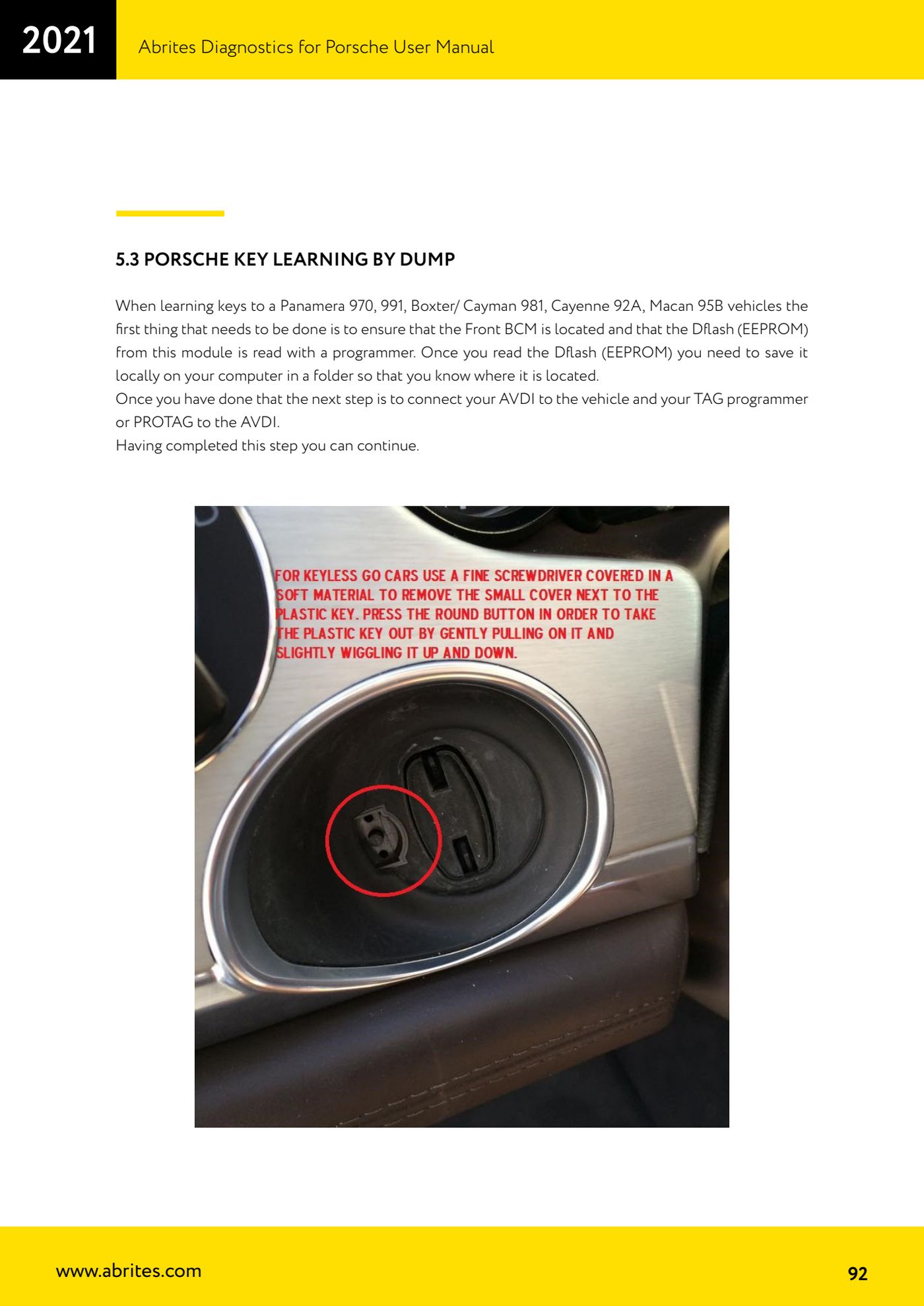
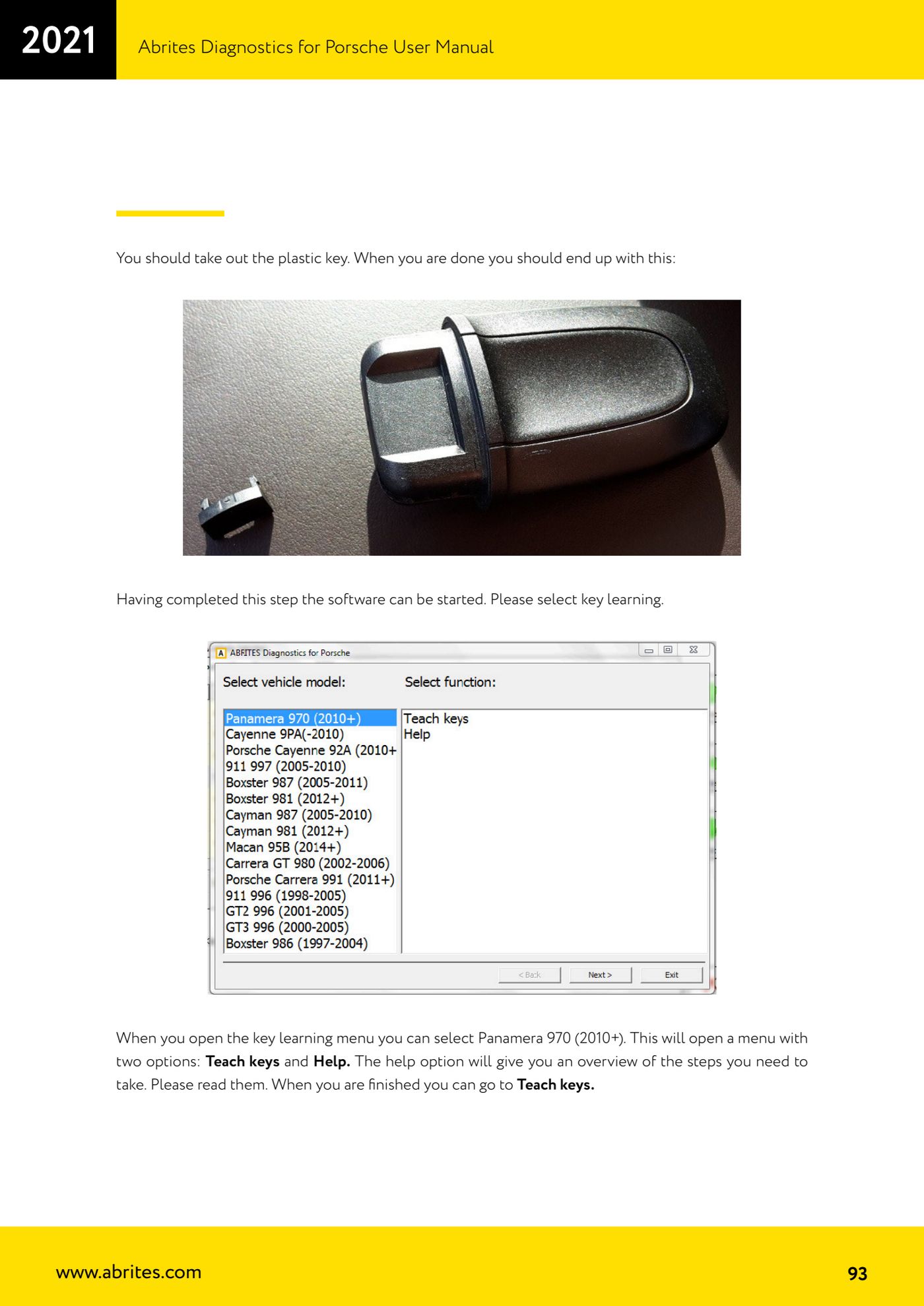
- Strip the key by pulling out the plastic part (emergency key) until only the transponder/electronics are left, as shown in the manual.
- Start the software and select "Key learning".
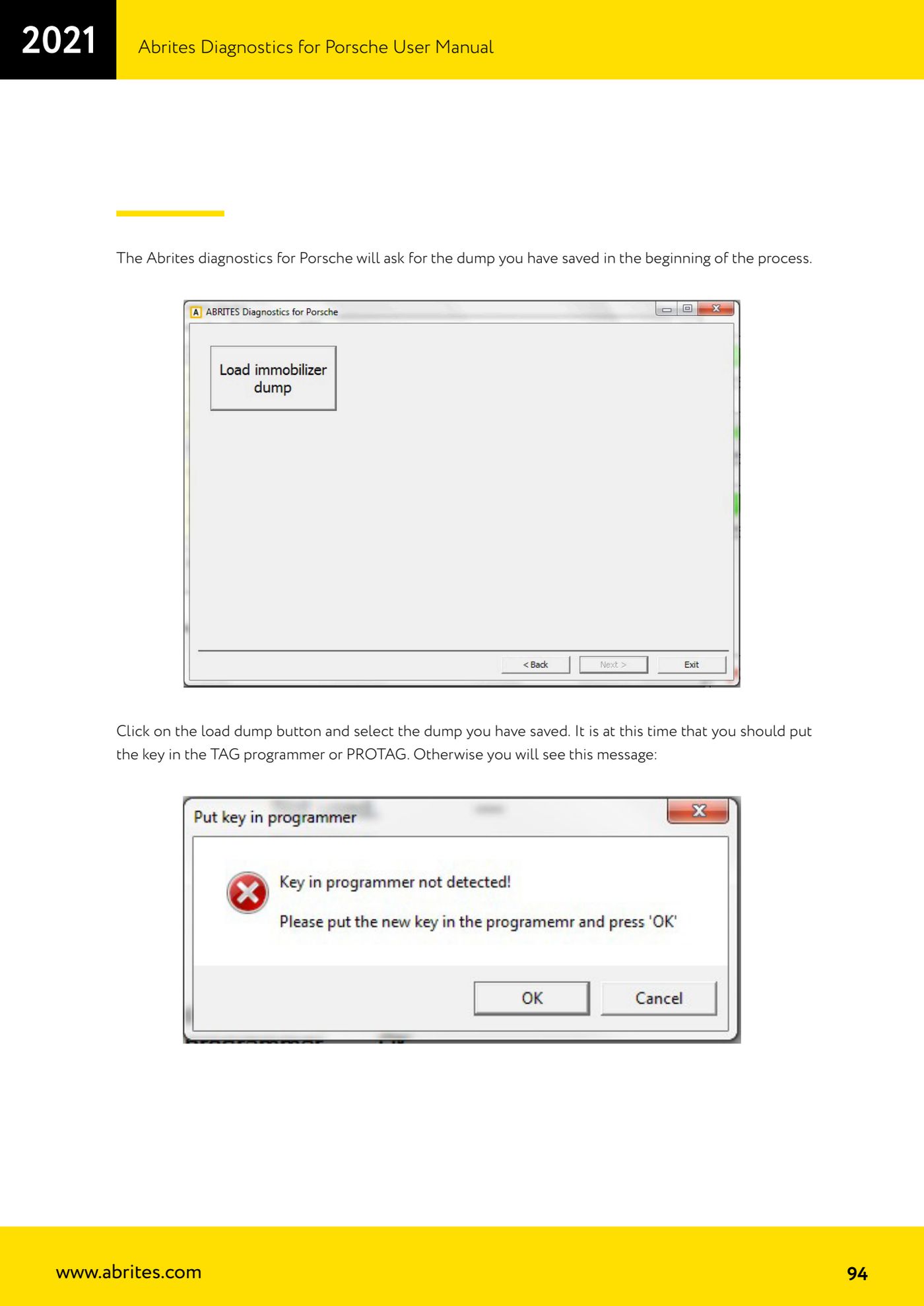
- In the key learning menu select the model, for example "Panamera 970 (2010+)": two entries appear, "Teach keys" and "Help". Open "Help" first and read the summary of the steps, then go to "Teach keys".
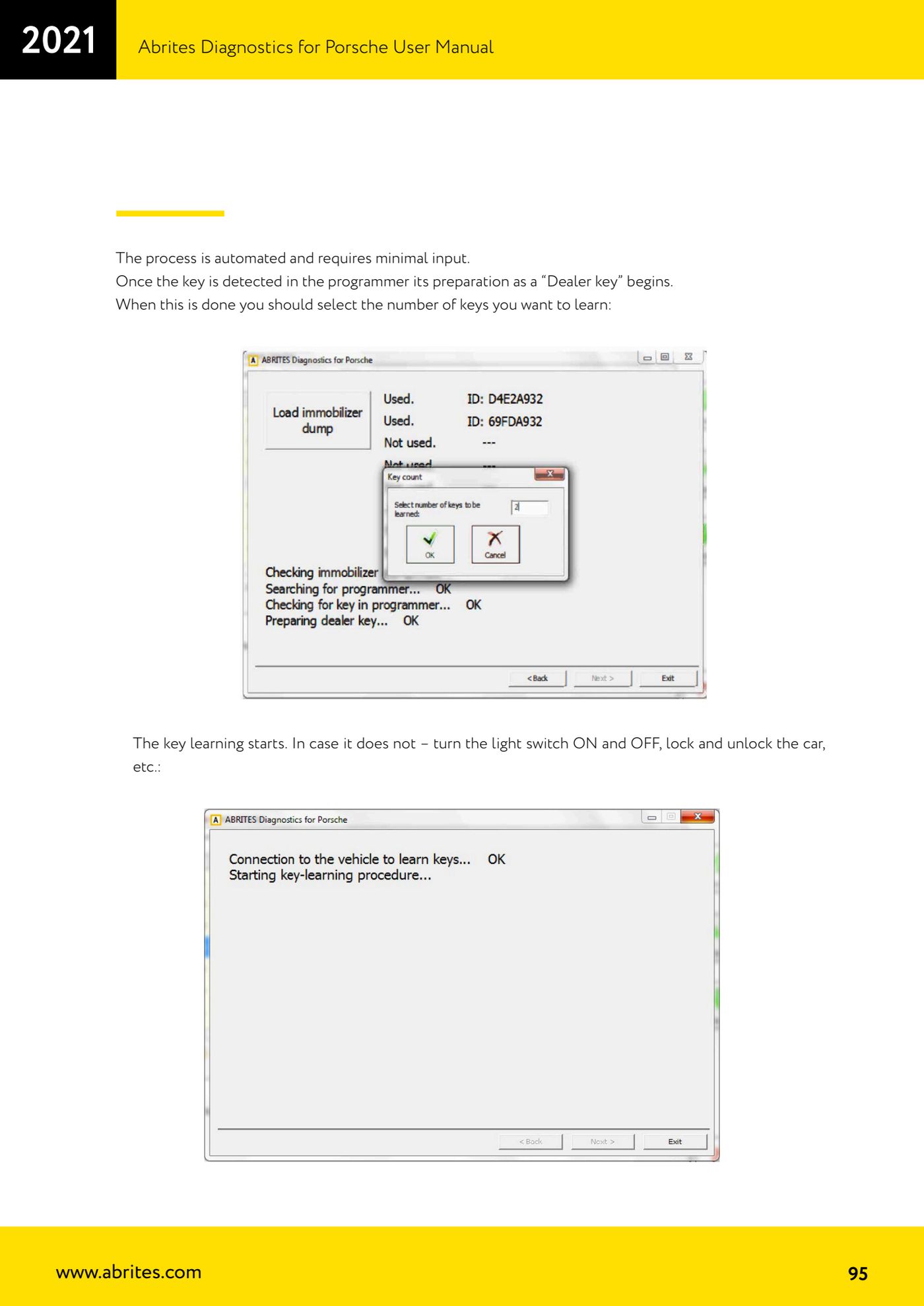
- The software asks for the dump you saved at the start: press the load dump button and select the file. At this point the key must already be in the TAG programmer or PROTAG, otherwise the key-not-detected message appears.
- Once the key is detected in the programmer it is automatically prepared as a "Dealer key": the process is automated and needs very little input.
- When that finishes, select the number of keys you want to learn.
- Key learning starts. If it does not start, switch the light switch ON and OFF, lock and unlock the car with the keys, and so on.
- Put one of the prepared keys in the car's key slot/holder and turn the ignition to "Ignition ON".
- Repeat the same step for the second key.
- Once the procedure completes successfully the car has two working keys, remotes included; sometimes the remotes need the car to be locked and unlocked a few times.
- To get the keyless function working, reassemble the plastic key (reverse of the stripping) and activate it by pressing the lock and unlock buttons on the remotes.
Reference screenshots
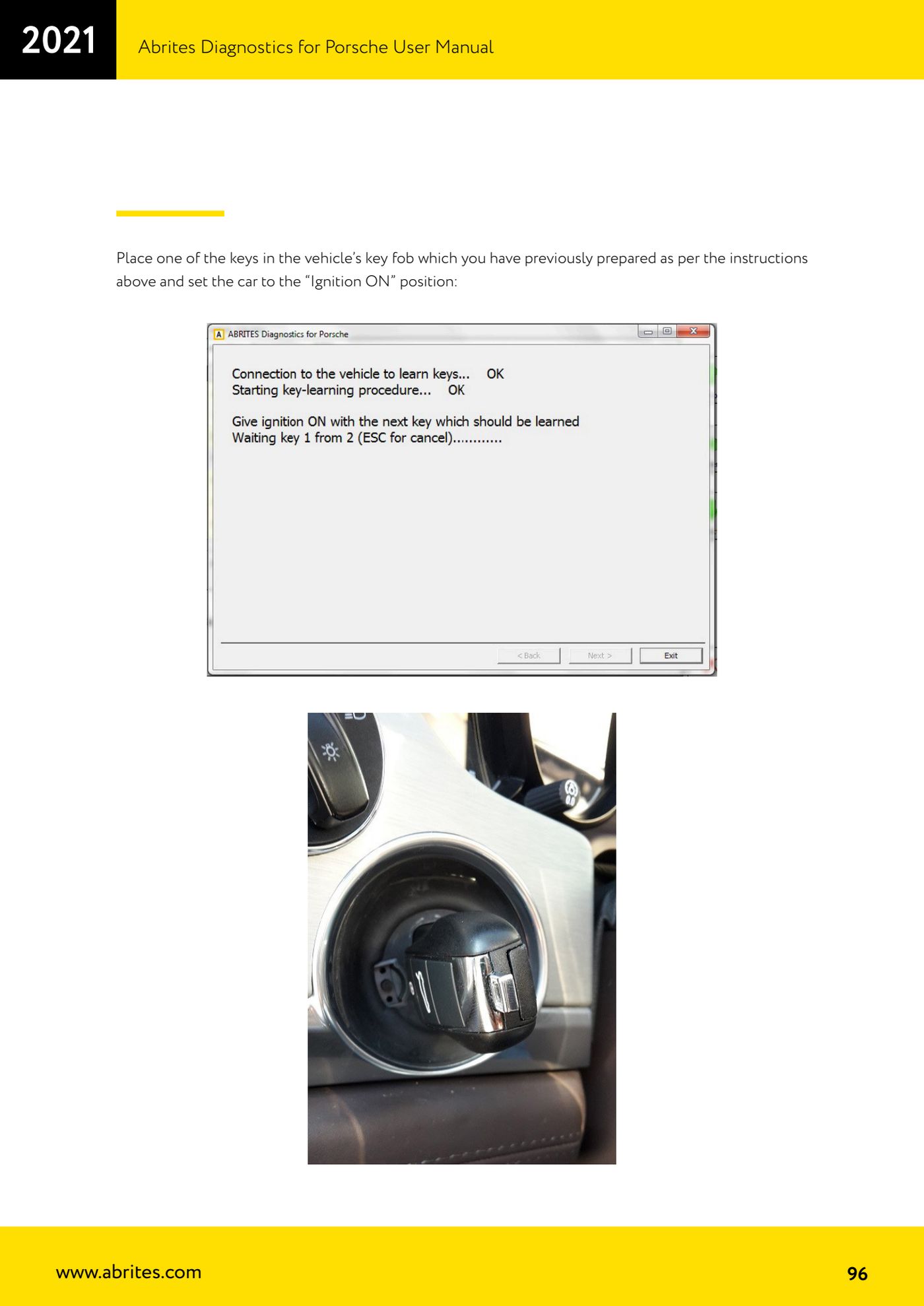
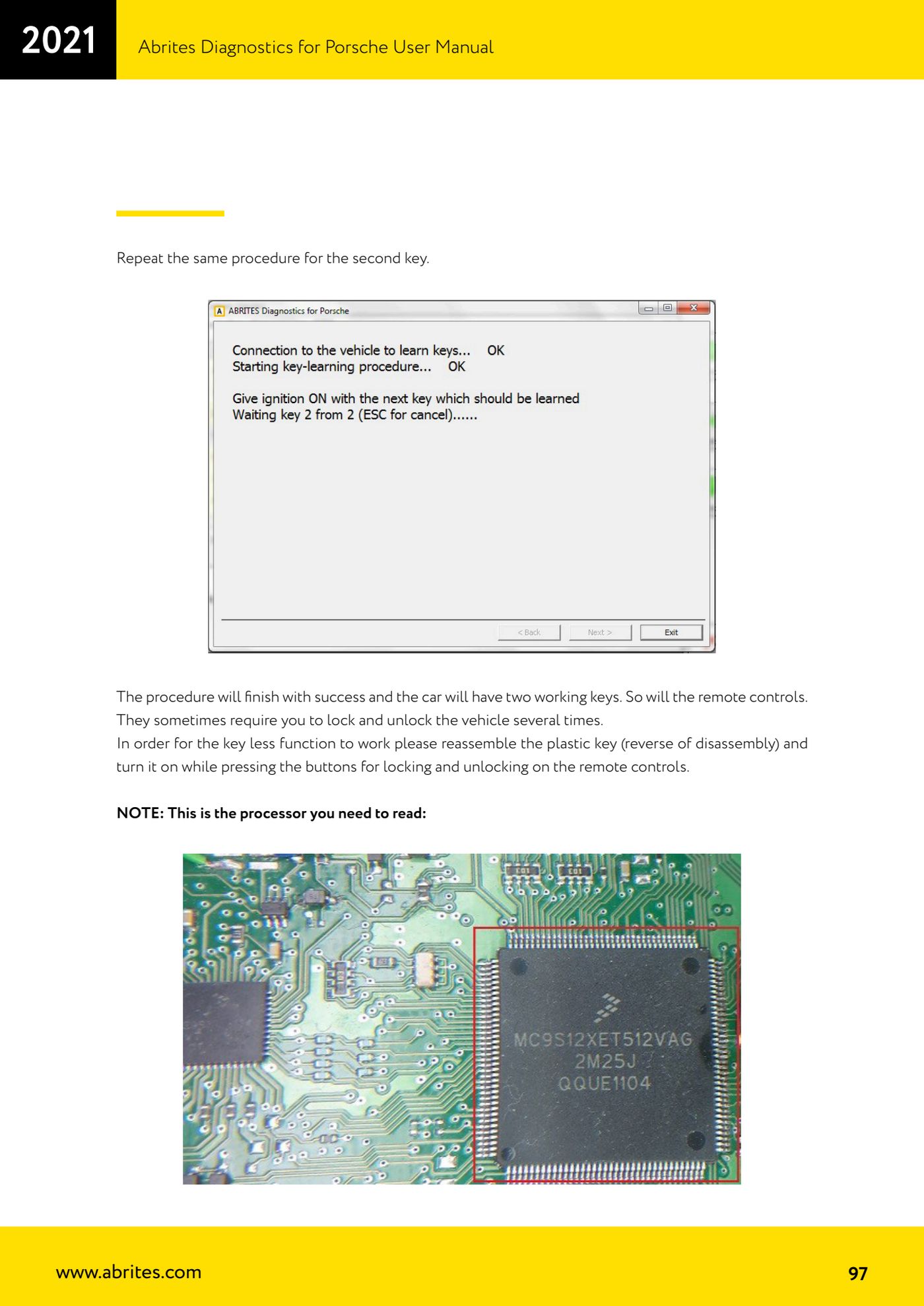
Source: Manuale Porsche (interfaccia classica), terza parte, appendice 5.3 "Porsche key learning by dump" (p.92-97) · ⏱ estimated time 60-90 min
← All Abrites guides Hardware catalogue
More guides Porsche
- Porsche software setup: protocols, K-Line baud rates, pins and CAN resistance
- Scanning control units, identification, actual values and reading/clearing DTCs
- Coding control unit options with "Coding - Settings" (Boxster 987 PAS example)
- Automatic coding, manual coding and restoring from file (UDS CAN TP units)
- Actuator tests ("Actuator tests") on Porsche control units
- Writing the VIN into a control unit with "Change ID"
- Control unit replacement: copying the configuration data with "Control Unit Replacement"
- CAN instrument cluster 911 997, Boxster 987 and Cayman: ConfData, mileage reading and cluster reset
- Service interval reset and oil level measurement: 911 997, Boxster 987, Cayman
- Reading and erasing the instrument cluster event memory (Instrument Cluster CAN)
- Service interval reset for Panamera, Cayenne 2011+, Macan, 918 Spyder, 911 991 and Boxster/Cayman 981
- Writing and changing the maintenance intervals: Panamera (2010-2012) and Cayenne (2011+)