
Chip-Tools
Component protection: adapting the Airbag unit to the Gateway - Porsche Cayenne 9PA
Porsche
Interface Classic
Special Functions
Advanced
⏱ 30-60 min
8 steps
Some Porsche modules have "Component Protection": fitted to a different car they set the DTC "component protection active" and run with reduced functionality. On the Cayenne 9PA the modules involved are the Gateway (master) and the Airbag (slave). This function clears the fault code and adapts the slave to the master.
Required licences
- —
Hardware / cables
 AVDI
AVDI- programmatore EEPROM
⚠ WarningIf the module reads "Not virgin" it CANNOT be adapted directly: it must first be reset to "Virgin" state over OBDII and only then adapted using the master Gateway's ConfigData dump. You need the vehicle Gateway's ConfigData dump, read with a programmer.
Procedure
- Read the ConfigData dump of the Gateway (master module) of the car you are working on with the programmer and save it on the PC.
- Connect the AVDI to the OBDII socket, switch the ignition on and start "Abrites Diagnostics for Porsche".
- Run the special function "Component protection": the system is examined and the status of the component-protected modules is shown, either "Virgin" or "Not virgin" (screen 1: Gateway and Airbag status).
- If the Airbag module status is "Not Virgin", first reset it to virgin state over OBDII (screen 2).
- Check that the module now reads "Virgin" (screen 3).
- To teach the module, load the vehicle Gateway's ConfigData dump saved in step 1 (screen 4).
- Wait for completion: the module is now correctly adapted to the car (screen 5).
- Clear the DTCs and check that the "component protection active" fault does not come back and that the module has full functionality.
Reference screenshots
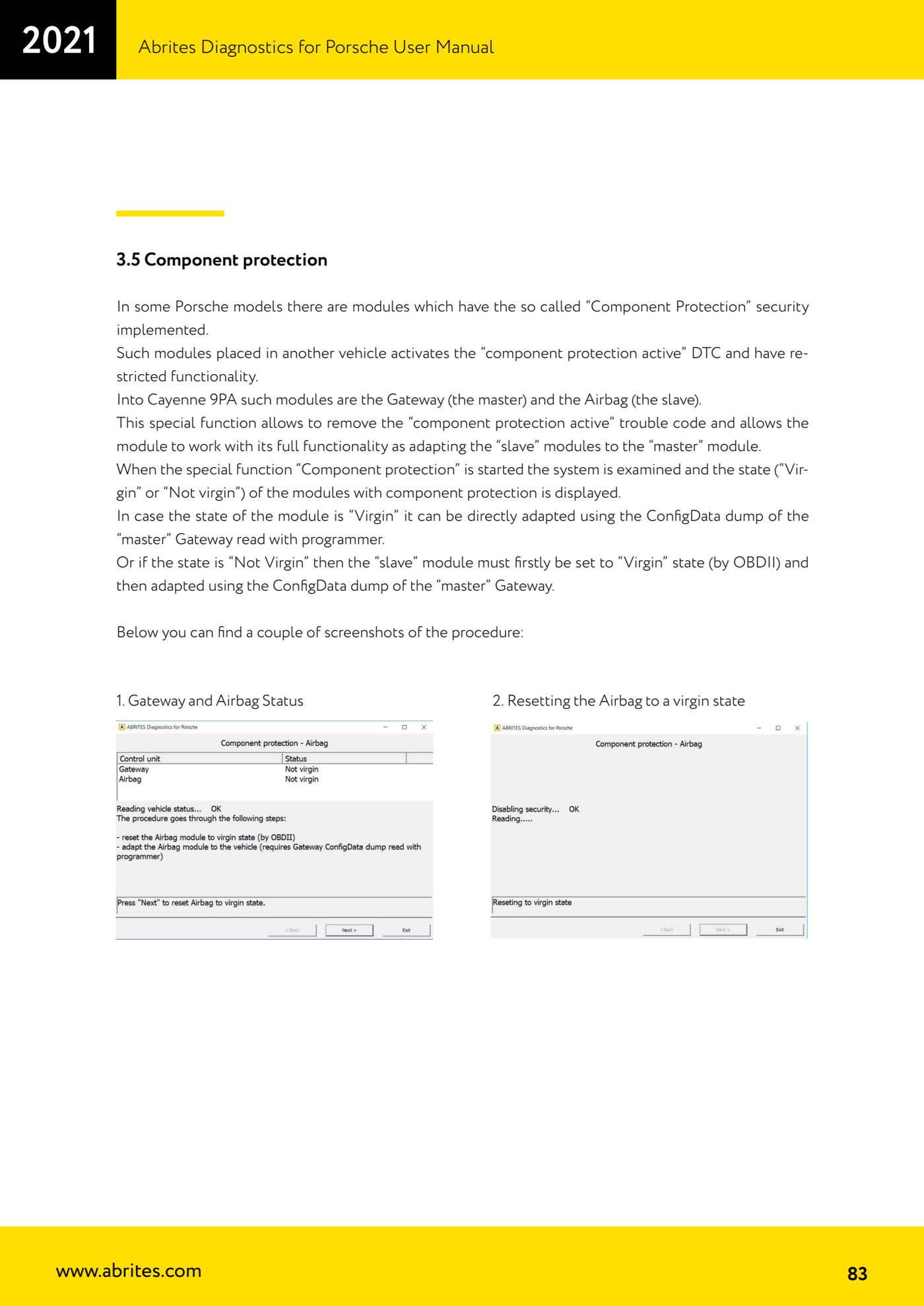
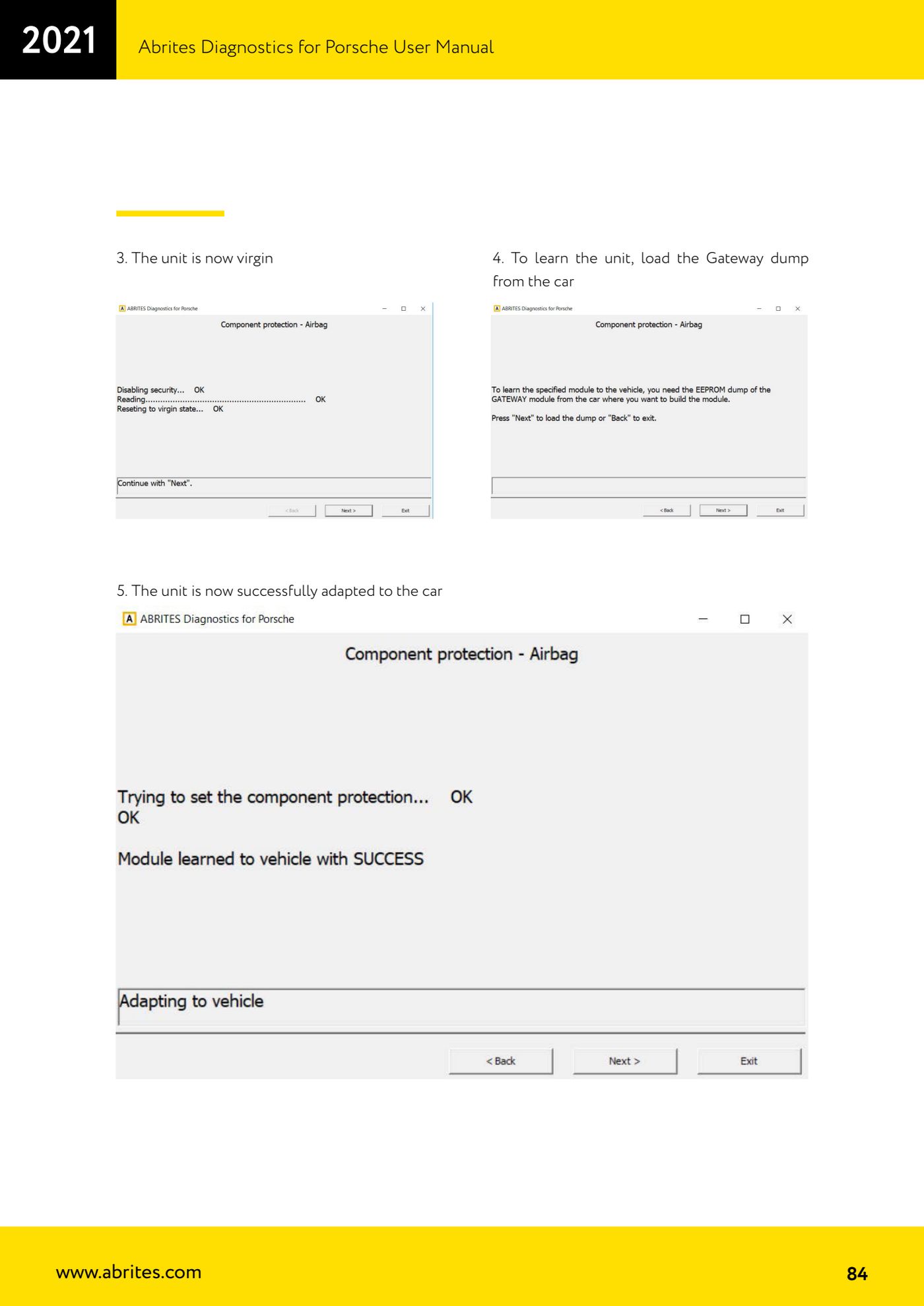
Source: Manuale Porsche (interfaccia classica), terza parte, cap. 3.5 (p.83-84) · ⏱ estimated time 30-60 min
← All Abrites guides Hardware catalogue
More guides Porsche
- Porsche software setup: protocols, K-Line baud rates, pins and CAN resistance
- Scanning control units, identification, actual values and reading/clearing DTCs
- Coding control unit options with "Coding - Settings" (Boxster 987 PAS example)
- Automatic coding, manual coding and restoring from file (UDS CAN TP units)
- Actuator tests ("Actuator tests") on Porsche control units
- Writing the VIN into a control unit with "Change ID"
- Control unit replacement: copying the configuration data with "Control Unit Replacement"
- CAN instrument cluster 911 997, Boxster 987 and Cayman: ConfData, mileage reading and cluster reset
- Service interval reset and oil level measurement: 911 997, Boxster 987, Cayman
- Reading and erasing the instrument cluster event memory (Instrument Cluster CAN)
- Service interval reset for Panamera, Cayenne 2011+, Macan, 918 Spyder, 911 991 and Boxster/Cayman 981
- Writing and changing the maintenance intervals: Panamera (2010-2012) and Cayenne (2011+)