
Chip-Tools
Vehicle scan and module identification on Opel/Vauxhall (Buick/Cadillac/Chevrolet/GMC)
Opel
Interface Classic
Diagnostics
Basic
⏱ 10-15 min
8 steps
First job on any Opel/Vauxhall: connect the AVDI, scan the modules present and read the identification of the individual control unit (VIN, part number, ID, software version, programming date, manufacturer). It tells you how the car is equipped and which module to work on.
Required licences
- —
Hardware / cables

Procedure
- Connect the AVDI to the vehicle's diagnostic socket and to the PC, then turn the ignition ON.
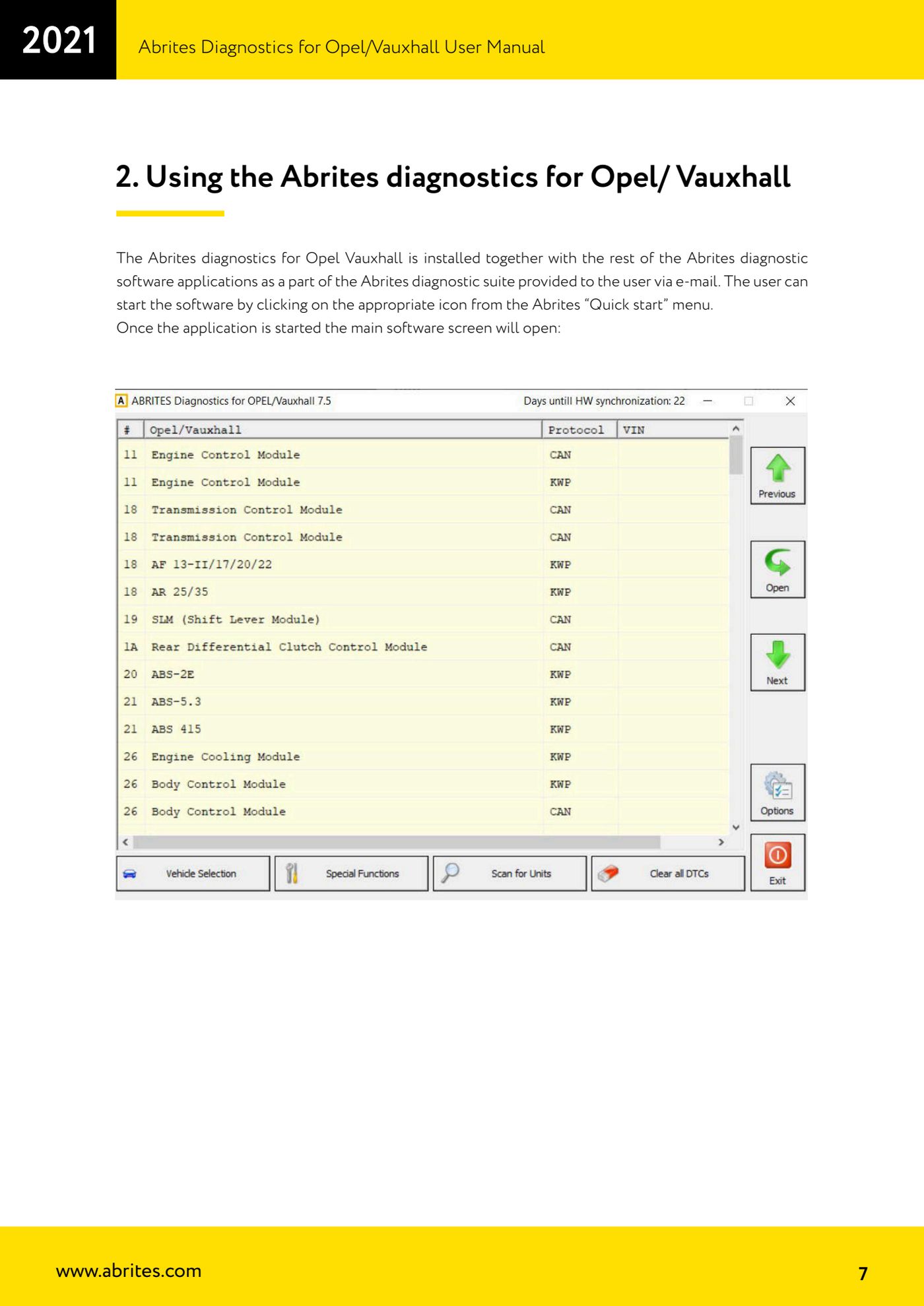
- Start "Abrites Diagnostics for Opel/Vauxhall" from the icon in the "Quick start" menu of the Abrites suite.
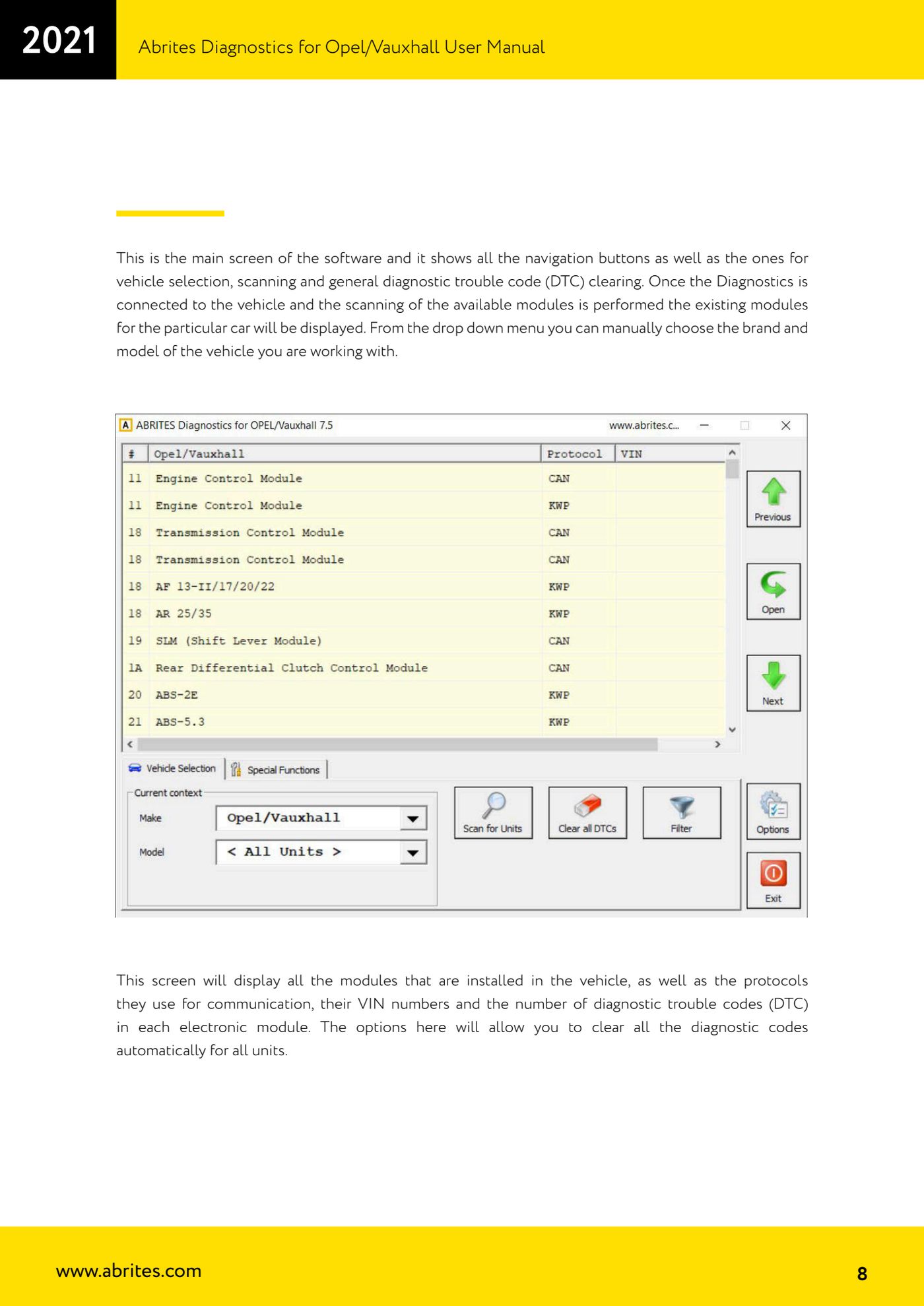
- On the main screen pick make and model from the drop-down menu, or let the scan identify the modules instead.
- Press the scan button: the software lists all the modules fitted, the communication protocol each uses, the stored VIN and the number of DTCs present in each.
- Check the DTC column to spot the faulty modules straight away; from this screen you can also automatically clear the codes in all units in one go.
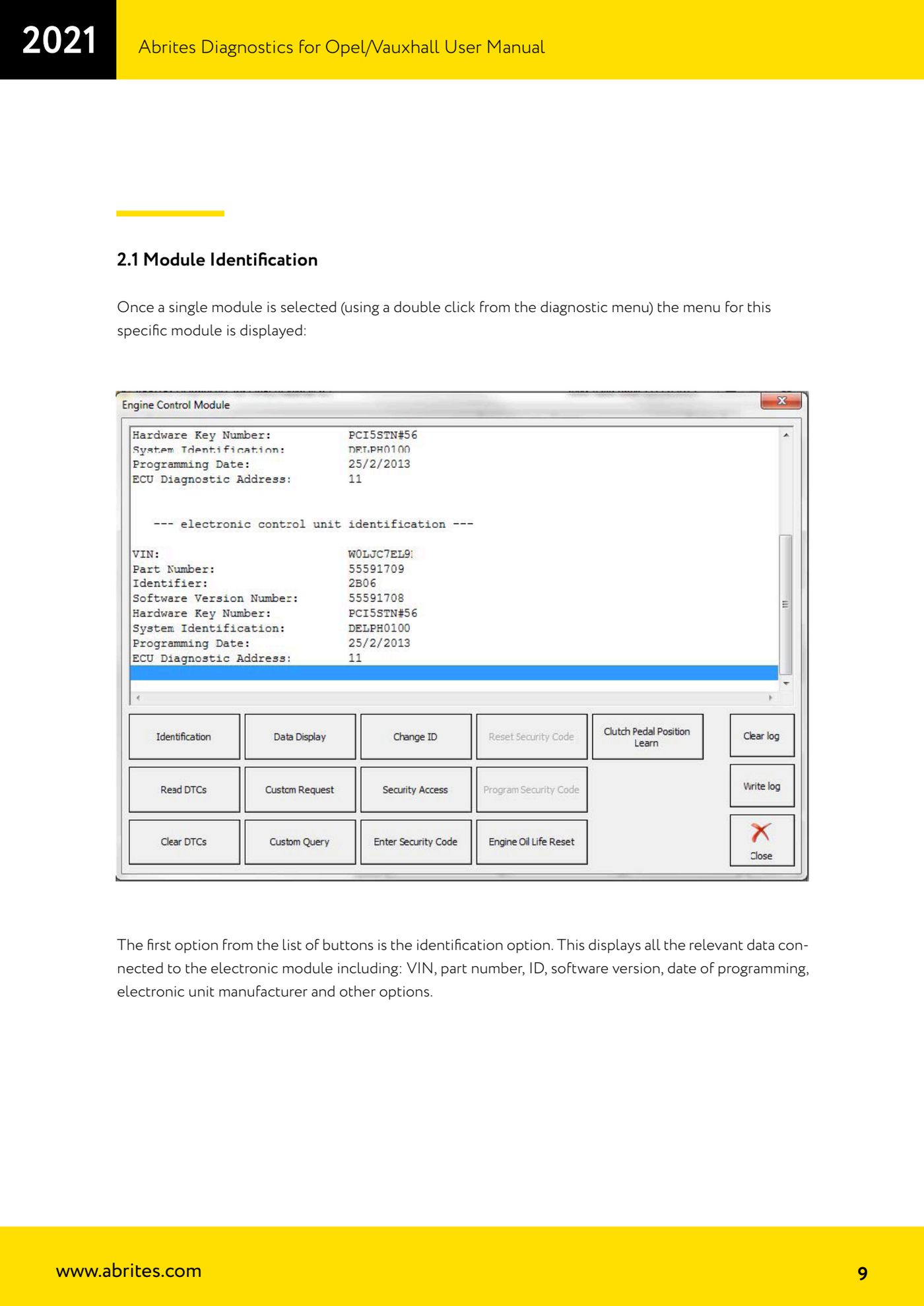
- Double-click a module to open its dedicated menu.
- In the module menu press the first entry, identification: read the unit's VIN, part number, ID, software version, programming date and manufacturer.
- Write down the part number and ID before any replacement or adaptation work: you will need them to compare the new unit with the original.
Reference screenshots
Source: Manuale Opel/Vauxhall (anche Buick/Cadillac/Chevrolet/GMC), cap. 2 e 2.1 (p.7-9) · ⏱ estimated time 10-15 min
← All Abrites guides Hardware catalogue
More guides Opel
- Reading and clearing DTCs on Opel/Vauxhall
- Live Data reading and actuator tests on Opel/Vauxhall modules
- Engine oil service reset and clutch pedal position learn (Opel/Vauxhall)
- Security access and module ID change for used control units (Opel/Vauxhall)
- Reading the Security Code (PIN) from an Opel/Vauxhall, Buick, Cadillac, Chevrolet, GMC control unit
- Opel/Vauxhall key programming with Key Learning (program keys / add key)
- Legacy Mode: erasing transponder keys and mechanical key number (Astra H, Corsa D, Vectra C/Signum, Zafira B)
- Key programming on Opel Vivaro and Movano (all keys in a single session)
- CAN Calibration: Opel/Vauxhall odometer correction (Corsa C note)
- Reading and updating Configuration Data and ECU Flasher on Opel/Vauxhall
- Reading the Radio Code of Opel/Vauxhall multimedia units
- Clearing crash data on Opel/Vauxhall airbag modules (TEMIC 68HC908, SIEMENS 68HC11E9)