
Chip-Tools
Reading and updating Configuration Data and ECU Flasher on Opel/Vauxhall
Opel
Interface Classic
Flashing / Programming
Advanced
⏱ 30-60 min
10 steps
Two related functions: reading and updating the configuration data of Opel/Vauxhall control units, with the option of saving it to the PC, and the ECU Flasher, which reads, saves locally and updates the ECU flash data.
Required licences
- —
Hardware / cables

⚠ WarningAlways save the file you have read (configuration data and flash) locally on the PC before writing any change: it is the only way back if the write does not go through.
Procedure
- Make sure the vehicle has a stable power supply and the PC-to-AVDI connection is reliable before starting any read or write.
- Connect the AVDI, ignition ON, and open the Opel/Vauxhall software.
- For configuration data: from the "Special Functions" list start the Configuration Data read and update function.
- Select the control unit concerned and read the configuration data.
- Save the file you have read locally on the PC: that is your starting backup.
- Apply the changes needed to the configuration data and write them to the control unit.
- For the flash: start "ECU Flasher" from the "Special Functions" list and select the engine control unit.
- Read the flash and save the file locally on the PC before doing any work.
- Load the updated file and run the write, without interrupting the power supply or unplugging the AVDI during the operation.
- Once the write is done, cycle the ignition, re-read the ECU identification and clear the DTCs that have been generated.
Reference screenshots
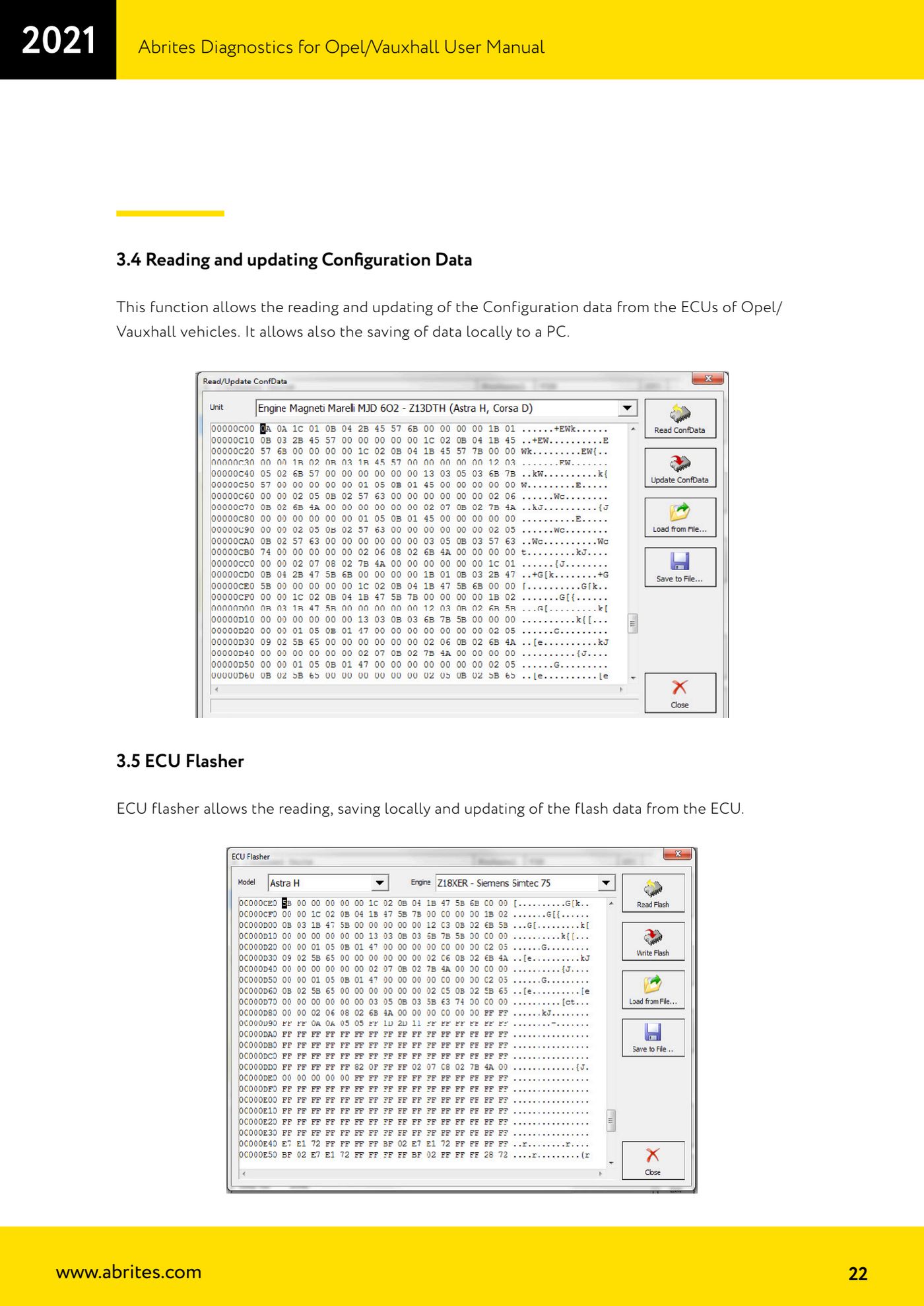
Source: Manuale Opel/Vauxhall (anche Buick/Cadillac/Chevrolet/GMC), cap. 3.4 e 3.5 (p.22) · ⏱ estimated time 30-60 min
← All Abrites guides Hardware catalogue
More guides Opel
- Vehicle scan and module identification on Opel/Vauxhall (Buick/Cadillac/Chevrolet/GMC)
- Reading and clearing DTCs on Opel/Vauxhall
- Live Data reading and actuator tests on Opel/Vauxhall modules
- Engine oil service reset and clutch pedal position learn (Opel/Vauxhall)
- Security access and module ID change for used control units (Opel/Vauxhall)
- Reading the Security Code (PIN) from an Opel/Vauxhall, Buick, Cadillac, Chevrolet, GMC control unit
- Opel/Vauxhall key programming with Key Learning (program keys / add key)
- Legacy Mode: erasing transponder keys and mechanical key number (Astra H, Corsa D, Vectra C/Signum, Zafira B)
- Key programming on Opel Vivaro and Movano (all keys in a single session)
- CAN Calibration: Opel/Vauxhall odometer correction (Corsa C note)
- Reading the Radio Code of Opel/Vauxhall multimedia units
- Clearing crash data on Opel/Vauxhall airbag modules (TEMIC 68HC908, SIEMENS 68HC11E9)