
Chip-Tools
Reading the Radio Code of Opel/Vauxhall multimedia units
Opel
Interface Classic
Special Functions
Basic
⏱ 10-20 min
6 steps
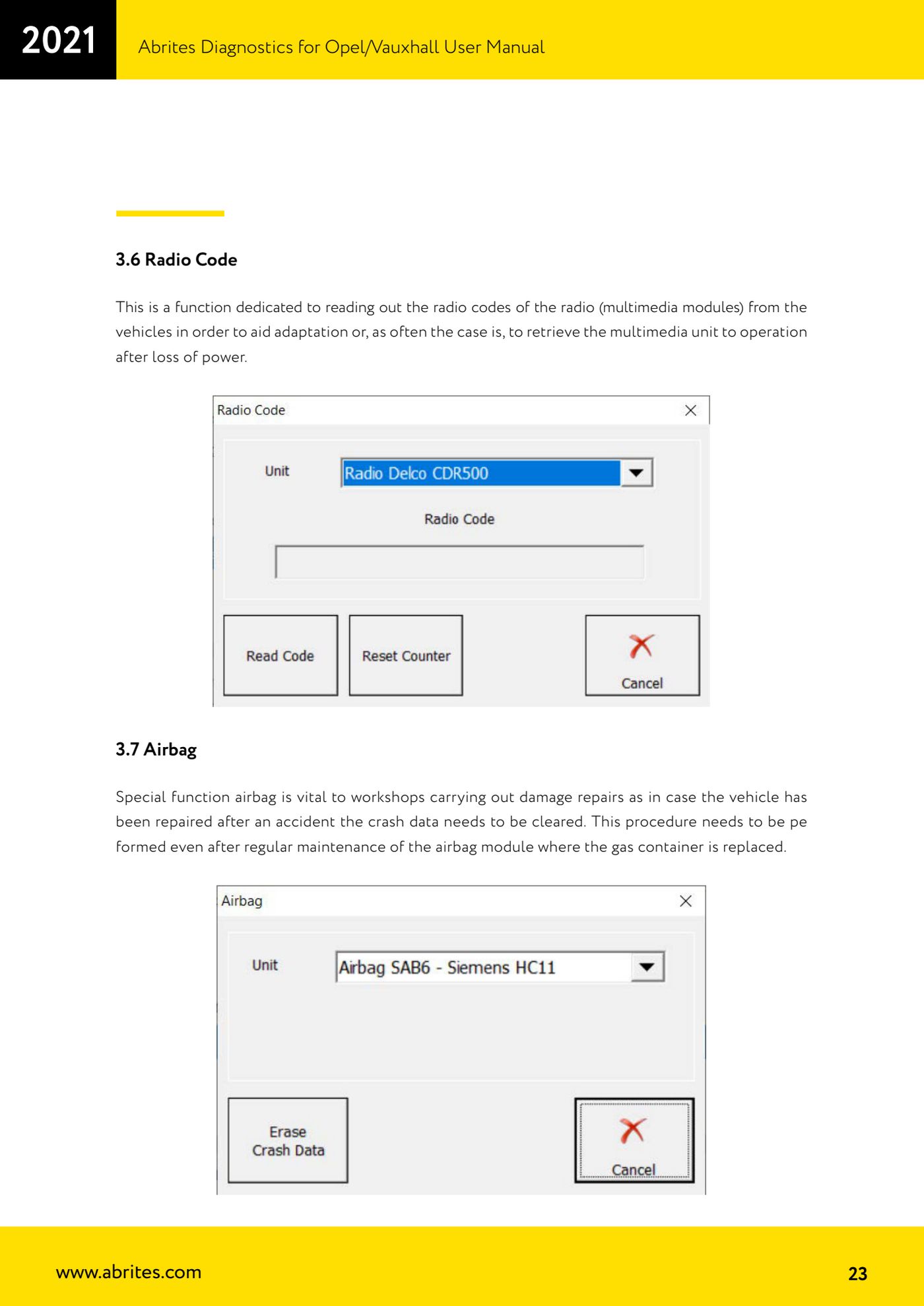
A dedicated function for reading the vehicle's radio code (multimedia modules). It is used to adapt a unit or, more commonly, to bring the radio back to life after a loss of power.
Required licences
- —
Hardware / cables

Procedure
- Connect the AVDI to the vehicle and to the PC and turn the ignition ON.
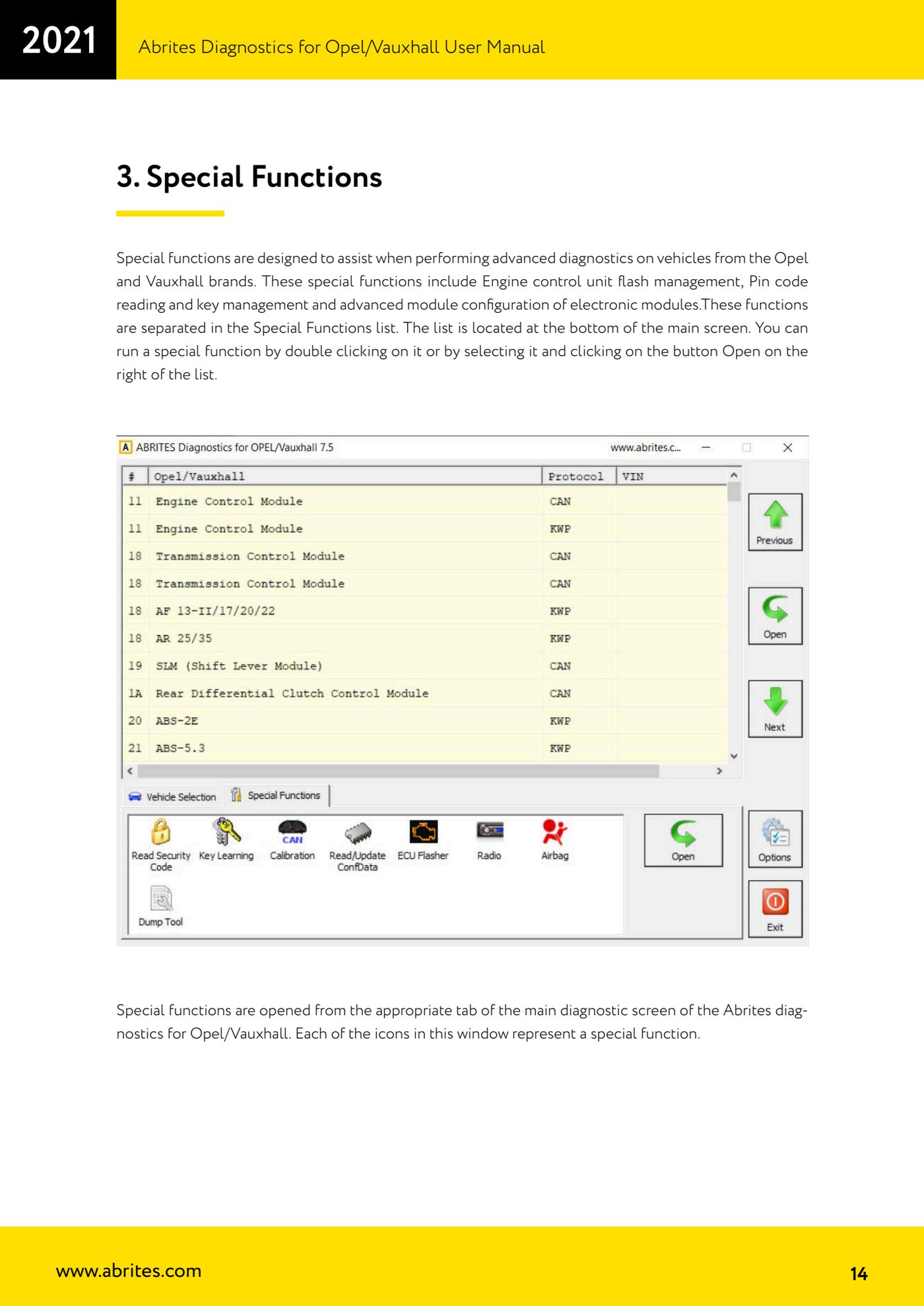
- Open the Opel/Vauxhall software and go to the "Special Functions" list at the bottom of the main screen.
- Start the "Radio Code" function by double-clicking it, or by selecting it and pressing "Open" to the right of the list.
- Select the vehicle and the multimedia unit fitted.
- Run the read and wait for the radio code to be extracted and shown on screen.
- Write the code down and enter it on the multimedia unit to bring it back into service after the power loss, or to complete its adaptation.
Reference screenshots
Source: Manuale Opel/Vauxhall (anche Buick/Cadillac/Chevrolet/GMC), cap. 3.6 (p.23) · ⏱ estimated time 10-20 min
← All Abrites guides Hardware catalogue
More guides Opel
- Vehicle scan and module identification on Opel/Vauxhall (Buick/Cadillac/Chevrolet/GMC)
- Reading and clearing DTCs on Opel/Vauxhall
- Live Data reading and actuator tests on Opel/Vauxhall modules
- Engine oil service reset and clutch pedal position learn (Opel/Vauxhall)
- Security access and module ID change for used control units (Opel/Vauxhall)
- Reading the Security Code (PIN) from an Opel/Vauxhall, Buick, Cadillac, Chevrolet, GMC control unit
- Opel/Vauxhall key programming with Key Learning (program keys / add key)
- Legacy Mode: erasing transponder keys and mechanical key number (Astra H, Corsa D, Vectra C/Signum, Zafira B)
- Key programming on Opel Vivaro and Movano (all keys in a single session)
- CAN Calibration: Opel/Vauxhall odometer correction (Corsa C note)
- Reading and updating Configuration Data and ECU Flasher on Opel/Vauxhall
- Clearing crash data on Opel/Vauxhall airbag modules (TEMIC 68HC908, SIEMENS 68HC11E9)