
Chip-Tools
Module scan, DTC reading and service functions on Jaguar/Land Rover with AVDI
JLR
Interface Classic
Diagnostics
Basic
⏱ 15-30 min
7 steps
Dealer-level diagnostics across the whole Jaguar/Land Rover range: scanning every module fitted, module identification, reading and clearing fault codes, live data and service functions. It is the starting point for any other work on the vehicle, because it tells you which modules are there and at what versions.
Required licences
- —
Hardware / cables

Procedure
- Plug the AVDI interface into the vehicle's OBDII port and into the PC, then turn the ignition ON.
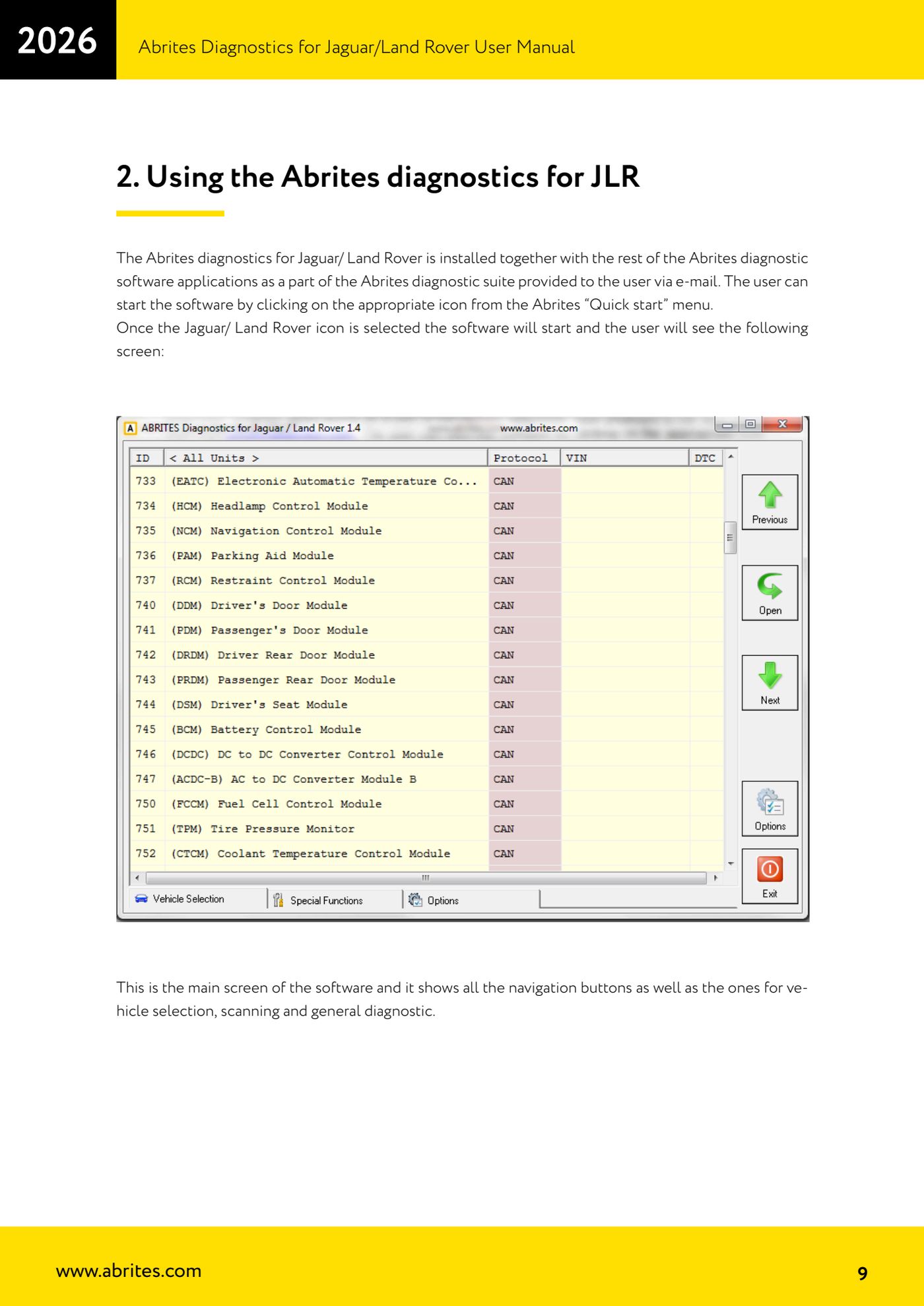
- Open the Abrites "Quick start" menu and launch the Jaguar/Land Rover application by clicking its icon: the main screen opens with the navigation, vehicle selection, scan and general diagnostics buttons.
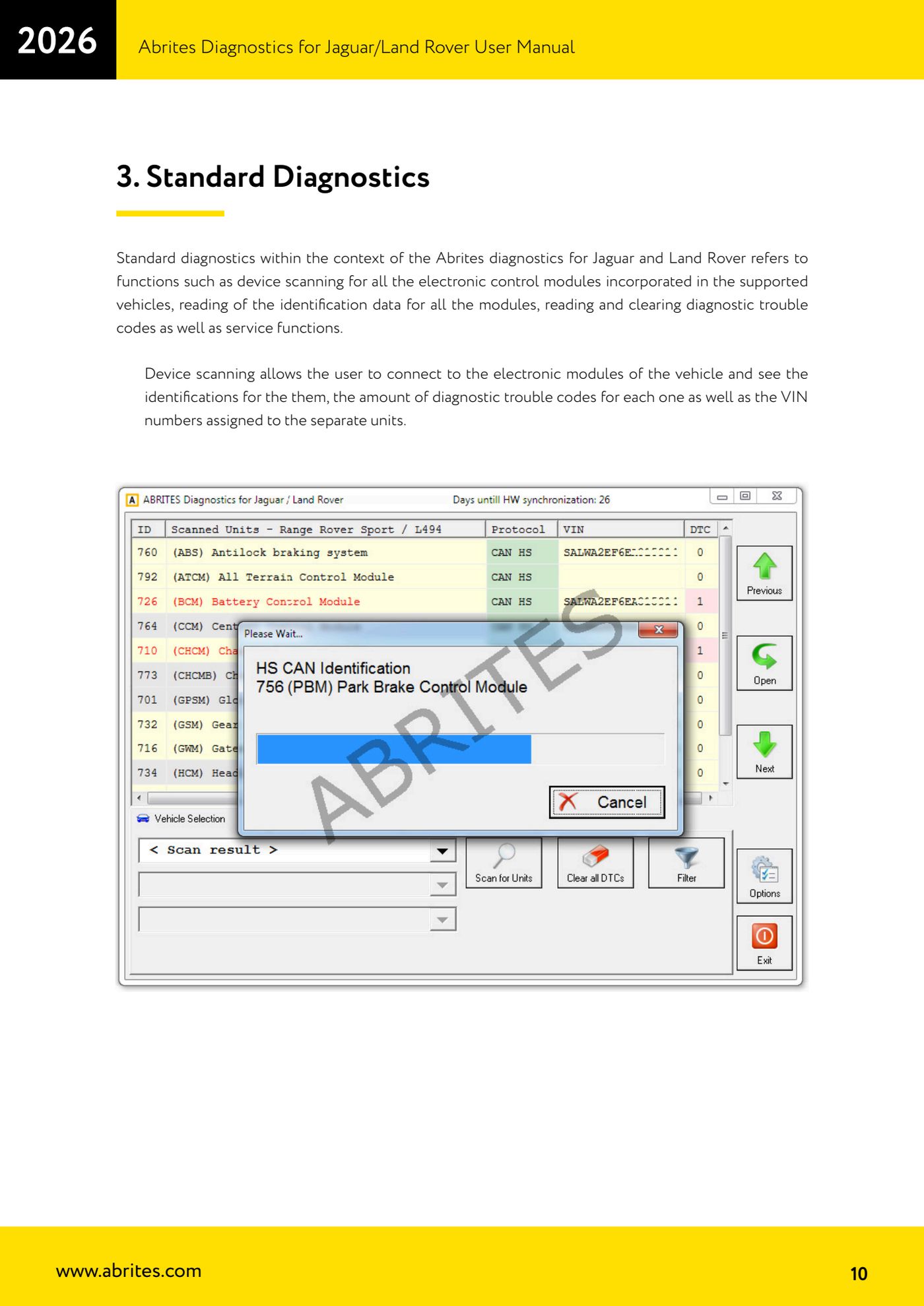
- Select the vehicle and start the module scan: the software connects to all supported electronic modules and reads their identifications.
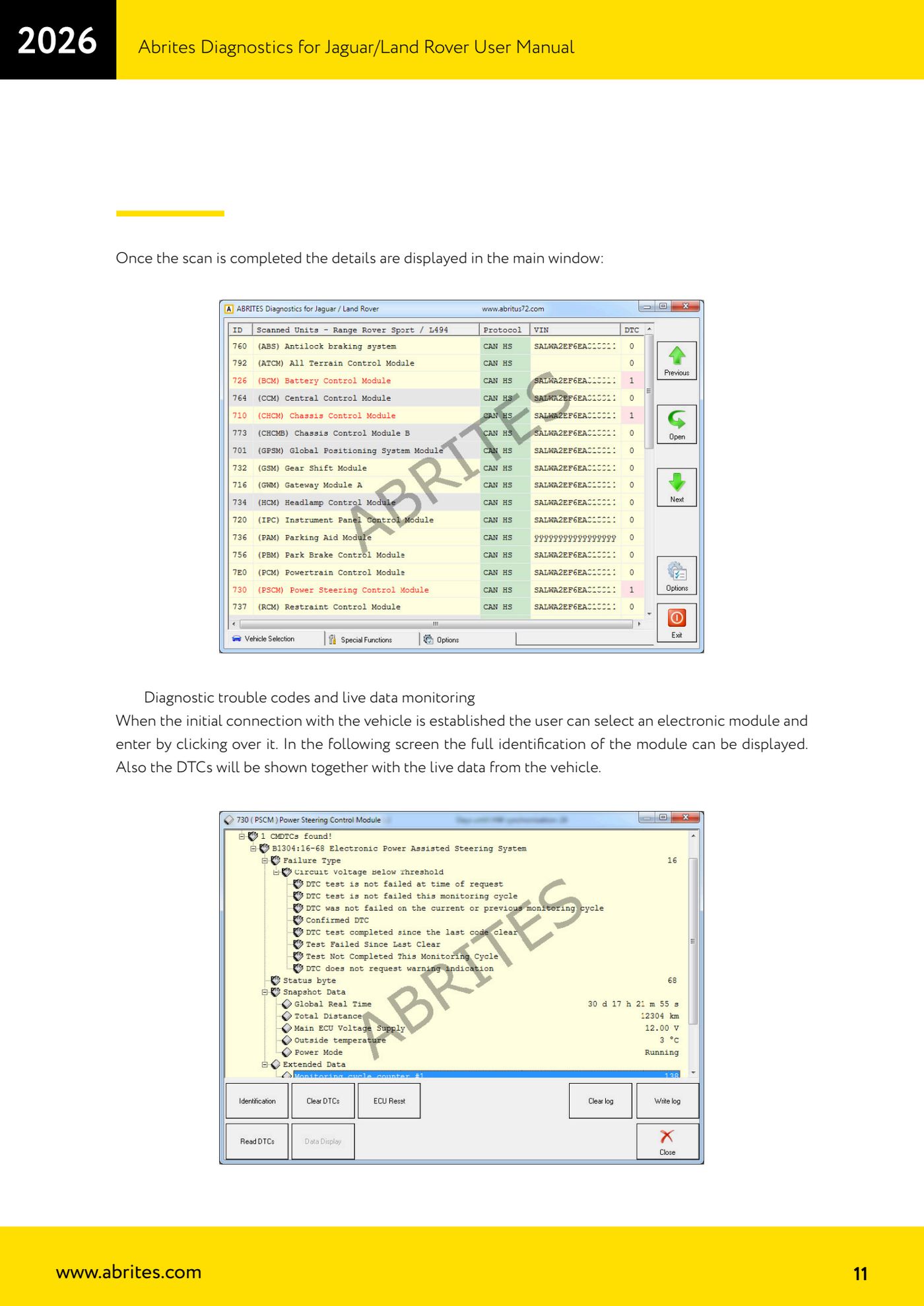
- Once the scan is done read the list in the main window: for each module you get the identification, the number of DTCs present and the VIN written in that module. Compare the VINs across the modules: a different VIN flags up a module from another vehicle.
- Click on an individual module to enter it: from here you see the module's full identification, the DTC list and the vehicle live data.
- Read the DTCs, note the codes, then clear them with the fault clear function and read again to see which come straight back (current faults) and which were only stored.
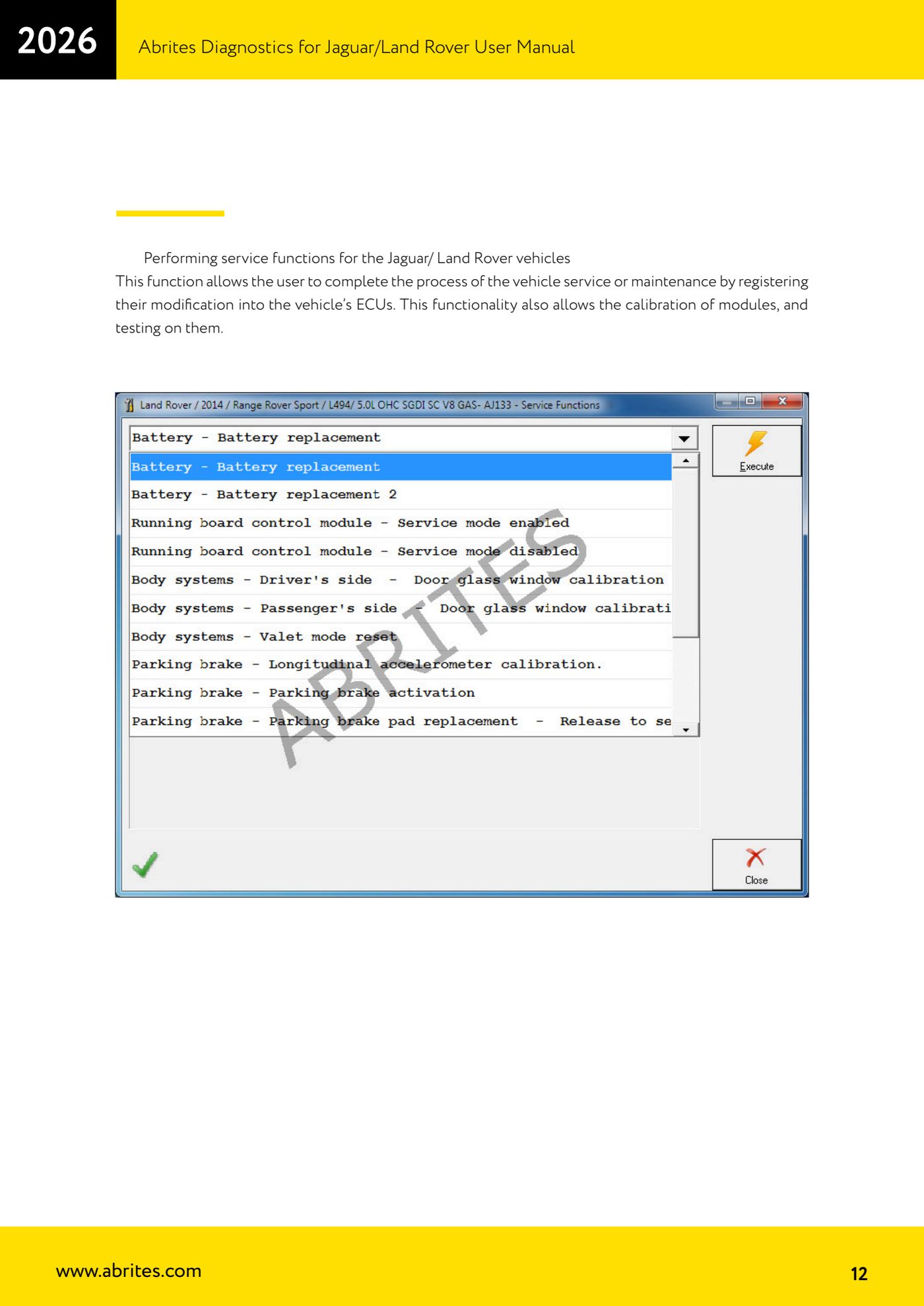
- If you are closing out a service job, use the service functions: they are there to register in the modules the changes made to the vehicle, to calibrate modules and to run tests on them.
Reference screenshots
Source: Manuale Jaguar/Land Rover, cap. 2-3 (p.9-12) · ⏱ estimated time 15-30 min
← All Abrites guides Hardware catalogue
More guides JLR
- Key Learning / Module Initialization via OBDII on JLR 2012-2018 (unlocked KVM/RFA)
- Key Duplicator on JLR 2018+ with PROTAG and TA54/TA56/TA66/TA67 keys
- JLR 2018-2026 key programming from a 95128 BCM EEPROM dump (works with the alarm armed)
- JLR remote control synchronization after key programming (PROTAG)
- Resetting and reusing used Abrites TA54/TA56/TA66/TA67 keys for JLR (Abrites Key Reset)
- JLR cluster calibration: matching mileage after fitting a used control unit
- NV DATA and Flash on JLR: reading, saving and writing configuration and flash files for module replacement
- Immo Advanced JLR: writing transponder ID and secret key into the BCM for emergency start
- Fitting the Abrites EM015 UWB emulator on JLR: file preparation and wiring to the UWB antenna / KVM
- Abrites EM015 UWB emulator firmware update (EMUL update)
- JLR Dump tool: preparing the KVM flash (FK72, DPLA, HPLA) to program OEM keys
- KP002: BCM unlock and alarm deactivation over OBDII on JLR 2020+ (all keys lost)