
Chip-Tools
Fitting the Abrites EM015 UWB emulator on JLR: file preparation and wiring to the UWB antenna / KVM
JLR
Interface Classic
Hardware / Connections
Advanced
⏱ 45-90 min
9 steps
On vehicles fitted with a UWB module the key programming completes successfully but the key only works as a remote. The EM015 emulator replaces one of the UWB antennas and restores full key functionality.

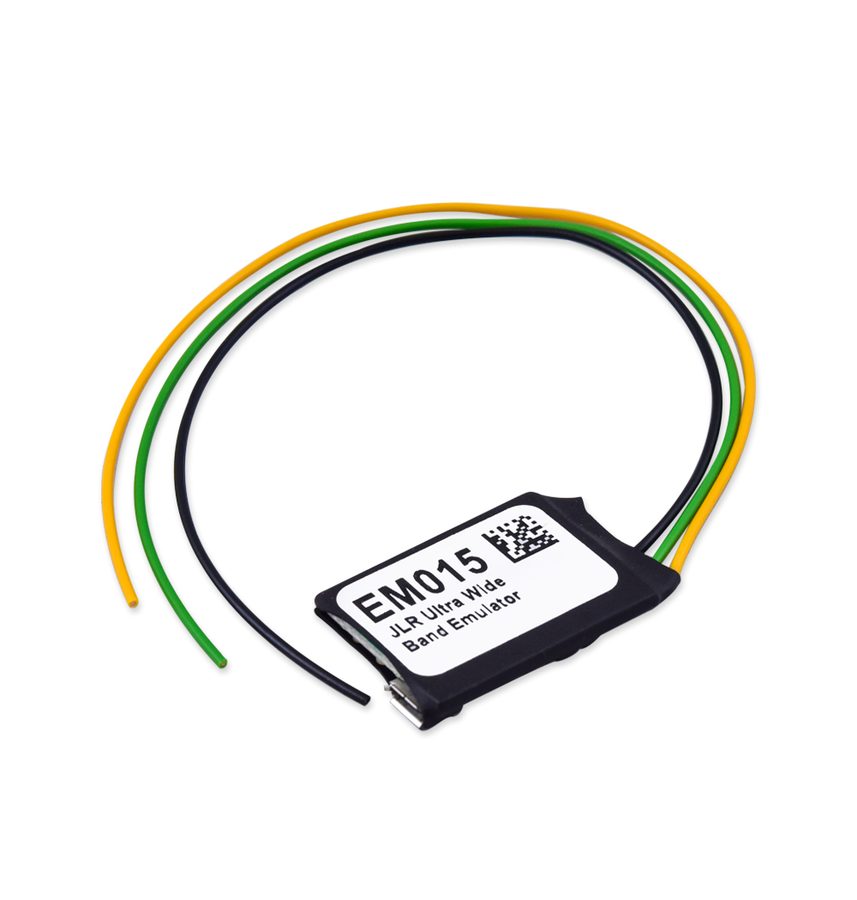
⚠ WarningThe installation requires cutting the PIN 1 wire (UWB antenna wire). The emulator replaces one of the UWB antennas and one of the original antennas is left disconnected: the cut wire must be insulated on the UWB side.
Procedure
- Connect the EM015 emulator to the PC with a Micro-USB cable: as soon as it is connected a format prompt appears. Run a "Quick Format"; any Windows warning can be ignored. Wait for the format complete message.
- Open the "log" folder of the JLR application, where the configuration file generated during key programming is stored.
- Copy and paste the configuration file onto the emulator, treating it as an ordinary USB stick. After pasting, the emulator disconnects and reconnects itself to the PC and asks to format again: do NOT format, the EM015 is ready to be fitted to the car.
- On the vehicle, connect the emulator power to the KVM connector: EM015 yellow wire (B+) to the KVM red wire (B+), EM015 black wire (GND) to the KVM black wire (GND). The EM015 LED lights up RED.
- Cut the PIN 1 wire (UWB antenna wire) and connect the EM015 green wire to the end running towards the UWB antenna: green (EM015) -> UWB antenna wire.
- Wait for the emulator LED to change from RED to GREEN.
- As soon as the LED is GREEN, disconnect the EM015 green wire from the UWB antenna wire.
- Connect the EM015 green wire to the wire running towards the KVM module (moving from the UWB antenna side to the KVM side): green (EM015) -> KVM-side wire.
- Insulate the cut wire on the UWB side, secure the emulator and check full key operation on the vehicle (keyless and engine start).
Reference screenshots
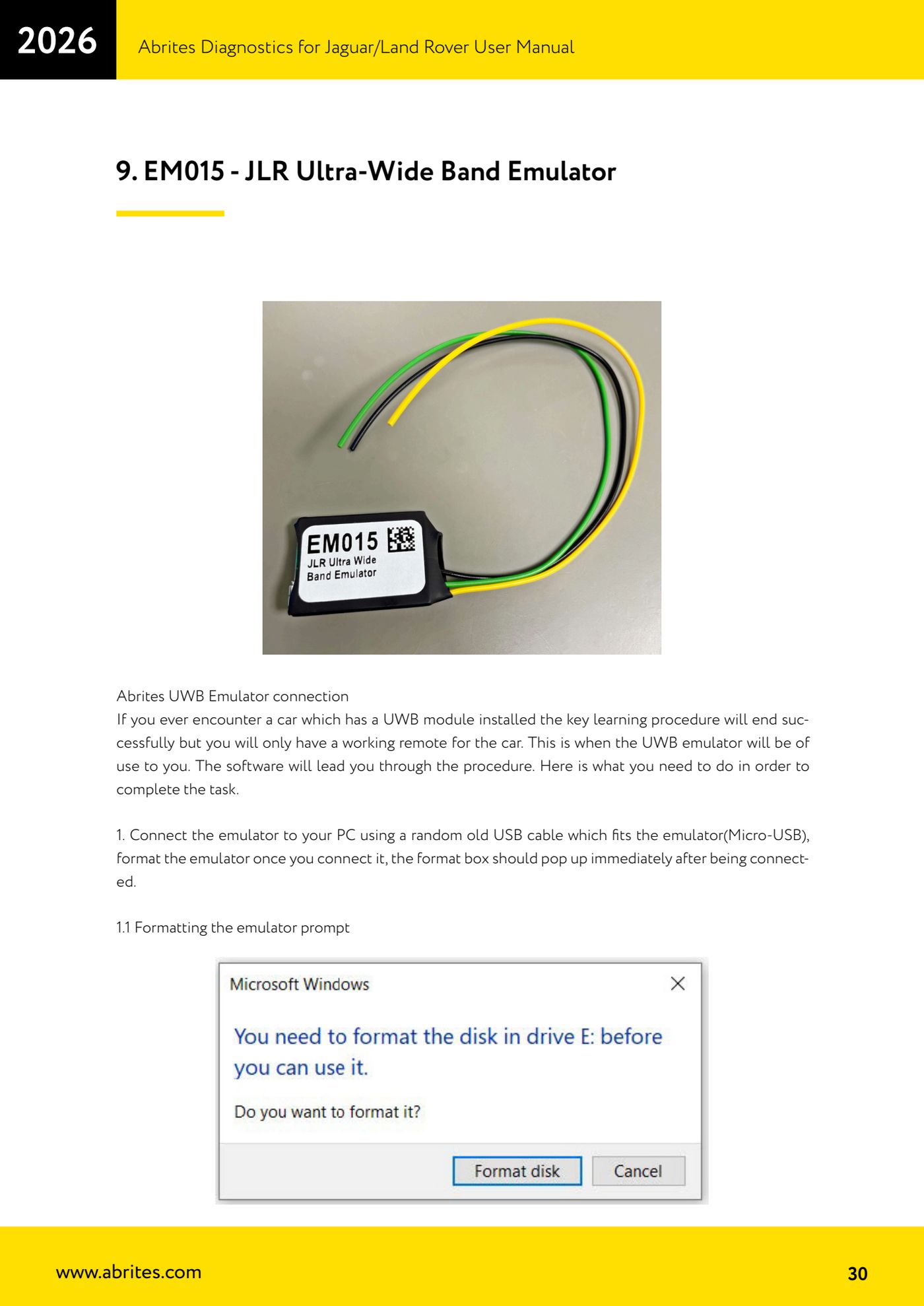
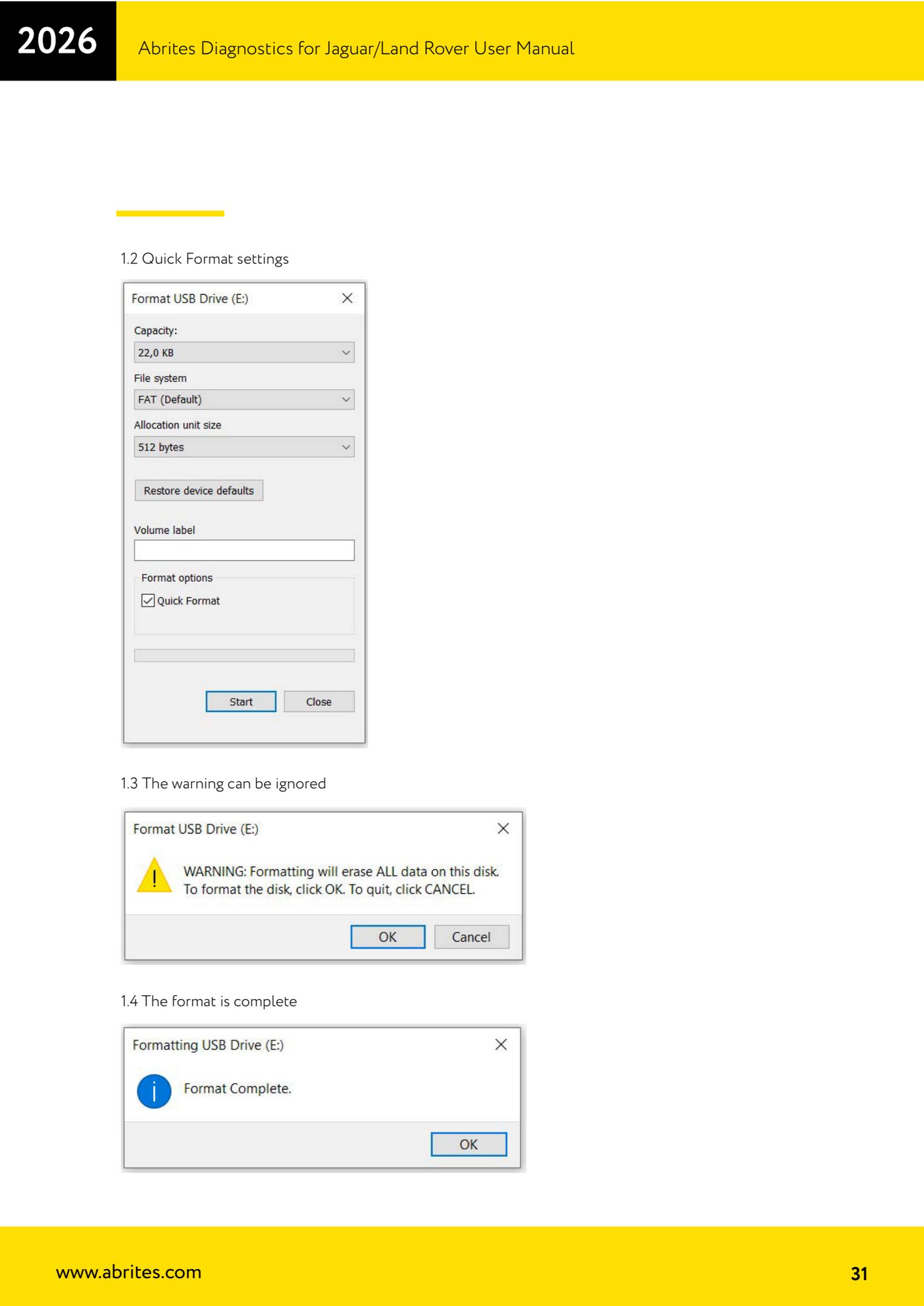
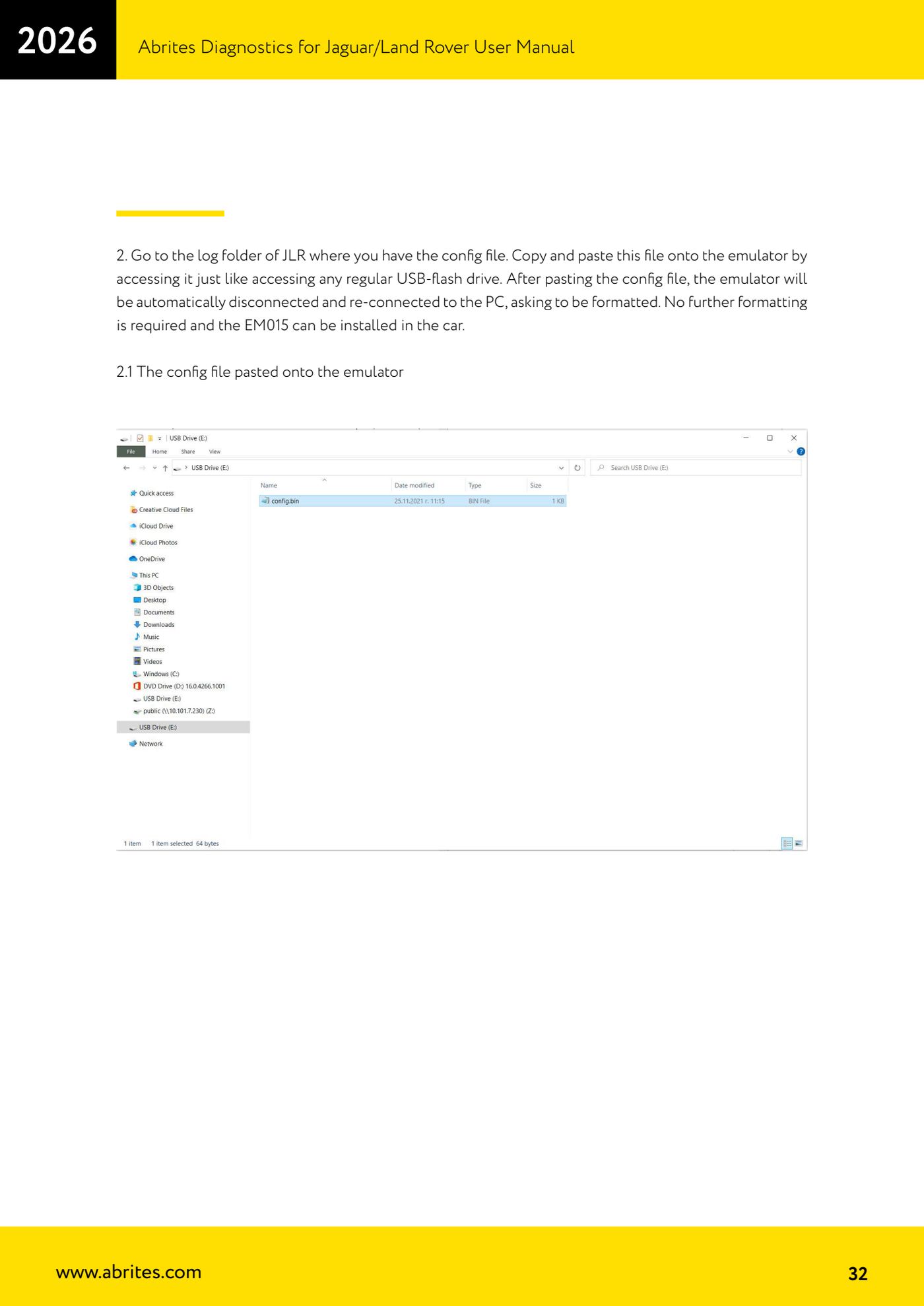
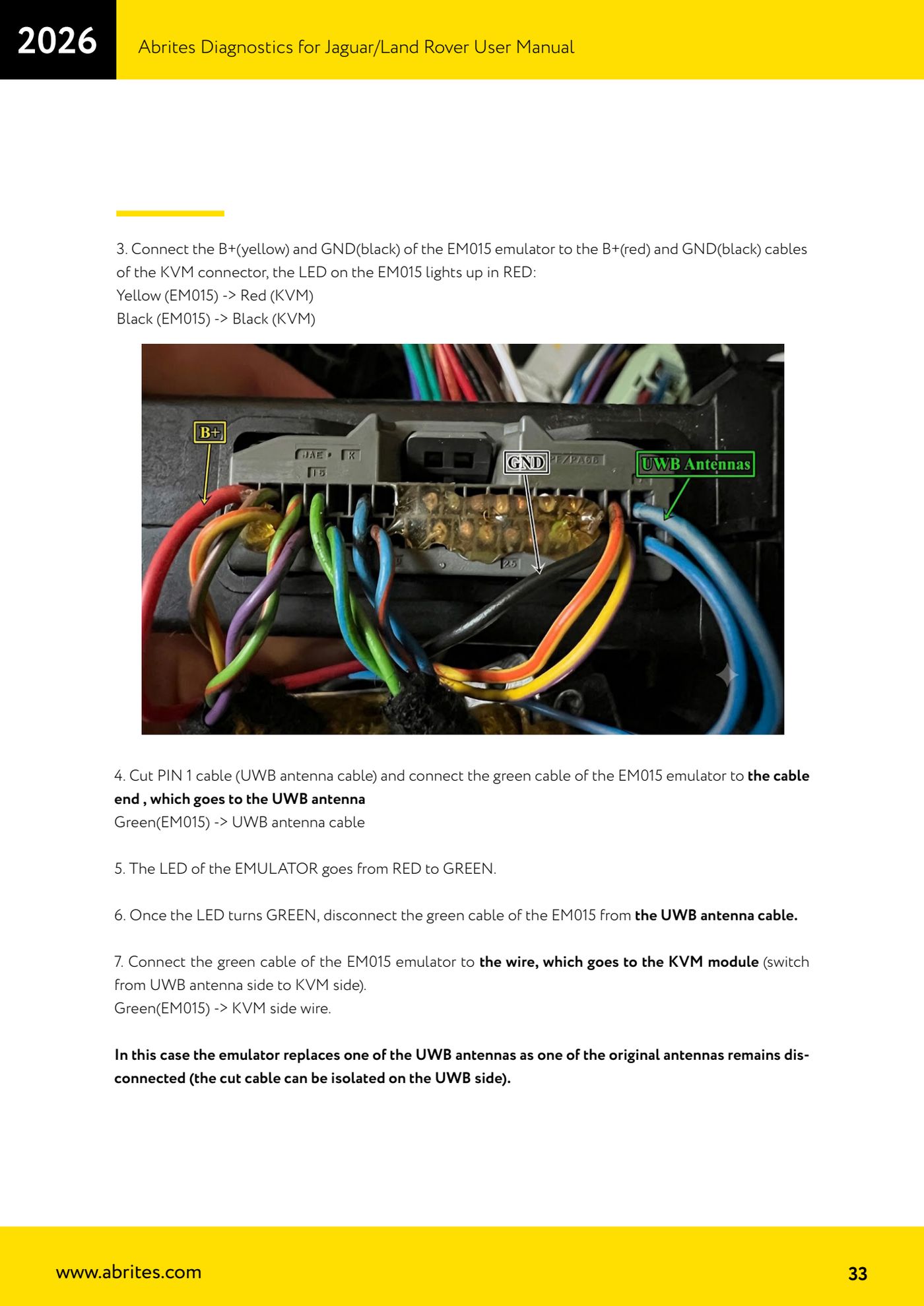
Source: Manuale Jaguar/Land Rover, cap. 9 (p.30-33) · ⏱ estimated time 45-90 min
← All Abrites guides Hardware catalogue
More guides JLR
- Module scan, DTC reading and service functions on Jaguar/Land Rover with AVDI
- Key Learning / Module Initialization via OBDII on JLR 2012-2018 (unlocked KVM/RFA)
- Key Duplicator on JLR 2018+ with PROTAG and TA54/TA56/TA66/TA67 keys
- JLR 2018-2026 key programming from a 95128 BCM EEPROM dump (works with the alarm armed)
- JLR remote control synchronization after key programming (PROTAG)
- Resetting and reusing used Abrites TA54/TA56/TA66/TA67 keys for JLR (Abrites Key Reset)
- JLR cluster calibration: matching mileage after fitting a used control unit
- NV DATA and Flash on JLR: reading, saving and writing configuration and flash files for module replacement
- Immo Advanced JLR: writing transponder ID and secret key into the BCM for emergency start
- Abrites EM015 UWB emulator firmware update (EMUL update)
- JLR Dump tool: preparing the KVM flash (FK72, DPLA, HPLA) to program OEM keys
- KP002: BCM unlock and alarm deactivation over OBDII on JLR 2020+ (all keys lost)