
Chip-Tools
Key Learning / Module Initialization via OBDII on JLR 2012-2018 (unlocked KVM/RFA)
JLR
Interface Classic
Keys / Immo
Medium
⏱ 30-60 min
8 steps
Key programming through the OBDII port on Jaguar/Land Rover vehicles with unlocked KVM/RFA modules. This is the classic guided procedure for 2012-2018 cars and includes module initialization as well.
Required licences
- —
Hardware / cables

⚠ WarningThe function only works on vehicles with UNLOCKED KVM/RFA. If the module is locked, OBDII programming is not possible and you have to go through unlocking (KP002 / "Alarm OFF") or through a BCM EEPROM dump.
Procedure
- Check that the vehicle is among the supported cars: Land Rover Evoque L538 2011-2014, Range Rover Sport L494 2013-2014, Range Rover L405 2012-2014, Discovery LR4 2010-2014, Freelander 2 L359 2006-2014; Jaguar F-Type 2013-2014, XF X250 2007-2014, XJ X351 2010-2014, XK 2006-2014.
- Plug the AVDI into the OBDII port and into the PC, open the Abrites Diagnostics for Jaguar/Land Rover application and establish the diagnostic connection.
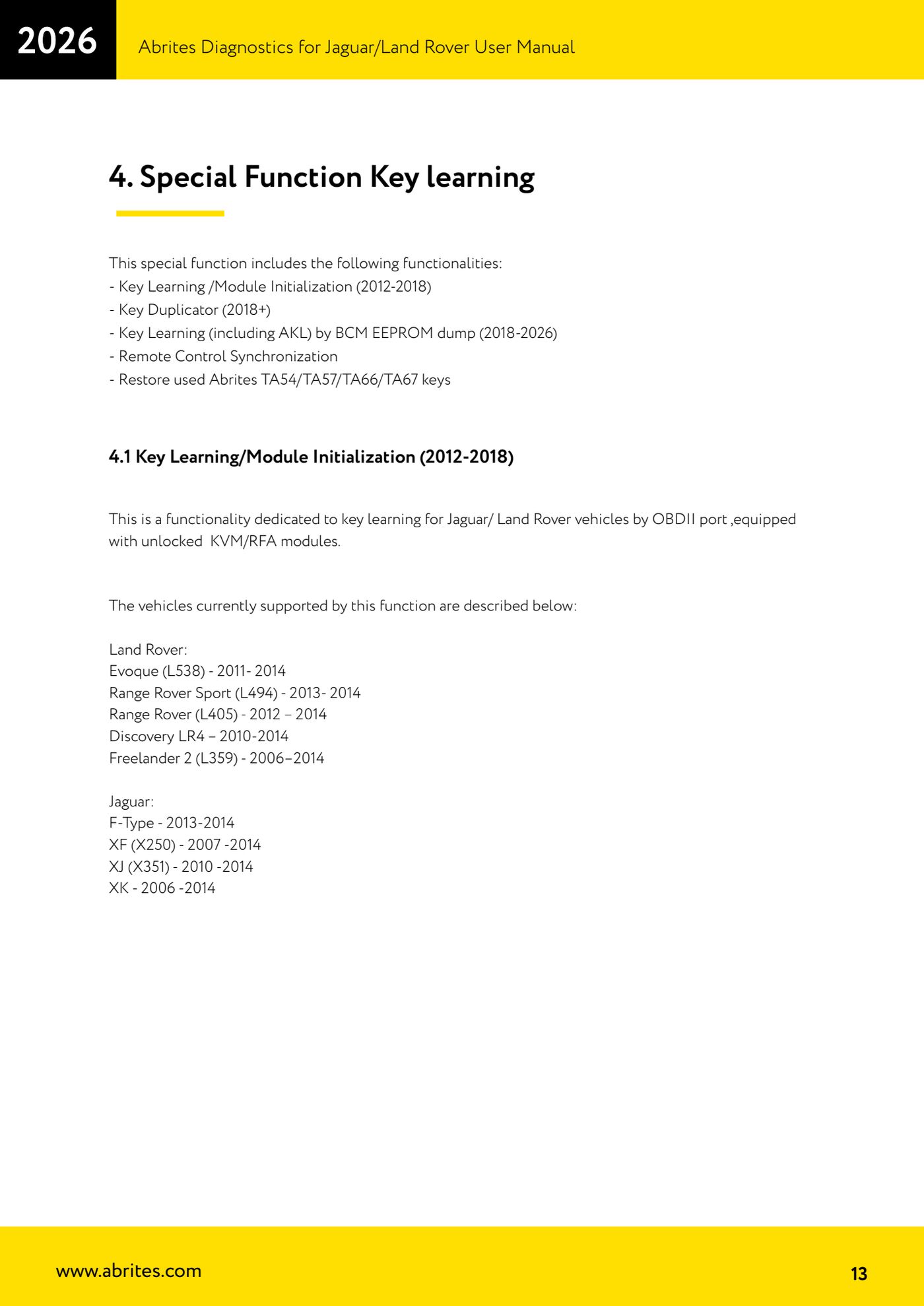
- Go into the "Key learning" special function and choose the entry "Key Learning /Module Initialization (2012-2018)".
- Select the vehicle and the operation required from the list the software offers.
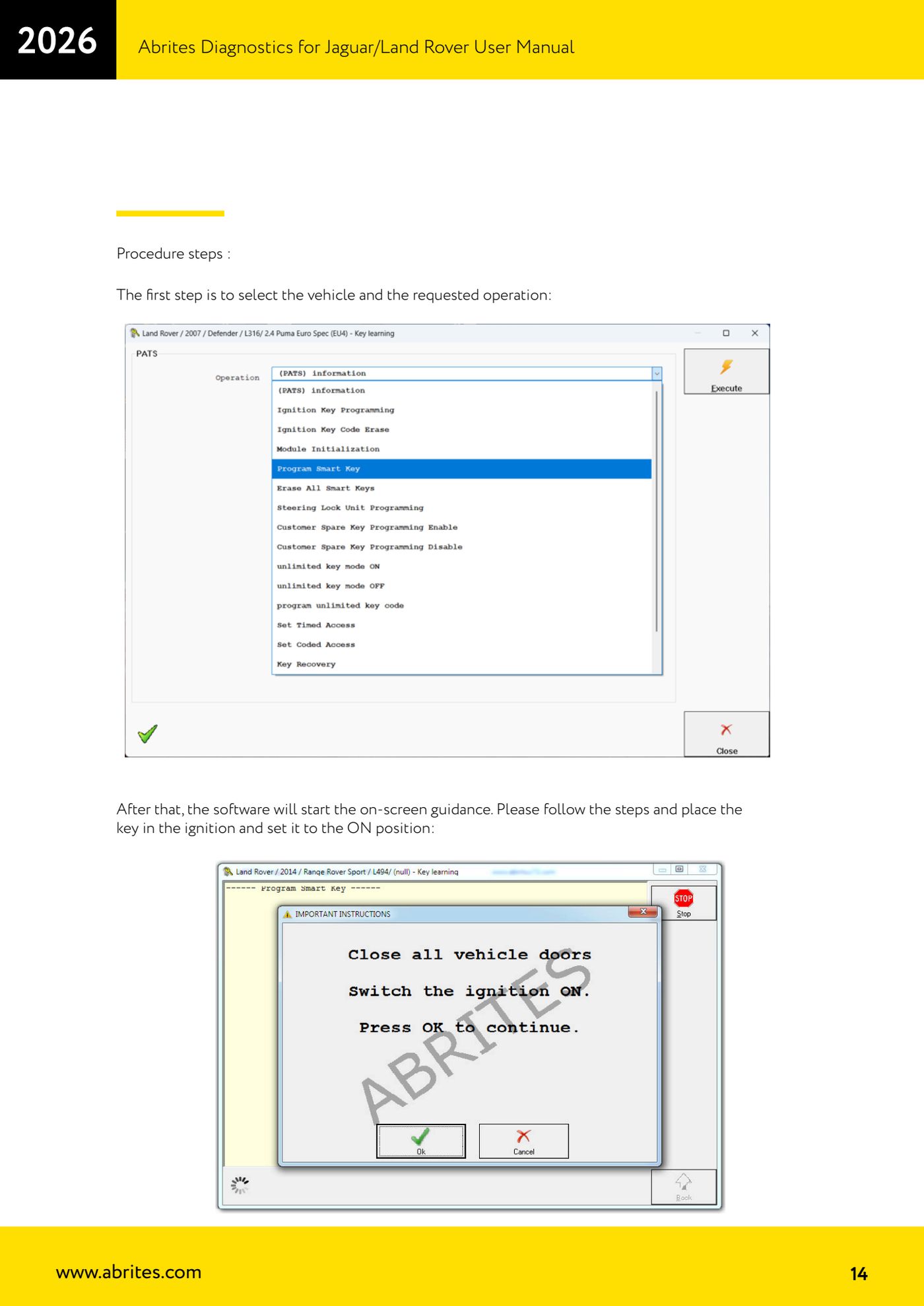
- Follow the on-screen guide: when prompted insert the key into the ignition barrel and turn the ignition ON.
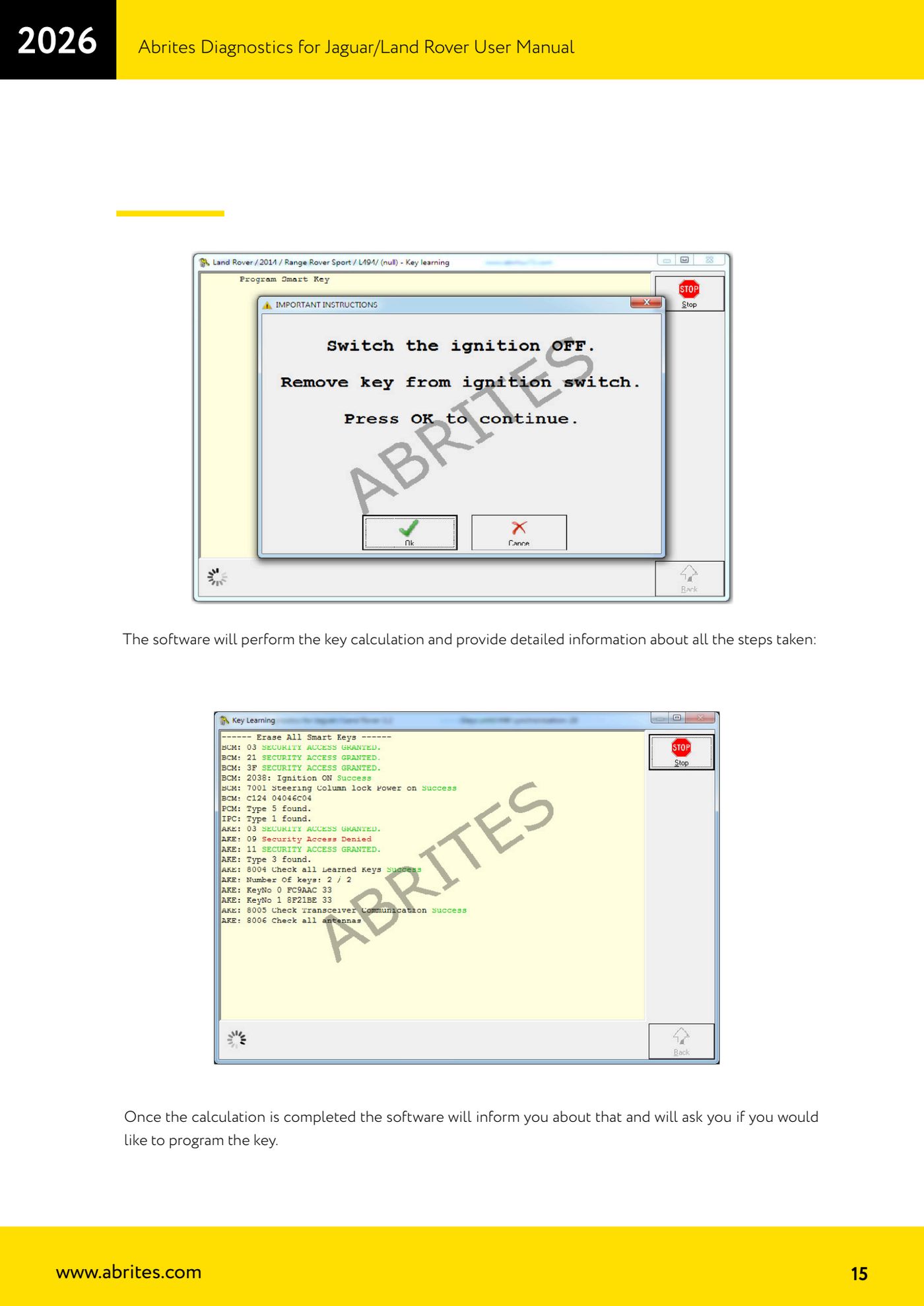
- Let the software work: it runs the key calculation, showing on screen the detail of every step carried out.
- Once the calculation is complete the software tells you and asks whether you want to go ahead and program the key: confirm to write the key into the vehicle.
- When finished try starting the engine with the new key and check door lock and unlock with the remote; if the remote does not respond, run the remote synchronisation (dedicated function).
Reference screenshots
Source: Manuale Jaguar/Land Rover, cap. 4 e 4.1 (p.13-15) · ⏱ estimated time 30-60 min
← All Abrites guides Hardware catalogue
More guides JLR
- Module scan, DTC reading and service functions on Jaguar/Land Rover with AVDI
- Key Duplicator on JLR 2018+ with PROTAG and TA54/TA56/TA66/TA67 keys
- JLR 2018-2026 key programming from a 95128 BCM EEPROM dump (works with the alarm armed)
- JLR remote control synchronization after key programming (PROTAG)
- Resetting and reusing used Abrites TA54/TA56/TA66/TA67 keys for JLR (Abrites Key Reset)
- JLR cluster calibration: matching mileage after fitting a used control unit
- NV DATA and Flash on JLR: reading, saving and writing configuration and flash files for module replacement
- Immo Advanced JLR: writing transponder ID and secret key into the BCM for emergency start
- Fitting the Abrites EM015 UWB emulator on JLR: file preparation and wiring to the UWB antenna / KVM
- Abrites EM015 UWB emulator firmware update (EMUL update)
- JLR Dump tool: preparing the KVM flash (FK72, DPLA, HPLA) to program OEM keys
- KP002: BCM unlock and alarm deactivation over OBDII on JLR 2020+ (all keys lost)