
Chip-Tools
Jaguar/Land Rover Online diagnostics: vehicle auto-detect, module scan and DTC read/clear
JLR
Interface New
Diagnostics
Basic
⏱ 15-30 min
11 steps
The basic procedure for connecting the AVDI to a Jaguar or Land Rover with the Abrites diagnostics for Jaguar/Land Rover Online software, auto-detecting the vehicle, scanning all the modules fitted and reading or clearing the stored DTCs. It is the starting point for any job on the car, including before the Special Functions.
Required licences
- —
Hardware / cables

⚠ WarningThe software is server-based: without a stable Internet connection it will not work. Check that your provider allows traffic on port 8443, otherwise JLR Online diagnostics will not start properly. Keep AMS active and always install the latest version of the software.
Procedure
- Check the PC requirements: Windows 10 or later, at least 1024MB of RAM (4GB recommended) and 64GB of free disk space.
- Make sure you have a stable Internet connection (WI-FI or 3G/4G tethering from a phone) and that port 8443 is not blocked by your provider.
- Connect the AVDI to the vehicle OBDII socket and to the PC. If you do not know your interface ID, look it up in the "license viewer" installed on the computer.
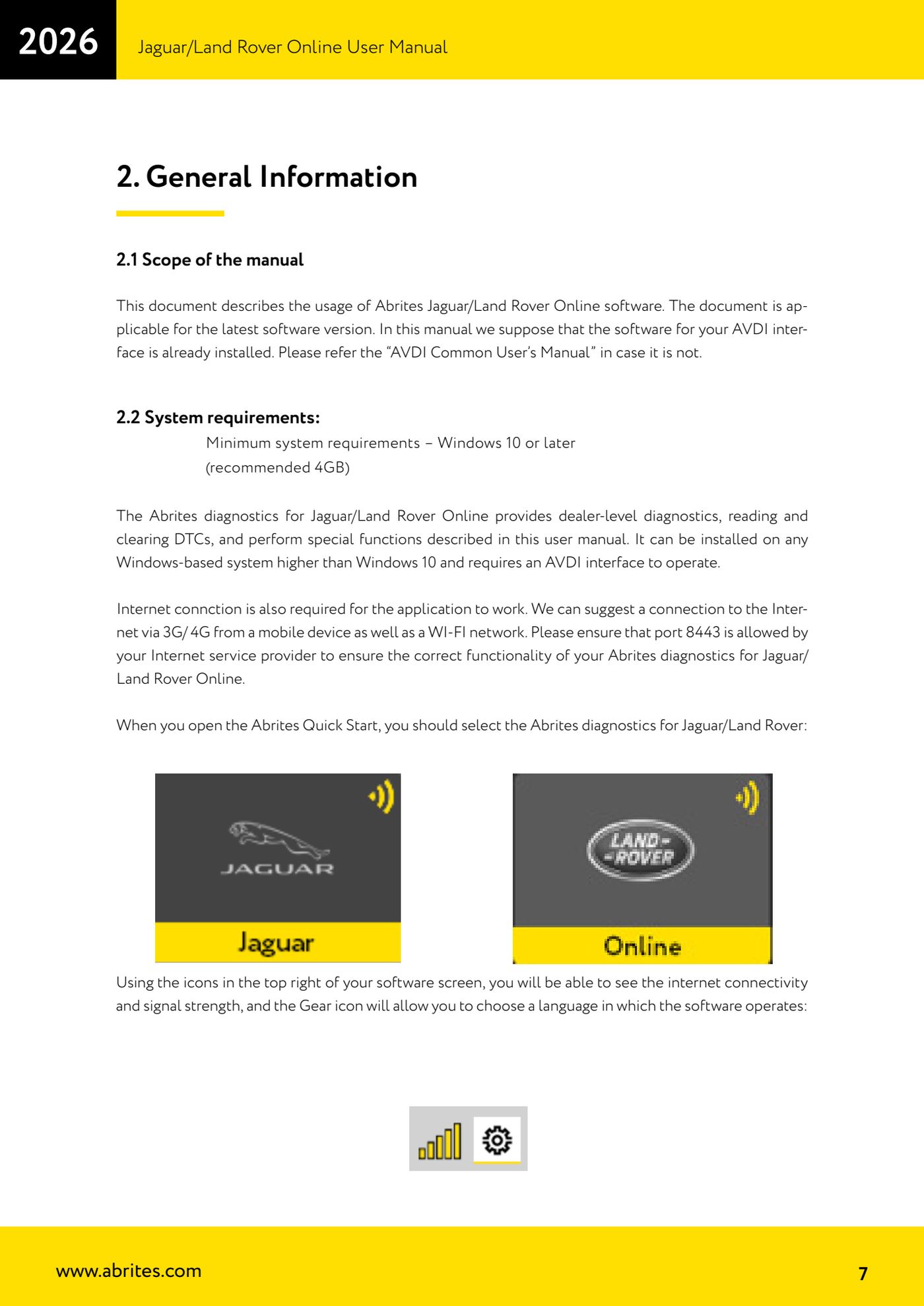
- Open Abrites Quick Start and select "Abrites diagnostics for Jaguar/Land Rover".
- Check the status icons in the top right: they show Internet connectivity and signal strength. The gear icon lets you choose the software's operating language.
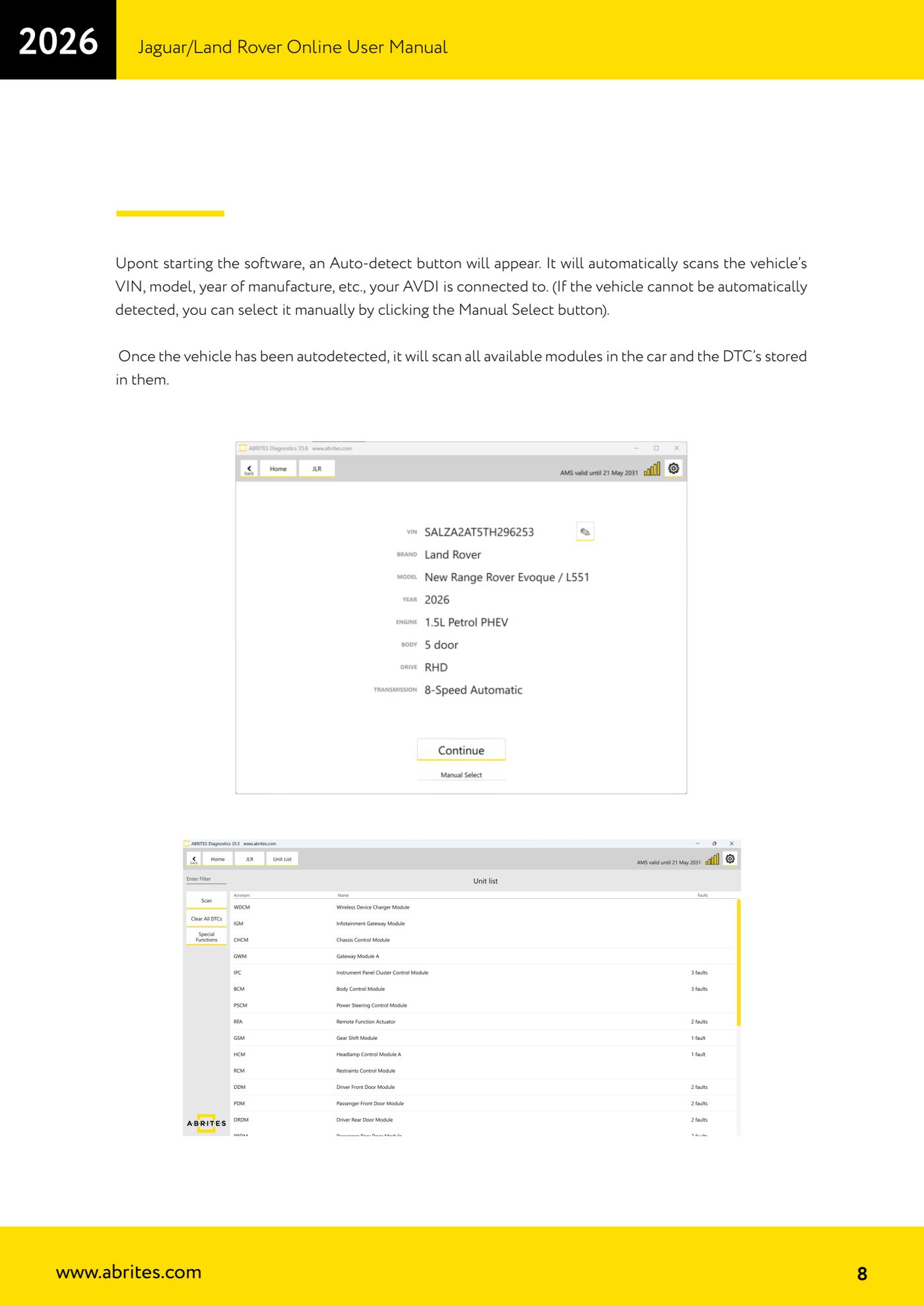
- Press "Auto-detect": the software automatically reads the VIN, model and year of production of the connected vehicle.
- If the vehicle is not detected automatically, press "Manual Select" and choose the model by hand.
- Once detection is complete the software scans all the modules available on the car and the DTCs stored in each of them.
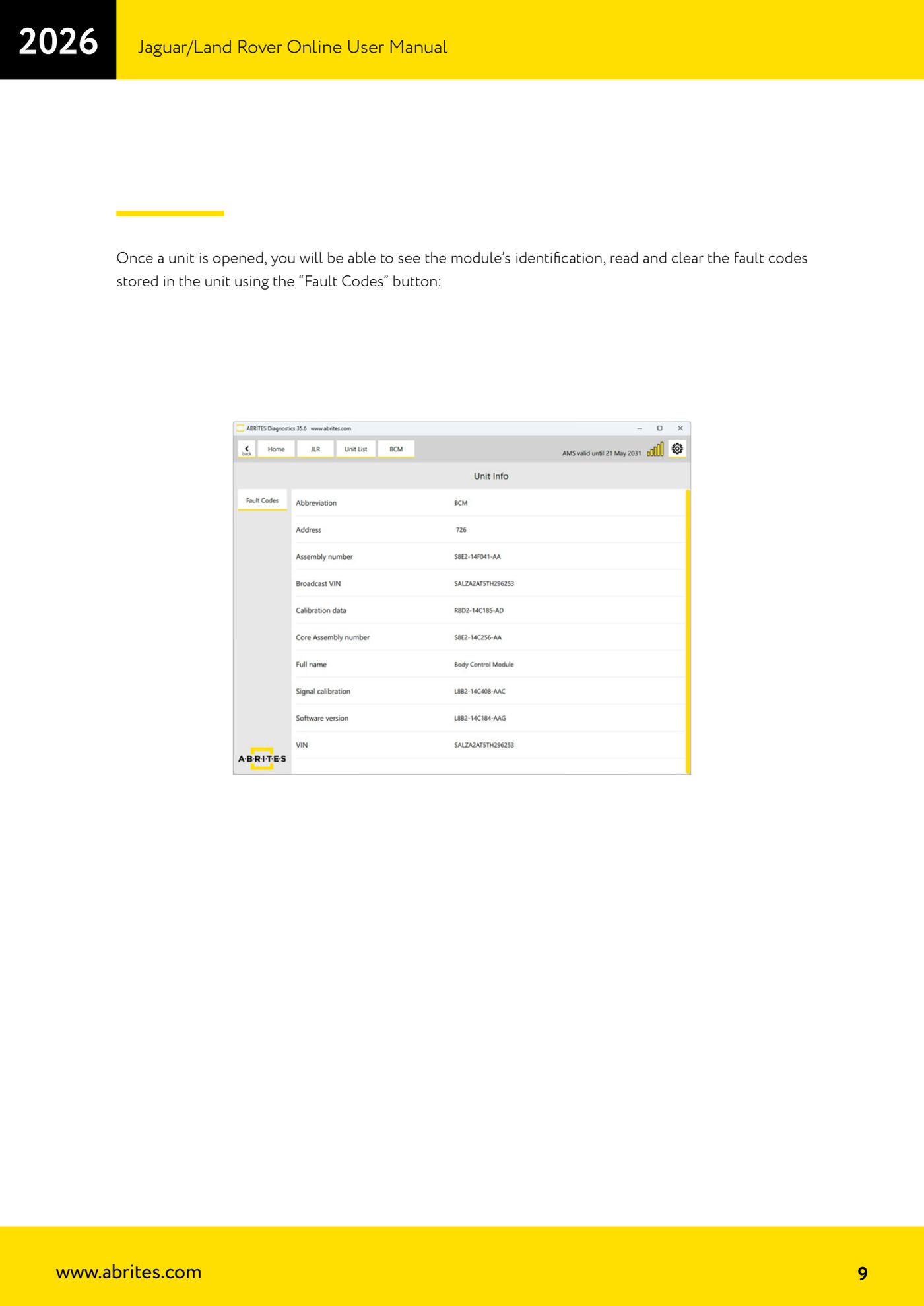
- Open the module you are interested in: you will see the control unit identification (module ID data).
- Press "Fault Codes" to read the fault codes stored in the unit and, once the fault is fixed, to clear them.
- From here, if the job calls for it, you can move to the "Special Functions" section for RFA/KVM and key operations.
Reference screenshots
Source: Manuale Jaguar/Land Rover Online, cap. 1-2 (p.6-9) · ⏱ estimated time 15-30 min
← All Abrites guides Hardware catalogue
More guides JLR
- Module scan, DTC reading and service functions on Jaguar/Land Rover with AVDI
- Key Learning / Module Initialization via OBDII on JLR 2012-2018 (unlocked KVM/RFA)
- Key Duplicator on JLR 2018+ with PROTAG and TA54/TA56/TA66/TA67 keys
- JLR 2018-2026 key programming from a 95128 BCM EEPROM dump (works with the alarm armed)
- JLR remote control synchronization after key programming (PROTAG)
- Resetting and reusing used Abrites TA54/TA56/TA66/TA67 keys for JLR (Abrites Key Reset)
- JLR cluster calibration: matching mileage after fitting a used control unit
- NV DATA and Flash on JLR: reading, saving and writing configuration and flash files for module replacement
- Immo Advanced JLR: writing transponder ID and secret key into the BCM for emergency start
- Fitting the Abrites EM015 UWB emulator on JLR: file preparation and wiring to the UWB antenna / KVM
- Abrites EM015 UWB emulator firmware update (EMUL update)
- JLR Dump tool: preparing the KVM flash (FK72, DPLA, HPLA) to program OEM keys