
Chip-Tools
Remote Keyless Entry: reading, erasing and programming smart keys on Ford and Mazda
Ford/Mazda
Interface Classic
Keys / Immo
Medium
⏱ 20-40 min
9 steps
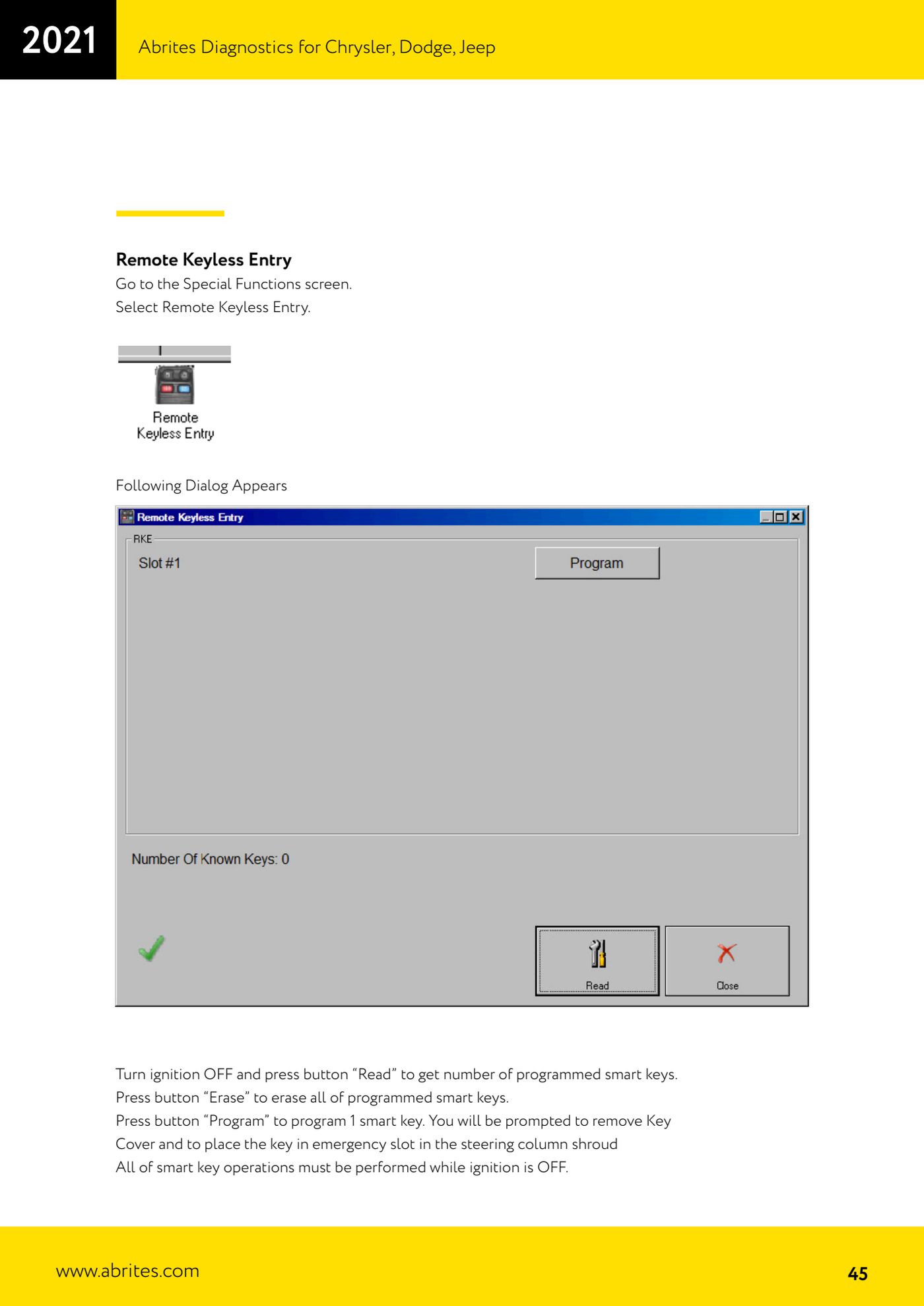
Function for managing smart keys on Ford and Mazda vehicles with keyless entry: it counts the keys already programmed, erases them all and programs new ones through the emergency slot in the steering column.
Required licences
- —
Hardware / cables

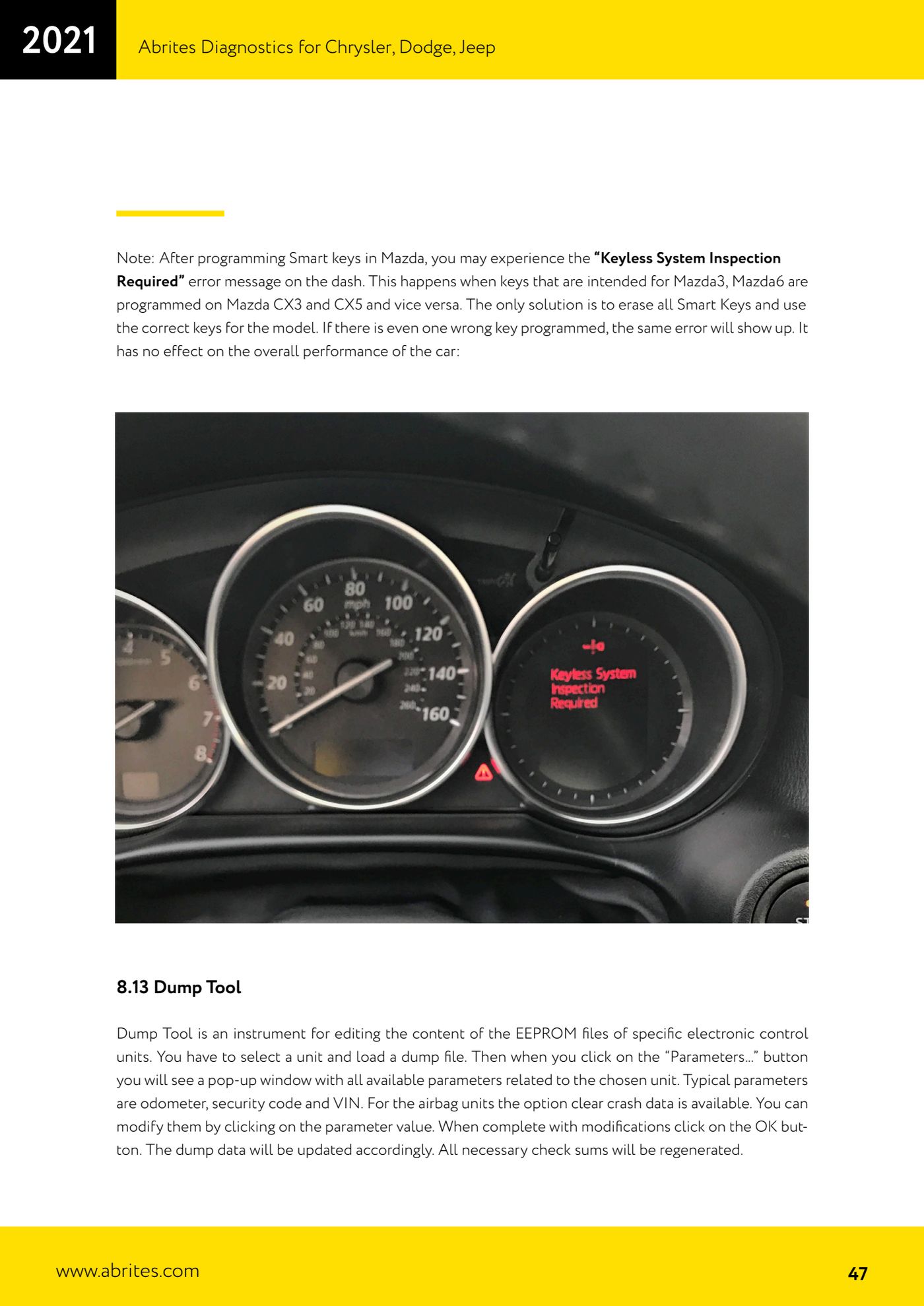
⚠ WarningAll smart key operations must be carried out with the ignition OFF. On Mazda, if keys intended for Mazda3/Mazda6 are programmed to a CX-3/CX-5 (or vice versa) the dash shows the "Keyless System Inspection Required" error: a single wrong key is enough to trigger it. The only fix is to erase all smart keys and use the keys correct for the model; the error does not affect the general operation of the car.
Procedure
- Connect the AVDI to the vehicle and open the "Special Functions" screen.
- Select "Remote Keyless Entry": the dedicated dialog appears.
- Turn the ignition OFF and keep it off throughout the procedure.
- Press "Read" to read how many smart keys are already programmed to the vehicle.
- If you need to start from scratch, press "Erase" to erase all programmed smart keys.
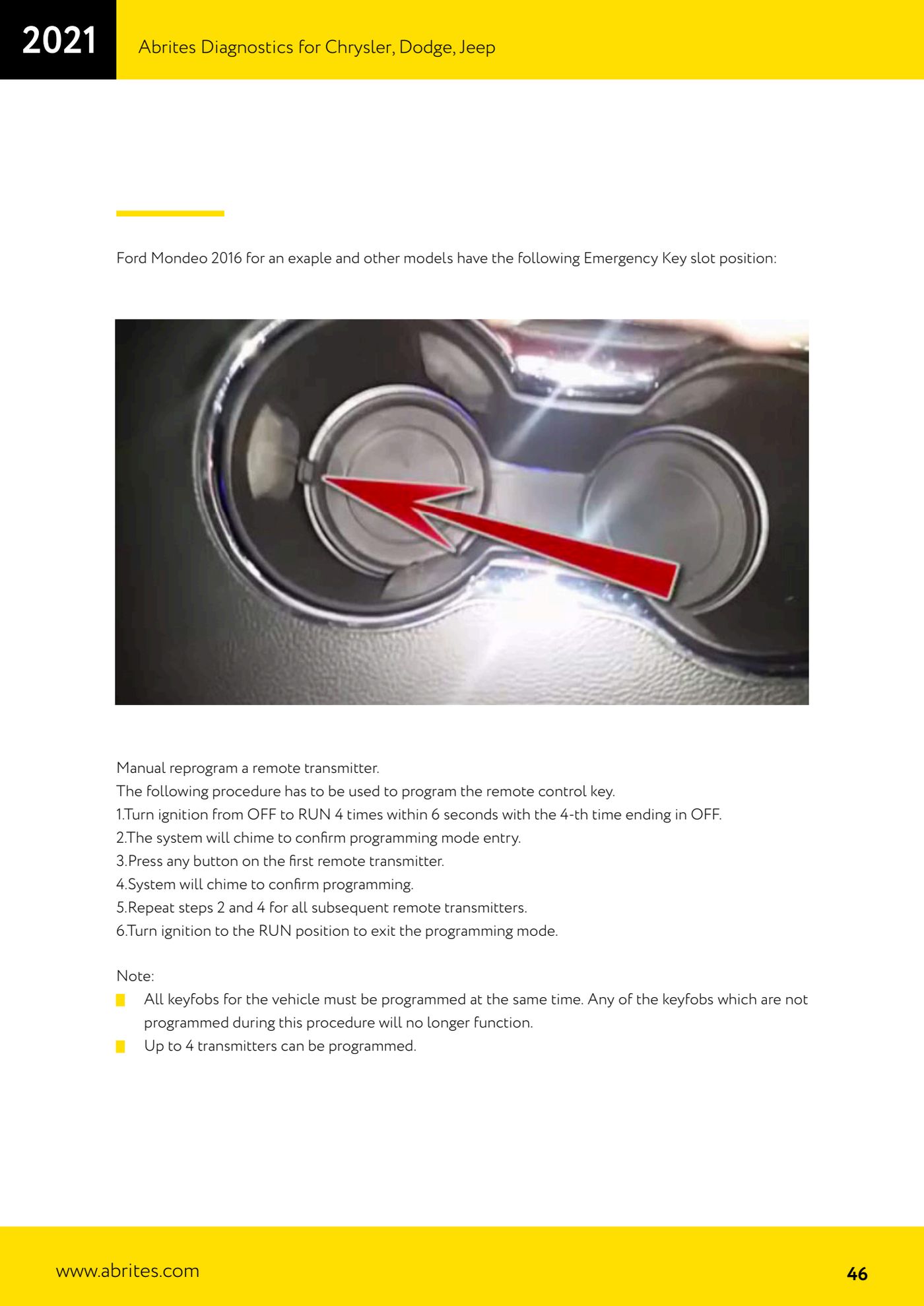
- Press "Program" to program a smart key. The software asks you to take the cover off the key and place the key in the emergency slot in the steering column shroud.
- Locate the emergency slot according to the model: on the Ford Mondeo 2016 and other models it sits where shown in the manual illustration, on the column shroud.
- Repeat the "Program" operation for each smart key to be enabled, always with the ignition off.
- When finished, use "Read" to check that the number of programmed keys matches the keys handed back to the customer.
Reference screenshots
Source: Manuale Ford/Mazda, parte 2 di 2, Remote Keyless Entry (p.45-47) · ⏱ estimated time 20-40 min
← All Abrites guides Hardware catalogue
More guides Ford/Mazda
- Starting Abrites Diagnostics for Ford/Mazda: vehicle context and ECU scanning ("Scan all")
- ECU identification, DTC read/clear and Live Data on Ford/Mazda
- Getting to the Ford/Mazda "Special Functions": Memory Read/Write and Key Learning
- PATS Key Learning: adding keys on Ford/Mazda (including with the alarm triggered)
- Key programming on Mazda CX-30 and Mazda 3 from 2019 with special function MZ001
- Ford key programming from 2021 (F-150, Maverick, Mustang Mach-E, Transit): incode from the outcode or bench read of the BCM with the ZN085
- PATS Erase All Keys: erasing all keys from the Ford/Mazda PATS memory
- PATS Initialization: matching the PCM to the instrument cluster (IPC/HEC), BCM or FIP on Ford/Mazda
- Spare Key Programming and Unlimited Key Mode: enabling/disabling Ford/Mazda key programming
- PATS OUT/IN code calculator for Ford/Mazda IDS (SINGLE xx40 and DOUBLE xx44 outcodes)
- VID block (Vehicle Identification Data) in the Ford/Mazda PCM: reading and configuring parameters
- Supported protocols and OBDII pins on Ford/Mazda: HS-CAN, MS-CAN, K-Line and J1850 PWM