
Chip-Tools
Clearing DTC U2300 on Ford/Mazda with a Central Configuration reset
Ford/Mazda
Interface Classic
Diagnostics
Medium
⏱ 15-30 min
6 steps
Code U2300 on Ford/Mazda vehicles points to a central configuration problem in the module. It is cured by setting the module back to the "not configured" state and letting it relearn the central configuration data.
Required licences
- —
Hardware / cables

Procedure
- Connect the AVDI and open the Ford/Mazda diagnostics.
- Open the ABS module and confirm that DTC U2300 is actually stored in the fault memory.
- Enter the "Service Functions" menu.
- Enter the "Allow Central Configuration data parameter (CDP) Learning" menu.
- Run the "Reset ECU Central Configuration State/Data to Not Configured" function.
- When it finishes, cycle the ignition off and on, then read the module fault memory again to confirm U2300 is gone.
Reference screenshots
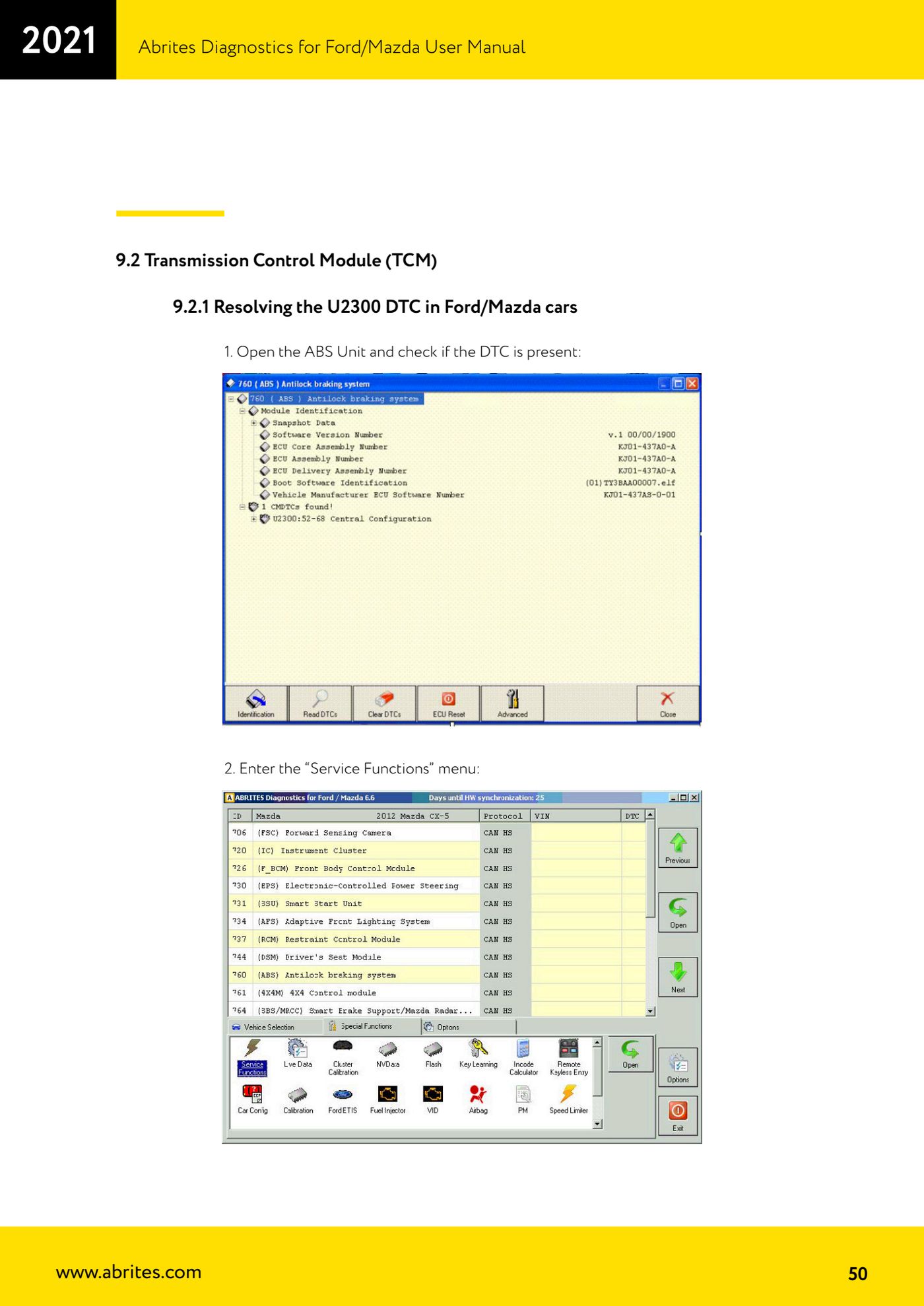
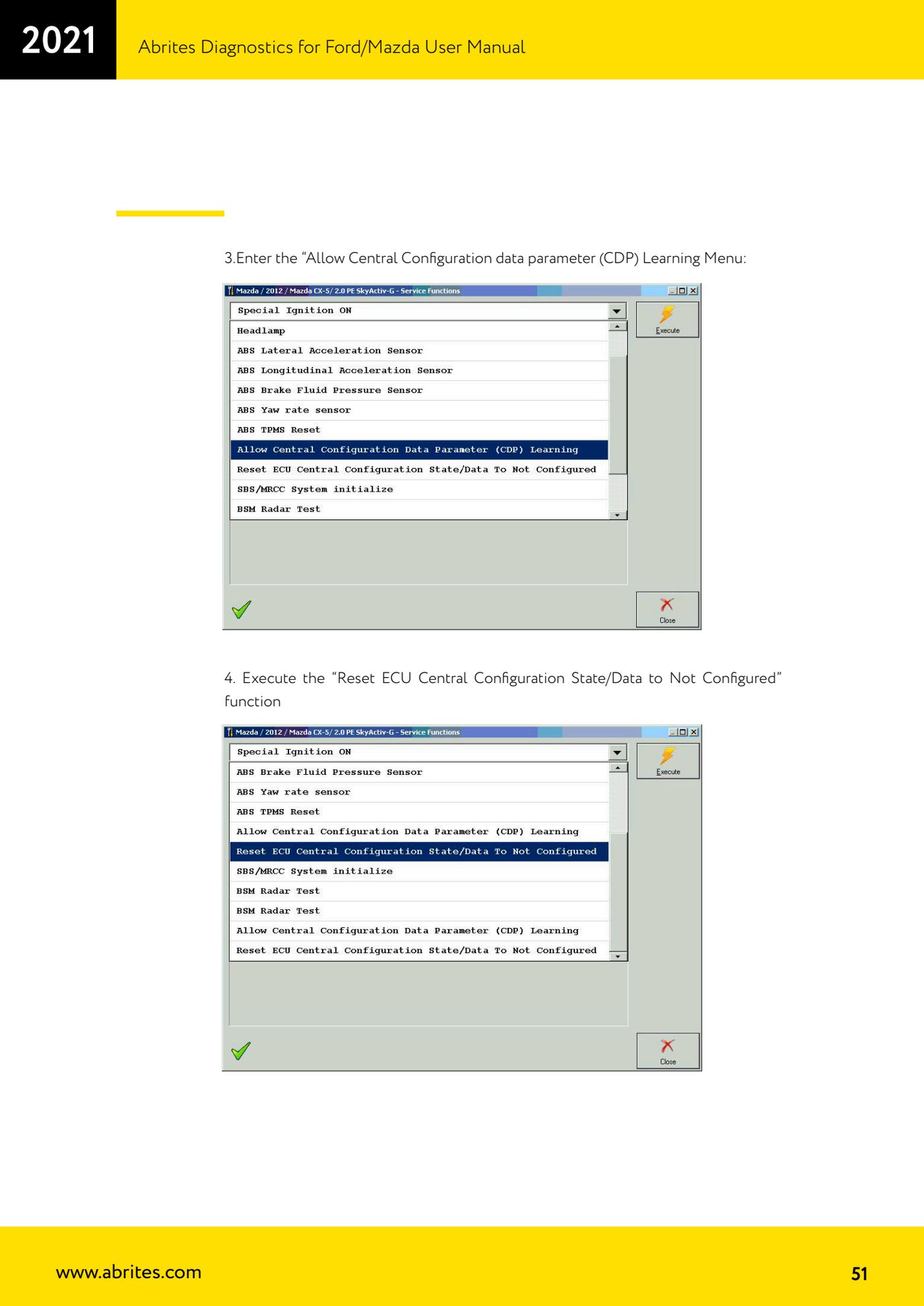
Source: Manuale Ford/Mazda, parte 2 di 2, cap. 9.2.1 Resolving the U2300 DTC (p.50-51) · ⏱ estimated time 15-30 min
← All Abrites guides Hardware catalogue
More guides Ford/Mazda
- Starting Abrites Diagnostics for Ford/Mazda: vehicle context and ECU scanning ("Scan all")
- ECU identification, DTC read/clear and Live Data on Ford/Mazda
- Getting to the Ford/Mazda "Special Functions": Memory Read/Write and Key Learning
- PATS Key Learning: adding keys on Ford/Mazda (including with the alarm triggered)
- Key programming on Mazda CX-30 and Mazda 3 from 2019 with special function MZ001
- Ford key programming from 2021 (F-150, Maverick, Mustang Mach-E, Transit): incode from the outcode or bench read of the BCM with the ZN085
- PATS Erase All Keys: erasing all keys from the Ford/Mazda PATS memory
- PATS Initialization: matching the PCM to the instrument cluster (IPC/HEC), BCM or FIP on Ford/Mazda
- Spare Key Programming and Unlimited Key Mode: enabling/disabling Ford/Mazda key programming
- PATS OUT/IN code calculator for Ford/Mazda IDS (SINGLE xx40 and DOUBLE xx44 outcodes)
- VID block (Vehicle Identification Data) in the Ford/Mazda PCM: reading and configuring parameters
- Supported protocols and OBDII pins on Ford/Mazda: HS-CAN, MS-CAN, K-Line and J1850 PWM