
Chip-Tools
Transferring keys from one RB8 cluster to another
VAG
Interface Classic
Keys / Immo
Medium
⏱ 30-60 min
10 steps
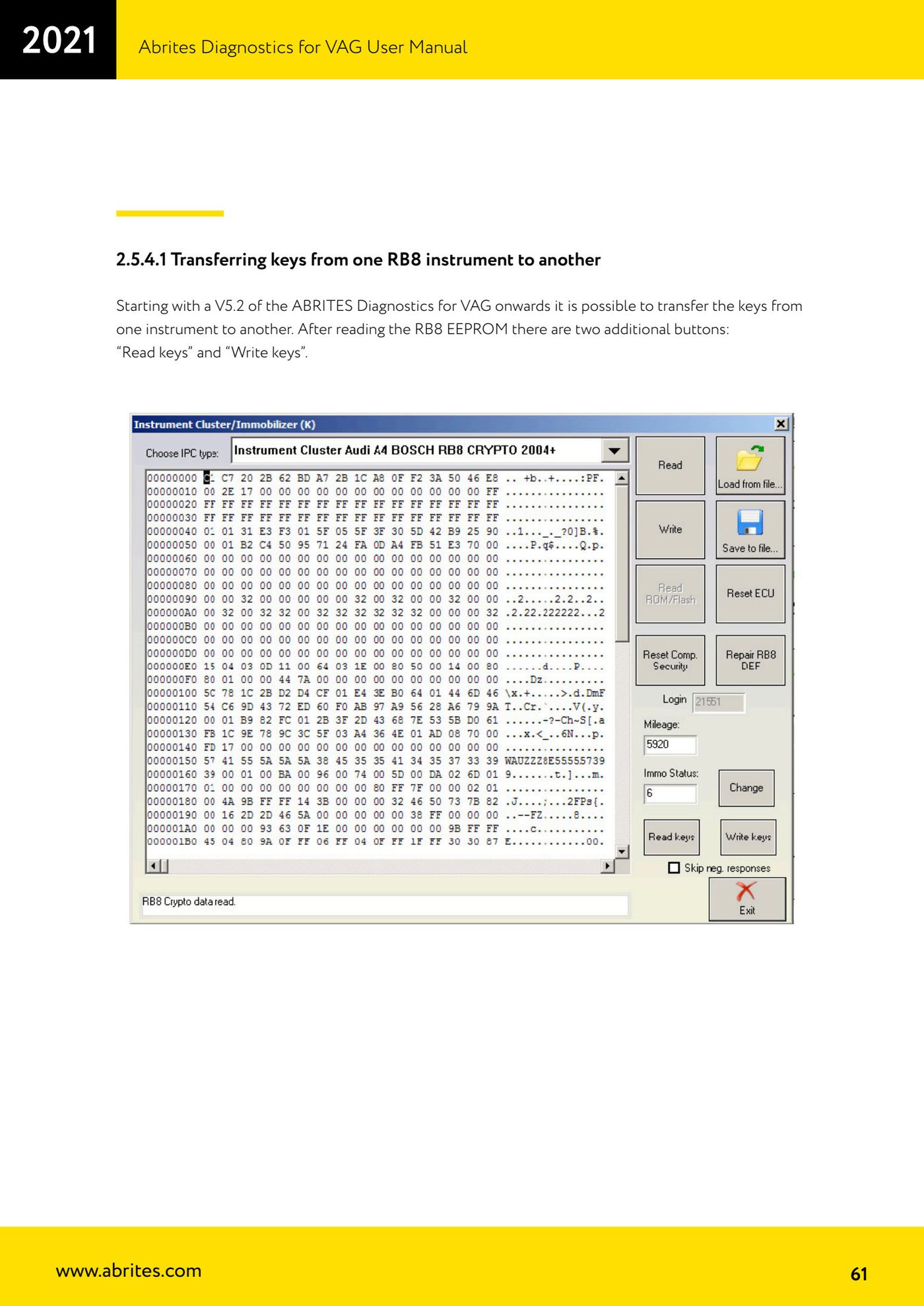
From version V5.2 of ABRITES Diagnostics for VAG onwards you can transfer keys already learned to one RB8 cluster over to another. Once the RB8 EEPROM has been read, the two buttons "Read keys" and "Write keys" appear.
Required licences
- —
Hardware / cables

⚠ WarningWithout transferring "Transfer component protection data" (the key's variable code) the keys will not be recognised and cannot be learned. To get the engine running you also have to align the component protection data in the engine ECU. The procedure described applies to RB8 clusters with 12-byte component protection (the vast majority); 7-byte ones are mainly found on petrol A4s, while the RS4 is 12-byte anyway.
Procedure
- Connect to the donor cluster and read its EEPROM with the cluster special function.
- Press "Read keys" and save the keys you have read to a file.
- Move over to the target cluster and read its EEPROM as well.
- Press "Write keys": the software asks for the path to the file saved from the donor cluster.
- Select the donor key file.
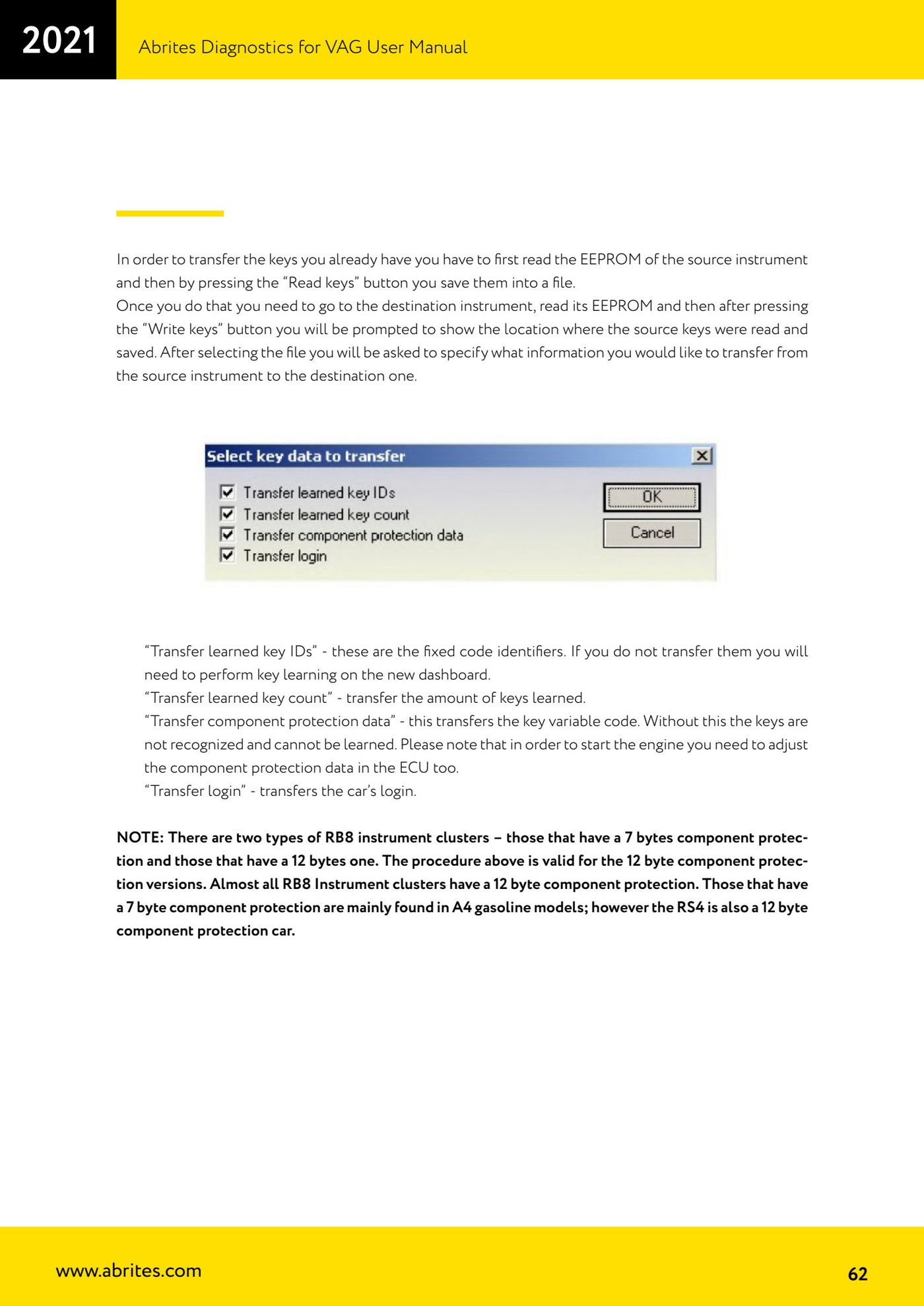
- In the next window choose what information to transfer: "Transfer learned key IDs" (the fixed key identifiers; if you do not transfer them you will have to carry out key learning on the new cluster).
- "Transfer learned key count": transfers the number of learned keys.
- "Transfer component protection data": transfers the key's variable code.
- "Transfer login": transfers the car's login.
- Confirm the transfer and, if required, align the component protection data in the engine ECU as well so the vehicle will start.
Reference screenshots
Source: Manuale VAG (Offline), cap. 2.5.4.1 (p.61-62) · ⏱ estimated time 30-60 min
← All Abrites guides Hardware catalogue
More guides VAG
- General diagnostics and fault code (DTC) read/clear
- Basic settings — factory reset (throttle body, steering, clutch)
- Adaptations — customer-requested changes
- Long coding — enabling hidden features
- MMI Functions — enable/disable infotainment features
- Wireless CarPlay / Android Auto
- Video in motion
- BCM2 unlock with the ZN080 set (solder-free)
- Reading CS on bench (PCR2.1, Simos 8.x/1x.xx, DCM6.2, TCU AL551/DL501/DQxxx)
- DSG mileage recalibration
- Service Intervals
- ECU programming with .frf files