
Chip-Tools
Replacing the engine ECU with ECU Exchange - Dump Tool
VAG
Interface Classic
Flashing / Programming
Advanced
⏱ 30-60 min
8 steps
With "ECU Exchange - Dump Tool" you modify the EEPROM dump of a replacement engine ECU so that, once written back into the ECU, it comes out adapted to the vehicle. You need it when fitting a used engine ECU.
Required licences
- —
Hardware / cables

Procedure
- Read the EEPROM dump of the engine ECU currently fitted to the vehicle (the application calls it the "active ECU").
- Read the EEPROM dump of the engine ECU you want to replace it with ("replacement ECU").
- Open the "ECU Exchange - Dump Tool" special function.
- Load the first dump with the "Load active ECU dump" button.
- Load the second dump with the "Load replacement ECU dump" button.
- Press "Change replacement ECU dump": the software makes the necessary changes to the replacement unit's dump.
- Press "Save replacement ECU dump" to save the modified dump to a new file.
- Program the saved file into the replacement ECU.
Reference screenshots
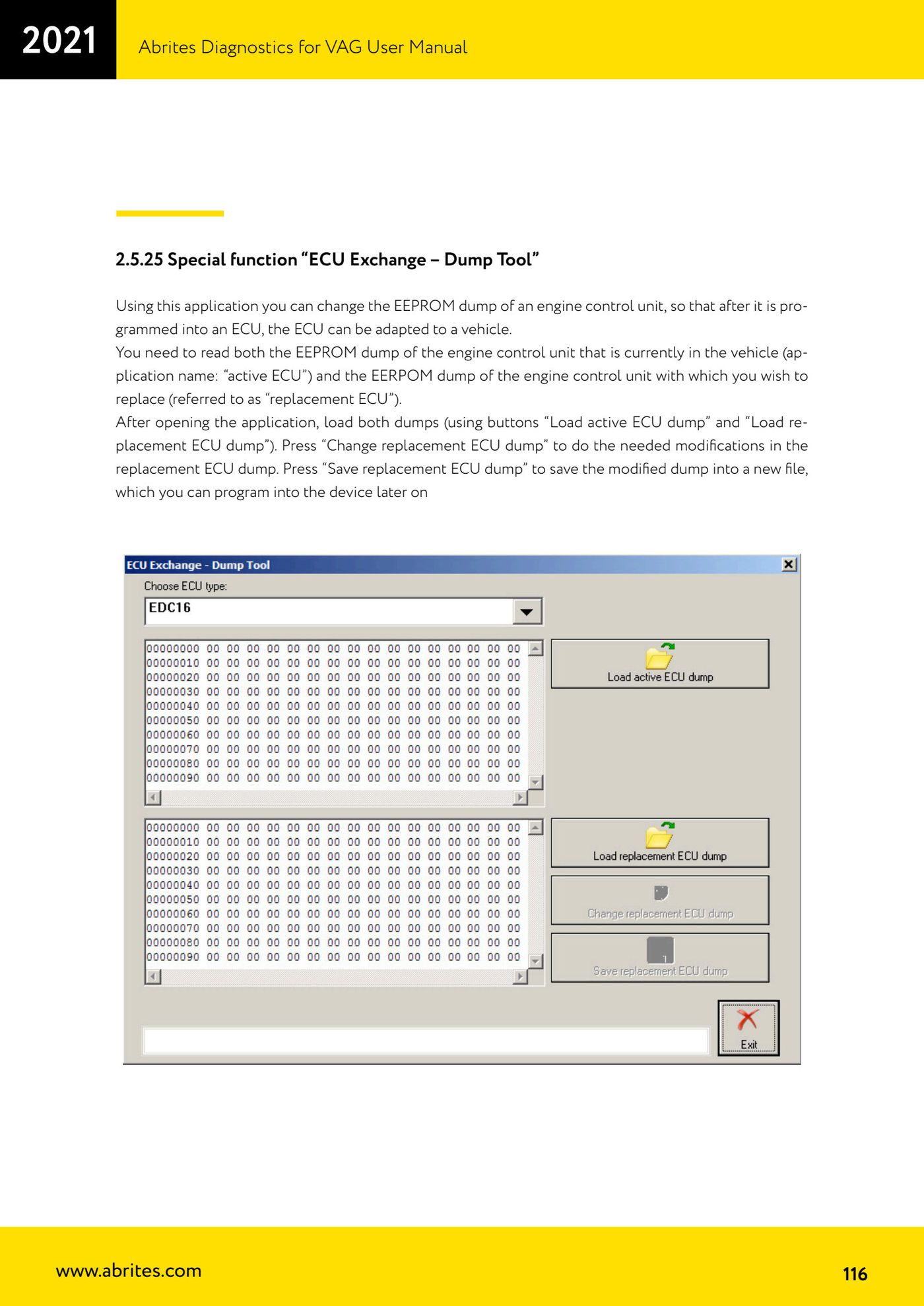
Source: Manuale VAG (Offline), cap. 2.5.25 (p.116) · ⏱ estimated time 30-60 min
← All Abrites guides Hardware catalogue
More guides VAG
- General diagnostics and fault code (DTC) read/clear
- Basic settings — factory reset (throttle body, steering, clutch)
- Adaptations — customer-requested changes
- Long coding — enabling hidden features
- MMI Functions — enable/disable infotainment features
- Wireless CarPlay / Android Auto
- Video in motion
- BCM2 unlock with the ZN080 set (solder-free)
- Reading CS on bench (PCR2.1, Simos 8.x/1x.xx, DCM6.2, TCU AL551/DL501/DQxxx)
- DSG mileage recalibration
- Service Intervals
- ECU programming with .frf files