
Chip-Tools
Reading the CS and cloning/restoring MQB transmission control units (DQ200, DQ250, DL501)
VAG
Interface Classic
Keys / Immo
Advanced
⏱ 60-120 min
6 steps
This function lets you read the immo data (CS) of MQB transmission control units and clone or restore the TCU. It can also be done on the bench on DQ200, DQ250 and DL501.

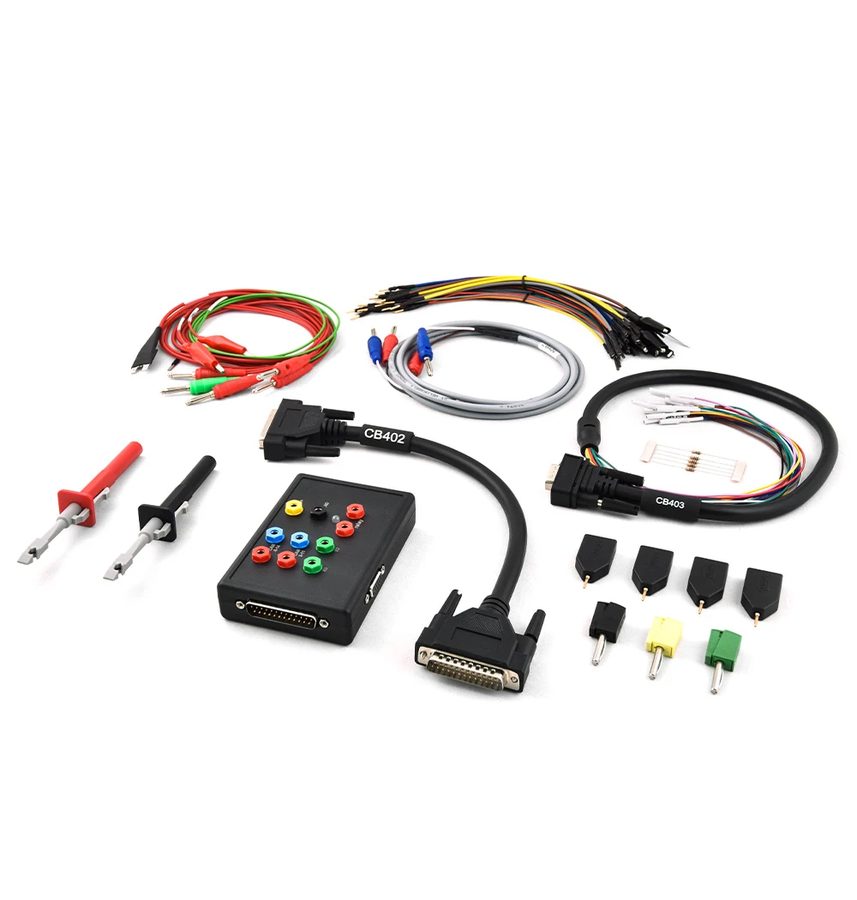
⚠ WarningThe DS Box must be connected to use this function.
Procedure
- Connect the DS Box (essential for this function).
- If you are working on the bench, wire the transmission control unit according to the connection diagram in the manual using the DS Box and the CB401 cable: the diagrams cover DQ200, DQ250 and DL501.
- Open "IMMO V Parts adaptation".
- Select "Transmission control unit" and then "MQB Platform".
- Follow the on-screen instructions.
- Read the immo data ("Read the Immo Data") and carry on with the modification.
Reference screenshots
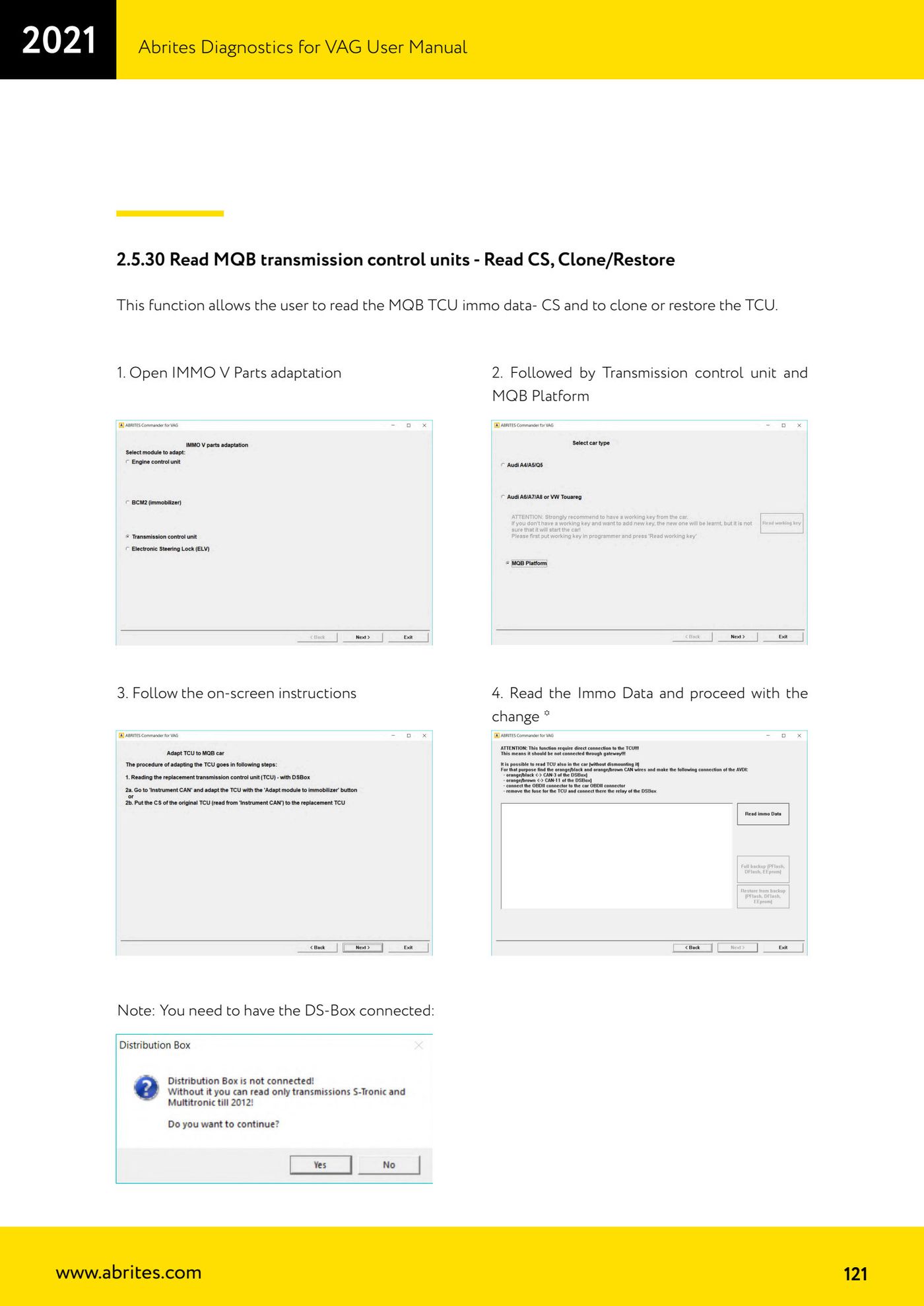
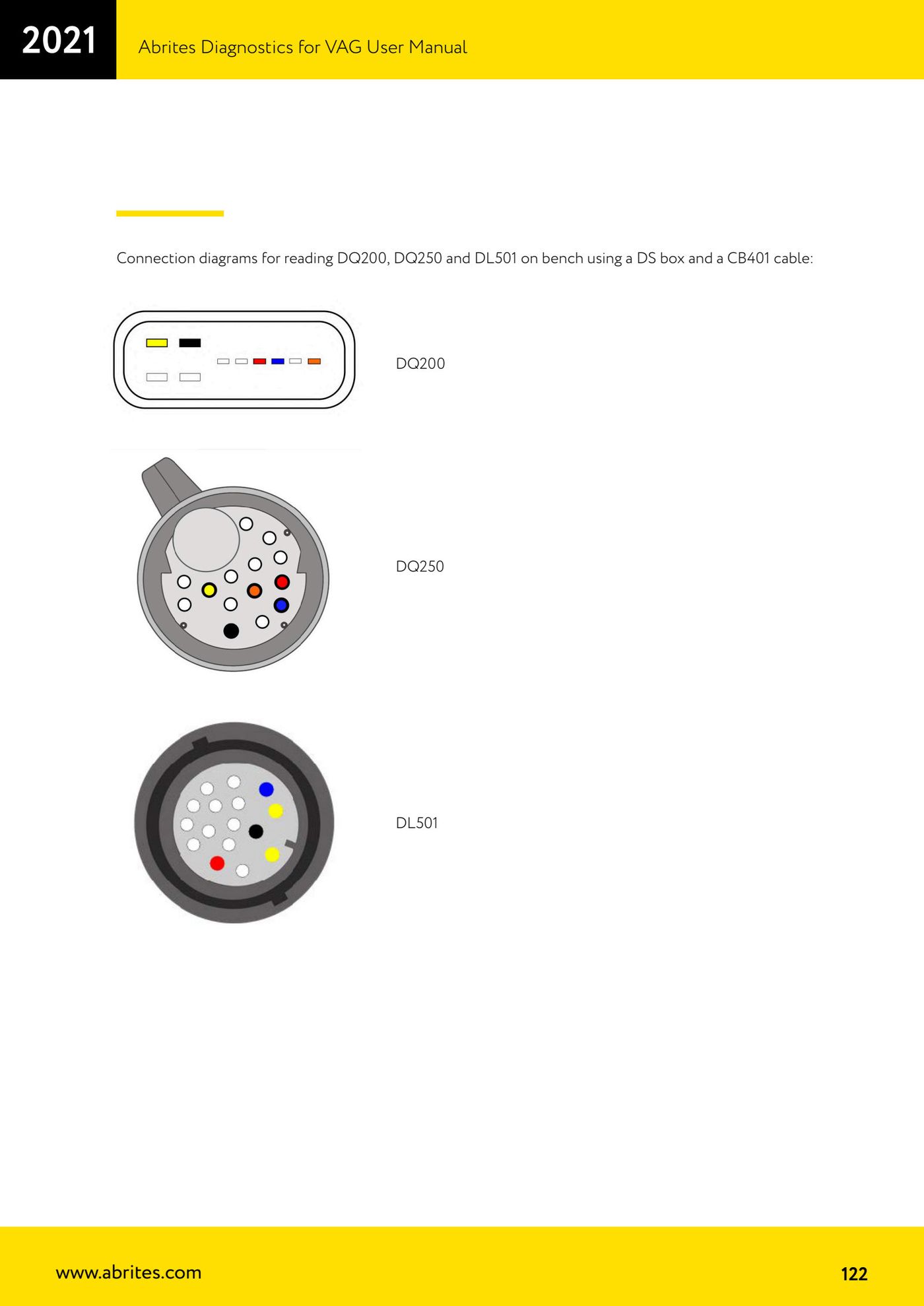
Source: Manuale VAG (Offline), cap. 2.5.30 (p.121-122) · ⏱ estimated time 60-120 min
← All Abrites guides Hardware catalogue
More guides VAG
- General diagnostics and fault code (DTC) read/clear
- Basic settings — factory reset (throttle body, steering, clutch)
- Adaptations — customer-requested changes
- Long coding — enabling hidden features
- MMI Functions — enable/disable infotainment features
- Wireless CarPlay / Android Auto
- Video in motion
- BCM2 unlock with the ZN080 set (solder-free)
- Reading CS on bench (PCR2.1, Simos 8.x/1x.xx, DCM6.2, TCU AL551/DL501/DQxxx)
- DSG mileage recalibration
- Service Intervals
- ECU programming with .frf files