
Chip-Tools
Key learning in guided mode (Wizard Mode)
VAG
Interface Classic
Keys / Immo
Medium
⏱ 20-45 min
6 steps
Wizard mode carries out most of the key learning operations automatically, walking the operator through step by step. It is the alternative to standard mode whenever automatic detection works.


⚠ WarningWith "Learn keys" every key not present at the time stops working: if you want to keep the keys that are not to hand, use "Add One Key" where supported.
Procedure
- Open the "Key learning" special function and choose wizard mode.
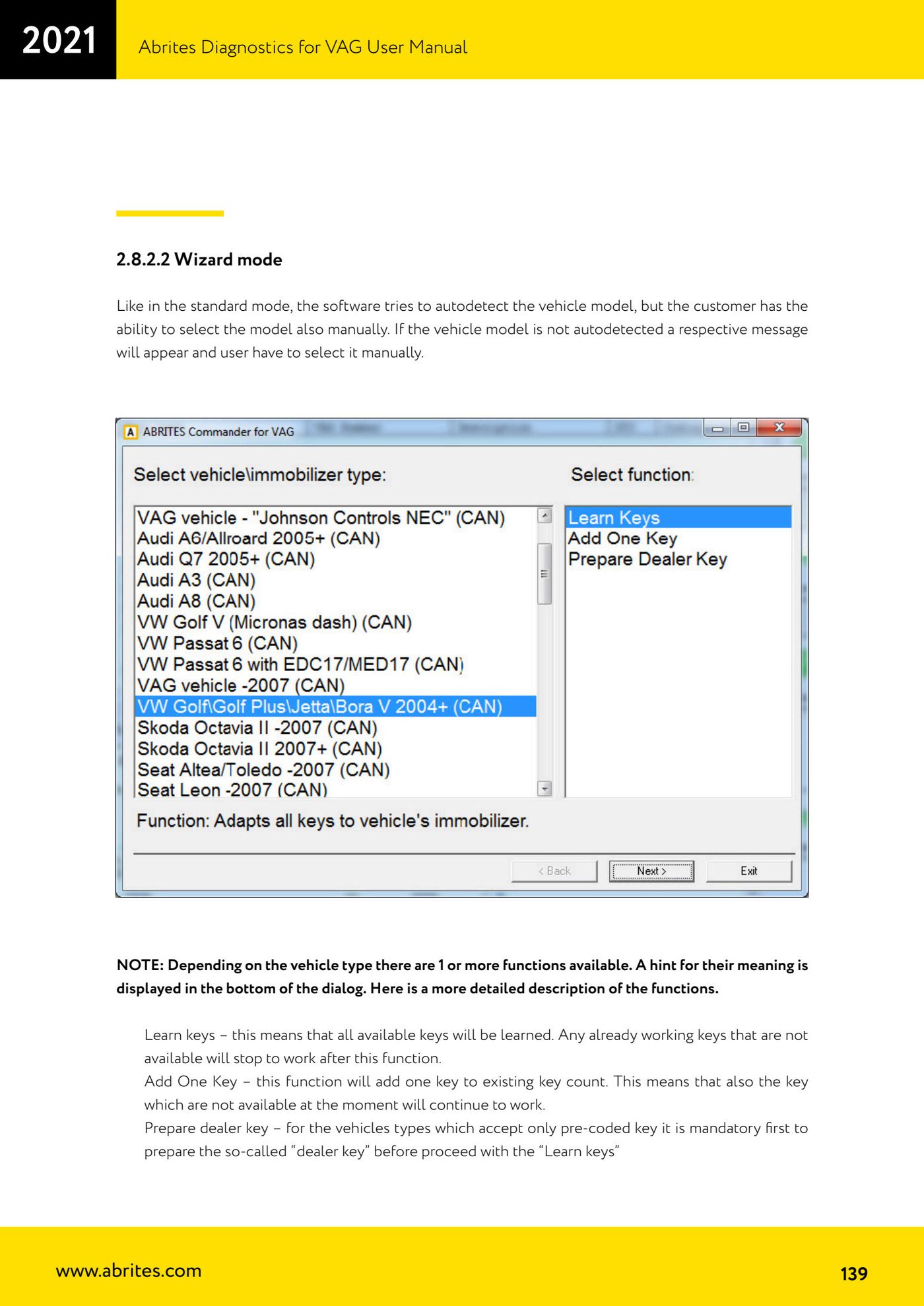
- The software tries to detect the vehicle model automatically; if it cannot, a message appears and you have to select it manually.
- Choose the function to run from those available for that vehicle type (one or more will be listed, with a hint on what each means at the bottom of the window): "Learn keys" learns all available keys and disables those not present; "Add One Key" adds a key to the existing count while leaving keys that are not present working; "Prepare dealer key" prepares the pre-coded key, which is mandatory before "Learn keys" on vehicles that only accept pre-coded keys.
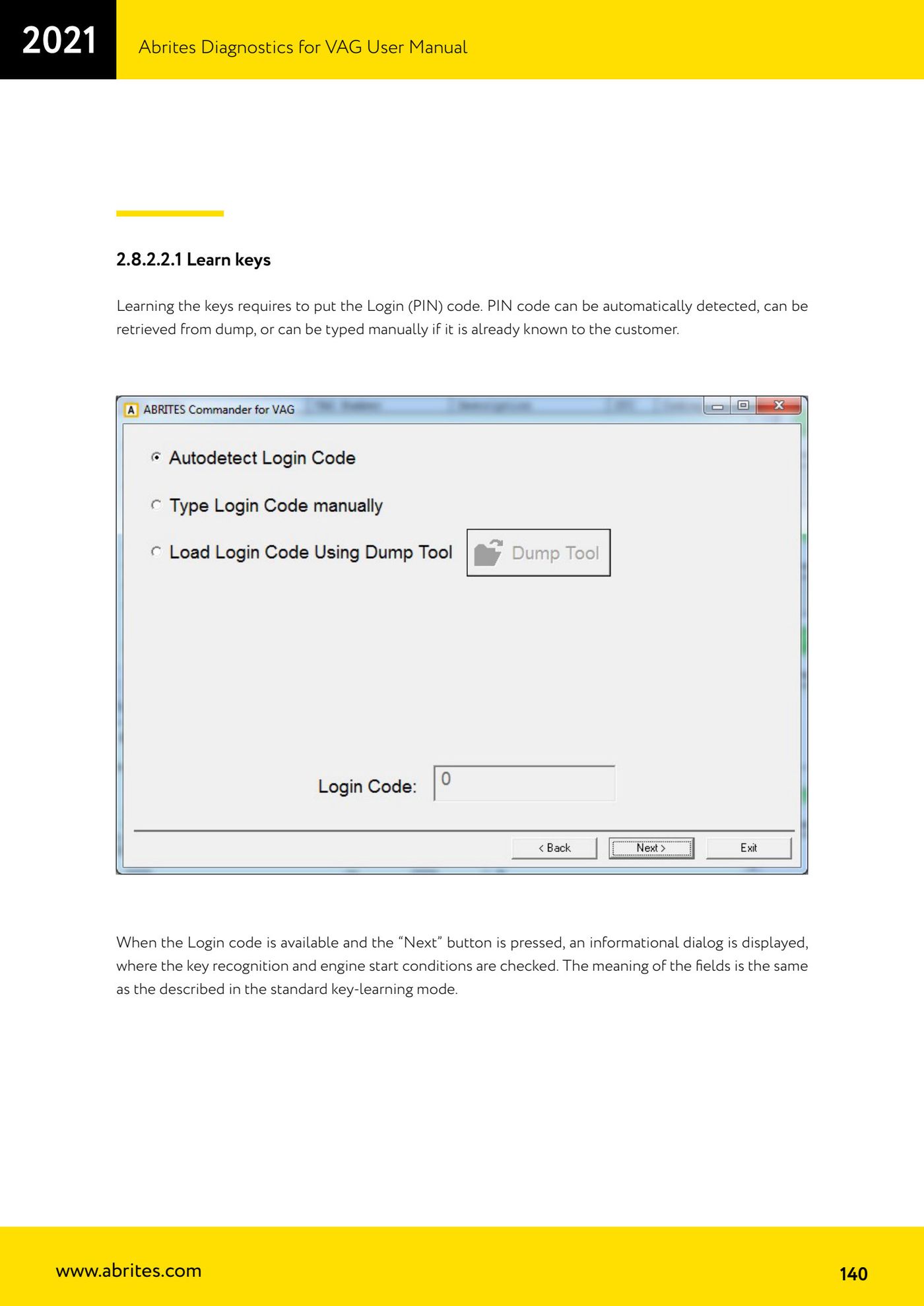
- For key learning enter the Login code (PIN): it can be read out automatically, extracted from a dump, or typed in manually if already known.
- Once the Login is available press "Next": the information window appears with the key recognition and engine start conditions (the same fields described in standard mode).
- Check the conditions and carry on with the learning procedure following the wizard prompts.
Reference screenshots
Source: Manuale VAG (Offline), cap. 2.8.2.2 - 2.8.2.2.1 (p.139-140) · ⏱ estimated time 20-45 min
← All Abrites guides Hardware catalogue
More guides VAG
- General diagnostics and fault code (DTC) read/clear
- Basic settings — factory reset (throttle body, steering, clutch)
- Adaptations — customer-requested changes
- Long coding — enabling hidden features
- MMI Functions — enable/disable infotainment features
- Wireless CarPlay / Android Auto
- Video in motion
- BCM2 unlock with the ZN080 set (solder-free)
- Reading CS on bench (PCR2.1, Simos 8.x/1x.xx, DCM6.2, TCU AL551/DL501/DQxxx)
- DSG mileage recalibration
- Service Intervals
- ECU programming with .frf files