
Chip-Tools
Immo V: adapting the transmission control unit (TCU) to the BCM2 — A4/A5/Q5 2008+ and A6/A7/A8
VAG
Interface Classic
Keys / Immo
Advanced
⏱ varies
6 steps
Adapts the transmission control unit (TCU) to the immobiliser (BCM2) on A4/A5/Q5 from 2008 and on A6/A7/A8, typically after the gearbox or its control unit has been replaced.
Required licences
- —
Hardware / cables

⚠ WarningThe TCU cannot be read over OBDII: it has to be read on the bench or by hooking up to the car's internal CAN-Bus. An internet connection is required throughout all three stages of the adaptation.
Procedure
- Set up the TCU for reading: either connect it on the bench, or connect the AVDI to the vehicle's internal CAN-Bus.
- For the internal CAN connection, locate the orange/black and orange/brown CAN wires and wire the AVDI as follows: orange/black <-> CAN-H (PIN6 of the OBDII); orange/brown <-> CAN-L (PIN14 of the OBDII); ground <-> GND (PIN4 of the OBDII); 12V <-> 12V (PIN16 of the OBDII).
- Stage 1: read the TCU using the connections described above. Alternatively you can use "read from cache", which pulls the last successful read for that TCU out of the cache memory.
- Once the read is complete, plug the AVDI back into the OBDII socket and carry on with the adaptation.
- Stage 2: the software reads the BCM2 module — all the user has to do is press "Next".
- Stage 3: the TCU and the BCM2 are synchronised; if the TCU ID and the BCM2 ID differ, those are synchronised as well. Once finished, the car can be started.
Reference screenshots
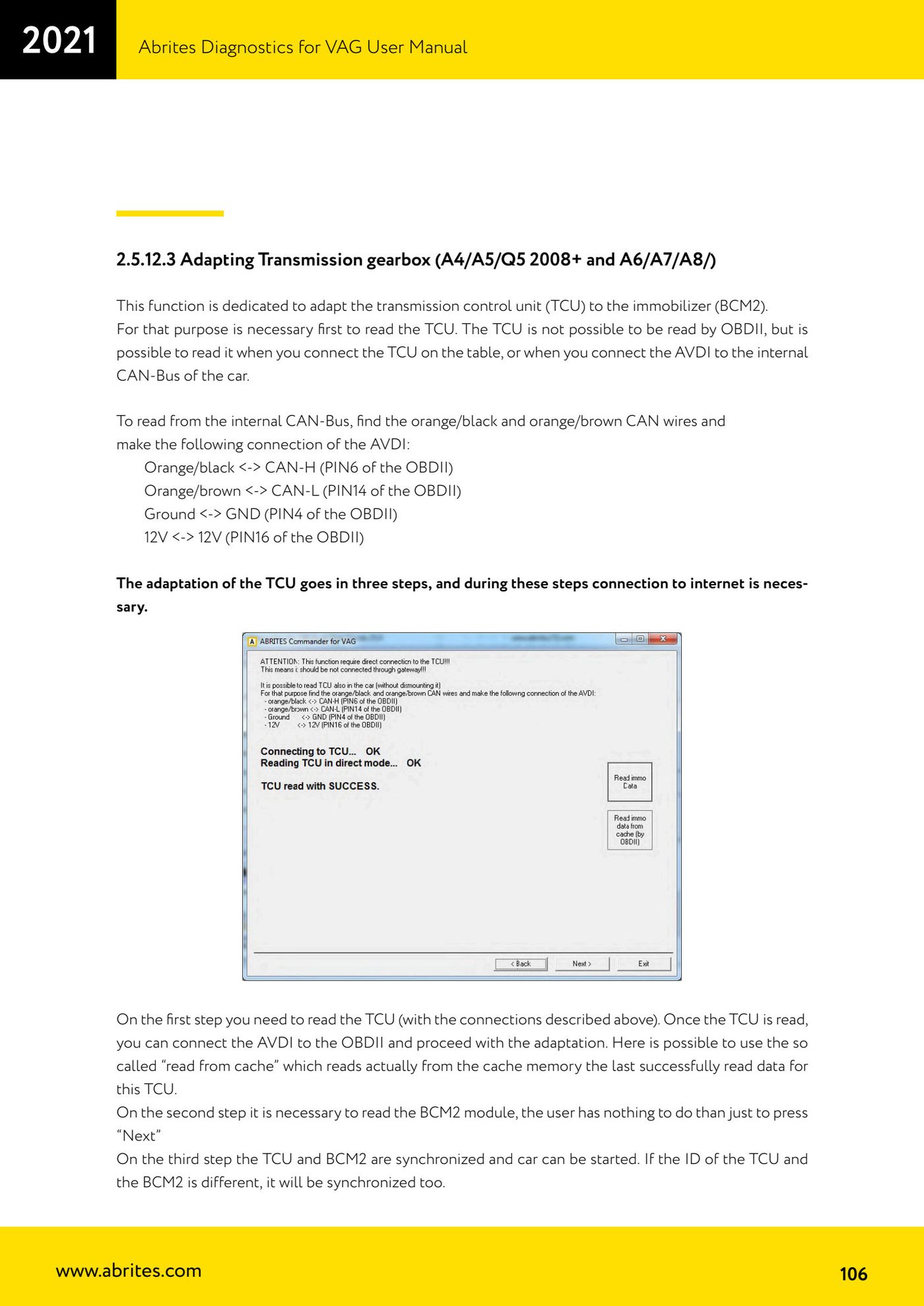
Source: Manuale VAG (Offline), cap. 2.5.12.3 (p.106) · ⏱ estimated time varies
← All Abrites guides Hardware catalogue
More guides VAG
- General diagnostics and fault code (DTC) read/clear
- Basic settings — factory reset (throttle body, steering, clutch)
- Adaptations — customer-requested changes
- Long coding — enabling hidden features
- MMI Functions — enable/disable infotainment features
- Wireless CarPlay / Android Auto
- Video in motion
- BCM2 unlock with the ZN080 set (solder-free)
- Reading CS on bench (PCR2.1, Simos 8.x/1x.xx, DCM6.2, TCU AL551/DL501/DQxxx)
- DSG mileage recalibration
- Service Intervals
- ECU programming with .frf files